Author: Jørgen Wibe

  • Customer Onboarding CRM Workflows That Scale

    Customer Onboarding CRM Workflows That Scale

    Learning how to set up customer onboarding workflows is a powerful way to strengthen customer relationships and drive business efficiency. Well-built onboarding processes reduce confusion, accelerate time to value, and create consistency across teams. In this post, you’ll discover a step-by-step framework for designing automated onboarding in your CRM and workspace, along with practical examples of how tools like MainFoundry make it simpler to manage everything without adding more software. You’ll also get clear guidance on sustaining scalability, clarity, and automation as your customer base grows.

    Building Scalable Customer Onboarding Workflows

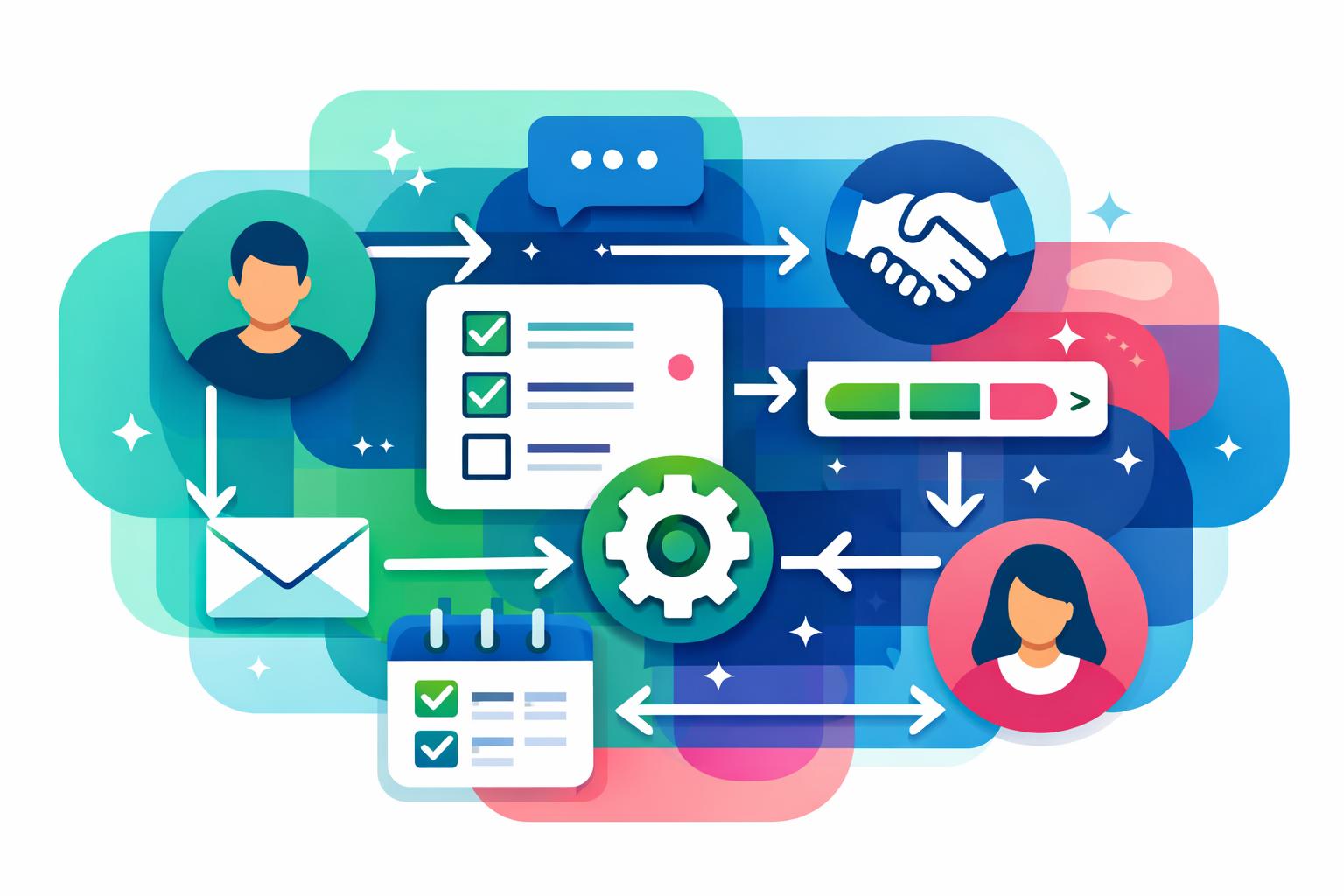
    At its core, onboarding follows predictable stages: a deal closes, data is collected, tasks are assigned, and progress is tracked. Effective automation begins when these stages are clearly mapped and tied to real customer triggers. Once a contract is signed or subscription activated, your system should automatically create a linked onboarding record in the CRM. Integrating onboarding inside custom workspaces ensures new records are connected to customer accounts and workflows begin instantly.

    Early communication sets the tone for the experience. Automated welcome sequences confirm next steps and direct customers to scheduling or setup materials. Successful workflows trigger these messages promptly—often within one day of signup. By aligning CRM data with marketing analytics inside MainFoundry CRM and marketing analytics, messages respond to real behavior rather than guesswork.

    Behind the scenes, internal coordination ensures things move smoothly. Automating task templates for each onboarding stage removes reliance on memory or manual reminders. When a customer reaches a “Kickoff Scheduled” stage, tasks like agenda preparation and account verification can be automatically assigned. MainFoundry’s task management links these assignments directly to the customer’s record so context remains intact.

    Milestone tracking brings visibility across teams. Each milestone—payment confirmed, kickoff completed, first use achieved—signals meaningful progress. Within a workspace, these milestones can appear on Kanban boards or integrated into customer profiles, allowing instant insight into where each account stands. The result is alignment across departments and fewer bottlenecks.

    “Automation works best when each onboarding step is clear, measurable, and directly linked to customer actions.”

    Time-based triggers add reliability across varying customer speeds. Automated reminders at seven, fourteen, or thirty days provide gentle nudges or escalate inactive accounts. This simple timing structure prevents silent drop-offs and keeps engagement high without overwhelming customers with excessive messaging.

    Pro Tip: Define onboarding steps based on tangible outcomes, such as “first value delivered” or “training completed,” rather than internal tasks. It keeps progress customer-centric and measurable.

    Running Onboarding Without Extra Tools

    Many teams struggle with tool sprawl—adding CRMs, project managers, and automation apps just to keep onboarding moving. A unified approach keeps everything in one system. When onboarding resides directly in your CRM and workspace, all communications, tasks, and milestones remain linked to the customer record. In MainFoundry, these workflows operate inside a single platform connected to contacts and companies, eliminating data fragmentation.

    This setup simplifies optimization and reporting. Each workflow step can be measured against outcomes like activation speed or long-term retention. If customers completing a kickoff call in the first week show higher engagement, you can re-sequence tasks accordingly. Over time, onboarding evolves from a checklist into a constantly improving process grounded in data.

    Customer trust also grows through consistency. With secure, governed systems, onboarding can handle contracts, billing, and sensitive details safely. Using a business platform with a defined security framework reduces risks that arise when stitching processes across multiple tools.

    Customers are most patient when they understand what’s happening and see steady progress—transparency beats speed every time.

    Key Takeaways

    • Design onboarding around triggers, milestones, and time-based automation to maximize clarity and reduce delays.
    • Keep onboarding inside your CRM and workspaces for unified visibility and easier collaboration.
    • Measure which onboarding steps improve outcomes and refine based on data, not assumptions.
    • Safeguard sensitive customer details by using secure, governed systems aligned with your operational infrastructure.
    • Explore MainFoundry to see how unified CRM data, custom workspaces, and automation workflows combine to deliver scalable onboarding.

    Related Reading

    Check out Building Unified Customer Data Workflows for more insights on leveraging CRM automation effectively.

  • Workflow Automation SaaS for Scaling Team Operations

    Workflow Automation SaaS for Scaling Team Operations

    Modern SaaS teams operate at remarkable speed, but many still rely on manual coordination, spreadsheets, and reminders that limit scalability. That’s where workflow automation SaaS transforms daily operations. By automating predictable tasks—from lead routing to invoicing—teams can operate with greater precision and focus on high-value initiatives. In this guide, you’ll discover what workflow automation means for SaaS operations, the most common workflows to automate, and the tangible ROI automation brings to fast-growing teams.

    What Workflow Automation Means for SaaS Operations

    At its core, workflow automation in SaaS allows systems to carry out routine tasks automatically when specific events occur. For example, a new lead entering the CRM can trigger updates, notifications, or billing actions—no spreadsheets or manual follow-ups required. This reliability matters even more in SaaS, where recurring events like signups, renewals, and upgrades happen daily.

    Automation ensures data stays consistent across platforms like CRM, billing, and marketing systems. Instead of copying customer data manually, these systems sync automatically, keeping every department aligned. When a contract closes, an automated workflow can instantly generate an invoice, create onboarding tasks, and notify the account manager—all without delay.

    Solutions such as MainFoundry exemplify this integrated approach by embedding automation into unified data models. A contact created in the CRM system for managing contacts and companies can seamlessly initiate workflows across marketing, finance, and customer success. This reduces tool fragmentation, simplifies management, and enhances scalability as operations expand.

    “For SaaS businesses, automation isn’t just a technical upgrade—it’s a repeatable system that keeps teams aligned and customers satisfied.”

    Common SaaS Workflows to Automate—and the ROI They Deliver

    Many SaaS teams start with daily, recurring processes that often span multiple departments. By targeting workflows like lead follow-ups, customer onboarding, billing, and renewals, organizations achieve measurable gains in speed, accuracy, and customer satisfaction. Automation not only reduces human error but also scales effortlessly as customer volumes grow.

    • Lead routing and follow-up: Automatically assign inbound leads based on region, deal size, or product line. Trigger personalized emails instantly to reduce response delays and accelerate conversion rates.
    • Customer onboarding: Automate task creation, stakeholder notifications, and welcome emails to deliver a consistent onboarding experience and reduce churn risks early in the customer journey.
    • Billing and renewals: Generate invoices automatically, apply correct taxes, and remind customers of upcoming renewals, ensuring accurate and timely revenue recognition.

    Automation’s ROI becomes evident in fewer errors, reduced administrative workload, and sustainable scalability. With platforms like MainFoundry, teams can use custom workspaces for internal processes—such as sales funnels or finance pipelines—and connect them directly to CRM and subscription data. This allows automation to adapt naturally to existing workflows rather than disrupt them.

    Teams using integrated workflow automation save hours every week and scale their operations without adding headcount.

    Key Takeaways

    • Workflow automation helps SaaS teams remove repetitive tasks and focus on growth-driving work.
    • The biggest gains come from automating lead routing, onboarding, billing, and renewal workflows.
    • ROI is delivered through reduced errors, faster processes, and scalable operations without extra staff.
    • Unified platforms like MainFoundry make automation sustainable by connecting CRM, finance, and internal data in one place.

    If you’re exploring workflow automation SaaS tools, choose one that consolidates your systems rather than fragments them. Learn more about how MainFoundry unifies CRM, marketing analytics, and financial operations—or contact the team for a personalized walkthrough of how automation can simplify your daily operations.

  • Workflow Automation SaaS for Scalable SaaS Operations

    For fast-growing SaaS companies, operational complexity becomes a major growth barrier. Manual workflows create delays, errors, and inconsistent customer experiences. That’s where workflow automation SaaS platforms make a difference. They remove repetitive work and connect sales, onboarding, billing, and renewals so operations can scale efficiently. In this post, we’ll explore how automation impacts daily processes, which workflows deliver the highest ROI, and what thoughtful implementation looks like when optimizing for growth and consistency at scale.

    How Workflow Automation Improves SaaS Operations

    As SaaS teams scale, the strain of manual work becomes clear—missed leads, inconsistent onboarding, and late billing reminders. Automation platforms tackle these challenges by standardizing how work happens while maintaining flexibility in key areas. Each workflow operates through triggers and actions, automatically initiating steps like assigning a rep, provisioning access, or notifying account owners after specific events such as new leads or renewals.

    In practical terms, automation enhances reliability and accuracy. Manual data entry errors fade when systems automatically sync a closed deal from CRM into billing. Less time spent fixing mistakes means more time focused on customer relationships and product quality. There’s also a clear boost in responsiveness: actions such as follow-ups or invoices happen instantly when triggered, even after hours—keeping your business running around the clock.

    Scalability is another major advantage. Automated workflows can support ten or ten thousand customers with the same efficiency, unlike manual processes that grow linearly with headcount. Tools such as unified CRM systems make automation even stronger by connecting real customer data directly to workflow logic. Platforms like MainFoundry combine CRM, finance, and operations under one roof to ensure workflows act on meaningful business context.

    “Automation isn’t about turning people into machines—it’s about eliminating the busywork so your team can focus on strategic moves that drive growth.”

    Workflows That Deliver the Fastest Impact

    Most teams find the biggest ROI by starting small—automating processes that directly impact revenue and customer experience. These include lead routing, customer onboarding, billing triggers, and renewal reminders. Each of these workflows reduces delays and prevents costly errors before they accumulate.

    • Lead routing and follow-up: Automatically assign new leads to the right sales rep based on territory or interest. Connect this flow with marketing analytics and attribution to understand conversion performance.
    • Customer onboarding tasks: Trigger provisioning and internal handoffs immediately after deal closure instead of relying on manual lists or delayed updates.
    • Billing and payment reminders: Automate invoice generation and renewal notifications to improve consistency in your billing management process.
    • Lifecycle and renewal management: Alert account owners about expiring contracts or low usage, allowing proactive customer engagement and retention planning.

    Beyond these, advanced teams automate internal approvals, performance reports, or support triage. But foundational workflows tend to deliver results the fastest—streamlining communication and operations across sales, product, and finance.

    Key Takeaways

    Implementing workflow automation SaaS doesn’t just save time—it builds a scalable foundation for operational excellence. The ROI appears not only in hours regained but also in fewer errors, faster responses, and improved customer trust. To make automation effective, start by mapping existing processes and connecting automation directly to CRM, finance, and marketing systems like the AI-powered business platform from MainFoundry for continuous optimization.

    Related Reading

    Explore custom workspaces for operations to learn how unified automation links cross-functional workflows securely and efficiently.

    Ready to explore what automation can look like in your SaaS organization? Connect with the MainFoundry team at https://www.mainfoundry.com/contact to discover smarter operations at scale.

  • Revenue Operations RevOps Best Practices for SaaS Growth

    Revenue Operations RevOps Best Practices for SaaS Growth

    When sales, marketing, and customer success teams start working at cross-purposes, friction can stall growth and confuse customers. Many SaaS companies face this as they scale—leads don’t convert smoothly, handoffs feel inconsistent, and data silos create conflicting reports. This is where Revenue Operations (RevOps) comes in. By aligning people, processes, and technology around shared revenue goals, RevOps helps you build predictable growth. In this post, we’ll explain what RevOps is, how it unites go-to-market teams, and why small SaaS companies benefit most from adopting a RevOps mindset early on.

    How Revenue Operations (RevOps) Aligns Teams Around Revenue

    At its core, Revenue Operations replaces departmental silos with a unified operating model for growth. Sales, marketing, and customer success still focus on their specialties, but they share the same playbook, data, and overarching definition of success. This helps eliminate the disconnect between leads generated, deals closed, and customers retained.

    The biggest shift RevOps brings is aligning everyone around revenue-based metrics instead of isolated departmental KPIs. Marketing looks beyond lead counts, sales thinks past closed deals, and customer success evaluates contributions to overall revenue growth. Shared goals such as pipeline conversion, retention, and recurring revenue ensure every team pulls in the same direction.

    “RevOps turns fragmented processes into a single revenue engine built on shared data and unified goals.”

    Centralized, trusted data makes this alignment possible. Instead of reconciling reports from disconnected tools, RevOps establishes one source of truth across the customer lifecycle. When prospect engagement, campaign performance, and billing live in a unified system, teams can focus on interpreting results, not reconciling spreadsheets. Platforms like MainFoundry CRM and activity timeline bring every interaction—emails, meetings, and conversions—into one chronological view, making collaboration seamless and transparent.

    Unlike traditional sales operations, which concentrate narrowly on deal execution, RevOps oversees the full revenue journey—from lead generation to expansion. This broader scope uncovers friction points like inconsistent qualification, inaccurate forecasting, and churn triggered by misaligned expectations. By connecting each phase of the customer experience, RevOps ensures no part of the revenue process falls through the cracks.

    Why Small SaaS Teams Benefit from a RevOps Mindset

    Many founders assume RevOps requires a large organization or a specialized hire. In truth, small SaaS teams often see the greatest impact from embracing this mindset early. Limited resources magnify inefficiencies—duplicate data entry, unclear ownership, and inconsistent reporting can all hinder growth. A RevOps approach helps you define shared KPIs, streamline handoffs, and consolidate revenue-critical workflows without adding headcount.

    For subscription-based businesses, aligning marketing, sales, and customer success is essential. Miscommunication between these teams can sow confusion that customers feel—driving churn and stalling expansions. Adopting a unified lifecycle view ensures that acquisition, onboarding, and retention reinforce one another. That’s the power of RevOps thinking: connecting every step of the revenue journey into a cohesive, data-driven loop.

    Small teams can implement this without complexity by assigning clear ownership to essential processes such as pipeline reviews and renewal planning. shared dashboards and standardized definitions minimize report disputes and keep everyone focused. Integrated tools make execution dramatically easier. For example, MainFoundry’s marketing analytics and attribution tools bring campaign and CRM data together, enabling teams to trace real pipeline impact instantly—no spreadsheets required.

    Pro Tip: Think of RevOps less as a department and more as an operating system. Align critical workflows—forecasts, renewals, performance reviews—under shared data and unified automation.

    Features like subscription and billing management and custom workspaces for cross-team processes allow growing teams to maintain unified visibility across renewals, expansions, and internal workflows—preserving a single source of revenue truth.

    • Agree on core revenue metrics that drive accountability across teams.
    • Document and simplify handoffs between sales, marketing, and success.
    • Centralize revenue data and automate performance reviews.
    • Use shared dashboards to create visibility and unified accountability.

    Key Takeaways

    Revenue Operations isn’t just about technology—it’s about alignment. By connecting people, processes, and systems around revenue, RevOps eliminates silos and makes growth more predictable. Small SaaS teams can achieve big efficiency gains by adopting RevOps principles early, even without a dedicated hire. Unified platforms like MainFoundry give you the foundation to streamline workflows, balance accountability, and scale sustainably. To learn how a single system can unify your go-to-market teams, visit MainFoundry.com or connect with the team at MainFoundry contact.

  • Revenue Operations RevOps Guide for SaaS Teams

    Revenue Operations RevOps Guide for SaaS Teams

    Growth challenges often arise not from lack of effort but from misaligned teams. Sales, marketing, and customer success frequently pull in different directions, each chasing its own metrics. Revenue Operations (RevOps) determines how to connect those functions around a single goal—revenue growth. This guide explains what RevOps means for SaaS businesses, how it operates in practice, and how unified platforms like MainFoundry make it realistic for lean teams by turning alignment into an actionable, data-driven system.

    What Is Revenue Operations (RevOps) and How It Works

    At its core, Revenue Operations unites sales, marketing, and customer success under shared revenue metrics instead of isolated departmental goals. Rather than treating each stage of the customer lifecycle separately, RevOps views every interaction—from first engagement to renewal—as part of one connected process. This alignment makes business forecasting more accurate and eliminates friction between teams.

    RevOps brings together four elements that often drift apart as organizations grow: people, processes, data, and technology. When those components work in harmony, silos disappear. Conversations move away from who owns which number toward how each team contributes to total recurring revenue. For leadership, this integrated approach turns fragmented reports into a single, transparent source of truth.

    Unlike traditional sales operations—which focus mainly on CRM hygiene and pipeline practices—RevOps spans the entire revenue lifecycle. It connects acquisition campaigns, deal conversion, customer retention, and expansion. This unified rhythm helps companies deliver a smoother customer experience because clients no longer feel “handed off” between internal teams.

    “RevOps replaces fragmented metrics with shared revenue visibility—creating clarity and confidence across the entire funnel.”

    Technology plays a pivotal role, but success doesn’t depend on dozens of disconnected tools or spreadsheets. RevOps thrives when all revenue-related information lives in one unified platform. Modern teams increasingly rely on centralized systems like CRM data, marketing analytics, and billing insights in one environment, allowing every metric to tell the same story. When customer activity, lead attribution, and subscription payments connect seamlessly, teams can finally measure what influences long-term growth instead of short-term conversions.

    Why Small SaaS Teams Gain Most from RevOps Mindset

    It’s easy to assume that RevOps belongs to enterprises with large operations, but the opposite is true. Smaller SaaS companies often feel misalignment hardest because every inefficiency compounds when resources are limited. Introducing RevOps early builds clarity and cohesion that fuel faster growth. Instead of three teams defining success differently, all agree on how revenue is tracked, how data flows, and what counts as performance improvement.

    Without this approach, it’s common to see marketing deliver leads sales doesn’t trust or customer success lack the context needed for retention. RevOps closes those gaps by standardizing handoffs and making revenue transparency the default. Teams gain full visibility into communications, conversions, and renewals—all within a single timeline.

    Pro Tip: Start small by defining shared revenue metrics and connecting them in a unified workspace. Tools like custom workspaces in MainFoundry help small teams visualize their full revenue cycle without complex integrations.

    RevOps also strengthens financial discipline by linking operational data to explicit monetary outcomes. When metrics like recurring revenue, churn, and lifetime value sit beside pipeline and campaign performance, leaders make better predictions and budget with confidence. Furthermore, automation and AI-driven insights now make RevOps accessible even for lean organizations. Integrations like AI-powered business tools streamline reporting and prompt actions automatically, letting teams focus on growth instead of maintenance.

    Key Takeaways

    • Revenue Operations aligns sales, marketing, and customer success around shared revenue goals to eliminate silos.
    • A RevOps framework unites people, processes, data, and technology across the customer lifecycle for seamless collaboration.
    • Smaller SaaS teams can gain clarity and financial focus early by adopting RevOps thinking.
    • Unified platforms such as MainFoundry make implementation practical by centralizing data without dedicated headcount.

    Related Reading

    For further insights on integrated growth systems, visit MainFoundry contact page or explore how unified data platforms simplify RevOps for SaaS teams.

  • Tech stack konsolidering for SaaS med samlet CRM

    Tech stack konsolidering for SaaS med samlet CRM

    Mange SaaS-virksomheder står i dag over for en voksende kompleksitet i deres teknologilandskab. Tech stack konsolidering er derfor blevet en central strategi for at skabe bedre sammenhæng mellem værktøjer og processer. Denne artikel giver dig en forståelse af, hvad konsolidering indebærer, hvorfor det er vigtigt for moderne SaaS-forretninger, og hvordan løsninger som MainFoundry kan gøre overgangen til en samlet platform både effektiv og skalerbar.

    Hvad betyder tech stack konsolidering – og hvorfor det er afgørende nu

    Tech stack konsolidering handler om at samle og forenkle virksomhedens værktøjer, så færre platforme løser flere opgaver med større effektivitet. For mange starter processen som et ønske om at reducere omkostninger, men ender med langt større gevinster i form af bedre data, stærkere samarbejde og mere robuste processer.

    Udfordringen opstår typisk, når værktøjer er blevet tilføjet ad hoc over tid – et CRM til salg, et andet system til marketing og separate løsninger til fakturering eller rapportering. Hver for sig fungerer de, men samlet skaber de fragmentering. Tech stack konsolidering løser dette ved at identificere overlap, fjerne redundans og samle funktionalitet i mere centrale systemer.

    “Konsolidering er ikke et mål i sig selv, men et middel til at skabe en mere fokuseret og effektiv forretning.”

    I praksis betyder det, at virksomheder får en teknologisk infrastruktur, der er nemmere at drifte, sikre og skalere. Det handler ikke kun om færre systemer, men også om en bedre brugeroplevelse, hvor teams arbejder sammen på tværs uden login-træthed eller datadubletter.

    Et konkret eksempel er MainFoundry, en platform der samler CRM, marketing analytics, økonomistyring og brugerdefinerede workspaces i ét samlet miljø. Denne tilgang viser, hvordan en moderne platform kan understøtte konsolidering uden at gå på kompromis med fleksibilitet.

    Hvornår giver tech stack konsolidering mening for SaaS-virksomheder?

    Timing er essentiel. Et tydeligt signal om behov for konsolidering er, når softwareomkostninger vokser hurtigere end omsætningen, mens produktiviteten stagnerer. Det kan ske, når abonnementer fornyes automatisk, eller værktøjer anvendes minimalt. Et andet faresignal er organisatorisk friktion, hvor teams benytter forskellige systemer til samme opgaver, hvilket resulterer i manuelle processer og datainkonsistens.

    Når data ikke flyder frit mellem salg, marketing og økonomi, bliver beslutningsgrundlaget svækket. Her kan konsolidering skabe en fælles data-rygrad. En integreret CRM- og dataplatform som samlet CRM og kontaktstyring samler kontaktdata, historik og opgaver ét sted, hvilket reducerer behovet for manuelle integrationer.

    Derudover spiller skalering en stor rolle. En stack, der fungerer for 10 medarbejdere, bryder ofte sammen ved 100. Konsolidering sikrer, at forretningen kan vokse uden at drukne i integrationer og ineffektive workflows. Samtidig forbedres sikkerheden, fordi færre systemer håndterer følsomme data, hvilket gør compliance og adgangsstyring mere overskueligt.

    Pro Tip: Overvej konsolidering, når dine teams bruger mere tid på at skifte mellem systemer end på at skabe værdi for kunderne.

    Når salgs-, marketing- og kundedata samles i én platform, får virksomheden realtidsindsigt i kunderejsen og kan reagere hurtigere på ændringer i churn eller pipeline. Det giver et stærkere fundament for beslutninger, både taktiske og strategiske.

    Værktøjskategorier med størst konsolideringspotentiale

    Flere værktøjskategorier går igen hos SaaS-virksomheder, når konsolidering påbegyndes. CRM-løsninger, marketing stacks, økonomisystemer og interne workflows er blandt de mest oplagte områder. Disse funktioner overlapper ofte, hvilket fører til redundans og datatab. Ved at samle funktionerne i én platform opnås et klart og konsistent datagrundlag.

    For eksempel kan en samlet platform som brugerdefinerede workspaces og workflows binde salgsprocesser, kampagnestyring og projektopgaver sammen i ét miljø. Resultatet bliver stærkere samarbejde og mere effektiv opfølgning på tværs af teams.

    Når det gøres rigtigt, fører konsolidering til lavere omkostninger, bedre datakvalitet, styrket sikkerhed og øget produktivitet. Det er ikke et spørgsmål om at presse alle funktioner ind i ét system, men om at have en fleksibel kerneplatform, som kan udvides der, hvor behovene kræver specialisering.

    • Lavere softwareomkostninger gennem fjernelse af redundante abonnementer
    • Bedre datakvalitet og indsigt via centraliseret information
    • Stærkere compliance og sikkerhed ved færre systemadgange
    • Mere skalerbare processer, klar til fremtidig vækst

    Key Takeaways

    Tech stack konsolidering er mere end en effektiviseringsøvelse – det er en strategisk investering i virksomhedens fremtid. For SaaS-virksomheder betyder det lavere omkostninger, bedre beslutningsgrundlag og større organisatorisk sammenhæng. Ved at samle CRM, marketing, økonomi og interne workflows i én platform som MainFoundry bliver det lettere at reducere kompleksitet og bygge et stærkere digitalt fundament for vækst.

    Related Reading

    Læs mere om, hvordan CRM-strukturen kan forenkles på samlet CRM og kontaktstyring, eller udforsk, hvordan brugerdefinerede workspaces kan hjælpe jeres teams med at arbejde smartere.

  • CRM konsolidering der reducerer din SaaS-værktøjsstak

    CRM konsolidering der reducerer din SaaS-værktøjsstak

    Mange danske SaaS‑virksomheder er vokset eksplosivt de seneste år, men samtidig er deres værktøjsstack blevet omfattende og uoverskuelig. Flere systemer til CRM, marketing og økonomi kan hurtigt skabe kompleksitet og skjulte omkostninger. Denne artikel viser, hvordan du kan reducere din SaaS‑værktøjsstak uden at miste hverken fart eller fleksibilitet — og i stedet samle forretningen omkring ét fælles datagrundlag.

    Vi gennemgår, hvorfor mange separate systemer hæmmer beslutninger, hvordan dataisolering skaber blinde vinkler, og hvordan moderne platforme kan konsolidere CRM, marketing og økonomi på en praktisk måde. Du får konkrete indsigter i, hvordan en samlet løsning kan give både overblik, produktivitet og fremtidssikring.

    Hvorfor mange SaaS‑værktøjer koster mere, end du tror

    De fleste SaaS‑systemer virker billige hver for sig, men de skjulte omkostninger opstår, når stakken bliver for stor. Hvert nyt værktøj kræver licenser, opsætning og træning af medarbejdere. Når teamet vokser, bruger folk mere tid på at navigere mellem interfaces end at skabe værdi. Overlap i funktionalitet gør det endnu værre – marketing gemmer data ét sted, salget et andet, og økonomien et tredje.

    Desuden skaber fragmentering forvirring omkring dataejerskab. Når ansvar og systemgrænser er uklare, opstår fejl og ineffektivitet. Det kan være en væsentlig årsag til, at mindre og mellemstore SaaS‑teams mister momentum, selvom de har mange værktøjer til rådighed.

    “Jo flere værktøjer du bruger, desto større bliver behovet for at forbinde, vedligeholde og afstemme dem – et skjult tidsforbrug, som sjældent indregnes.”

    For SaaS‑ledere betyder det, at man ikke blot skal se på licensprisen, men på den samlede timeomkostning. Systemer, der kræver løbende koordinering eller manuelle integrationer, kan hurtigt æde gevinsterne. Derfor er det afgørende at vurdere, hvilke værktøjer der faktisk skaber værdi — og hvilke der blot eksisterer af vane.

    Hvordan konsolidering giver overblik, fleksibilitet og indsigt

    At samle sine værktøjer betyder ikke at opgive fleksibilitet – tværtimod. En moderne alt‑i‑én platform kan erstatte flere nicheværktøjer ved at samle CRM, marketing og økonomistyring i ét fælles datalag. Det giver teams mulighed for at arbejde hurtigere og med større sammenhæng mellem processer, kunder og resultater.

    MainFoundry er et eksempel på en platform, der tilbyder denne type konsolidering. Ved at kombinere CRM‑funktioner med rapportering, marketing automation og brugerdefinerede workspaces kan virksomheder eliminere flere integrationer. Det reducerer kompleksitet og sikrer, at alle arbejder ud fra de samme data – et afgørende skridt mod mere datadrevet vækst.

    Når færre systemer deler samme datagrundlag, bliver beslutninger hurtigere, og samarbejdet styrkes på tværs af teams.

    Et vigtigt aspekt er brugertilpasning. Med brugerdefinerede workspaces kan teams stadig arbejde fleksibelt og modellere egne processer, uanset om det handler om produktudvikling, kundesucces eller onboarding. Når disse workspaces hænger direkte sammen med CRM‑ og økonomidata, forsvinder behovet for at dobbeltindtaste information og vedligeholde parallelle systemer.

    Desuden spiller AI og automatisering en voksende rolle. Indbyggede assistenter, som kan opsummere møder, foreslå opfølgninger eller generere rapporter baseret på live CRM‑data, minimerer behovet for små nichetools. Det gør det muligt at handle hurtigere på indsigt – uden at eksportere data til eksterne systemer.

    Pro Tip: Begynd konsolideringen der, hvor friktionen i hverdagen er størst – som fx CRM og marketing – før du samler resten af forretningen omkring samme datagrundlag.

    Næste skridt mod en slankere SaaS‑værktøjsstak

    Når din virksomhed samler sine systemer, opnår du klarhed, hurtigere beslutninger og lavere omkostninger. Konsolidering er ikke et engangsprojekt, men en løbende strategi, hvor små skridt hurtigt kan skabe stor værdi.

    • Mange værktøjer skaber skjulte omkostninger og tabt produktivitet.
    • Dataisolering hæmmer beslutninger og reducerer indsigt.
    • Konsolidering omkring ét datagrundlag giver både overblik og fleksibilitet.
    • AI og brugerdefinerede workspaces gør det muligt at bevare tilpasningsevne uden kaos.

    Vil du se, hvordan moderne platforme kan understøtte denne tilgang, kan du læse mere om, hvordan MainFoundry samler CRM og forretningsprocesser i én løsning, eller starte en dialog om, hvordan konsolidering kan forenkle jeres hverdag.

  • Freshsales Alternatives for B2B SaaS Teams Compared

    Freshsales Alternatives for B2B SaaS Teams Compared

    If you’re exploring Freshsales alternatives for B2B SaaS teams, chances are your business has reached a stage where basic lead tracking isn’t enough. Modern SaaS growth depends on more than closing deals—it requires tight coordination between sales, marketing, and revenue operations. This post compares top alternatives to Freshsales, highlighting what each platform offers, where limitations appear, and how unified systems can eliminate the friction that slows down scaling teams. You’ll learn which tools handle automation, billing visibility, and attribution best, and discover why SaaS operations demand more than a traditional CRM.

    How Freshsales alternatives compare for B2B SaaS growth

    While Freshsales covers essentials like pipeline management, forecasting, and email sequencing, many SaaS companies outgrow its capabilities after scaling. Alternatives typically fine-tune one element—such as workflow automation or marketing depth—but rarely integrate billing and revenue analytics seamlessly. For example, Pipedrive wins points for its intuitive pipeline design yet leaves marketing attribution to external tools, while HubSpot CRM helps inbound-focused startups before costs and add-ons pile up as they expand.

    Enterprise options like Salesforce and Zoho CRM bring breadth but demand complex setups or coordination across multiple apps. Mid-market platforms including LeadSquared and Salesmate deliver strong automation for B2B flows, yet still depend on integrations for subscriptions and invoicing. Meanwhile, Salesflare and Insightly cater to smaller or technical teams that value simplicity and API flexibility but lack deep SaaS metrics.

    “Across most CRMs, sales visibility improves while marketing and billing often remain scattered—making true SaaS insight harder to achieve.”

    In short, Freshsales alternatives typically tackle one operational layer at a time, leaving teams to stitch together data between tools. The biggest gap for scaling SaaS businesses isn’t functionality—it’s integration between marketing performance, deal activity, and recurring revenue tracking.

    Why B2B SaaS teams need more than a CRM

    High-growth SaaS companies thrive when sales, marketing, and finance share one source of truth. However, many platforms still treat CRM as the hub with disconnected integrations orbiting around it. This model creates data delays and manual reconciliation, particularly when tracking trials, renewals, upgrades, and churn. For teams managing recurring revenue, that fragmentation quickly undermines growth forecasting and alignment.

    Modern solutions like MainFoundry redefine CRM by uniting marketing analytics, billing, and customer data under one roof. Within its CRM workspace, sales teams access full contact and activity histories, while campaigns and ROI live within marketing analytics. On the finance side, billing and revenue management connects directly to CRM data, meaning subscription metrics update automatically without extra add-ons.

    With custom workspaces, SaaS teams can model onboarding, renewals, or partner sales without losing analytical depth. This integrated data architecture helps leadership monitor performance in real time, improving forecasting and strategic agility.

    Pro Tip: Before switching tools, map where your current CRM limits collaboration between teams—often the biggest productivity gains come from integrating marketing and billing data directly within your CRM.

    Key Takeaways

    • Solid pipelines are essential but not unique—look for systems that close the loop between marketing performance and revenue outcomes.
    • Choose a platform that embeds billing and subscriptions instead of relying on add-ons or sync errors.
    • Prioritize scalability—what feels nimble today may limit workflows and reporting at higher team sizes.
    • Consider SaaS-oriented platforms like MainFoundry that unify customer, campaign, and financial data in one ecosystem.
    • Explore MainFoundry’s platform or connect directly via its contact page to discuss your setup.

    Related Reading

    Check out CRM Strategy Alignment for SaaS Teams for deeper insight into integrating your customer operations.

  • Best Freshsales Alternatives for B2B SaaS Teams

    For many B2B SaaS teams, Freshsales is often their starting point—a familiar CRM offering structured pipelines, activity tracking, and AI-based lead scoring. While strong for early-stage teams, Freshsales tends to show its limits as operations expand to include billing, marketing automation, and advanced revenue reporting. This guide explores why growing SaaS teams move beyond Freshsales, compares leading CRM alternatives, and highlights how integrated platforms like MainFoundry can unify sales, marketing, and finance data to support sustainable growth.

    Why Growing SaaS Teams Outgrow Freshsales

    Freshsales is fundamentally a sales-focused CRM designed around lead management, pipelines, and communication tracking. This simplicity works early on, yet as SaaS operations mature, its limited integrations and performance constraints become more apparent. Connecting Freshsales with marketing, finance, and product systems can feel piecemeal—forcing teams to juggle fragmented data across multiple tools.

    Integration depth is one of the first barriers. As companies adopt systems for billing, analytics, and customer success, Freshsales’ ecosystem often lacks the robustness to keep up. Operational friction also increases, with users noting slower performance and limited workflow customization at scale. Lastly, the platform doesn’t natively handle subscription billing or recurring revenue insights, leaving finance visibility disconnected from sales pipelines. These gaps collectively drive teams to evaluate alternatives capable of linking sales activity directly to revenue context.

    “SaaS teams rarely outgrow CRMs because of poor pipelines—they outgrow them because visibility stops at sales.”

    Comparing Freshsales Alternatives for B2B SaaS

    Alternatives often fall into three categories: sales-first CRMs like Pipedrive and Salesmate, marketing-led platforms such as HubSpot and ActiveCampaign, and enterprise systems like Salesforce or Zoho CRM. Each offers its advantages, yet few connect marketing, finance, and sales effectively in a SaaS environment where subscription revenue matters as much as deal progression.

    Sales-focused CRMs emphasize simplicity and pipeline management, reducing onboarding time but often relying on add-ons for automation. Marketing-centric options provide advanced nurturing workflows but still leave billing and MRR data external. Enterprise solutions add customization and integration scale yet can overwhelm smaller teams with cost and complexity. Across all categories, the missing element is unified revenue visibility.

    Platforms like MainFoundry take a different approach, merging CRM, marketing analytics, and finance management in one system. This single-source setup means contact data, campaigns, invoices, and subscriptions all live within the same workspace. A sales rep can view deal details alongside marketing engagement and billing status—without toggling between apps. For SaaS teams tired of syncing disconnected platforms, the integrated model offers more than convenience—it delivers clarity.

    Unified data is becoming the new competitive advantage for scaling SaaS sales teams.

    When compared directly, SaaS teams see patterns among Freshsales alternatives: speed and simplicity in sales-first tools, automation depth in marketing platforms, and flexibility in enterprise CRMs. The most versatile approach, however, merges these strengths by linking sales insights, marketing attribution, and subscription data. As your organization evolves, consider how well an alternative CRM can reflect both pipeline momentum and long-term revenue health.

    Key Takeaways

    • Freshsales works well for early sales motion but struggles to support full SaaS revenue operations.
    • Alternatives like HubSpot, Zoho CRM, and LeadSquared improve integration and automation yet still separate billing data.
    • For fast-growing SaaS teams, an all-in-one platform that combines CRM, marketing analytics, and finance insights—like MainFoundry—offers unified visibility and less operational friction.
    • Evaluate alternatives based on how seamlessly they connect deals to subscriptions, renewals, and revenue reports.

    Related Reading

    Explore how unified CRM and finance systems enhance SaaS revenue clarity for deeper insight into integrated growth models.

  • SaaS TCO Calculation Guide for Smarter Tool Decisions

    SaaS TCO Calculation Guide for Smarter Tool Decisions

    Most teams compare SaaS tools by subscription price alone, but that approach can be misleading. You may choose what looks like the cheapest option only to find hidden expenses piling up months later—from add-ons and integrations to inefficiencies and downtime. Understanding how to calculate total cost of ownership for SaaS tools ensures you see the full picture, not just the monthly invoice. This post breaks down a practical, step-by-step approach to identifying those hidden costs and explains how a unified SaaS platform can reduce long-term spend while improving operational efficiency.

    What Total Cost of Ownership Really Means for SaaS Tools

    At its core, total cost of ownership (TCO) measures the entire lifecycle investment of a SaaS tool—covering acquisition, operation, maintenance, and eventual replacement. While subscription fees are visible and predictable, they often represent only a fraction of the true expense. Initial costs include implementation, configuration, data migration, and internal project time. Furthermore, even “quick setup” claims often underestimate the hours your team must dedicate to workflow alignment and integration design.

    After launch, operating costs emerge from admin work, reporting, user management, and troubleshooting. Every disconnected system adds recurring friction—forcing teams to reconcile data manually or rely on fragile sync processes. As new tools enter, maintenance costs accumulate. Integrations require updates, APIs evolve, and training new hires demands more time across multiple interfaces. These multiplied effects rarely appear in vendor quotes but weigh heavily on long-term budgets.

    Then come the overlooked factors: downtime and productivity loss. Even minor outages or slow load times translate into financial damage when multiplied across dozens of employees and months of use. By combining initial setup, operational overhead, maintenance, and inefficiency into one model—then subtracting residual value after several years—teams form a realistic view of what each tool truly costs. Many companies discovering this insight choose consolidated platforms that simplify data flows and reduce repetitive work.

    “Subscription fees are only the beginning—time, maintenance, and lost productivity often far exceed what’s printed on the invoice.”

    How to Calculate Total Cost of Ownership for SaaS Tools Step by Step

    Start by choosing a realistic timeframe for evaluation—typically three to five years—to align with actual software usage and upgrade cycles. Define which tools you’ll measure: for instance, your current fragmented stack versus a more unified environment. Then collect cost details across four categories: initial implementation, ongoing operations, maintenance, and downtime.

    For implementation, count both external and internal efforts, including consulting, migration, and project delays. Operating costs often prove larger than expected once administrative tasks, data syncing, and manual fixes are quantified at hourly rates. Maintenance costs include integration updates and onboarding for new hires—often scaling as systems multiply. Downtime and productivity loss need assumptions based on outages, delays, or difficult interfaces. Conservative numbers still reveal significant impacts.

    Apply a simple TCO equation by summing all identified costs and subtracting remaining value after your chosen period. What matters most is consistency when comparing options. Frequently, teams discover that higher subscription fees come with lower overall ownership costs when viewed holistically. Platforms such as CRM and contact management, marketing analytics and attribution, and subscription and billing management under one roof can dramatically lower maintenance overhead.

    Beyond direct cost reduction, data unification drives compounding productivity gains. When marketing and finance share a data model across integrated tools, teams spend less time reconciling records and more time analyzing performance. Functions like linked records and shared timelines inside custom workspaces or AI platforms help teams act faster—reducing the unseen inefficiencies that inflate TCO over time.

    Pro Tip: Model every scenario over at least three years and include internal labor hours. Hidden maintenance and training often outweigh software savings advertised upfront.

    Key Takeaways

    • Calculating total cost of ownership means including setup, operations, maintenance, downtime, and productivity factors—not just subscription fees.
    • Fragmented tool stacks create ongoing integration costs and training demands that rarely appear in vendor pricing sheets.
    • Modeling SaaS expenses across three to five years provides a true benchmark for comparison.
    • Unified platforms like MainFoundry minimize duplicated work, streamline reporting, and lower long-term operational cost.

    If you’re currently assessing your SaaS stack, begin by mapping real workflows and time investment before reviewing invoices. With that clarity, you’ll make smarter financial decisions that genuinely scale. To explore how consolidation can help, visit MainFoundry or connect directly with the team at mainfoundry.com/contact.