Author: Jørgen Wibe

  • RevOps Playbook for Small SaaS Teams Without Hires

    RevOps Playbook for Small SaaS Teams Without Hires

    For small SaaS teams, scaling revenue doesn’t require adding a dedicated RevOps hire or deploying a complex array of tools. The real opportunity lies in aligning sales, marketing, and finance around a single source of truth. This practical playbook explores how teams under $10M ARR can apply RevOps principles to achieve clarity, reduce friction, and create measurable growth — using a unified system instead of spreadsheets and fragmented apps.

    You’ll learn how to define consistent metrics, break data silos, and build revenue-focused workflows that actually save time. Along the way, we’ll illustrate how MainFoundry helps founder-led teams operate with RevOps discipline—without extra headcount or tech complexity.

    What RevOps Actually Means for Small SaaS Teams

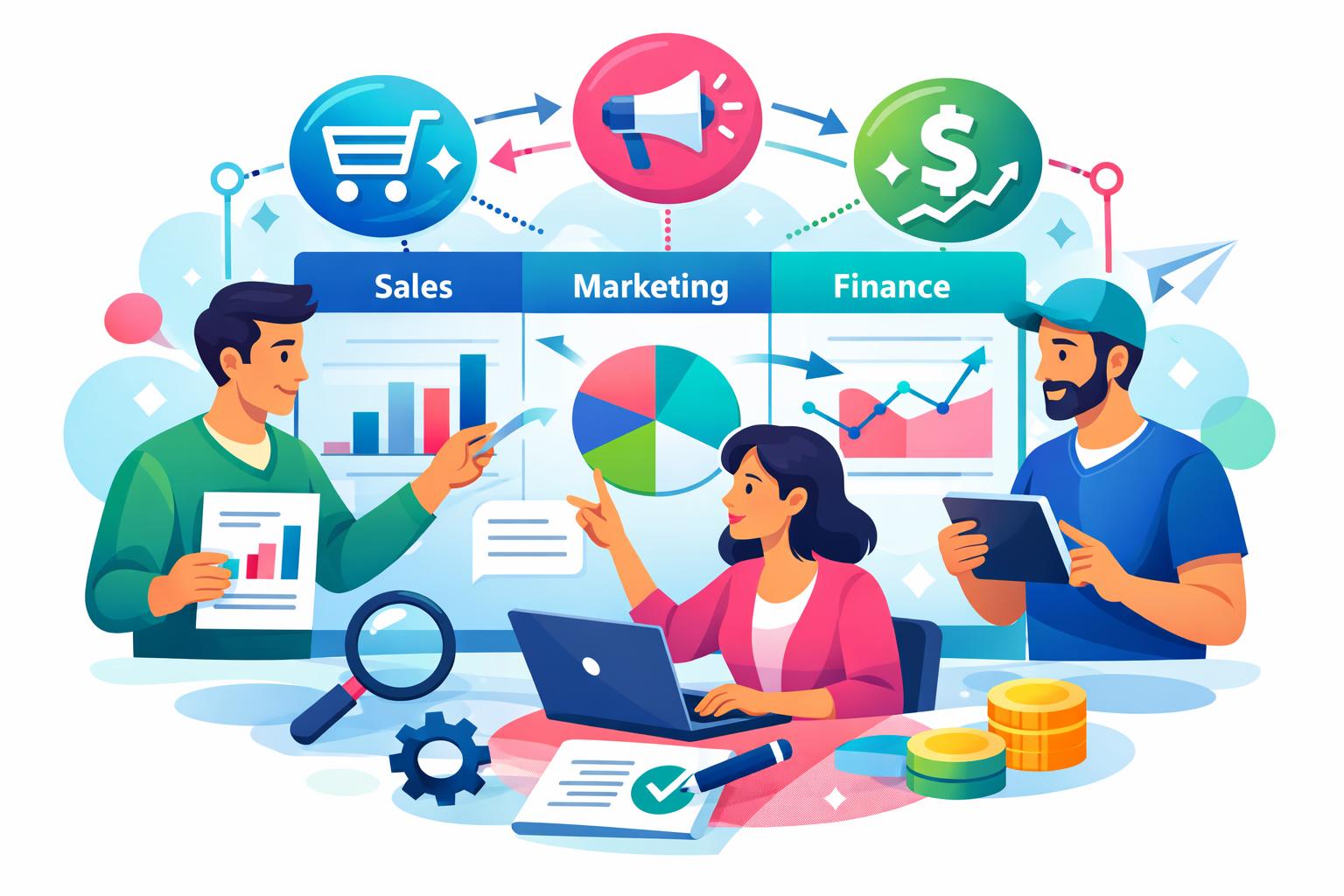
    At early stages, RevOps isn’t about predictive forecasting or territory models. It’s about ensuring that every function tied to revenue—marketing, sales, and finance—works from the same playbook. Typically, this playbook is managed by a founder or early operator who keeps systems lean and decisions fast, emphasizing alignment over structure.

    The first step is consolidating around a single system as the **source of truth** for revenue data. This unites leads, deals, and billing in one consistent dataset, eliminating the confusion that comes from disconnected spreadsheets or tools. When everyone tracks progress in a shared environment, questions like “What’s driving this month’s growth?” are easier to answer accurately.

    “RevOps for small teams starts with one source of truth. Fragmentation isn’t a scaling challenge — it’s a visibility challenge.”

    Platforms that combine **CRM, marketing analytics, and finance** make this process seamless. Instead of connecting multiple point solutions, founders can view the entire customer journey—from initial conversion to recurring revenue—in one platform. With MainFoundry’s unified CRM (explore CRM), all critical data sits together, easily maintained without full-time overhead.

    Once the data foundation is in place, **metric alignment** becomes crucial. Define shared meanings for pipeline stages, qualified leads, and revenue terms such as MRR, churn, and net retention. Perfection isn’t the goal—consistency is. When teams adopt common stage names and definitions, their dashboards stop contradicting each other, and decision-making becomes simpler.

    Breaking down data silos follows naturally. Shared dashboards showing pipeline velocity, conversion rates, and forecast health keep all teams aligned. Marketing sees how campaigns translate into deals, sales sees which sources perform best, and finance tracks how pipeline converts into subscriptions. MainFoundry’s marketing analytics tools are designed for exactly this kind of unified visibility.

    Building Revenue-Focused Workflows Without the RevOps Overhead

    Once your data is unified and metrics are aligned, RevOps becomes operational through workflows. For lean teams, these processes should simplify, not slow down execution. Start with a short audit mapping the journey from first touch to renewal. Identify where deals stall, data goes missing, or ownership becomes unclear. These small inefficiencies often have the biggest revenue impact.

    Next, standardize the essentials: a simple pipeline, clear stage definitions, and light-touch automation for assigning leads and setting follow-ups. In MainFoundry, custom workspaces link tasks to deals and contacts, keeping conversations moving and actions transparent across teams.

    Pro Tip: Keep automation minimal early on. Focus first on visibility and accountability before introducing rules-based logic or advanced scheduling.

    As processes mature, connect CRM and billing data to uncover expansion and renewal signals. MainFoundry’s finance management module centralizes subscriptions, invoicing, and MRR tracking—all without external sync tools. This setup gives small teams big-picture visibility into the full customer lifecycle.

    Maintain momentum with a rhythm of weekly pipeline check-ins and monthly metric reviews. These don’t require decks—just a trusted dashboard everyone can access. Over time, layer in automation or insights from MainFoundry’s AI Assistant to flag stalled deals or recommend actions, giving small teams the power of RevOps intelligence without extra hires.

    Key Takeaways

    • RevOps is about alignment over headcount—founders can own it with the right systems.
    • A single source of truth across CRM, marketing, and finance data ensures consistent reporting and clarity.
    • Shared dashboards and lean workflows bring transparency and faster decisions.
    • Automation should simplify operations, not create new complexity.
    • All-in-one platforms like MainFoundry help small SaaS teams implement scalable RevOps without hiring a dedicated manager.

    If revenue operations feel harder to manage than they should, the solution is often simplicity—unifying data, aligning metrics, and refining workflows. Explore how MainFoundry can support your team’s RevOps approach or start a conversation at mainfoundry.com/contact.

  • RevOps for Small SaaS Teams Without a Dedicated Hire

    RevOps for Small SaaS Teams Without a Dedicated Hire

    If you’re running a SaaS company below $10M ARR, you already know the challenge: each team works hard, but predictable revenue still feels out of reach. That’s where RevOps for small SaaS teams comes in—not as another department, but as a unifying way to operate. This guide explores how to align metrics, connect your data, and design workflows that drive revenue, even without a dedicated RevOps hire. You’ll learn how small SaaS teams can adopt lightweight, practical revenue operations tools and habits using one unified platform approach.

    RevOps in Practice for Small SaaS Teams

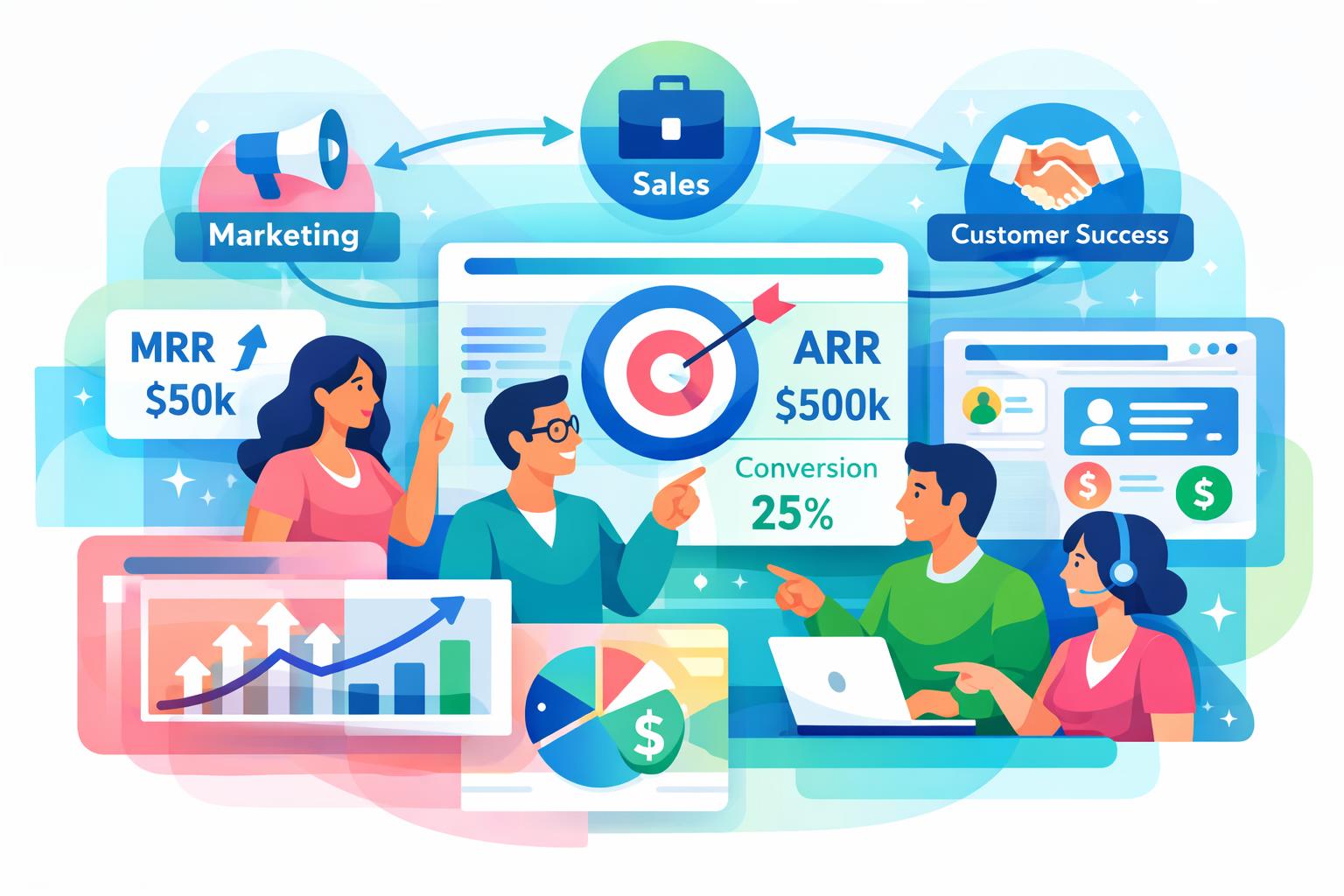
    At its core, Revenue Operations (RevOps) brings marketing, sales, and customer success together around shared revenue goals. For smaller SaaS teams, that means simplifying processes—deciding what matters most, where data lives, and how deals transition from first touch to renewal. The first step is metric alignment. Rather than each team tracking separate dashboards, agree on a small set of transparent metrics like MRR, ARR, conversion rates, churn, and net revenue retention. When these are visible to everyone, conversations shift from assumptions to reliable data.

    That shared visibility depends on a unified CRM. Manual spreadsheets and scattered tools quickly create confusion. A unified CRM system gives every team a single source of truth for company, contact, and deal data. With a connected view of activity history and subscriptions, founders can spot gaps early and manage revenue with confidence—without expanding software costs or headcount.

    Next comes breaking data silos. Marketing insights, sales conversations, and billing data should all connect, ensuring that actions in one area affect results across the funnel. When your campaigns, deals, and renewals share a common dataset, everyone understands the downstream impact of their decisions. Platforms like marketing analytics and attribution tools and subscription and billing management make this seamless—no heavy integration projects required.

    “Simplicity drives alignment. The most effective RevOps setups are the ones small teams can actually maintain.”

    Workflows are the final link. Instead of over-automating, define clear handoffs between lead stages and teams. Prospects should meet entry criteria before becoming sales opportunities, and customer success should receive full context at handoff. Flexible custom workspaces allow teams to model these flows however they work best—whether simple Kanban boards or structured renewal sequences. Add AI only where it enhances context, not complexity. For instance, MainFoundry’s AI Assistant can summarize account history or suggest next steps based on live CRM data.

    Scaling RevOps Principles as Revenue Grows

    As your SaaS business moves toward $2–10M ARR, scaling RevOps means protecting clarity amid increasing complexity. Many teams over-engineer too early—adding forecasting or routing tools before the basics are stable. Instead, focus on tightening definitions. Ensure everyone agrees on what constitutes an active customer, how churn is recorded, and when pipeline stages change. This consistency keeps growth sustainable and analysis meaningful.

    Regular rhythm helps reinforce structure: weekly pipeline reviews and monthly revenue check-ins maintain accountability without slowing execution. Because all activity lives in one system, these reviews are faster and more actionable. A unified platform such as MainFoundry aligns CRM, marketing, and billing data under one model. That minimizes manual syncing and reduces operational overhead—a core benefit before hiring dedicated RevOps talent.

    Pro Tip: Build consistency first. The simplest RevOps discipline—shared definitions and visible metrics—delivers more clarity than any tool stack.

    Key Takeaways

    • RevOps for small SaaS teams focuses on alignment and simplicity—no extra hires or complex stacks required.
    • Standardizing shared revenue metrics fosters transparency and better decision-making across functions.
    • A unified CRM system eliminates data silos and keeps everyone working from the same source of truth.
    • Simple, clearly defined workflows outperform heavy automation at early growth stages.
    • Platforms like MainFoundry provide everything small SaaS teams need to run RevOps efficiently before scaling up.

    Related Reading

    Discover how alignment impacts growth in building a unified CRM system or explore marketing analytics and attribution strategies for small SaaS companies.

  • CRM Best Practices to Track Customer Feature Requests

    CRM Best Practices to Track Customer Feature Requests

    Every growing product team eventually faces the same challenge—how to track feature requests from customers without losing sight of what truly matters. Requests can surface through support tickets, sales conversations, or casual internal chats, and without structure, valuable insights slip through the cracks. This post explores how to capture and centralize incoming requests, turn them into actionable insights, and prioritize development based on real customer value. You’ll also see how tools like MainFoundry’s Custom Workspaces can help you stay organized without adding extra complexity.

    Collecting and Centralizing Customer Feature Requests

    Feature requests never arrive neatly packaged. Customers share ideas when they encounter friction or see opportunities for improvement—often through emails, sales calls, user interviews, or even social media. The challenge isn’t scarcity of feedback but fragmentation. Without a consistent intake process, important signals get scattered across disconnected channels.

    To avoid this, define a reliable way to capture requests regardless of where they come from. That might include syncing tagged emails, pulling feedback from tickets, or having account managers log suggestions during calls. The key is consistency. Every idea—no matter the source—should end up in the same central location so your team can analyze patterns instead of isolated anecdotes.

    “Centralizing requests turns scattered feedback into a structured system that reveals trends, gaps, and opportunities across your customer base.”

    Each feature request should preserve critical context such as who submitted it, when, and from which channel. Over time, you’ll want visibility into frequency and customer segments driving those requests. While simple spreadsheets can work initially, they quickly collapse under scaling complexity. A flexible system like MainFoundry’s custom workspace builder allows you to structure feedback around your specific workflow rather than forcing you into rigid templates. By linking feature requests directly to CRM contacts, you maintain traceability from customer to idea, keeping insights relevant and actionable.

    Prioritizing Feature Requests Based on Real Customer Value

    Collecting ideas is simple—deciding what to act on is harder. Prioritization falters when it’s driven by urgency or volume instead of impact. To create clarity, start by organizing requests into broader themes. Similar items expressed in different words often point toward the same underlying need. Tagging requests or categorizing them into statuses such as under review, planned, or declined helps teams stay aligned and transparent about progress.

    However, frequency alone doesn’t always equal importance. A single request from a strategic enterprise customer could outweigh numerous low-impact ones. By connecting feature feedback directly with CRM data like revenue contribution or lifecycle stage, you can prioritize with business context, not just gut instinct. Structured scoring systems or voting mechanisms—applied consistently—provide quantifiable signals to support better decisions.

    A feedback loop is equally critical. Letting customers know their suggestions are reviewed, deferred, or implemented builds trust and encourages more thoughtful input in the future. Within MainFoundry, every feature request stored in Custom Workspaces can be tied to tasks, product discussions, and communication history. This full-circle visibility keeps the customer’s voice integrated into your day-to-day product rhythm, preventing feedback from being treated as an afterthought.

    Pro Tip: Weight feature requests not just by how many people asked but by customer impact metrics. This ensures your roadmap aligns with strategic priorities, not just popularity contests.

    Key Takeaways

    • Centralizing customer feedback reveals trends and eliminates duplicate requests, improving clarity.
    • Prioritization should integrate actual customer data to focus on measurable value rather than noise.
    • Maintaining transparent feedback loops builds trust and better engagement from your user base.
    • Tools like MainFoundry’s Custom Workspaces let you evolve your request tracking as your team scales.
    If you’re rethinking how to track feature requests effectively, explore MainFoundry’s Custom Workspaces for a practical, scalable way to integrate feedback management directly into your workflow—or start a conversation with their team at mainfoundry.com/contact.
  • Customer Onboarding SaaS Best Practices to Cut Churn

    Customer Onboarding SaaS Best Practices to Cut Churn

    Customer onboarding can make or break the growth of a SaaS business. In the critical first days and weeks, customers decide whether your product delivers on its promise or ends up forgotten. This post unpacks the best practices behind effective customer onboarding SaaS processes, including how to define milestones, measure time-to-value, and use structured workflows to reduce churn. You’ll also learn how integrated tools like MainFoundry help teams deliver consistent onboarding experiences that scale without losing the human touch.

    Customer onboarding SaaS best practices that actually reduce churn

    Strong onboarding begins long before a customer logs into your platform. High-performing SaaS teams identify one or two key user behaviors that represent early success, then design onboarding flows to drive those outcomes. By guiding customers toward a clearly defined “first win,” you increase activation and build early trust without overwhelming them with every feature at once.

    Personalization is a powerful lever. The onboarding path for a technical admin should look very different from that of a non-technical business user. Effective teams treat kickoff calls as discovery sessions, using the insights to tailor onboarding steps. This helps position your product around the customer’s desired outcomes rather than simply demonstrating functionality.

    Beyond features and workflows, human connection matters. A personal welcome email, a short video message, or an in-app greeting can create immediate rapport. Customers who feel seen and supported early are far more likely to engage deeply than those left to figure things out on their own.

    Visual progress tools—like checklists, progress bars, or contextual prompts—help nudge users toward the next step. Rather than dumping all learning material upfront, the best onboarding strategies deliver information gradually through in-product guidance, follow-up emails, and knowledge bases. This gives users the confidence and flexibility to learn at their own pace.

    Operational structure underpins all of this. Without defined ownership and clear workflows, even great playbooks fail. By using task-driven systems like MainFoundry, teams can create onboarding tasks linked to specific customers or companies. When onboarding lives within your custom workspaces rather than scattered spreadsheets, consistency and accountability become natural outcomes.

    “Great onboarding doesn’t just teach features—it delivers the first meaningful success that keeps customers coming back.”

    Key milestones and time-to-value metrics in customer onboarding SaaS

    While every SaaS product has a different onboarding journey, the core milestones often look familiar: signup, first value realization, and ongoing adoption. At signup, the aim is to collect just enough data to personalize the user experience without slowing them down. Reducing friction here can dramatically increase early engagement rates.

    The next big moment is the first value event—when a user experiences a concrete benefit that validates their decision. Whether that’s completing a setup, viewing useful analytics, or collaborating with a colleague, this milestone solidifies trust and reduces the risk of early churn. Once users have achieved this, onboarding should seamlessly shift into habit-building, reinforcing consistent product usage through targeted reminders and relevant resources.

    To measure success, leading teams track a compact set of time-to-value indicators such as activation rate tied to an “aha” moment, time-to-first-value measured in days, and retention over the first 30 days. Monitoring these metrics highlights friction early enough for proactive intervention.

    • Signup completion and activation rates tied to specific “aha” actions
    • Days to first value and early retention across day 1, 7, and 30
    • Trial-to-paid conversion for overall onboarding health

    However, data alone isn’t enough. Teams need to connect insights to execution. That’s where CRM-integrated task management makes a difference. It lets teams automate follow-ups if a customer stalls or trigger alerts when activation hasn’t occurred. When coupled with marketing analytics and attribution, these insights can link onboarding success back to acquisition sources, informing how future customers are guided from day one.

    Pro Tip: Use structured onboarding workflows within your AI platform to surface early churn risks before they escalate.

    In essence, poor onboarding doesn’t cause users to hate your product—they simply never reach value. Streamlined workflows, centralized data, and proactive insights transform onboarding from a reactive scramble into a predictable process that scales.

    Key Takeaways

    Customer onboarding success isn’t about adding more touchpoints—it’s about designing for clarity, speed, and consistency. Focus on defining early success, aligning your team around clear milestones, and using time-to-value metrics to inform improvements. By centralizing onboarding workflows, you ensure every customer receives the same high-quality experience—no matter who manages their account. Start by mapping your “first value” event, building the tasks to support it, and uniting your team around execution. To see how MainFoundry unifies CRM data, team workflows, and analytics for better onboarding, visit MainFoundry.com or reach out directly via their contact page.

  • Automate SaaS Renewal Reminders Step by Step

    Automate SaaS Renewal Reminders Step by Step

    If you’ve ever missed a SaaS renewal deadline—or renewed a tool no one was using—you already know why learning how to automate SaaS renewal reminders matters. As your software stack expands, manual tracking through spreadsheets or scattered calendar alerts can’t keep up. The result: rushed renewal decisions, unwanted auto-renewals, and frustrated finance teams chasing lost visibility.

    The good news is it doesn’t have to be complicated. With connected subscription data, intelligent workflows, and proactive alerts, renewals can become a predictable, low-effort process. In this guide, we’ll break down exactly how to set up automated SaaS renewal reminders, from timing strategies and escalation paths to personalization and tracking renewal performance inside platforms like MainFoundry.

    How to Automate SaaS Renewal Reminders with Subscription-Driven Workflows

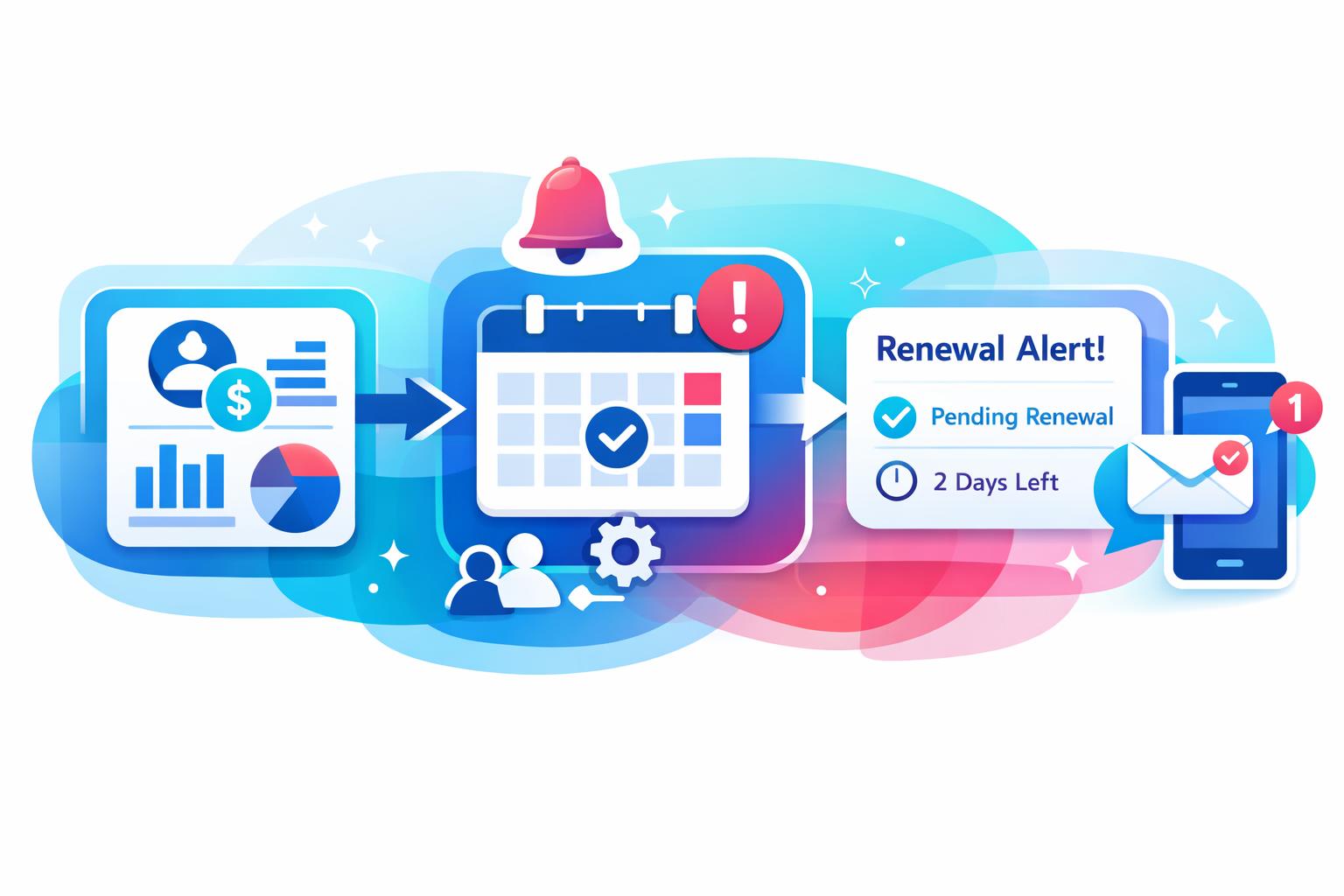
    Every reliable renewal workflow begins with centralized subscription data. Before automation can help, your system needs to know what’s renewing, when it’s renewing, and who owns the decision. Pull contract terms, renewal dates, and costs into a single source of truth instead of juggling billing tools and emails. In MainFoundry Workspaces, for instance, renewals can be triggered automatically from live subscription data—no manual updates required.

    Once data is centralized, define reminder timing that matches how your organization actually makes decisions. Most teams benefit from a signal roughly 90 days before renewal, giving stakeholders time to assess usage or adjust terms. As the date approaches, subsequent reminders should become more specific and action-oriented. Since these reminders draw from real subscription fields, they automatically pause once a decision is made—eliminating alert fatigue.

    Automation truly shines when reminders are personalized with usage and spend insights. Early messages might include adoption trends; mid-cycle notifications can surface inactive licenses, while final alerts focus on direct choices like renew, downgrade, or cancel. With connected CRM data and finance insights, workflows can dynamically route notifications based on contract value or renewal risk—ensuring the right people engage at the right moments.

    “The best renewal workflows don’t just remind—they adapt in real time to how each contract performs, reducing noise while raising accountability.”

    Still, even well-timed reminders can stall without escalation paths. If no action occurs within a defined window, a second notice can escalate to a manager or finance lead with additional context like declining usage. High-risk renewals may warrant direct alerts to IT or procurement. By tying these triggers to behavior—rather than arbitrary dates—automation helps focus attention where it truly matters.

    Flexibility in communication channels is equally crucial. While email is a standard, integrating reminders into Slack, Microsoft Teams, or visible renewal dashboards drives faster action. Because each alert is event-driven, you can meet decision-makers where they already work instead of relying on static inbox threads.

    When renewal data and workflow logic are connected, reminders stay accurate, timely, and context-aware—without human upkeep.

    Tracking performance closes the loop. Renewal automation should feed into continuous reporting that measures renewal rates, response times, and how often escalations occur. With MainFoundry Marketing Analytics, teams can monitor renewal trends and adjust timing rules dynamically to keep performance improving over time.

    Tracking and Optimizing Renewal Performance Over Time

    Once automation is in place, visibility is finally measurable instead of anecdotal. You can see which renewals close early, which linger until the last alert, and which consistently trigger escalations. These insights make the process self-improving. If early notifications aren’t prompting action, adjust the message content or timing. If escalations fire too often, clarify ownership or add more context to earlier reminders.

    Over time, this approach enhances financial planning as well. Early renewal decisions feed into forecasts, giving finance better clarity on upcoming commitments. For organizations managing dozens of SaaS contracts, that transparency directly supports budgeting and spend control.

    AI-driven platforms like MainFoundry’s AI Assistant take this insight further, using predictive analytics to forecast cancellation risk or identify consolidation opportunities before renewal cycles even begin. This transforms renewal management from reactive to proactive, letting teams act on data rather than deadlines.

    Pro Tip: Treat your renewal workflow like a living system. Regularly review performance metrics and refine triggers or message content to maintain engagement and reduce unnecessary reminders.

    Key Takeaways

    • Centralize subscription and renewal data to ensure automation runs on accurate information.
    • Time reminders thoughtfully to align with real decision-making windows.
    • Personalize outreach using usage, cost, and ownership data for better engagement.
    • Implement escalation paths based on inactivity or risk signals to keep renewals on track.
    • Continuously measure performance and iterate to strengthen automation over time.

    Automating renewals isn’t about sending more reminders—it’s about creating a decision-ready system powered by accurate data and smart workflows. If you’re ready to see this in action, explore how unified workflows, subscription management, and AI insights come together inside MainFoundry.

  • SaaS Task Management Without a PM Tool

    SaaS Task Management Without a PM Tool

    Buying a project management tool often seems like a milestone for growing SaaS teams. When a company reaches a dozen or more people, it’s easy to assume that formal tools equal maturity. Yet for small SaaS organizations—especially those under 50 people—the reality is quite different. These systems can slow progress, fragment context, and complicate workflows that thrive on agility. This post explores why traditional project management tools don’t fit the dynamic nature of SaaS operations, and why integrated platforms like MainFoundry’s custom workspaces offer a simpler, more effective alternative for task management and collaboration.

    Why standalone project management tools slow SaaS teams

    Most well-known PM tools were built for large enterprises. Even when rebranded for startups, their assumptions—stable roles, detailed projects, formal processes—don’t match how small SaaS teams actually work. These platforms often introduce feature overload, burdening teams with dashboards, workflows, and reporting layers that sound polished but rarely help execution. Setup alone can feel like a mini-project requiring constant upkeep.

    Another core issue is context fragmentation. SaaS work happens through customer calls, support tickets, CRM updates, and internal chats. When tasks live in a separate PM tool, team members must summarize details or copy links to keep systems consistent. Over time, those tasks lose meaning—turning the PM platform into a superficial checklist rather than a hub for collaboration.

    “What looks like process maturity often reveals hidden friction—training costs, siloed data, and workflows that teams eventually stop using altogether.”

    Onboarding overhead compounds the problem. PM tools typically require rules, training, and enforcement—none of which comes naturally to lean teams. As adoption slides, leaders add more structure to restore usage, inadvertently creating bureaucracy. Meanwhile, per-seat pricing and limited customization make scaling costly without improving fit.

    Most critically, these platforms reward predictability, but small SaaS organizations thrive on adaptability. Priorities shift weekly in response to customer feedback, churn trends, or product changes. Rigid project structures can’t keep pace, so teams either bend the system until it breaks or abandon it altogether.

    Why integrated workspaces outperform traditional PM tools

    Instead of fragmenting workflows, SaaS teams accelerate execution when tasks live inside operational platforms. In an integrated system, tasks attach directly to real business objects—like customers, deals, or campaigns—so context is preserved without manual syncing. This model reduces cognitive load and anchors decisions to actual outcomes.

    Platforms such as MainFoundry’s custom workspaces allow teams to define flexible workflows. A workspace might represent a product initiative, onboarding sequence, or internal operations flow, all while remaining connected to CRM and marketing data. Unlike rigid PM templates, these models evolve as responsibilities grow—no redesign required.

    When tasks, notes, and customer data coexist in one place, collaboration becomes real-time and friction-free.

    This integrated model also scales organically. As the team expands or priorities shift, leaders can add fields, adjust views, and mirror new realities without migrating systems. For founders and ops leads, this flexibility translates into genuine clarity—since task lists reflect what matters most, not arbitrary project milestones.

    • Fewer tools reduce setup effort and eliminate redundant workflows.
    • Tasks retain native context—customer actions, billing updates, or campaign results stay visible.
    • Visibility across CRM and operations reveals patterns like churn spikes or process bottlenecks instantly.

    Small SaaS teams don’t require complex hierarchy—they need speed, clarity, and shared visibility. MainFoundry’s CRM and task management components are built for precisely this need, connecting daily work with customer relationships and operational data.

    Key Takeaways

    Small SaaS organizations rarely need a dedicated project management tool. Execution breaks down not from lack of structure but from excess complexity. Continuous work, shifting priorities, and integrated communication demand leaner systems where tasks align directly with business outcomes. Consolidating task management inside operational platforms helps teams move faster, reduce friction, and maintain full visibility without duplicating effort.

    • Recognize that SaaS work is ongoing, not project-based.
    • Eliminate disconnected tools that fragment communication.
    • Favor integrated workspaces that grow with your business.
    • Use connected task management to tie daily work to customer and revenue data.

    Related Reading

    Explore more about CRM-connected task management to see how integrated workflows simplify SaaS operations and strengthen execution.

  • CRM Task Management for SaaS Teams That Never Misses Work

    CRM Task Management for SaaS Teams That Never Misses Work

    When SaaS teams lose track of work, the issue usually isn’t effort—it’s context. Tasks scattered across Slack, email, and spreadsheets quickly disconnect from customer needs, deals, and deadlines. The result? Missed renewals, incomplete follow-ups, and lost momentum. In this post, we’ll explore how **integrated task management** transforms the way SaaS teams operate, why connecting tasks to your **CRM** is essential, and how platforms like MainFoundry’s unified CRM system help keep every responsibility on track.

    Why Task Management Fails Without CRM Integration

    For many SaaS teams, the problem isn’t creating tasks—it’s remembering why they matter. When to-dos sit apart from customer data, they lose the urgency that drives execution. A note to “follow up with client” means little if it isn’t tied to the customer record, deal stage, or next meeting. Context transforms a reminder into meaningful action.

    Integrated systems solve this by embedding tasks inside the tools teams already live in. Within a unified CRM, every task corresponds to a company, contact, or deal, allowing anyone to instantly see the surrounding activity. No more digging through Slack threads or forwarded emails—everything from deal updates to customer conversations lives in one timeline. That’s the advantage of using MainFoundry’s unified CRM system where task management is part of the workflow, not an afterthought.

    For SaaS organizations, deadlines and ownership are non-negotiable. Whether managing sales follow-ups, onboarding checklists, or renewal preparations, every task should have a clear owner and due date within the platform that tracks customer status. That visibility helps teams identify bottlenecks before they escalate. When combined with custom workspaces, teams across departments—sales, customer success, or operations—work from a single, shared source of truth.

    “The difference between a missed deadline and a closed deal often comes down to context—integrated task management ensures no detail gets lost.”

    How Integrated Task Management Prevents Work from Falling Through the Cracks

    The moments that make or break a SaaS relationship are often small—an unreturned call, a missed follow-up, or a delayed renewal. These actions fall through the cracks when task management sits outside the daily workflow. Integrated platforms embed tasks within pipelines, ensuring they move in lockstep with customer activity.

    MainFoundry keeps tasks contextual by linking them directly to deals or customer profiles. When a contract advances, the related tasks advance too. This tight coupling ensures progress is visible and traceable, reducing the likelihood of missed commitments. The platform’s AI-powered platform enhances this workflow by suggesting next steps automatically, surfacing insights, and even creating tasks after key actions like lead conversion or meeting completion.

    Pro Tip: Embed tasks directly into your CRM and communication tools. This reduces switching costs and ensures your team stays accountable with full context on every action.

    Beyond visibility, integrated task management provides operational scalability. APIs and centralized data structures enable seamless connections between internal systems, reporting dashboards, or automation frameworks—without relying on fragile integrations. For growing SaaS teams, this means evolving processes without losing visibility or control.

    Key Takeaways

    • Linking tasks directly to customers, deals, and workflows keeps them relevant and actionable.
    • Integrated platforms like MainFoundry’s CRM ensure accountability through ownership and clear deadlines.
    • Automation and AI streamline task creation, reducing manual oversight and accelerating workflows.
    • Unified systems create scalability and visibility, allowing SaaS teams to grow without losing clarity.

    Related Reading

    Learn how to build adaptive workflows with custom workspaces that scale with your SaaS operations.

  • Custom Workspaces for Business Automation Teams

    Custom Workspaces for Business Automation Teams

    Modern teams juggle countless tools to manage projects, customers, and operations—often losing time and context in the process. Custom workspaces are changing that dynamic by adapting to how your team actually works instead of forcing your process into rigid software. This post explores how custom workspaces streamline collaboration, why they outperform traditional systems like Monday.com or Notion, and how MainFoundry Custom Workspaces unify operations, CRM, and marketing in one flexible platform.

    Why Custom Workspaces Outperform Rigid Project Tools

    Most teams don’t lack tools—they struggle with too many disconnected ones. Traditional project management applications assume uniform processes, yet every team’s workflow is unique. Custom workspaces flip this model by letting you build around your process rather than bending your team to fit a tool’s limitations.

    With MainFoundry, teams can customize tables with fields, statuses, and views that mirror their real operations. Development teams might track feature requests with effort estimates and linked customers, while support or success teams see which accounts requests affect, thanks to seamless connections to CRM contacts. This shared data model means no more switching between apps to cross-check customer or project details.

    “Structure without rigidity—that’s what allows teams to scale operations without losing clarity.”

    This visibility transforms coordination. Managers can quickly identify bottlenecks, track overdue work, and see all relevant context—notes, history, and files—in one workspace. Because these environments live within a unified platform, they also avoid the “monolith problem.” Teams maintain flexibility while benefiting from consistent data and integrated reporting across systems like CRM, marketing, and finance.

    How MainFoundry Custom Workspaces Replace Tools Like Monday.com or Notion

    Platforms like Monday.com or Notion offer flexibility—but often at the expense of consistency and context. Over time, their boards and pages drift apart, becoming disconnected from operational systems. MainFoundry Custom Workspaces solve this by bridging work management with connected data about customers, revenue, and communications.

    Each workspace includes tailored fields, from numeric values and dropdowns to references between related records. A customer request can link directly to a CRM company, unifying touchpoints like emails, meetings, and deals. As a result, work never loses its business context. Developers, marketers, and customer success teams all access the same source of truth across use cases—development tracking, onboarding flows, hiring pipelines, or editorial planning.

    Connected data turns scattered tasks into measurable impact.

    For instance, marketing analytics and attribution tools within MainFoundry reveal how workspaces contribute directly to conversions and ROI. Editorial calendars connect content plans to campaign outcomes, helping teams prioritize high-impact initiatives.

    This system also supports automation and intelligence through MainFoundry’s AI-powered business platform, which can summarize workspace data or suggest next actions. On the security front, all data is protected by a unified platform security framework, ensuring compliance and consistent access control across all records.

    Key Takeaways

    • Custom workspaces adapt to each team’s real processes rather than forcing standard templates.
    • Integrating workspaces with CRM and marketing data eliminates fragmentation across tools.
    • A shared, secure data model provides structure, clarity, and reliable reporting as teams scale.
    • Replacing multiple tools like Monday.com or Notion fosters unified visibility and smoother collaboration.
    • To explore implementation, connect with the MainFoundry team at mainfoundry.com/contact.

    Related Reading

    Discover how modular design powers flexibility in customizable workspaces for any process.

  • Custom Workspaces for SaaS Teams Beyond CRM

    Custom Workspaces for SaaS Teams Beyond CRM

    SaaS teams often find themselves managing day-to-day work across spreadsheets, documents, and disconnected apps. While CRMs and billing systems are built for customers and revenue, they rarely cover the internal workflows that fuel company growth. Learning how to create custom workspaces for SaaS teams can help unify these fragmented processes into one flexible system that fits your team’s needs. This guide explores why custom workspaces matter, how to build them effectively, and how they scale with your operations as your business grows.

    Why SaaS Teams Need Custom Workspaces Beyond CRM

    Traditional tools like CRMs and billing platforms are designed for well-defined structures—contacts, deals, and invoices. However, SaaS operations stretch far beyond those categories. Your product team needs visibility into sprint progress, your marketing team requires campaign timelines, and your partnership team manages relationships that don’t quite fit a sales pipeline. When these workflows split across multiple tools, context gets lost and efficiency drops.

    Custom workspaces allow you to map internal processes in the same way you map customers and revenue. Instead of forcing every activity into rigid systems, your team can design unique data models that reflect real responsibilities—from sprint stages to feedback loops. Platforms like MainFoundry take this further by linking these internal workspaces directly to CRM records, keeping operations and customer context connected.

    “Custom workspaces bridge the gap between customer data and internal workflows so teams operate with shared context and unified visibility.”

    How to Create Custom Workspaces That Track Anything

    Building effective custom workspaces starts with a flexible data foundation. Each workspace should serve a specific purpose—such as development sprints, customer feedback, or partnership tracking—with fields that match the type of data involved. For instance, a sprint workspace might include assigned engineers and release dates, while a partnership workspace could focus on deal stages or expected value. Defining custom fields without engineering help is what makes this flexibility powerful.

    Workspaces also need multiple views. Kanban boards visualize flow and bottlenecks; tables simplify sorting and reporting; calendar views help plan releases and content. When switching views doesn’t require duplicated data, teams stay organized and aligned without wasting time maintaining multiple tools. Real-time collaboration ensures everyone sees updates instantly—whether it’s a comment, status change, or link to a customer record.

    Modern platforms like MainFoundry are designed around this concept. With custom workspaces for internal processes, SaaS teams can model development sprints, structured feedback, or partnership pipelines—all connected to CRM data. For example, a sprint task can reference affected customers, while a feedback entry can link directly to the account that submitted it.

    Connected workspaces unify projects, feedback, and partnerships under one system—eliminating handoffs and ensuring real-time visibility.

    Designing Workspaces That Scale With Your SaaS Team

    Scaling custom workspaces involves balancing flexibility and structure. Start by standardizing only the elements that need consistency, such as shared status options for easier reporting. Over-standardization, however, can limit innovation, so keep customization at the edges where teams operate differently. Ownership and automation are next—automatically assigning tasks or deadlines when stages shift keeps your team accountable without manual effort.

    Visibility matters at scale. Managers need enough insight to ensure work is progressing without drowning in details. Summary dashboards and AI-driven insights can highlight blockers and summarize activities. Platforms offering an AI assistant for workspace insights can detect trends or delays and prompt action before problems grow. When combined with secure, permissioned workspaces, these tools ensure collaboration without compromising sensitive data.

    Pro Tip: Integrate automated task management with your custom workspaces so follow-ups from sprints, feedback, and partnerships appear on a single global task list—no tool switching required.

    Key Takeaways

    • Custom workspaces extend CRMs and billing systems by capturing real operational workflows.
    • Flexibility and multiple views keep data accessible and collaborative across departments.
    • Linking customer data with internal processes ensures every action is contextually grounded.
    • Scaling workspaces requires smart automation, visibility, and security controls.

    Related Reading

    Explore how unified CRM and workspace systems boost SaaS collaboration in MainFoundry’s guide to integrated SaaS operations.

  • Manage SaaS Operations Without a PM Tool

    Manage SaaS Operations Without a PM Tool

    Running SaaS operations without a PM tool may sound risky, but many lean and early-stage teams thrive by doing just that. Instead of relying on a dedicated project management app, they use existing systems more intelligently and avoid software sprawl. This guide explores how smaller SaaS teams maintain control, accountability, and visibility without adding another subscription. You’ll see how tools like MainFoundry Tasks, Workflows, and Custom Workspaces help teams manage Customer onboarding, feature requests, and internal coordination efficiently—all within one system.

    Why Managing SaaS Operations Without a PM Tool Often Works Better

    Most project management software caters to large teams that follow lengthy planning cycles. In contrast, small SaaS teams move fast, adapt frequently, and prioritize context over charts. A standalone PM tool can introduce unnecessary friction: one more app to maintain, one more process to update, and often, one more system that gets neglected when priorities shift.

    Teams that skip PM tools usually succeed through three practices: centralizing visibility, automating repeatable steps, and ensuring clear ownership. By managing operations directly within their existing platform, they close the gap between tasks, customers, and finance data—eliminating silos that slow everyone down.

    “Small SaaS teams don’t need another dashboard—they need unified data and lightweight processes that mirror how they actually work.”

    Customer onboarding perfectly illustrates this idea. When a deal closes, teams can trigger a repeatable process to create onboarding tasks stored in a shared workspace. This ensures nothing gets lost between sales and delivery. Similarly, feature requests become more valuable when logged directly next to customer records rather than inside a disconnected roadmap app—context matters more than visual timelines.

    Internal coordination also benefits from simplicity. Regular check-ins, renewals, and daily actions require clear accountability, not complex Gantt structures. When tasks integrate seamlessly with CRM and finance data, updates become automatic and meaningful, allowing teams to focus on results rather than tool upkeep.

    Using Tasks, Workflows, and Custom Workspaces Instead of PM Software

    Platforms like MainFoundry make it practical to run SaaS operations without a separate PM tool. Instead of replicating a complex project management interface, teams build flexible systems that reflect their day-to-day processes.

    Tasks handle ownership and accountability. Every onboarding step or feature review is assigned directly within the platform and linked to a customer or internal record. With this setup, your team always has context—no switching apps or hunting for notes to understand priorities.

    Pro Tip: Automate critical transitions—such as marking deals as “won”—to instantly generate onboarding tasks or alerts with consistent timing.

    Workflows minimize human coordination by creating event-driven logic. For example, a workflow can automatically notify teams when a new feature request appears, or trigger follow-ups after onboarding delays. Automation replaces rigid PM rules with adaptable systems that scale naturally.

    Custom Workspaces offer a flexible foundation for process management. Instead of default project templates, you build lightweight databases for onboarding checklists, feature request backlogs, or internal reviews. Each workspace can use tables or Kanban views, connect to CRM data, and evolve with your business—providing structure without forcing methodology.

    Because all this integrates directly with customer and finance data, operational insights are richer. You can instantly see whether a delayed onboarding affects billing or identify which features correlate with high-value accounts. This integrated visibility eliminates spreadsheet chaos as your team grows.

    When operations live beside CRM and finance data, teams make faster, smarter decisions without juggling disconnected tools.

    Key Takeaways

    • Keep tasks, data, and context unified within one platform for smoother collaboration.
    • Focus on repeatable processes and clear ownership rather than detailed project plans.
    • Use Tasks and Workflows to automate coordination and reinforce accountability.
    • Leverage Custom Workspaces for flexible process tracking that adapts with growth.
    • When integrated with CRM and finance systems, SaaS operations become more proactive and data-driven.

    Related Reading

    Explore how unified tools streamline SaaS operations in How to Build Scalable SaaS Processes for more practical examples.