Author: Jørgen Wibe

  • Best Freshsales Alternatives for B2B SaaS Teams

    For many B2B SaaS teams, Freshsales is often their starting point—a familiar CRM offering structured pipelines, activity tracking, and AI-based lead scoring. While strong for early-stage teams, Freshsales tends to show its limits as operations expand to include billing, marketing automation, and advanced revenue reporting. This guide explores why growing SaaS teams move beyond Freshsales, compares leading CRM alternatives, and highlights how integrated platforms like MainFoundry can unify sales, marketing, and finance data to support sustainable growth.

    Why Growing SaaS Teams Outgrow Freshsales

    Freshsales is fundamentally a sales-focused CRM designed around lead management, pipelines, and communication tracking. This simplicity works early on, yet as SaaS operations mature, its limited integrations and performance constraints become more apparent. Connecting Freshsales with marketing, finance, and product systems can feel piecemeal—forcing teams to juggle fragmented data across multiple tools.

    Integration depth is one of the first barriers. As companies adopt systems for billing, analytics, and customer success, Freshsales’ ecosystem often lacks the robustness to keep up. Operational friction also increases, with users noting slower performance and limited workflow customization at scale. Lastly, the platform doesn’t natively handle subscription billing or recurring revenue insights, leaving finance visibility disconnected from sales pipelines. These gaps collectively drive teams to evaluate alternatives capable of linking sales activity directly to revenue context.

    “SaaS teams rarely outgrow CRMs because of poor pipelines—they outgrow them because visibility stops at sales.”

    Comparing Freshsales Alternatives for B2B SaaS

    Alternatives often fall into three categories: sales-first CRMs like Pipedrive and Salesmate, marketing-led platforms such as HubSpot and ActiveCampaign, and enterprise systems like Salesforce or Zoho CRM. Each offers its advantages, yet few connect marketing, finance, and sales effectively in a SaaS environment where subscription revenue matters as much as deal progression.

    Sales-focused CRMs emphasize simplicity and pipeline management, reducing onboarding time but often relying on add-ons for automation. Marketing-centric options provide advanced nurturing workflows but still leave billing and MRR data external. Enterprise solutions add customization and integration scale yet can overwhelm smaller teams with cost and complexity. Across all categories, the missing element is unified revenue visibility.

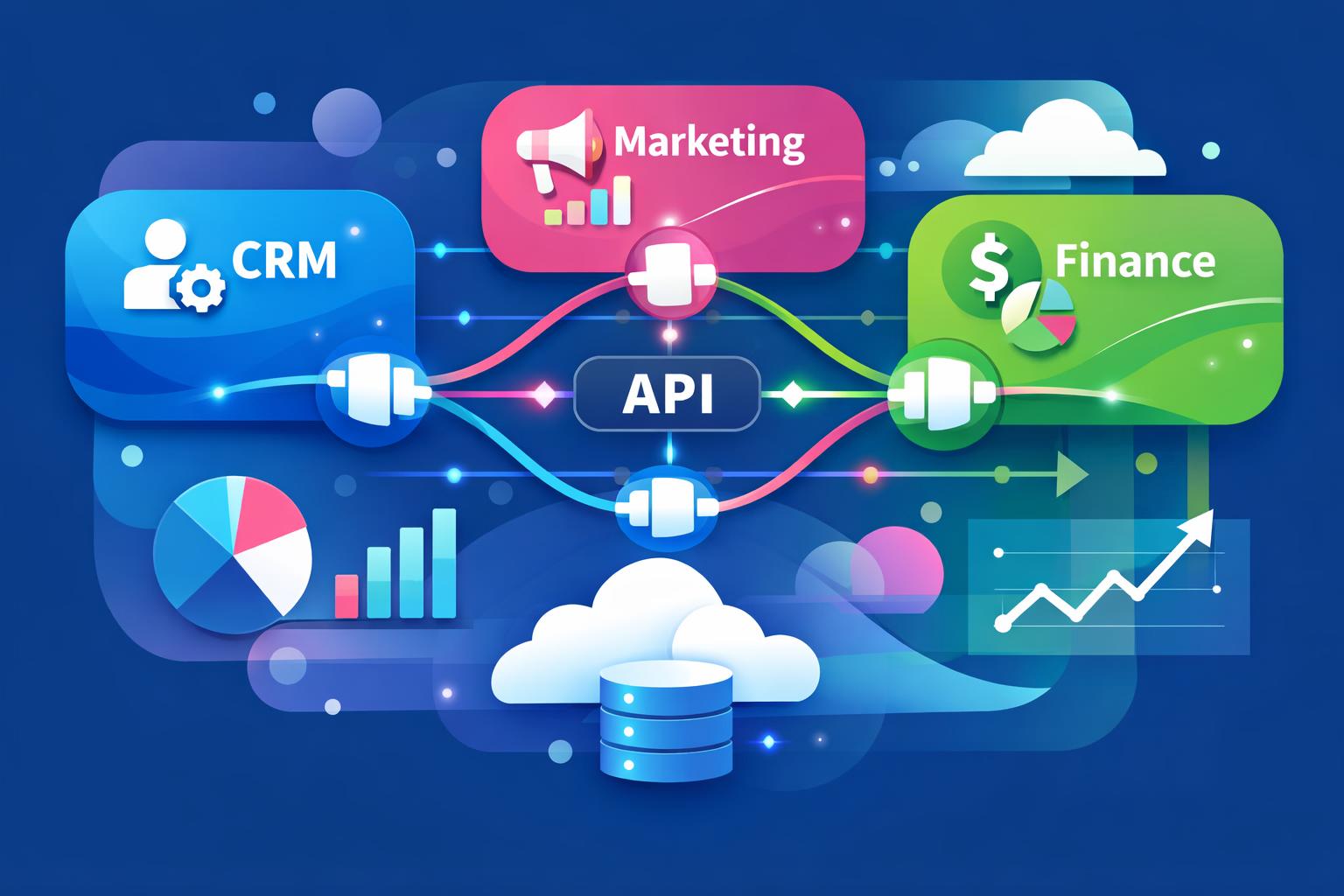
    Platforms like MainFoundry take a different approach, merging CRM, marketing analytics, and finance management in one system. This single-source setup means contact data, campaigns, invoices, and subscriptions all live within the same workspace. A sales rep can view deal details alongside marketing engagement and billing status—without toggling between apps. For SaaS teams tired of syncing disconnected platforms, the integrated model offers more than convenience—it delivers clarity.

    Unified data is becoming the new competitive advantage for scaling SaaS sales teams.

    When compared directly, SaaS teams see patterns among Freshsales alternatives: speed and simplicity in sales-first tools, automation depth in marketing platforms, and flexibility in enterprise CRMs. The most versatile approach, however, merges these strengths by linking sales insights, marketing attribution, and subscription data. As your organization evolves, consider how well an alternative CRM can reflect both pipeline momentum and long-term revenue health.

    Key Takeaways

    • Freshsales works well for early sales motion but struggles to support full SaaS revenue operations.
    • Alternatives like HubSpot, Zoho CRM, and LeadSquared improve integration and automation yet still separate billing data.
    • For fast-growing SaaS teams, an all-in-one platform that combines CRM, marketing analytics, and finance insights—like MainFoundry—offers unified visibility and less operational friction.
    • Evaluate alternatives based on how seamlessly they connect deals to subscriptions, renewals, and revenue reports.

    Related Reading

    Explore how unified CRM and finance systems enhance SaaS revenue clarity for deeper insight into integrated growth models.

  • SaaS TCO Calculation Guide for Smarter Tool Decisions

    SaaS TCO Calculation Guide for Smarter Tool Decisions

    Most teams compare SaaS tools by subscription price alone, but that approach can be misleading. You may choose what looks like the cheapest option only to find hidden expenses piling up months later—from add-ons and integrations to inefficiencies and downtime. Understanding how to calculate total cost of ownership for SaaS tools ensures you see the full picture, not just the monthly invoice. This post breaks down a practical, step-by-step approach to identifying those hidden costs and explains how a unified SaaS platform can reduce long-term spend while improving operational efficiency.

    What Total Cost of Ownership Really Means for SaaS Tools

    At its core, total cost of ownership (TCO) measures the entire lifecycle investment of a SaaS tool—covering acquisition, operation, maintenance, and eventual replacement. While subscription fees are visible and predictable, they often represent only a fraction of the true expense. Initial costs include implementation, configuration, data migration, and internal project time. Furthermore, even “quick setup” claims often underestimate the hours your team must dedicate to workflow alignment and integration design.

    After launch, operating costs emerge from admin work, reporting, user management, and troubleshooting. Every disconnected system adds recurring friction—forcing teams to reconcile data manually or rely on fragile sync processes. As new tools enter, maintenance costs accumulate. Integrations require updates, APIs evolve, and training new hires demands more time across multiple interfaces. These multiplied effects rarely appear in vendor quotes but weigh heavily on long-term budgets.

    Then come the overlooked factors: downtime and productivity loss. Even minor outages or slow load times translate into financial damage when multiplied across dozens of employees and months of use. By combining initial setup, operational overhead, maintenance, and inefficiency into one model—then subtracting residual value after several years—teams form a realistic view of what each tool truly costs. Many companies discovering this insight choose consolidated platforms that simplify data flows and reduce repetitive work.

    “Subscription fees are only the beginning—time, maintenance, and lost productivity often far exceed what’s printed on the invoice.”

    How to Calculate Total Cost of Ownership for SaaS Tools Step by Step

    Start by choosing a realistic timeframe for evaluation—typically three to five years—to align with actual software usage and upgrade cycles. Define which tools you’ll measure: for instance, your current fragmented stack versus a more unified environment. Then collect cost details across four categories: initial implementation, ongoing operations, maintenance, and downtime.

    For implementation, count both external and internal efforts, including consulting, migration, and project delays. Operating costs often prove larger than expected once administrative tasks, data syncing, and manual fixes are quantified at hourly rates. Maintenance costs include integration updates and onboarding for new hires—often scaling as systems multiply. Downtime and productivity loss need assumptions based on outages, delays, or difficult interfaces. Conservative numbers still reveal significant impacts.

    Apply a simple TCO equation by summing all identified costs and subtracting remaining value after your chosen period. What matters most is consistency when comparing options. Frequently, teams discover that higher subscription fees come with lower overall ownership costs when viewed holistically. Platforms such as CRM and contact management, marketing analytics and attribution, and subscription and billing management under one roof can dramatically lower maintenance overhead.

    Beyond direct cost reduction, data unification drives compounding productivity gains. When marketing and finance share a data model across integrated tools, teams spend less time reconciling records and more time analyzing performance. Functions like linked records and shared timelines inside custom workspaces or AI platforms help teams act faster—reducing the unseen inefficiencies that inflate TCO over time.

    Pro Tip: Model every scenario over at least three years and include internal labor hours. Hidden maintenance and training often outweigh software savings advertised upfront.

    Key Takeaways

    • Calculating total cost of ownership means including setup, operations, maintenance, downtime, and productivity factors—not just subscription fees.
    • Fragmented tool stacks create ongoing integration costs and training demands that rarely appear in vendor pricing sheets.
    • Modeling SaaS expenses across three to five years provides a true benchmark for comparison.
    • Unified platforms like MainFoundry minimize duplicated work, streamline reporting, and lower long-term operational cost.

    If you’re currently assessing your SaaS stack, begin by mapping real workflows and time investment before reviewing invoices. With that clarity, you’ll make smarter financial decisions that genuinely scale. To explore how consolidation can help, visit MainFoundry or connect directly with the team at mainfoundry.com/contact.

  • SaaS Tool Stack Guide for CRM and Automation

    SaaS Tool Stack Guide for CRM and Automation

    Every growing SaaS company eventually faces the same challenge: choosing, connecting, and maintaining the right set of tools to run operations efficiently. A well-structured SaaS tool stack defines how a business manages customers, marketing, billing, and team collaboration across systems that must scale together. This article unpacks what a SaaS tool stack is, how it evolves with company growth, and why smart integration—and sometimes consolidation—can determine whether you scale seamlessly or struggle with complexity.

    What Is a SaaS Tool Stack and Why It Matters

    A SaaS tool stack is the set of cloud-based tools a company uses to manage daily operations—spanning CRM, marketing, billing, and project tracking. Unlike a tech stack centered on code and infrastructure, this stack revolves around how business teams execute and share data. When tools are added reactively, data gets scattered and reporting loses consistency. Understanding the structure of your stack helps prevent that fragmentation and builds a foundation that scales intelligently.

    Most businesses rely on familiar categories, including CRM for customer relationships, marketing automation for campaigns, and finance systems for revenue and subscriptions. Over time, these layers must connect to create a single source of truth—empowering teams to trust their numbers and automate what would otherwise require manual reconciliation. Integrating your CRM directly with marketing analytics and billing data reveals which activities drive real growth.

    “A strong SaaS tool stack transforms disconnected software into a unified operating system for your business.”

    How SaaS Tool Stacks Evolve as Companies Grow

    In early stages, simplicity rules. A small team might start with a basic CRM, a single marketing tool, and a lightweight invoicing solution just to reach customers quickly. These tools serve immediate needs without worrying about extensive integration. As growth accelerates, complexity emerges—more data, more customers, and more specialized requirements prompt teams to add tools for analytics, automation, and collaboration. Without deliberate planning, each addition introduces potential friction and data silos.

    Eventually, mature SaaS operations prioritize data synchronization, automation, and visibility across all functions. Executive teams demand real-time insights, while marketing, finance, and operations depend on shared data pipelines to maintain accuracy. This shift often prompts companies to consolidate parts of their stack into an all-in-one platform that unifies CRM, marketing performance, billing, and workspace management. By minimizing integration dependencies, companies achieve both agility and reliability.

    Consolidation isn’t about reducing tools—it’s about creating clarity through shared data and automation.

    Platforms like MainFoundry exemplify this philosophy by providing unified operations across CRM, marketing, billing, and custom workspaces. Their built-in AI-powered assistant further simplifies scale by analyzing data, automating repetitive tasks, and surfacing insights that might otherwise be buried in reports. When your tools share context automatically, growth feels organic rather than chaotic.

    Pro Tip: Before adding another SaaS tool to your stack, map how it will exchange data with your CRM and reporting systems. Integration planning up front saves painful fixes later.

    Key Takeaways

    • A SaaS tool stack represents how your business actually runs—not just which apps you subscribe to.
    • Strong stacks integrate core categories like CRM, marketing, billing, and finance through shared data.
    • Growth demands reduced friction, automation, and consolidated reporting—not endless tool additions.
    • If your current systems feel fragmented, consider evaluating an all-in-one platform such as MainFoundry that enables unified operations by default.
    • To explore integration strategies or request a demo, visit MainFoundry’s contact page and start simplifying your growth stack.
  • SaaS Tool Stack Architecture for CRM and Growth

    In every modern business, decisions are increasingly powered by software. From CRM to billing to internal workflows, these tools make up what’s known as a SaaS tool stack—the interconnected cloud systems that drive operations. Yet many teams add tools reactively, leaving behind fragmentation and inefficiency. This post explores what a SaaS tool stack really is, how it evolves as companies grow, and the architectural principles that help businesses maintain clarity and control rather than chaos.

    Understanding the SaaS Tool Stack and Its Evolution

    A SaaS tool stack represents the ensemble of cloud-based applications that power your company’s daily operations. This often includes customer relationship management, marketing automation, billing, project management, and accounting software. What binds these systems together—or sometimes tears them apart—is how well they connect and communicate. In early stages, businesses typically choose tools based on speed or affordability, not longevity. Yet those choices eventually shape how the organization functions at scale.

    As companies mature, the same convenience-driven stack begins to show its limits. Spreadsheets become integration bridges, reports take days to prepare, and valuable data gets siloed across apps. This marks the turning point when a tool stack stops enabling growth and starts obstructing it. Evolving from a scattered toolset to a cohesive architecture requires a fresh look at structure, data flow, and ownership.

    • CRM and customer management systems organize key relationships
    • Marketing tools handle analytics, automation, and performance tracking
    • Finance and billing solutions manage subscriptions and revenue
    • Task and project management tools coordinate internal execution
    • Accounting platforms ensure compliance and financial accuracy

    Instead of endlessly adding new products, mature organizations unify capabilities through integrated platforms. For instance, unifying CRM, marketing, and billing systems reduces manual syncing and improves visibility. MainFoundry’s CRM platform and its marketing analytics tools demonstrate how integrated architecture can replace disconnected workflows with a unified operating layer.

    “A reactive tool stack solves problems in the moment; a well-architected one strategically supports growth and clarity for years to come.”

    Principles of a Healthy SaaS Stack Architecture

    Successful businesses build stacks that grow with them rather than against them. The first principle is scalability without rework—systems must adapt to volume increases in data and activity without constant restructuring. Choosing tools that allow flexible data models and workflow customization ensures longevity even as the company evolves.

    Equally important is integration by design. When tools can’t share data freely, inefficiency creeps in through manual exports and duplicated inputs. Strong native integrations—or consolidated systems that house multiple functions—dramatically reduce friction. This leads to the third principle: visibility. Unified platforms help leaders see performance in real time, linking marketing metrics directly with revenue data to enhance decision-making.

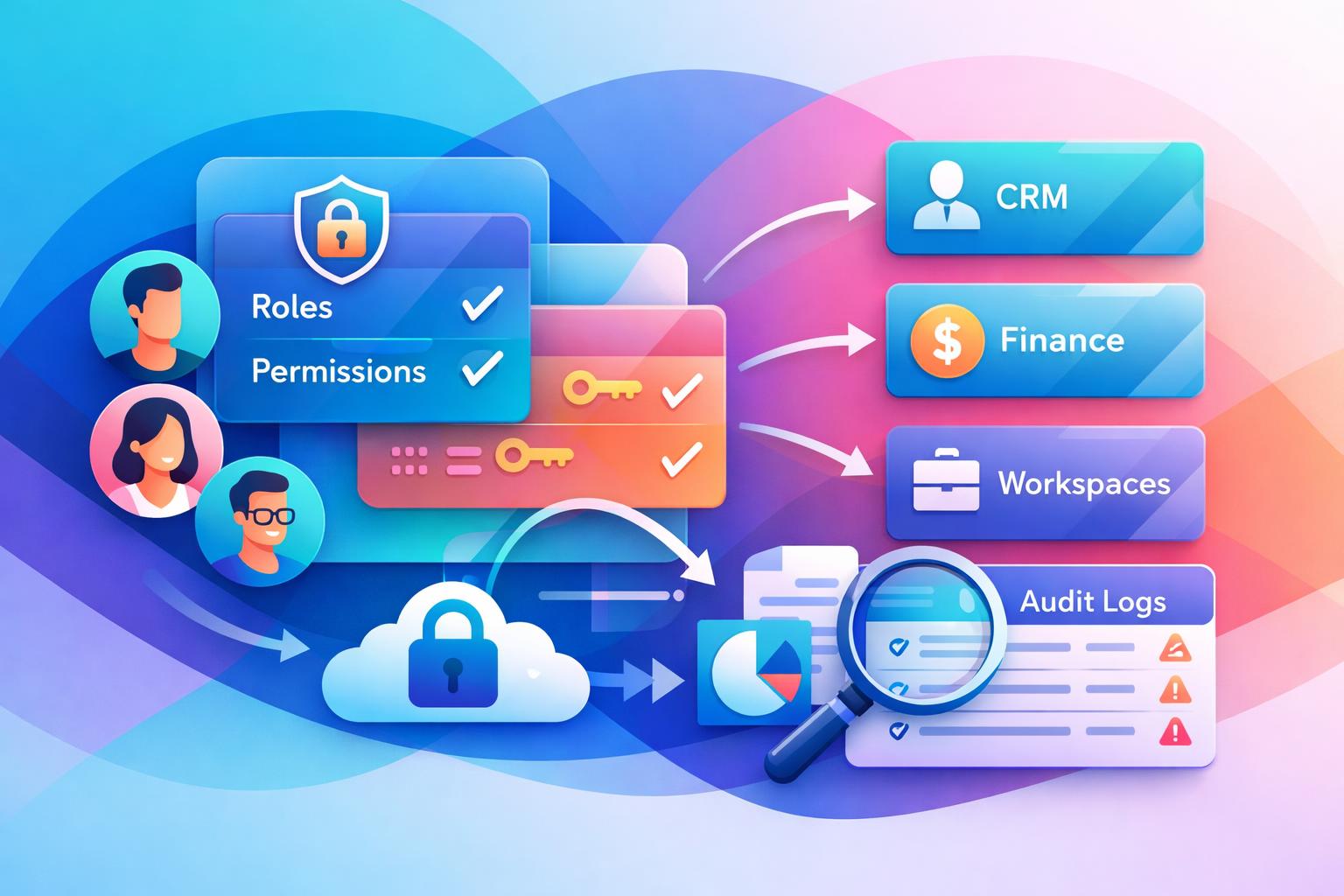
    Consistency and governance are also central. Growing teams need standardized processes and clear access control. A scattered collection of apps often creates permission chaos and data risk. Centralizing workflows in platforms like MainFoundry’s custom workspaces brings both order and adaptability, allowing teams to adjust processes quickly without introducing new silos. Similarly, the platform-wide security model ensures consistent data protection across functions.

    When architecture prioritizes clarity and connection, your stack becomes an advantage—not an obstacle.

    Platforms that combine CRM, marketing, finance, and workflows on shared data foundations, such as MainFoundry’s AI-powered suite at /ai-platform/, highlight how true integration transforms productivity. Rather than juggling multiple systems, teams can focus on analysis, collaboration, and action—all within one environment.

    Key Takeaways

    A SaaS tool stack is more than a set of systems—it’s the operational backbone of your business. When built intentionally, it enhances visibility, scalability, and efficiency. When left unmanaged, it compounds complexity. Keep these points in mind as you evolve your architecture:

    • Strong architectural design beats random tool accumulation every time
    • Integration, visibility, and security form the pillars of sustainable growth
    • Unified platforms reduce redundancy and bring clarity to operations
    • Adaptability ensures your stack remains relevant as markets evolve

    If you’re rethinking how your tools connect, start by mapping where your data lives and identifying repetitive manual steps. Those friction points often highlight structural flaws. From there, decide whether stronger integrations or a consolidated platform fit best for your next growth stage. Explore how a unified SaaS tool stack works in practice at MainFoundry or connect directly via their contact page to see how integrated architecture can simplify your business systems.

  • CRM and Billing Platform for Reliable SaaS Growth

    CRM and Billing Platform for Reliable SaaS Growth

    Managing a SaaS business can quickly become complex when customer data and revenue data live in separate systems. Deals close but billing lags, forecasts don’t align, and teams scramble for context. That’s why unifying CRM plus billing in one platform is essential for SaaS growth. This post explores why a single source of truth between sales and finance changes how SaaS companies operate—and how MainFoundry makes this integration effortless by design.

    You’ll discover how combining CRM and billing workflows streamlines operations, improves revenue accuracy, and strengthens collaboration across teams—all while reducing risk and manual work. Whether you’re scaling fast or managing complex pricing models, integration at the core can future-proof your processes and make sustainable growth possible.

    Why CRM Plus Billing in One Platform Changes SaaS Operations

    SaaS revenue depends on repeatable, automated processes. When your CRM and billing are separate, every closed deal has to cross a fragile manual bridge before it becomes revenue. A unified platform removes that gap by turning deal data into live subscriptions and invoices instantly, eliminating errors and wasted time.

    For example, when a deal is marked as closed in the CRM, the system can automatically create the right plan, apply pricing, and schedule invoicing. This ensures immediate revenue recognition and removes administrative delays. Sales teams stay focused on customers, and finance gets accurate data without waiting for manual updates.

    With native integration, forecasts match reality. Billing and CRM data flow together, so revenue reports reflect current customer activity, not outdated spreadsheets. Finance leaders can easily break down recurring revenue by segment or campaign and detect trends faster. Over time, this minimizes revenue leakage that often stems from disjointed data silos.

    “When CRM and billing share the same data source, every team operates from a single version of customer truth.”

    Unified systems also transform customer communication. When support, success, and finance teams all see the same billing history and subscription details, conversations are faster and consistent. A success manager knows if a payment was missed. Support has account context during renewals. Customers experience seamless, personalized service rather than department handoffs.

    Finally, a single platform eliminates sync issues—no duplicates, no mismatched records, and no broken integrations when you scale. By design, your data stays clean and reliable, helping every team execute with confidence and precision.

    How MainFoundry Delivers a Native CRM and Billing Workflow

    Instead of stitching multiple tools together, MainFoundry combines CRM and billing at the system level. The platform centralizes company, contact, and deal information while connecting it directly to subscription and invoicing workflows. This means a closed deal can automatically generate a live subscription, track renewals, and feed real-time revenue updates—no third-party syncs required.

    Because subscriptions, upgrades, and renewals update instantly, financial metrics like MRR and churn stay accurate across all teams. There’s no confusion about whose data is right—everyone from sales to leadership works off the same, trusted numbers. This level of clarity drives better decision-making and strengthens trust across departments.

    Operationally, MainFoundry’s unified design reduces friction. Sales teams can view payment history alongside communications, while finance teams access deal context without toggling tools. For growing SaaS companies, this simplicity helps maintain agility even as data volume and complexity increase. You can explore MainFoundry’s integrated CRM and finance tools at MainFoundry’s contact page to see how native revenue management supports long-term retention.

    Pro Tip: The best time to unify CRM and billing is before scaling accelerates—data integrity compounds over time, making early integration a lasting advantage.

    Key Takeaways

    • CRM plus billing in one platform removes manual handoffs and speeds up deal-to-revenue conversion.
    • Native integration improves forecasting and keeps revenue data accurate in real time.
    • Unified customer data enables faster, better-informed communication across teams.
    • Eliminating sync errors reduces revenue risk and operational overhead as your SaaS scales.
    • Learn more or start a conversation with MainFoundry at mainfoundry.com/contact.

    Related Reading

    Explore why unified data practices accelerate SaaS growth for more insights on building integrated operations.

  • Unified Customer View CRM Best Practices for B2B Teams

    Unified Customer View CRM Best Practices for B2B Teams

    For growing B2B teams, fragmented data creates friction and slows every decision. A unified customer view changes that dynamic, giving your team a single place to see every interaction—from first website visit to ongoing revenue. This post explores what a unified customer view really looks like, why it matters at every stage of the customer lifecycle, and how MainFoundry delivers it without adding complexity.

    You’ll learn how unified data transforms marketing, sales, and finance workflows, how it supports better customer experiences, and how to start consolidating insights across your entire organization.

    What a Unified Customer View Looks Like Across the Full Lifecycle

    A true unified customer view connects every piece of data—from the first anonymous website visit to renewal and recurring revenue. It links behavioral signals, conversations, transactions, and contracts to one company and contact record that updates in real time as new activity occurs.

    In practice, this means that website interactions inform marketing outreach, while campaign engagement and attribution flow seamlessly into the sales pipeline. When deals close, subscription details, invoices, and renewals remain attached to that same customer thread. Teams no longer switch tools to get context—they see the entire story unfold chronologically in one unified timeline.

    • Website activity and behavioral engagement signals
    • Marketing campaigns and conversion sources tied to pipeline outcomes
    • Sales notes, meetings, and deal stages organized chronologically
    • Billing, renewals, and revenue history integrated within each profile

    “When every interaction lives in one place, teams stop guessing what’s happening with customers and start acting on complete context.”

    MainFoundry’s unified CRM and contact management keeps companies and contacts as the anchor points—automatically linking every email, call, or update to the right record. This alignment turns scattered interactions into continuous customer stories.

    How MainFoundry Delivers a Unified Customer View on One Screen

    MainFoundry designs its platform around a single shared data model—CRM, marketing, finance, and custom workspaces all live in the same foundation. There’s no syncing between tools because everything already connects natively. Marketing teams can use marketing analytics and attribution to see how campaigns directly influence deals and revenue instead of guessing which initiative performed best.

    Sales teams view entire customer timelines, combining emails, meetings, and call recordings with deal stages and forecasts. With integrated subscription and billing management, finance can see MRR, renewals, and payment status directly within each customer profile. When someone calls with a question, teams already have the full story.

    Pro Tip: Use flexible custom workspaces to extend unified records into project-specific workflows like onboarding, account planning, or partner reporting—all tied back to the same customer view.

    Behind the scenes, automation and integrations keep everything synchronized while maintaining enterprise-grade protection. MainFoundry’s commitment to security and compliance means teams can centralize sensitive data confidently—visibility without sacrificing trust.

    Key Takeaways

    • A unified customer view transforms fragmented data into actionable insight across every team.
    • Shared context makes decisions faster and customer experiences more cohesive.
    • Consolidation across CRM, marketing, sales, and finance reduces friction as your organization scales.
    • MainFoundry brings all customer interactions together on one secure, intelligent platform.
    • Learn more or reach out at MainFoundry Contact to explore how unified data can propel your growth.

    Related Reading

    Explore how Unified CRM and Contact Management helps teams align data and workflows for lasting efficiency.

  • How to Migrate Multiple Tools to One Platform

    How to Migrate Multiple Tools to One Platform

    Managing a growing business often leads to a patchwork of tools that once seemed helpful but now create delays and confusion. From CRM systems and marketing dashboards to billing software and spreadsheets, the fragmentation slows everything down when scaling. This post explains how to migrate from multiple tools to one platform, guiding you through planning, data preparation, field mapping, phased imports, and team training. Following this approach helps you eliminate complexity and move toward unified operations with confidence.

    How to Migrate From Multiple Tools to One Platform Without Chaos

    The biggest mistake teams make is treating migration as just a technical task. It’s actually an operational shift that changes how people work every day. Before exporting any data, start with a clear audit of your current tools and databases. You’ll likely uncover duplication and outdated records—moving these over “just in case” only recreates existing clutter.

    Once you know what’s valuable, define your target structure. Unified platforms like MainFoundry CRM link companies, contacts, invoices, marketing campaigns, and custom workflows so records stay connected automatically. This helps you decide where each dataset belongs and prevents old silos from returning in new form.

    Establish clear data ownership before starting exports. A migration lead should coordinate exports, validate imports, and be the single point of reference during the rollout. Ownership reduces confusion and keeps the migration accountable from start to finish.

    Prepare extracted data carefully. Export in logical segments such as companies, contacts, and financial records. Clean files to standardize date formats, remove empty columns, and fix inconsistent naming. These small improvements dramatically reduce import errors later. When mapping fields, align each column to its destination in the new platform. In MainFoundry’s CRM workspace, you can create custom fields like renewal dates or lead sources to preserve business-critical information without forcing it into generic text notes.

    Implement imports in phases to minimize disruption. Move company and contact data first, validate relationships, then proceed to financials, marketing events, and tasks. Always perform validation after each batch—spot-checking record accuracy, relationships, and reports. Errors in metrics like revenue or attribution quickly compound if overlooked.

    “Migration isn’t just about moving data—it’s about resetting how teams operate with shared visibility and better workflows.”

    Finally, embed training into the migration plan itself. A unified platform reshapes daily routines. Sales can manage leads and notes together, marketing can connect campaign performance with conversions, and finance can trace invoices directly to customer histories. Using real data during training builds confidence and prevents friction after launch.

    Using MainFoundry as the Destination for a Unified Migration

    MainFoundry works best when you migrate with its connected workflows in mind. For CRM data, all company and contact records include automatic enrichment and unified timelines. Notes, meetings, and interactions live alongside structured data, avoiding fragmentation. Custom fields allow nuanced data migration without awkward workarounds.

    Marketing consolidation often causes hesitation due to lost attribution. The MainFoundry marketing workspace unites campaigns, UTM tracking, conversions, and events into one layer. Import essential attributes such as campaign names, sources, and conversion outcomes instead of every click detail. This keeps historical performance intact while simplifying future reports.

    Finance data should follow CRM records rather than precede them. Through MainFoundry Billing, subscriptions, invoices, and payments remain connected to customers, enabling lifecycle visibility from trial to renewal. Checking MRR and ARR values after import ensures consistency before retiring old accounting systems.

    Custom workspaces add flexibility for data that doesn’t fit obvious categories. Spreadsheets used for onboarding or internal projects can become structured tables in MainFoundry Workspaces. These connect directly to CRM records, making peripheral processes visible in one view rather than hidden in separate tools. Retiring niche systems frees both budget and attention while unifying insight.

    As your team adapts, role-based training using real workflows fosters smoother adoption. Sales, marketing, and finance all benefit from AI-driven guidance via the MainFoundry AI Platform, which answers task-specific questions right in context. This accelerates onboarding and boosts autonomy without intensive documentation.

    Pro Tip: Break migration into five strict phases—planning, exporting and cleaning, field mapping, phased importing with validation, and live training. Don’t skip ahead even if timelines feel tight; discipline prevents expensive corrections later.

    Key Takeaways

    • Start migration with clear planning and data audits—clarity always precedes accuracy.
    • Export only current, relevant data, and clean it before imports begin.
    • Map fields carefully to avoid breaking important reporting structures.
    • Import data in stages, validating thoroughly at each step.
    • Train teams with realistic workflows to build immediate familiarity and trust.

    For teams whose tool stacks feel more fragile than flexible, consolidation offers lasting efficiency. Platforms like MainFoundry unite CRM, marketing, finance, and custom operations in one connected ecosystem—simplifying visibility, collaboration, and decisions.

    Related Reading

    Check out How to Build a Unified CRM Workspace for deeper insights into structured data migrations.

    Ready to consolidate and gain full control of your operations? Explore how MainFoundry supports structured imports and unified workflows, or start a conversation with the team to plan your migration confidently.

  • Audit Your SaaS Tool Stack for Cleaner CRM Data

    Audit Your SaaS Tool Stack for Cleaner CRM Data

    Auditing your SaaS tool stack can feel like trying to untangle a giant knot—every tool, license, and integration somehow connects to half a dozen others. Yet for SaaS founders, regaining control over that sprawl is how you uncover waste, strengthen operations, and prepare for scale. In this guide, you’ll learn a practical framework to audit your stack without chaos—covering visibility, data mapping, and consolidation planning armed with example insights from unified platforms like MainFoundry.

    Building Visibility Through Cataloging and Data Mapping

    A successful audit starts with knowing what you actually have. Every organization accumulates subscriptions and apps at a dizzying pace—from project management tools and CRMs to free-tier analytics platforms that quietly slip into daily workflows. To get full visibility, combine finance and renewal records with department-level feedback. Ask teams to confirm ownership, use cases, user counts, and spend. It’s common to uncover forgotten tools or overlapping contracts that drain hundreds in unseen monthly costs.

    This discovery phase exposes where consolidation can simplify operations. If you find multiple tools handling customer interaction data or separate invoicing and subscription systems, that’s a prime opportunity for an integrated solution. For instance, MainFoundry’s unified CRM environment combines CRM functionality with subscription management, helping teams maintain clear visibility without juggling apps.

    “Visibility into every subscription and workflow uncovers not just costs, but how disconnected systems slow your team’s momentum.”

    Next, map out data flows between tools to highlight bottlenecks. Understand how customer data moves from acquisition through billing to reporting. If people rely on spreadsheets or manual exports to answer straightforward questions, you’ve found integration friction. Consolidating these flows under unified workspaces—such as MainFoundry’s marketing analytics workspace—reduces redundant integrations and makes insights accessible across departments.

    Turning Audit Insights into a Sustainable Consolidation Plan

    Your audit shouldn’t end with a spreadsheet—it should lead to deliberate action. Founders can group tools into three categories: keep or optimize, cut, and replace. Keep heavily adopted, well-integrated tools; cut redundant subscriptions or unused licenses; and replace clusters with platforms that serve multiple operational needs more effectively. This framework balances cost efficiency with organizational continuity, avoiding abrupt disruptions that frustrate teams.

    Founders often uncover thousands in hidden annual costs by auditing inactive users and duplicate subscriptions.

    The replacement layer often brings the most dramatic gains. Instead of juggling separate apps for CRM, campaign tracking, billing, task management, and reporting, unified platforms streamline everything. MainFoundry exemplifies this, integrating CRM, subscription management, and operations into one environment—reducing complexity while improving clarity and execution speed.

    Pro Tip: Assign owners and timelines for each migration or cancellation. Quarterly audits for fast-growing teams keep data consistent and spending optimized year-round.

    Key Takeaways

    • Start with full visibility—including shadow IT and forgotten trials—to ensure nothing slips through your audit.
    • Use data mapping to identify where integrations fail and manual workarounds waste time.
    • Focus consolidation on value and alignment, not just cutting costs or tools indiscriminately.
    • Unified platforms like MainFoundry simplify CRM, marketing, and billing workflows while maintaining performance and flexibility.
    • Schedule recurring check-ins to keep your stack optimized as the company scales.

    Related Reading

    Explore How to Audit Your SaaS Tool Stack Without Chaos for an in-depth walkthrough of auditing frameworks and real-world consolidation examples.

  • Replacing Pipedrive and Stripe Billing in One CRM

    Replacing Pipedrive and Stripe Billing in One CRM

    SaaS teams grow fast—and their tooling often grows even faster. What begins as a simple setup with Pipedrive for sales and Stripe Billing for subscriptions can quietly evolve into a maze of manual work and disconnected systems. This post explores why many teams start researching replacing Pipedrive and Stripe Billing with one tool, how fragmented data slows growth, and how unified platforms like MainFoundry can help by connecting customer, revenue, and marketing data in one seamless system.

    Why Separate CRM and Billing Systems Create Friction as You Scale

    While Pipedrive handles deals effectively and Stripe Billing powers payments, the problem lies in the gap between them. As SaaS teams grow, this gap becomes a source of recurring pain—from inconsistent customer data to missing insights on lifetime value. Even with connectors, syncing issues cause delays, field mismatches, and manual fixes that rarely scale properly.

    Sales teams live in Pipedrive, while finance and operations rely on Stripe. These siloed views create confusion—upgrades, downgrades, or multiple subscriptions often distort the picture of who a “customer” actually is. Over time, confidence in data diminishes because no tool offers the complete story in one place. Even seemingly small differences between records lead to lost hours reconciling data instead of driving growth.

    Attribution also suffers. Marketing teams want to measure which campaigns drive real MRR, but disconnected systems force them to rely on spreadsheets instead of truth. Without native integration between deals and payments, revenue attribution becomes guesswork. The result is fractured insight that can misguide future investment decisions and distort strategy.

    “Disconnected systems don’t just waste time—they quietly erode visibility into what actually drives revenue.”

    The operational overhead is also significant. Maintaining separate permissions, data structures, and reporting tools creates ongoing friction. Simple questions like “Which customers upgraded after talking to sales?” require pulling exports from both systems. This complexity slows analysis and keeps teams from focusing on growth, retention, and expansion opportunities.

    What Changes When You Replace Pipedrive and Stripe Billing With One Tool

    Consolidating CRM and billing isn’t about feature stacking—it’s about rethinking how customer data flows through your entire business. Platforms like MainFoundry reimagine this by linking sales, subscriptions, invoices, and revenue metrics to the same underlying customer record. Once a deal closes, it instantly connects to a subscription, trial, or contract, making billing activity visible across every team without delay.

    With MainFoundry’s unified CRM and finance management, manual reconciliation disappears because deals and subscriptions exist in the same view. Metrics like MRR and ARR reflect actual customer relationships rather than disconnected payment records. When customer success reviews churn, or sales evaluates renewals, everyone operates from the same trusted data foundation.

    Marketing attribution also benefits from integration. Campaign data, demo conversions, and purchases can now be tracked seamlessly from first touch to paid revenue. As seen in MainFoundry’s marketing analytics and attribution, teams can measure precisely what drives growth without complex connectors or inconsistent exports.

    Internally, collaboration changes dramatically. Finance, sales, and operations share one workspace that includes notes, tasks, contracts, and context side by side. With custom business workspaces, teams model renewal cycles or expansion playbooks around actual customers rather than abstract deal records. Even audits and compliance are simplified thanks to unified platform security practices.

  • Inconsistent customer records disappear when all data lives in one model
  • Revenue attribution becomes accurate and immediate, not delayed or manual
  • Reporting and forecasting become faster because metrics no longer need assembly
  • Cross‑team collaboration naturally improves with visibility shared in one system

Key Takeaways

Replacing Pipedrive and Stripe Billing with one unified tool isn’t just a technical upgrade—it’s a transformation in how SaaS teams view customer relationships. By eliminating disconnected systems, you gain clarity, reduce manual work, and base your decisions on complete, trustworthy data.

Related Reading

Learn more about creating a unified SaaS data foundation with MainFoundry’s billing management overview or explore CRM setup in the CRM platform guide.

  • Monday.com Alternatives for SaaS Ops Teams

    Monday.com Alternatives for SaaS Ops Teams

    Managing SaaS operations is a unique challenge that demands more than traditional project management tools can offer. As businesses grow, tasks intertwine with customers, subscriptions, billing, and revenue workflows. This is why many teams start searching for Monday.com alternatives for SaaS operations—tools that unify tasks, CRM, and billing instead of forcing teams to toggle between disconnected apps. This post explores where Monday.com falls short for SaaS teams, examines viable alternatives, and reveals how integrated platforms like MainFoundry are redefining operational efficiency.

    Why Monday.com Falls Short for SaaS Operations

    While Monday.com excels at organizing internal projects and visual workflows, it starts to show its limits when applied to SaaS operations. These teams blur the boundaries between project tasks and customer-driven processes. A renewal reminder, for example, relies on real‑time subscription insights; a billing issue must connect directly to invoice data. Monday.com handles such complexity only through multiple integrations, which often create fragmented data and extra maintenance overhead.

    As SaaS companies scale, per‑user pricing and automation thresholds can also constrain growth. Adding finance, customer success, and revops users quickly raises costs. Moreover, since CRM and billing remain separate, operational transparency suffers. Teams lose time reconciling data across tools—time that could be spent refining customer experience. This lack of unified context is the core issue driving SaaS teams to explore alternatives.

    “Effective SaaS operations require tasks, customers, and revenue data to coexist—not just integrate.”

    Exploring Alternatives and the Power of Integration

    Teamwork.com, SwiftCase, ClickUp, and Asana each offer strengths for project tracking, case management, or automation. Teamwork.com supports client billing and profitability models, while SwiftCase specializes in controlled, compliance-driven workflows. ClickUp provides unmatched flexibility for customizing views and automations, and Asana’s structure helps coordinate cross-departmental projects. Yet all depend heavily on integrations to pull in CRM and billing data, making them partial solutions rather than unified systems for SaaS operations.

    In contrast, integrated task, CRM, and billing platforms merge these data streams by design. Tools like MainFoundry embed task management directly into customer and financial workflows. Rather than managing a separate project board, teams assign and track work in the same system where accounts, subscriptions, and invoices live. Tasks automatically align with business outcomes instead of existing in isolation.

    Integrated platforms transform operations by connecting every task directly to revenue, customer context, and financial data.

    With custom operational workspaces in MainFoundry, SaaS companies can model specific workflows—from onboarding to renewals—within one ecosystem. Each action links directly to customer records, enabling teams to monitor performance without juggling software. Automations run on real business events, such as failed payments or renewals, not just task updates, ensuring alignment across finance, success, and sales.

    Pro Tip: When evaluating new tools, look for automation triggers based on business events—not just task changes. This ensures operational alignment at scale.

    To maintain compliance, security, and governance across these unified workspaces, MainFoundry’s platform-level safeguards, outlined in its security architecture, keep customer and financial data centralized without risky integrations or file exports. This simplicity not only reduces errors but also strengthens trust across departments and clients alike.

    Key Takeaways

    • SaaS operations tasks connect directly to customers, subscriptions, and billing events, demanding a unified data layer.
    • Most Monday.com alternatives rely on integrations that still fragment your operational view and increase overhead.
    • Integrated platforms like MainFoundry merge task management with CRM and finance, creating a single source of truth.
    • Teams gain real-time visibility, streamlined automation, and reduced tool maintenance when workflows run inside one ecosystem.
    • Explore how an integrated approach can work in practice by visiting MainFoundry’s contact page to start a conversation about optimizing your SaaS operations.

    Related Reading

    Discover how custom operational workspaces can centralize your team’s collaboration and revenue management in one platform.