Blog

  • Sync Email With CRM Automatically Using Outlook

    Sync Email With CRM Automatically Using Outlook

    If your team still forwards emails or manually logs conversations into the CRM, valuable insights may be lost before they ever reach customer records. Learning how to sync email with CRM automatically eliminates this friction. By syncing directly from Outlook, you can keep every message attached to the right contact, without changing how your team uses email. This guide unpacks the setup process, privacy considerations, and key advantages of automatic Outlook-to-CRM syncing—showing you how platforms like MainFoundry transform scattered inboxes into clean, contextual timelines.

    How to Sync Email With CRM Automatically Using Outlook

    True automation happens at the server level. This allows emails to sync in both directions—meaning messages sent or received via Outlook, a mobile app, or even inside the CRM all appear in the same conversation thread. Modern CRMs like MainFoundry offer seamless Outlook integration that captures every email in the contact or company’s activity timeline, alongside calls, meetings, and notes.

    To configure this setup, most CRMs follow a straightforward process. Within MainFoundry’s CRM platform, for instance, you’ll be prompted to connect an Outlook or Microsoft 365 account using secure OAuth authentication—no passwords required. You can then select which folders to sync, define how much historical data to include, and enable two‑way sync so every reply automatically threads to the right record.

    Pro Tip: Start with a limited sync window—such as the last 90 days—to avoid flooding your CRM with outdated conversations during initial setup.

    Once synced, the CRM automatically matches emails based on sender and recipient addresses. If a contact doesn’t exist, tools like MainFoundry suggest creating one immediately—saving you from tedious manual entry. The greatest advantage here is consistency: your CRM stays updated without requiring team members to take extra steps or break their normal Outlook routine.

    Sync Rules, Privacy Controls, and Data Accuracy

    Automation succeeds only when it’s guided by clear rules and strong privacy settings. Without those safeguards, teams either risk oversharing or abandon the feature altogether. Defining sync conditions—such as only capturing messages involving known contacts or excluding internal domains—strikes the right balance between visibility and confidentiality.

    MainFoundry extends flexibility by offering folder-based and rule-based syncing. You can designate a specific Outlook folder for CRM‑eligible emails or rely on automatic address matching. Furthermore, executives and financial teams can keep their personal inboxes private while allowing shared mailboxes like sales@ or support@ to sync globally. This ensures transparency without exposing sensitive exchanges.

    “Automatic email syncing only works when relevance is prioritized and privacy is protected.”

    Accuracy depends on how well your CRM manages contact data. When multiple people from one company email your team, MainFoundry’s unified companies and contacts structure ensures their messages link to both the individual and the organization record. If a sync issue occurs, most can be resolved by re‑authorizing the mailbox or verifying that two‑way sync remains active.

    Beyond just logging interactions, synced email enables deeper insights. With communication data flowing into connected marketing analytics dashboards and custom workspaces, teams can track response times, measure outreach patterns, and trigger automated workflows across the customer journey.

    Key Takeaways

    • Secure, two‑way Outlook integration keeps emails automatically attached to CRM records without manual logging.
    • Clear sync rules and domain exclusions prevent noise while preserving relevant context.
    • Privacy settings empower teams to manage visibility across personal and shared mailboxes.
    • Accurate contact mapping relies on clean data and a unified CRM data model.
    • MainFoundry extends these benefits by connecting synced email data to analytics and workflow automation.

    When email sync just works, your CRM shifts from being a static database into a living conversation timeline. Explore how MainFoundry unifies Outlook and CRM data at mainfoundry.com or start a tailored discussion with their team via their contact page.

  • Webhook Automation Workflows for SaaS Teams

    Webhook Automation Workflows for SaaS Teams

    Modern SaaS businesses thrive on connectivity, but not every tool integrates seamlessly with others. That’s where webhook automation steps in—providing instant, event-driven communication between systems and eliminating the delays of traditional polling. In this article, you’ll learn how webhook automation powers real-time workflows, the patterns SaaS teams rely on daily, and how platforms like MainFoundry make it possible to manage custom event-driven workflows without engineering overhead.

    Why Event‑Driven Automation Transforms SaaS Workflows

    Unlike legacy integrations that constantly query data sources for updates, webhook‑driven workflows let systems communicate immediately when an event occurs. A webhook sends a payload containing relevant data, triggering instant actions in downstream systems without delay or manual syncing. This shift to event‑driven architecture keeps operations responsive, especially in environments where timing matters—such as lead qualification, billing updates, or subscription renewals.

    Polling‑based integrations often suffer from latency and resource strain. Webhooks eliminate this by assigning notification responsibility to the source system, reducing API calls and maintaining near real-time processes. In practice, this allows a marketing platform to push qualified leads to a CRM instantly or a billing system to alert finance tools when a payment status changes. The result: faster automation and leaner infrastructure that scales gracefully with event volume.

    “Webhook automation turns disconnected SaaS tools into synchronized, event‑aware systems that act as soon as business events occur.”

    Core Patterns and Infrastructure for Reliable Webhook Automation

    Most webhook‑based SaaS workflows fall into repeatable patterns. Lifecycle synchronization, real‑time analytics capture, and cross‑team handoffs dominate how data moves across modern stacks. When a user upgrades their plan, a webhook can instantly update customer profiles in CRM, trigger new campaign eligibility within marketing analytics, and log the event for reporting—all within seconds.

    Yet, scaling webhook automation introduces complexity. Retries, payload validation, security signing, and data transformations require disciplined setup. Without clear retry logic, temporary network errors can lead to lost events. Proper validation of signed requests protects against spoofing and ensures only authentic payloads reach endpoints. Teams also benefit from observability—tracking delivery attempts and surfacing issues—so automation remains reliable.

    • Design webhook events around meaningful business milestones, not arbitrary updates.
    • Keep payloads contextual but lightweight to minimize processing overhead.
    • Implement thorough retry and logging mechanisms for consistent delivery.
    • Establish clear ownership over your source‑of‑truth data systems.

    Platforms like MainFoundry CRM simplify this by serving as both a source and destination for events. Webhooks from external systems can update contacts and companies directly, triggering tasks or downstream events automatically. When paired with custom workspaces, teams can define data structures that evolve alongside internal workflows—enabling flexible automation without engineering bottlenecks.

    Pro Tip: Build webhook observability dashboards early. They become invaluable for debugging, reliability audits, and building team confidence in automation decisions.

    Key Takeaways

    Webhook automation for SaaS tools isn’t about technical perfection—it’s about responsiveness. By adopting event‑driven design, you can turn disconnected tools into cohesive systems that react instantly when business events occur. Remember these guiding principles:

    • Event‑driven architecture delivers faster actions with less overhead than polling methods.
    • Recognizing repeatable patterns like lifecycle sync and analytics capture simplifies workflow design.
    • Reliable retry and security practices ensure data integrity and trust between systems.
    • Centralizing webhook workflows inside a unified platform such as MainFoundry provides scalability and reduces integration fragmentation.

    To explore how MainFoundry can become your automation hub, visit MainFoundry Contact and start designing webhook‑driven workflows that respond to your business in real time.

  • CRM e-conomic integration trin-for-trin guide

    CRM e-conomic integration trin-for-trin guide

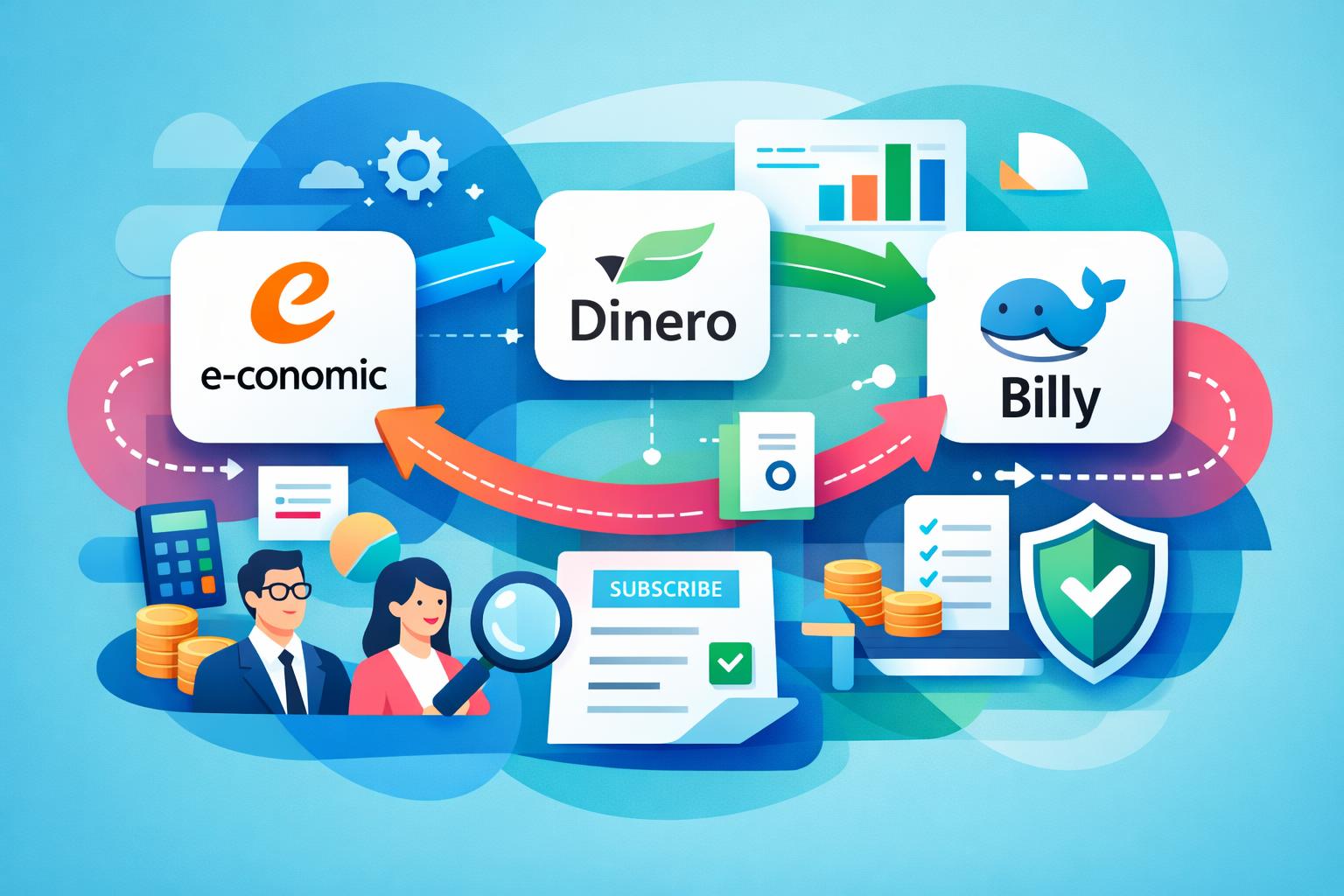
    At forbinde dit CRM med e-conomic er en af de mest effektive måder at automatisere arbejdet mellem salg og økonomi. Når kundedata, fakturaer og betalinger synkroniseres automatisk, får du et klart, samlet overblik over hele forretningen. I denne guide viser vi, trin for trin, hvordan du bygger en robust integration med fokus på kontoplaner, fakturasync og afstemning af betalinger. Som eksempel ser vi på, hvordan MainFoundry realiserer en moderne CRM–økonomi-integration i praksis.

    Hvorfor forbinde dit CRM med e-conomic?

    Når CRM og økonomisystem arbejder isoleret, opstår der typisk dobbeltarbejde og usikkerhed. Salg opretter kunder ét sted, mens økonomi gør det i et andet, og data løber i hver sin retning. En integration med e-conomic samler al kundedata, gør fakturering langt hurtigere og sikrer, at betalingsstatus automatisk opdateres i CRM’et. Resultatet er bedre datakvalitet og ro i hverdagen hos både økonomi og salg.

    For mange handler det også om timing. Når en aftale lukkes i CRM’et, forventer kunden ofte fakturaen med det samme. En direkte integration gør det muligt at oprette, bogføre og sende fakturaen automatisk – uden manuel eksport eller skift mellem systemer. Dermed bliver både kunderejsen og den interne proces mere strømlinet.

    “Når CRM og økonomi deler data i realtid, forsvinder friktionen i salgs- og faktureringsprocessen.”

    Sådan forbinder du CRM med e-conomic – trin for trin

    Selvom detaljerne varierer, følger de fleste CRM–e-conomic-integrationer den samme struktur. Først skal du vælge integrationsmetode – enten en færdig app eller en samlet platform som MainFoundry, der håndterer CRM og økonomi centralt. Sidstnævnte giver færre integrationer og mere konsistente data på tværs af hele virksomheden.

    Sørg derefter for, at din e-conomic-konto har adgang til API-integration. Her oprettes sikre tokens, som gør det muligt for CRM’et at oprette kunder, fakturaer og opdatere betalingsstatus automatisk. Når forbindelsen er aktiv, handler det om datakvalitet og korrekt mapping mellem systemerne.

    Opsætning af kontoplaner og datamapping

    Kontoplanen er selve fundamentet. Hvis konti, produkter og momskoder ikke matcher, opstår fejl i faktureringen. Start med at gennemgå salgs- og indtægtskonti i e-conomic, og match produkter i CRM’et med de korrekte konti og momstyper. I MainFoundry håndteres dette centralt, så produktsortiment, priser og moms er ens fra start til slut i kunderejsen.

    Pass også på kundedata. CVR, adresser og vilkår skal være identiske i begge systemer. Mange integrationer bruger e-mail eller CVR til at opdage eksisterende kunder og undgå dubletter – en detalje, der er afgørende for dataintegriteten.

    Automatisk fakturasync fra salg til økonomi

    Når mapping og kontoplan er på plads, opsættes automatisk fakturering. Det sker typisk ved, at en handling i CRM’et – for eksempel når en deal flyttes til “Vundet” – trigger oprettelsen. Fakturaen bygges med de korrekte linjer og konti i e-conomic, hvor den enten gemmes som kladde eller bogføres automatisk. I MainFoundry kan hele denne proces styres som en integreret del af salgsflowet.

    Pro Tip: Lav en testkunde og simulér en fakturering, før du går live. Små fejl i opsætningen kan ellers gentage sig hundrede gange senere.

    Afstemning af betalinger og løbende opfølgning

    Den største gevinst opstår, når betalingsstatus automatisk opdateres i CRM’et. Når en faktura betales i e-conomic, bør kundens status i CRM’et ændres med det samme, så salg og kundeservice altid ser opdaterede data. I MainFoundry vises disse oplysninger løbende på kunden sammen med fakturahistorikken – et fuldt overblik over økonomisk adfærd og historik.

    Overvej også automatiske notifikationer. Når betalinger er forsinket, kan systemet oprette en opgave til den ansvarlige eller sende besked til teamet. Det skaber proaktive workflows, hvor tiden bruges på handling frem for kontrol.

    Vigtige overvejelser før du går live

    Inden integrationen rulles ud, er det afgørende at afklare roller, databehandling og forretningsregler. Jo tydeligere disse er defineret, desto mere stabil bliver driften. Overvej især dataejerskab, godkendelsesregler og hvordan kreditnotaer håndteres.

    • Hvem ejer dataene, og hvor skal fejl rettes?
    • Skal integrationen være énvejs eller tovejs?
    • Hvilke handlinger må automatisk trigge fakturering?
    • Hvordan håndteres ændringer og delvise betalinger?

    Key Takeaways

    At forbinde CRM med e-conomic handler ikke kun om teknik – det handler om at skabe et sammenhængende flow fra kontakt til betaling. Når kontoplaner og data er korrekt sat op, fakturaer oprettes automatisk, og betalinger synkroniseres uden manuelle trin, får du mere tid og færre fejl. Moderne platforme som MainFoundry viser, hvordan CRM og økonomi kan samles naturligt, uden ekstra integrationslag.

    En solid CRM–e-conomic-integration er nøglen til skalerbar vækst og datadrevet beslutningstagning.

    Related Reading

    Læs mere om CRM og kundestyring eller udforsk abonnements- og faktureringsstyring for at se, hvordan du kan samle dine processer i ét integreret system.

  • CRM integration med e-conomic der fjerner manuelt arbejde

    CRM integration med e-conomic der fjerner manuelt arbejde

    At forbinde dit CRM med e-conomic er en oplagt måde at fjerne manuelle processer mellem salg og økonomi. Når kundedata, fakturaer og betalinger flyder automatisk mellem systemerne, får dine teams et fælles, opdateret overblik. Denne artikel guider dig trin-for-trin til, hvordan du forbinder CRM med e-conomic, fra opsætning af kontoplaner til automatisk fakturasync og betalingsovervågning – med MainFoundry som konkret eksempel.

    Undervejs dækker vi praktiske beslutninger, almindelige faldgruber og bedste praksis, så din integration sparer tid og forbedrer samarbejdet mellem salg og økonomi i stedet for at skabe nye udfordringer.

    Sådan forbinder du CRM med e-conomic uden rod i økonomien

    Den største fejl mange virksomheder begår, er at se integration som en teknisk kobling frem for en forretningsbeslutning. For at få en stabil løsning skal data i CRM og e-conomic tale samme sprog, især når det gælder kunder, produkter, moms og kontoplaner. Før du aktiverer synkronisering, skal din grundstruktur være korrekt opsat.

    I e-conomic bør du starte med kontoplanen. Sørg for at omsætningskonti, momskoder og eventuelle rabatter er entydige, så CRM’et kan identificere, hvor fakturalinjer skal bogføres. I CRM’et handler det om datakvalitet – virksomhedsinformation som navn, adresse og CVR skal være konsistent for at undgå afvigelser. I MainFoundry oprettes kontakter og virksomheder struktureret fra starten, hvilket sikrer en mere stabil synkronisering.

    Når dine grunddata er på plads, skal du vælge integrationsniveau. En standardintegration opretter automatisk kunder og fakturaudkast, mens en API-baseret integration giver fuld kontrol over, hvornår fakturaer bogføres og betalinger returneres til CRM’et. Valget afhænger af virksomhedens salgs- og faktureringsflow.

    Selve forbindelsen kræver, at API-adgang er aktiveret i e-conomic. Det gøres ved at oprette app-adgang med tokens, så CRM’et kan oprette og læse data direkte i regnskabet uden manuel import. Start med et begrænset scope – synkronisér først kunder og testfakturaer, før du automatiserer hele flowet. Det gør det nemt at fange afvigelser i moms og afrunding uden at påvirke det reelle regnskab.

    Automatisk fakturasync og betalinger i praksis

    Den reelle værdi af integrationen viser sig først i hverdagen. Når en aftale i CRM’et når et bestemt stadie, kan der automatisk oprettes en faktura i e-conomic, så salgs- og økonomiteamet arbejder ud fra samme data. For at sikre korrekte fakturaer skal produkterne være identiske i begge systemer – med samme navn, pris og momstype.

    Når fakturaen oprettes som kladde i e-conomic, kan den bogføres automatisk eller godkendes manuelt. Mange vælger en hybridmodel, hvor standardfakturaer bogføres automatisk, mens større fakturaer tjekkes manuelt. Det skaber tillid og kontrol i flowet. Betalingsstatus kan returneres til CRM’et, så salgs- og kundeteams løbende ser, om fakturaer er betalt eller forfaldne – hvilket ændrer kundedialogen markant.

    I MainFoundry vises faktura- og betalingsstatus direkte på kundens tidslinje sammen med møder og mails. Det giver et mere komplet billede af relationen. Økonomiteamet kan samtidig bruge platformens abonnements- og faktureringsstyring til at følge MRR, fornyelser og churn – uden at trække rapporter fra flere systemer.

    “Den mest stabile CRM–e-conomic integration starter med kontoplan og datakvalitet – automationen kommer bagefter.”

    De fleste integrationer følger fem centrale trin, som sikrer en struktureret opsætning:

    • Klargør kontoplan, moms og produkter i e-conomic, så de matcher jeres salgsmodel.
    • Ryd op i kundedata i CRM’et for at undgå dubletter og uens CVR-numre.
    • Aktivér API-adgang i e-conomic og forbind CRM’et med tokens eller connector.
    • Definér hvornår fakturaer oprettes, bogføres og godkendes automatisk.
    • Test hele flowet internt før det aktiveres for rigtige kunder.

    Integrationen bør overvåges løbende – ikke dagligt, men med notifikationer ved afvigelser i moms eller afrunding. Mange kobler dette med automatiske advarsler i Teams eller Slack. Samtidig giver fælles rapportering mellem CRM og e-conomic mulighed for at analysere sammenhængen mellem salg og betalinger. I MainFoundry samles data i dashboards, der viser hvilke kunder der køber, betaler til tiden og vokser over tid.

    Det vigtigste at tage med videre

    Succesfuld CRM–e-conomic integration handler om mere end teknik. Det kræver en gennemtænkt opsætning, stabile datagrundlag og gradvis automatisering. Når alt hænger sammen, får du færre fejl, hurtigere processer og et mere effektivt samarbejde mellem salg og økonomi.

    • Sørg for at kontoplanen og kundedata matcher før du synkroniserer.
    • Start småt – test kundesynk og fakturaer internt først.
    • Automatisér kun processer, du allerede stoler på.
    • Brug rapportering til at forstå sammenhængen mellem salg og betaling.
    • Overvej hvordan MainFoundry kan samle CRM, fakturering og rapportering i én platform.

    Related Reading

    Læs også om økonomistyring og fakturering med MainFoundry for at forstå, hvordan fælles data skaber sammenhæng i hele forretningen.

  • e-conomic integration til SaaS med automatiseret bogføring

    e-conomic integration til SaaS med automatiseret bogføring

    Manuel bogføring kan virke overskuelig i en nystartet SaaS-virksomhed, men det bliver hurtigt en administrativ udfordring, når abonnementsvolumen stiger. e-conomic integration til SaaS handler om at automatisere og konsolidere data, så bogføringen følger forretningen i realtid. Denne artikel beskriver, hvordan automatisering gennem e-conomic kan forenkle regnskabet, støtte vækst og skabe struktur – særligt når integrationen bygger på et samlet system som MainFoundry.

    Hvordan e-conomic integration understøtter SaaS-økonomi

    Traditionelle e-conomic-integrationer er ofte udviklet med webshops for øje, hvor ordrer bliver til fakturaer og betalinger afstemmes automatisk. For SaaS-virksomheder er dynamikken anderledes. Her handler bogføring ikke om enkeltstående salg, men om løbende abonnementer, opgraderinger og brugbaseret fakturering. En effektiv integration skal derfor kunne håndtere disse kontinuerlige ændringer og synkronisere dem korrekt i økonomisystemet.

    Når der oprettes fakturaer ud fra abonnementsdata i realtid, og når betalingerne automatisk matches via en betalingsgateway, minimeres risikoen for fejl og åbne poster. Resultatet er et regnskab, der altid er opdateret – uden manuelt at skulle afstemme hver transaktion. I praksis gør det bogføringen til et spejl af forretningen, ikke et separat, manuelt spor bagefter.

    “Automatisering handler ikke kun om at spare tid – det handler om at skabe et regnskab, hvor data flyder sikkert mellem forretning og økonomi.”

    Selvom e-conomic tilbyder funktioner som workflows og bankafstemning, ligger den største effekt i at trække fakturagrundlaget direkte fra forretningens abonnementsstyring. Når kundedata, salgsændringer og fakturering er samlet ét sted, bliver integrationen mere præcis. Her spiller MainFoundry en central rolle som et bindeled mellem CRM, fakturering og bogføring.

    MainFoundry som fundament for automatiseret bogføring

    Som alt-i-én forretningsplatform samler MainFoundry CRM, abonnementsstyring og økonomidata, hvilket forenkler integration til e-conomic. Når faktureringen ligger i ét system, kan e-conomic fokusere på sine kerneopgaver – bogføring, moms og compliance – uden at kræve manuel dataoverførsel. Fakturaer og kundedata synkroniseres automatisk, og betalinger afstemmes uden menneskelig indgriben.

    Denne arkitektur skaber ikke bare effektivitet, men også transparens på tværs af teams. Salg, customer success og økonomi ser de samme data – blot med forskellige perspektiver. Det eliminerer fejlafstemninger og giver et fælles grundlag for beslutninger. For virksomheder med komplekse faktureringsflows kan systemet desuden udvides med brugerdefinerede workspaces, så specialaftaler eller kontraktændringer stadig ender korrekt i e-conomic.

  • Abonnementer oprettes og opdateres centralt, så fakturagrundlaget altid er korrekt.
  • Betalinger matches automatisk, og fejl som dublerede kunder elimineres.
  • MRR og cashflow kan analyseres uden at korrigere for manglende posteringer.

Pro Tip: Sørg for, at abonnementsstyringen er den primære datakilde i din integrationsarkitektur – det sikrer stabilitet og eliminerer dobbeltarbejde i bogføringen.

Vigtige pointer og næste skridt

Automatisering af bogføring handler ikke kun om effektivitet – det er et strategisk skridt mod en skalerbar og datadrevet SaaS-forretning. Når fakturaer, betalinger og regnskab hænger sammen gennem e-conomic integration, slipper du for manuel afstemning og får et økonomisk system, der afspejler den virkelige forretningsdynamik. MainFoundry leverer den fleksibilitet og sammenhæng, som gør integrationen robust og fremtidssikret.

Relateret læsning

Læs også hvordan CRM og økonomi kan samles i én platform for maksimal indsigt og effektivitet.

  • e-conomic integration til SaaS uden manuel bogføring

    e-conomic integration til SaaS uden manuel bogføring

    For mange danske SaaS-virksomheder er bogføring stadig et nødvendigt onde, præget af manuelle processer og fragmenterede systemer. Men med en e-conomic integration til SaaS bliver det muligt at gøre økonomien næsten selvkørende. Denne artikel viser, hvordan en moderne integration kan automatisere fakturering, betalingsmatchning og kundedata, så du sparer tid og minimerer fejl. Vi ser også på, hvordan MainFoundry som platform kan skabe sammenhæng mellem CRM, fakturering og økonomi, og hvorfor det kan være nøglen til et mere effektivt setup.

    Hvorfor e-conomic er fundamentet for automatiseret bogføring

    Det danske regnskabssystem e-conomic er populært, fordi det er fleksibelt og bygget til integration. Det åbne API gør det muligt at forbinde systemer direkte, så data flyder automatisk og ikke kræver manuel overførsel. For SaaS-virksomheder, hvor fakturaer, opgraderinger og abonnementsændringer sker løbende, er det en stor fordel.

    En velfungerende integration betyder, at salg og abonnementer automatisk bliver omsat til finansposteringer. Nye kunder kan oprettes én gang i CRM’et og genbruges i regnskabet, og fakturaer genereres med korrekt moms og kontoplan i e-conomic. Det reducerer dobbeltarbejde og risikoen for fejl i tallene. Samtidig får økonomiteamet et bedre overblik, fordi alle data kommer fra de samme kilder.

    Et af de mest afgørende led er den automatiske betalingsmatchning. e-conomics bankafstemning kan koble indbetalinger med åbne fakturaer, så økonomiteamet arbejder med undtagelser i stedet for alt manuelt. Det sparer både tid og mindsker risikoen for menneskelige fejl, især når transaktionsvolumen vokser.

    “Når data kun skal indtastes én gang, bliver bogføring ikke bare hurtigere – den bliver også mere præcis og pålidelig.”

    Udfordringen opstår ofte, når systemlandskabet bliver fragmenteret. CRM, marketing og økonomi lever hver sit liv, og det skaber flaskehalse. Her fungerer MainFoundry som det samlende lag, der strukturerer data, før de sendes til e-conomic. Det gør integrationen mere robust, mere skalerbar og langt nemmere at vedligeholde over tid.

    Sådan automatiserer MainFoundry og e-conomic bogføringen

    En e-conomic integration til SaaS handler sjældent om én funktion. Den skaber et sammenhængende flow mellem CRM, fakturering og økonomi, hvor MainFoundry binder delene sammen. Processen starter i CRM’et, hvor kunder oprettes og beriges automatisk. Når et abonnement oprettes, genereres fakturaen baseret på reelle ændringer – ikke manuelle opdateringer. Herefter synkroniseres fakturaen til e-conomic med korrekt kontoplan og momshåndtering.

    Når betalinger modtages via bank eller betalingsudbyder, matches de automatisk med eksisterende fakturaer i e-conomic. Økonomiteamet ser hurtigt, om fakturaer er betalt, delvist betalt eller mangler betaling, hvilket gør opfølgning og rapportering lettere.

    Et andet vigtigt aspekt er håndtering af ændringer over tid – for eksempel opgraderinger, nedgraderinger og kreditnotaer. MainFoundrys økonomimodul sikrer, at disse registreres konsekvent, før de bogføres i e-conomic. Det reducerer støj og sikrer et rent, afstemt regnskab, selv når volumen vokser.

    Når CRM, fakturering og økonomi hænger sammen, bliver bogføring en baggrundsproces – ikke en flaskehals.

    Den samlede løsning giver også transparens. Salg kan se betalingsstatus direkte, og ledelsen kan følge MRR og churn i realtid. For mange SaaS-virksomheder er det ikke bare en teknisk gevinst, men en strategisk fordel, fordi beslutninger kan træffes hurtigere på tværs af teams.

    Det vigtigste at tage med videre

    • En gennemtænkt e-conomic integration til SaaS handler om skalerbare arbejdsgange, ikke blot teknik.
    • Automatiseret dataflow mellem systemer frigiver tid fra bogføring til forretningsanalyse.
    • Sammensmeltning af CRM, fakturering og økonomi øger stabilitet og datakvalitet.
    • SaaS-virksomheder kan håndtere abonnementsændringer uden regnskabsmæssig kompleksitet.
    • MainFoundry styrker integrationen med e-conomic og skaber overblik på tværs af teams.

    Relateret læsning

    Læs mere om abonnements- og faktureringsstyring på MainFoundrys platform, eller tag en dialog med vores team om, hvordan du kan automatisere jeres økonomiprocesser.

  • SaaS Accounting Integration Best Practices for Finance

    SaaS Accounting Integration Best Practices for Finance

    Ask any SaaS finance leader what slows them down most, and the answer often isn’t strategy—it’s cleanup. When billing, CRM data, and accounting tools don’t connect, finance teams lose time fixing discrepancies and re-entering data. This post explores why accounting integration matters for SaaS growth, unpacking how disconnected systems create operational drag, why integration unlocks agility and accuracy, and how platforms like MainFoundry’s native e-conomic sync help teams maintain clarity as they scale.

    We’ll cover the hidden costs of manual processes, the benefits of integrated billing and finance data, and actionable takeaways for SaaS CFOs and controllers ready to modernize their financial stack for confidence, speed, and flexibility.

    Why Accounting Integration Matters for SaaS Finance Teams

    Disconnected systems can quietly undermine growth. In early stages, manual fixes may feel manageable, but as revenue and customer complexity expand, those same workarounds become operational debt that hinders accuracy and slows forecasting. Common issues include manual invoice copying, reconciliation mismatches, and reporting delays that make closing the books a recurring struggle.

    When teams can’t trust their numbers, questions like “What did we actually earn this month?” become surprisingly hard to answer. For SaaS finance teams, this uncertainty limits insight into true monthly recurring revenue and obscures performance trends. Integration eliminates this friction by ensuring billing transactions automatically sync to accounting, aligning invoices, payments, credits, and renewals without manual effort.

    “Integrated financial systems replace cleanup work with clarity—turning accounting from an afterthought into a strategic advantage.”

    MainFoundry’s subscription and billing management connects directly with financial records, reducing duplicate work and errors. Paired with insights from the unified customer database, finance teams gain full visibility from contract to cash, enabling faster reconciliation and cleaner reporting without complexity.

    How Integrated Billing and Accounting Reduce Risk and Unlock Visibility

    SaaS revenue recognition requires precise tracking, especially when contracts change mid-cycle. When systems rely on manual exports and imports, discrepancies and missing data are inevitable. An integrated platform creates a single source of truth—billing actions such as upgrades and cancellations update accounting automatically, reducing reconciliation risk and supporting accurate deferred revenue balances.

    By syncing data in real time, finance teams move from month-end reconciliation to continuous reporting. Leaders can see ARR, churn, and cash positions dynamically, enabling faster decisions and confident forecasting. Integrated systems also improve audit readiness with linked invoices, payments, and contracts stored in one location for transparent review.

    Pro Tip: Pair accounting integrations with strong data governance and role-based access. Tools like MainFoundry’s platform security approach enhance control and safeguard sensitive financial data.

    For European SaaS teams, native integrations are particularly valuable. MainFoundry’s synchronization with e-conomic allows billing data to flow directly into familiar accounting environments without relying on middleware, ensuring local compliance while removing manual entry. The result is scalable accuracy—finance operations stay lean even as complexity increases.

    Key Takeaways

    Accounting integration isn’t optional for subscription-driven businesses—it’s a foundation for financial clarity and scale. In short, why accounting integration matters for SaaS comes down to eliminating redundancy, improving accuracy, and empowering smarter decisions across finance and operations.

    • Disconnected billing and accounting systems cause inefficiency, data errors, and delayed financial reporting.
    • Integrated platforms automate invoice flow and improve revenue recognition compliance.
    • Real-time financial visibility strengthens forecasting and decision-making speed.
    • MainFoundry’s e-conomic sync offers reliable, region-aware accounting integration for European teams.

    If your finance workflows still rely on spreadsheets and manual imports, now is the moment to modernize. Explore MainFoundry or start a conversation with the team at mainfoundry.com/contact to see how integrated billing and accounting can simplify your SaaS finance operations.

  • Outlook Email and Calendar Sync for Accurate CRM Data

    Outlook Email and Calendar Sync for Accurate CRM Data

    Keeping your CRM data current is one of the biggest challenges for growing sales teams. When every email, meeting, and follow-up relies on manual updates, your CRM quickly drifts out of sync with reality. Automatic email and calendar sync solves this friction by logging communication directly from Outlook — no extra effort required. In this post, we’ll explore how MainFoundry’s Outlook integration automates CRM updates, why that matters for accuracy and productivity, and how teams can gain reliable reporting without adding administrative burden.

    How Outlook Email and Calendar Sync Remove Manual CRM Work

    For most sales teams, daily work happens inside Outlook — sending emails, scheduling meetings, following up on leads. The trouble starts when those interactions never reach the CRM. Manual methods like BCC addresses or browser extensions rarely hold up. MainFoundry eliminates the gap by integrating directly with Microsoft Graph, ensuring every email and calendar update syncs automatically.

    When a rep sends or receives an email, it’s instantly matched to the correct contact or opportunity within the CRM — based on recipients and domains — and added to the activity timeline. Similarly, meeting invitations and updates in Outlook appear as CRM meetings tied to the relevant company record. Reschedules, cancellations, and attendee adjustments all sync in real time. The result is that your timeline reflects the entire conversation history, not just what someone remembers to log.

    “When every email and meeting flows into the CRM automatically, reporting stops being guesswork and starts reflecting real activity.”

    This automation also strengthens team visibility. Whether it’s a manager reviewing deal progress or a teammate stepping in to cover a client call, everyone can see the complete interaction history at a glance. That’s the difference between a disconnected record and a truly unified CRM system inside MainFoundry — one that supports collaboration instead of slowing it down.

    Why Automatic Email and Calendar Sync Matters for Small Sales Teams

    For teams with fewer than fifty people, every minute spent logging activities in the CRM competes with selling or customer engagement. Automatic sync gives that time back while improving accuracy. The benefits go far beyond convenience — they ripple across functions like marketing, finance, and leadership. When CRM activity reflects what’s really happening, marketing can measure true engagement, finance can anticipate deals nearing close, and managers can review account health without chasing updates.

    MainFoundry builds on this foundation through workflow automation and integrations. For example, synced Outlook meetings can trigger follow-up tasks in custom workspaces, or surface summaries and insights using the AI Assistant. Since synced data is already structured, automation becomes reliable instead of fragile.

    Pro Tip: Choose CRM integrations that use trusted APIs, like Microsoft Graph, to maintain security and compliance while automating email and calendar data sync.

    Beyond technical reliability, the cultural benefit is clear. Teams spend less time updating records and more time building relationships. Forecasts become meaningful because they’re based on live engagement data instead of assumptions. In short, the CRM finally becomes a system that supports the team — not another chore on the checklist.

    Key Takeaways

    • Automatic email and calendar sync keeps CRM data accurate without manual input
    • Outlook integration ensures activity timelines are complete and real-time
    • Teams gain shared visibility, better collaboration, and reliable reporting
    • Workflow automation and AI features in MainFoundry add depth to synced data
    • Accurate CRM data helps small teams sell smarter and forecast with confidence

    Related Reading

    Explore more on streamlining your CRM operations in CRM System Integration.

    If your CRM still depends on manual updates, consider mapping where your communication happens. For most teams, that’s Outlook. Implement automatic sync that connects directly to contacts and deals and let data stay current by default. Learn more at MainFoundry.com or reach out via contact page to explore how seamless Outlook sync can transform your workflow.

  • Webhook Automations Best Practices for Modern Workflows

    Webhook Automations Best Practices for Modern Workflows

    Learning how to set up webhook automations is one of the fastest ways to connect modern business tools without waiting on built-in integrations. Webhooks enable systems to communicate in real time, pushing events as they happen rather than relying on scheduled syncs. This can save countless hours for teams managing CRM data, marketing campaigns, or finance workflows. In this guide, you’ll learn the technical foundations for webhook automations—covering triggers, payloads, authentication, and error handling—plus examples showing how unified platforms like MainFoundry use these principles to simplify integrations across business operations.

    Understanding Webhook Triggers, Payloads, and Security

    Webhooks operate through simple cause-and-effect logic: when an event occurs in one system, it sends an HTTP request—typically a POST—to another system. This action replaces traditional polling and ensures the receiving service reacts instantly to business events. To design reliable automations, start by defining meaningful triggers that represent important state changes, such as a new contact added, a deal moving stages, or a subscription renewed.

    Each webhook trigger creates a unique endpoint URL used to deliver payloads. Because this URL functions as a credential, treat it as a secret and store it securely. Payloads generally use JSON, including fields for event type, timestamp, unique IDs, and a nested data object describing what changed. Headers like Content-Type and Authorization are also critical, since they determine how the receiver interprets and authenticates the request.

    Security remains a cornerstone of webhook design. Protect endpoints using shared secrets, signed payloads, or bearer tokens, and always enforce HTTPS with strong TLS. Platforms such as MainFoundry’s unified ecosystem integrate these same standards across their APIs, ensuring webhook traffic follows consistent compliance and authentication practices.

    “A well-structured webhook payload should carry enough data for the receiving system to act immediately without extra API calls.”

    Before deploying any webhook to production, test with sample payloads. Use mock events to confirm field accuracy, authentication behavior, and response times. Effective testing prevents integration issues and ensures your workflows trigger exactly as intended.

    Designing Reliable Webhook Workflows and Real-World Use Cases

    Once your triggers and payloads are active, reliability becomes the key focus. Most webhook senders expect quick responses, so process payloads asynchronously after validation to avoid timeouts. Adding an idempotency key allows your system to ignore duplicates and maintain state integrity even under retry conditions. Logging and monitoring are invaluable—record both request and response data to detect errors early and build durable automation pipelines.

    Webhook automations create countless possibilities for workflow efficiency. For instance, you can push instant Slack updates when high-value deals move stages, synchronize customer data between CRM and support tools, or orchestrate multiple downstream tasks from a single trigger. Unified platforms like MainFoundry amplify these actions by enriching payloads with contextual data—combining CRM, marketing, and finance records—to create smarter, data-aware workflows without extra API complexity.

    As webhook volume scales, plan for rate limiting and payload versioning to maintain reliability. Document schema changes and coordinate across teams to prevent breaking integrations. Remember, while webhooks excel at real-time updates, scheduled APIs still perform better for historical or bulk data transfers. Balancing both ensures optimized performance as your automation footprint grows.

    Pro Tip: Treat webhook endpoints as living interfaces. Version your payloads and monitor changes to maintain seamless communication between evolving systems.

    Key Takeaways

    • Choose event triggers that represent meaningful business changes to prevent unnecessary noise.
    • Use clear JSON payloads and secure authentication methods for reliable data exchange.
    • Implement error handling, retries, and idempotency keys for production-grade workflows.
    • Explore webhook use cases like Slack alerts and data synchronization to boost real-time collaboration.
    • Unified platforms such as MainFoundry make webhook automation more powerful through enriched context and integrated security.

    Related Reading

    Check out how unified workflows drive integration efficiency for deeper insight into connected business operations.

  • Automate SaaS Bookkeeping Without Adding Headcount

    Automate SaaS Bookkeeping Without Adding Headcount

    If your SaaS company has grown beyond a handful of customers, chances are your bookkeeping has become tangled in spreadsheets and manual reconciliation checks. What starts simple—exporting a few Stripe invoices—can quickly evolve into hours of data entry and late-night fixes. This post explains how to automate bookkeeping for SaaS companies so you can scale financial operations without adding headcount. You’ll learn how integrated workflows tie billing, CRM, and accounting together, delivering accuracy and speed across invoices, payments, expenses, and month-end closes.

    Why SaaS bookkeeping needs automation

    Unlike traditional business models, SaaS revenue recognition stretches over months or years. Customers pay monthly or annually, usage-based fees fluctuate, and upgrades or downgrades constantly alter revenue timing. When this complexity meets manual bookkeeping, the process collapses into mismatched invoices, uncertain revenue schedules, and unreliable reports.

    Automation solves these problems by connecting systems. When your MainFoundry workspace unifies CRM, billing, and finance data, your accounting platform—like e-conomic—receives structured entries automatically. This means invoices, payments, and expenses are cleanly synced across systems, removing multiple manual steps from your monthly close.

    “Automation isn’t about flashy technology—it’s about creating dependable financial operations that scale with your SaaS growth.”

    How to automate core SaaS bookkeeping workflows

    The most impactful automation begins with your invoicing and payment workflows. When invoices are generated directly from active subscriptions and sent automatically into your accounting platform, each record reflects current customer and contract data. With systems like MainFoundry bridging your CRM and e-conomic integration, you ensure the right mappings and dates are applied, minimizing errors and end-of-month fixes.

    Payment matching is another area that eats up time when done manually. Automation uses invoice references and identifiers to reconcile payments automatically. When data consistency is maintained across systems, transactions line up perfectly—removing guesswork and freeing your finance team to focus on analysis instead of matching tasks. The same logic extends to expense categorization, where consistent rules help prevent reporting noise and maintain cleaner ledgers.

    Pro Tip: Use automation rules to tag vendor expenses once, then apply those rules system-wide. This keeps bookkeeping uniform without repetitive manual entry.

    Finally, month-end reconciliation benefits from repeatable logic rather than reinventing the process each cycle. Automated journal entries and revenue schedules mean your team spends more time reviewing data than rebuilding spreadsheets. With systems unified under MainFoundry, closing the books becomes confirmation—not correction.

    • Subscription data drives invoice creation without manual edits
    • Payments and invoices reconcile automatically using shared identifiers
    • Expense categorization stays consistent with vendor-based rules
    • Month-end close becomes a streamlined review process

    Key Takeaways

    Automating bookkeeping is less about replacing your accounting platform and more about improving what feeds it. By connecting operational and billing data directly to finance systems, SaaS teams gain both efficiency and trust in their numbers. Start by integrating CRM and subscription workflows with MainFoundry and see how unified operations streamline every part of your close cycle. If your finance team is still manually reconciling transactions, it’s time to move toward a connected workflow that scales effortlessly.

    Related Reading

    Explore how unified automation workflows simplify SaaS finance to learn more about connecting operations and accounting effectively.