Blog

  • Account-Based Marketing Guide for B2B SaaS Teams

    Account-Based Marketing Guide for B2B SaaS Teams

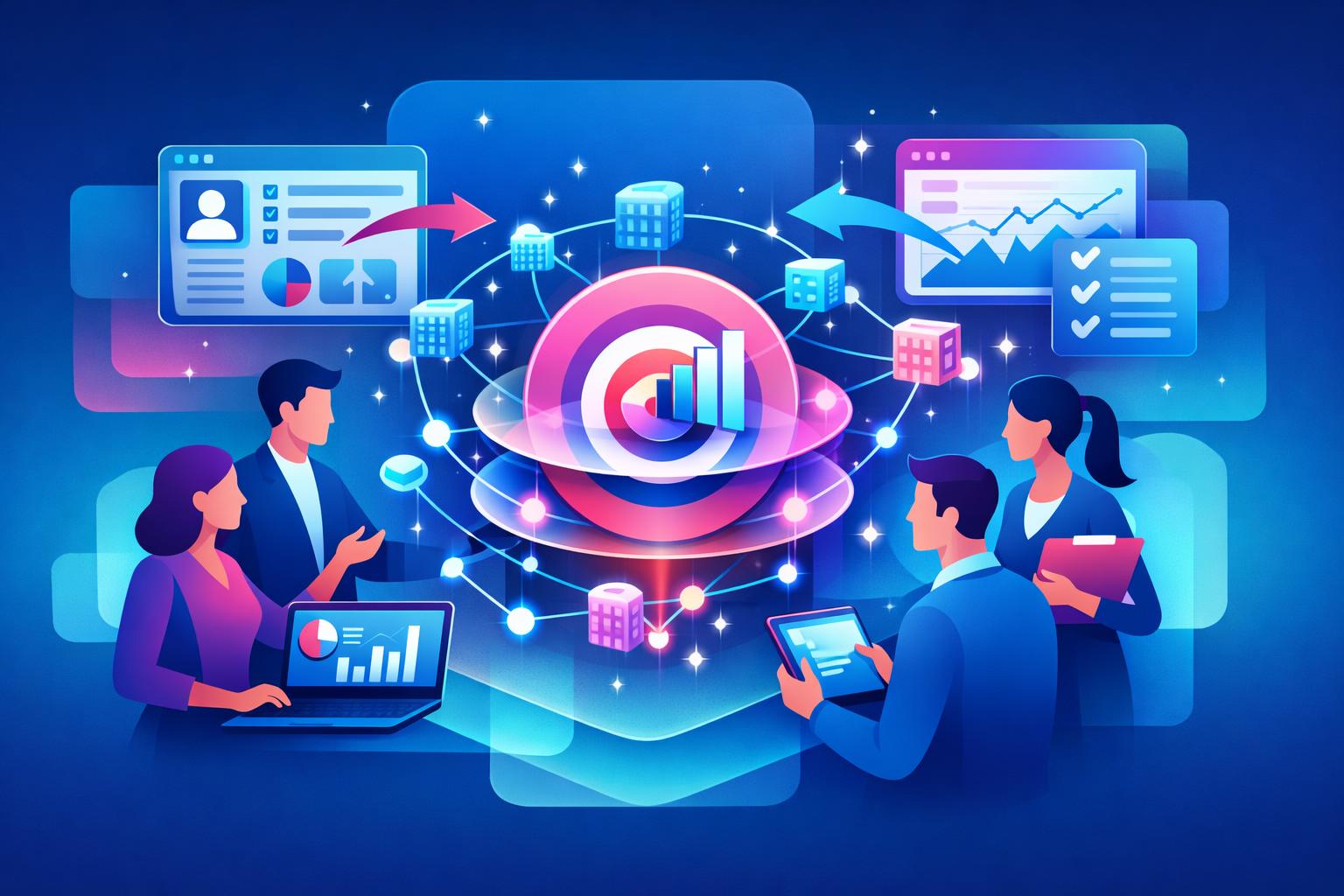
    Account-based marketing (ABM) is transforming how B2B SaaS teams approach growth. Instead of chasing thousands of leads, ABM focuses on depth—identifying a defined set of high-value accounts and building authentic relationships that drive long-term revenue. For SaaS businesses facing long sales cycles and complex buying committees, ABM delivers a clear strategy to align sales and marketing around the same goals. This guide explores what ABM really means for SaaS, how to build an effective framework, and practical ways to measure impact using company-level insight and integrated tools.

    What Account-Based Marketing Really Means for B2B SaaS

    At its core, account-based marketing flips the traditional funnel. Rather than gathering endless leads and hoping for conversion, ABM begins by selecting companies that closely match your ideal customer profile. Marketing and sales collaborate to engage those accounts with tailored messaging, unified outreach, and shared objectives. This alignment helps SaaS companies focus on the right revenue opportunities from day one.

    Because SaaS organizations depend on subscription renewals and expansion, ABM supports sustainable growth. When teams invest early in high-fit accounts, they’re building relationships that lead to stronger retention and larger deals. Buyers respond better to personalized engagement—when they feel understood rather than targeted, trust deepens and decision-making accelerates.

    The biggest shift comes from how success is measured. ABM tracks engagement at the company level, not just through individual contacts. Teams evaluate how multiple stakeholders interact with websites, campaigns, and sales efforts over time. Platforms like MainFoundry make this possible with unified CRM views that consolidate every interaction into one shared account timeline rather than scattered data across different tools.

    “ABM works best when marketing and sales treat each account as its own market—not just another lead in the database.”

    How to Build and Run an Effective ABM Strategy

    Successful ABM begins with clarity and collaboration. Before campaigns launch, teams must define what a high-value account looks like, agree on target companies, and determine how success will be tracked. When sales and marketing alignment exists around shared account ownership, the friction seen in traditional funnels disappears and conversion velocity improves naturally.

    Personalization is at the heart of ABM, but it doesn’t require creating entirely unique campaigns for every account. Rather, it means tailoring content, value propositions, and timing based on what matters to each company. For example, industry-specific messaging or personalized outreach aligned with stakeholder roles often produces stronger engagement than broad, generic campaigns.

    Tracking performance at the account level is essential. Instead of measuring form completions, SaaS teams focus on pipeline progression, deal size, and retention signals. Integrated tools streamline this process by connecting marketing analytics and CRM data in one environment. Using unified visibility from MainFoundry’s analytics and custom workspaces, teams can track account engagement, manage tiered ABM plays, and coordinate outreach efficiently.

    • Define your ideal customer profile and prioritize high-value accounts.
    • Share account ownership between marketing and sales to ensure tight alignment.
    • Track company-level engagement instead of individual leads for true intent insight.

    ABM doesn’t end at closing. For SaaS companies, account-level data also improves post-sale activities such as onboarding, expansion, and renewal. Because engagement, usage, and financial data all connect back to one account record, teams can identify which customers are thriving and which need proactive attention. This clarity ensures steady recurring revenue and healthier account performance over time.

    Pro Tip: Integrate subscription metrics and engagement analytics with CRM data to identify expansion-ready accounts before renewal cycles begin.

    Key Takeaways for SaaS Teams Using Account-Based Marketing

    • Focus your strategy on a small number of accounts with high revenue potential, not volume.
    • Ensure strong sales-marketing alignment around account selection and success metrics.
    • Drive personalization through engagement data rather than assumptions.
    • Measure success on revenue outcomes—such as pipeline quality and lifetime value—not clicks.

    Related Reading

    Explore how integrated CRM and analytics help align go-to-market teams in CRM for B2B SaaS: Building Unified Revenue Systems.

    To implement ABM more efficiently, consider platforms built around company-level data from the start. Learn how MainFoundry unifies CRM, marketing analytics, and account insights—or connect directly with their team at mainfoundry.com/contact to tailor your ABM setup for scalable growth.
  • RBAC and Audit Logging Best Practices for SaaS Teams

    RBAC and Audit Logging Best Practices for SaaS Teams

    Security standards for B2B SaaS have evolved quickly. Customers and auditors now expect role-based access control (RBAC) and audit logging to be native parts of the product—not afterthoughts. It’s no longer enough to say you restrict access or log user activity somewhere; you have to demonstrate who did what, when, and why. This post explores how RBAC and audit logging work together to build trust without slowing teams, what growing SaaS organizations should watch for, and how MainFoundry’s security architecture puts permissions and traceability at the core.

    Why RBAC and Audit Logging Matter for SaaS Growth

    As SaaS companies grow beyond their founding teams, access control often becomes messy. Support staff, marketers, and engineers all need different levels of visibility and power. Without a defined structure, permissions turn into ad-hoc exceptions no one remembers later. RBAC prevents this by tying access to roles rather than individuals, defining actions for “admins,” “editors,” or “viewers,” and keeping updates automatic as people move or leave.

    Audit logging complements RBAC by recording what actually happens. Even the best-designed roles can’t explain the “how” and “why” behind actions. Logs capture who acted, which role was active, and what data was changed—with success or failure outcomes included. This context transforms access control from assumption to proof, giving teams evidence for compliance programs like SOC 2 and ISO 27001.

    Beyond compliance, integrated audit logging reduces internal friction. When questions arise, teams can consult clear records instead of relying on memory or assumptions. This not only accelerates investigations but also builds trust between departments, turning security into a productivity enhancer rather than a blocker.

    “When RBAC and audit logs align, every action becomes both authorized and explainable—a foundation of trust for modern SaaS operations.”

    How RBAC and Audit Logging Work Together in MainFoundry

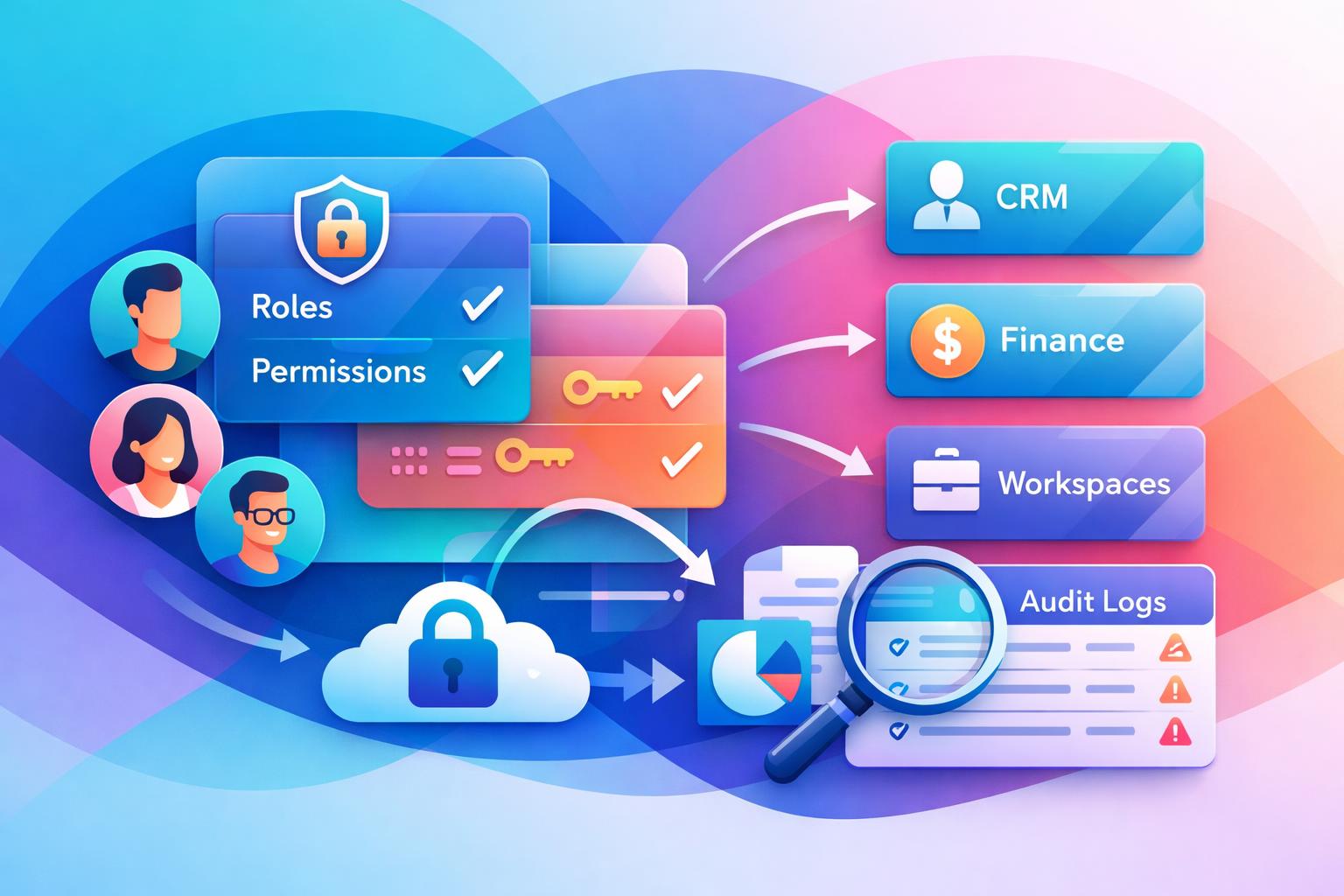
    MainFoundry treats these controls as core platform capabilities. Because it unifies CRM, marketing, finance, and custom workspaces, RBAC must apply consistently across very different data types. Roles are built around clear scopes and least-privilege principles, ensuring stable access across modules. When integrated with SSO, updates to roles synchronize instantly with identity changes.

    Audit logging in MainFoundry is synchronized with RBAC evaluation. Every authorized action records not only what changed but why it was allowed, capturing access evaluations as context. This design means auditors and security teams can trace events based on defined policy, eliminating gaps caused by manual configurations or trust-based permissions.

    Logs include access attempts—successful or failed—alongside permission updates and data modifications. Append-only storage and timestamp integrity ensure durability, while integrations with SIEM tools connect RBAC records to broader infrastructure monitoring. As a result, teams get unified oversight instead of isolated audits.

    Consistency is key. The same definitions and logging standards apply whether reviewing a CRM record, billing permission, or workspace workflow. This unified approach answers audit questions about system-wide governance—found on MainFoundry’s security architecture page.

    Custom workspaces extend those capabilities. Internal tools, project trackers, and approval pipelines inherit RBAC and audit visibility automatically. This avoids the patchwork of third-party apps with inconsistent models. Learn more in the custom workspaces overview.

    Pro Tip: Align audit logs with live role evaluations. When permissions and logging share the same logic, investigations move from reactive cleanup to transparent assurance.

    Key Takeaways

    • RBAC scales securely by tying permissions to roles rather than individuals, simplifying access management.
    • Audit logging transforms access control into clear evidence—capturing who acted, which role was active, and what changed.
    • Linking RBAC and logging ensures every action is both authorized and explainable.
    • Consistent controls across CRM, finance, marketing, and internal workflows reduce audit risk and increase clarity.
    • Platforms with integrated security architectures—like MainFoundry—simplify compliance and keep teams efficient.

    Related Reading

    For deeper insights into platform security practices, explore MainFoundry’s Security Architecture or reach out directly via their contact page.

  • API-integration for SaaS der sikrer skalerbar vækst

    API-integration for SaaS der sikrer skalerbar vækst

    I takt med at SaaS-markedet modnes, er API-integrationMainFoundry arbejder med API’er og webhooks for at muliggøre fleksible integrationer uden at komplicere arkitekturen.

    API-integration som fundament for skalerbar SaaS

    En API

    Virksomheder som MainFoundry demonstrerer denne tilgang ved at kombinere interne API’er, der forbinder platformens kernefunktioner, med eksterne API’er og webhooks, som gør det muligt at udvide og integrere løsningen med øvrige systemer. Denne struktur er afgørende for at reducere fejl, frigøre tid og skabe dataflow i realtid – uundværligt for enhver SaaS-platform, der ønsker at vokse.

    “I moderne SaaS er API’er ikke et ekstra lag – de er selve motoren, der driver sammenhæng, automatisering og skalerbarhed.”

    Ved at designe integrationer som stabile kontrakter mellem systemer, med klare rammer for autentifikation og versionsstyring, kan virksomheder undgå skrøbelige punkt-forbindelser. I stedet sikrer de robust, fleksibel arkitektur, der understøtter både vækst og innovation.

    Typiske integrationsmønstre og strategisk anvendelse

    API-integration i SaaS kan tage flere former afhængigt af behov. De mest anvendte mønstre er synkrone, asynkrone, batch- og event-drevne integrationer. Synkrone kald bruges, når der kræves øjeblikkelig feedback – eksempelvis ved login eller betaling. Asynkrone integrationer tillader systemer at aflevere opgaver, som behandles senere, hvilket øger robusthed og skalerbarhed. Batch-processer overfører data periodisk, mens event-drevne integrationer via webhooks reagerer, når specifikke hændelser opstår.

    • Synkrone kald giver hurtig feedback, men kan skabe afhængigheder ved langsomme systemer.
    • Asynkrone flows muliggør skalering og parallel behandling uden flaskehalse.
    • Event-drevne mønstre via webhooks sikrer reaktion i realtid, når data ændrer sig.

    I praksis kombineres ofte flere mønstre. Et CRM kan anvende synkrone kald til oprettelse af kontakter, webhooks til opdateringer og batch-jobs til analyser. MainFoundry understøtter denne fleksibilitet via både API-adgang til kerneobjekter og webhook-mekanismer, så virksomheder frit kan vælge den integrationsform, der matcher deres behov.

    Pro Tip: Kortlæg dine vigtigste dataflows, inden du bygger integrationer. Det sikrer, at hvert system arbejder optimalt med dets rolle i organisationen.

    Key Takeaways

    • API’er er ikke tekniske detaljer, men strategiske aktiver, der driver SaaS-vækst.
    • Webhooks og event-drevne integrationer reducerer friktion og sikrer realtidsdata.
    • En stærk integrationsarkitektur øger datakvalitet og skalerbarhed på tværs af systemer.
    • Start med at analysere dine dataflows for at vælge de rigtige integrationsmønstre.
    • Overvej platforme som MainFoundry for at samle CRM, marketing og økonomi i én API-drevet løsning.

    Related Reading

    Læs også CRM-platform strategi: Sådan samler du data til vækst for mere indsigt i, hvordan integrerede løsninger skaber stærkere SaaS-økosystemer.

  • API-integration for SaaS der skalerer workflows sikkert

    API-integration for SaaS der skalerer workflows sikkert

    I takt med at den moderne softwareindustri bevæger sig mod mere åbne og forbundne økosystemer, er API‑integration for SaaS blevet et af de vigtigste konkurrenceparametre. Kunder forventer, at platforme kan dele data og automatisere workflows på tværs af systemer – uden kompleks opsætning eller manuelle processer. Denne artikel forklarer, hvad API‑integration egentlig betyder i en SaaS‑kontekst, hvordan den skaber værdi, og hvilke mønstre der typisk anvendes i produktion. Derudover ser vi på, hvordan platforme som MainFoundry anvender API’er og webhooks til at levere stabile integrationer i realtid.

    Hvorfor API‑integration er afgørende for SaaS‑vækst

    I en SaaS‑virksomhed er API’er limen, der forbinder produkter, data og funktioner på tværs af et voksende økosystem. Et veldesignet API gør det muligt at dele information og udløse handlinger i realtid, uden at brugeren behøver at forlade sin primære platform. Det danner fundamentet for automatisering, skalérbarhed og kundeoplevelse.

    Når API‑integrationer implementeres korrekt, fjerner de flaskehalse såsom dobbeltindtastning, manuelle dataoverførsler og langsom kommunikation mellem systemer. For eksempel kan et CRM automatisk opdatere kundestatus i et faktureringssystem, eller et marketingflow kan trigge handlinger i et eksternt analyseværktøj. Det frigør ressourcer og reducerer fejlrisikoen betragteligt.

    Desuden styrker integrationer selve produktets værdi – et system, der passer ind i kundens eksisterende tech‑stack, bliver hurtigt uundværligt. Kunder foretrækker værktøjer, der tilpasser sig deres dataflytninger og processer, frem for produkter, der kræver omvejsløsninger. En gennemtænkt API‑strategi kan derfor forvandle en SaaS fra værktøj til platform, hvor partnere og kunder selv kan bygge ovenpå.

    “Et stærkt API‑fundament gør forskellen mellem et produkt, der kun virker i en demo, og en løsning, der skalerer i produktion.”

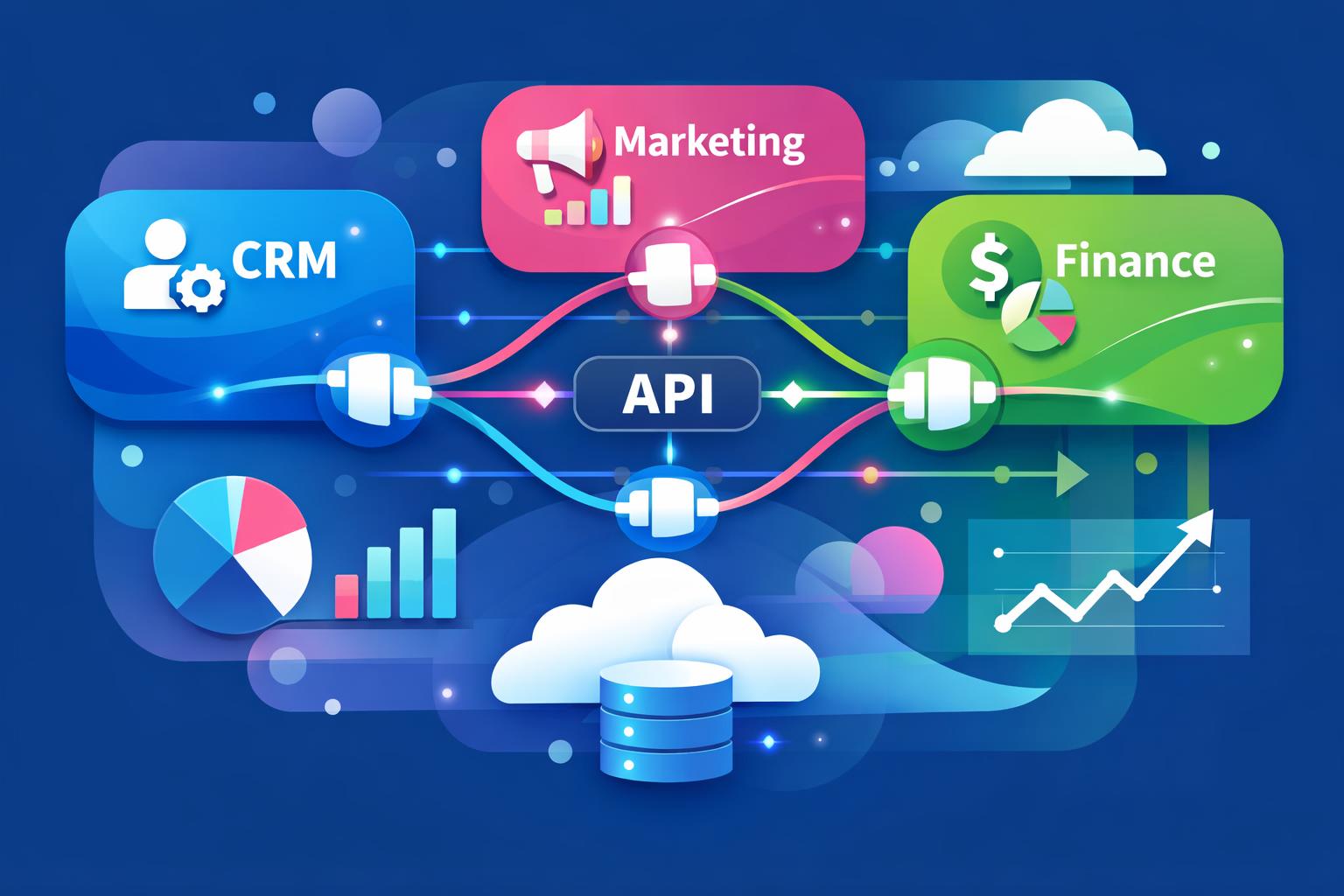
    Platforme som MainFoundry bygger integrationer omkring et konsistent API‑lag, der dækker CRM, marketing, økonomi og brugerdefinerede data. Med brug af webhooks kan eksterne systemer reagere på hændelser i realtid, fremfor at skulle poll’e for ændringer. Det skaber et robust flow, hvor automatisering bliver en naturlig del af den daglige drift.

    Typiske integrationsmønstre i moderne SaaS‑platforme

    SaaS‑integrationer kan designes på mange måder, men de fleste løsninger bygger på nogle gennemtestede mønstre. Valget af integrationsmønster påvirker både performance, stabilitet og fremtidig vedligeholdelse. Blandt de mest udbredte findes envejs‑ og tovejssynkronisering, event‑drevne processer samt batch‑baserede forbindelser.

    • Envejs‑synkronisering sender data fra et kildesystem til et destinationssystem, ofte brugt til rapportering.
    • Tovejssynkronisering tillader opdateringer begge veje og kræver regler for konfliktløsning og versionering.
    • Event‑drevne integrationer med webhooks muliggør realtidsreaktioner på ændringer såsom nye kunder eller ordrer.
    • Batch‑baserede integrationer håndterer store datamængder periodisk, hvilket er ideelt til historiske synkroniseringer.
    • Hybrid‑modeller kombinerer bulk‑load og webhooks for optimal balance mellem performance og aktualitet.

    I praksis benytter mange SaaS‑udviklere en kombination af disse mønstre. Et typisk scenarie er, at man starter med en fuld API‑synkronisering og derefter holder data opdaterede via webhooks. Denne tilgang mindsker systembelastning og øger hastigheden i dataopdatering.

    For at sikre driftsstabilitet kræver designet af integrationer fokus på felter, versionering og fejlretning. Tokens skal kunne fornys uden afbrydelse, og schema‑ændringer skal håndteres elegant. Samtidig bør dokumentationen tydeligt specificere API‑grænser, stabilitet og procedurer ved fejl. Et overblik over integrationer og API‑adgang giver et praktisk indblik i, hvordan MainFoundry strukturerer dette i praksis.

    Pro Tip: Dokumentér tydeligt hvilke felter, endpoints og hændelser der anses som stabile. Det reducerer fejl og gør det lettere for partnere og kunder at bygge ovenpå dit API.

    Vigtige pointer og næste skridt

    API‑integration for SaaS er mere end et teknisk anliggende – det er en strategisk disciplin, der påvirker vækst, brugeroplevelse og produktudvikling. For at få succes bør du tænke API’er som produkter i sig selv, vælge det rigtige integrationsmønster og investere i event‑drevne funktioner med webhooks. Samtidig kræver pålidelige integrationer kontinuerlig opmærksomhed på sikkerhed, versionering og ændringer i datamodeller.

    • Se API’er som et kerneprodukt – ikke et teknisk biprodukt.
    • Vælg mønstre, der skalerer uden at skabe kompleksitet.
    • Udnyt webhooks for at skabe realtidsautomatisering.
    • Overvåg sikkerhed, fejlhåndtering og tokenfornyelser løbende.
    • Knyt API‑strategien tæt til forretningsprocesserne for maksimal effekt.

    Det næste skridt er at kortlægge, hvilke data og hændelser der skal binde dine systemer sammen. Vil du samle CRM, marketing og finans i ét arbejdsflow, kan MainFoundry fungere som det fleksible integrationspunkt. Læs mere på kontaktsiden for at komme i gang.

  • SaaS Integration Challenges Solutions for Small Teams

    SaaS Integration Challenges Solutions for Small Teams

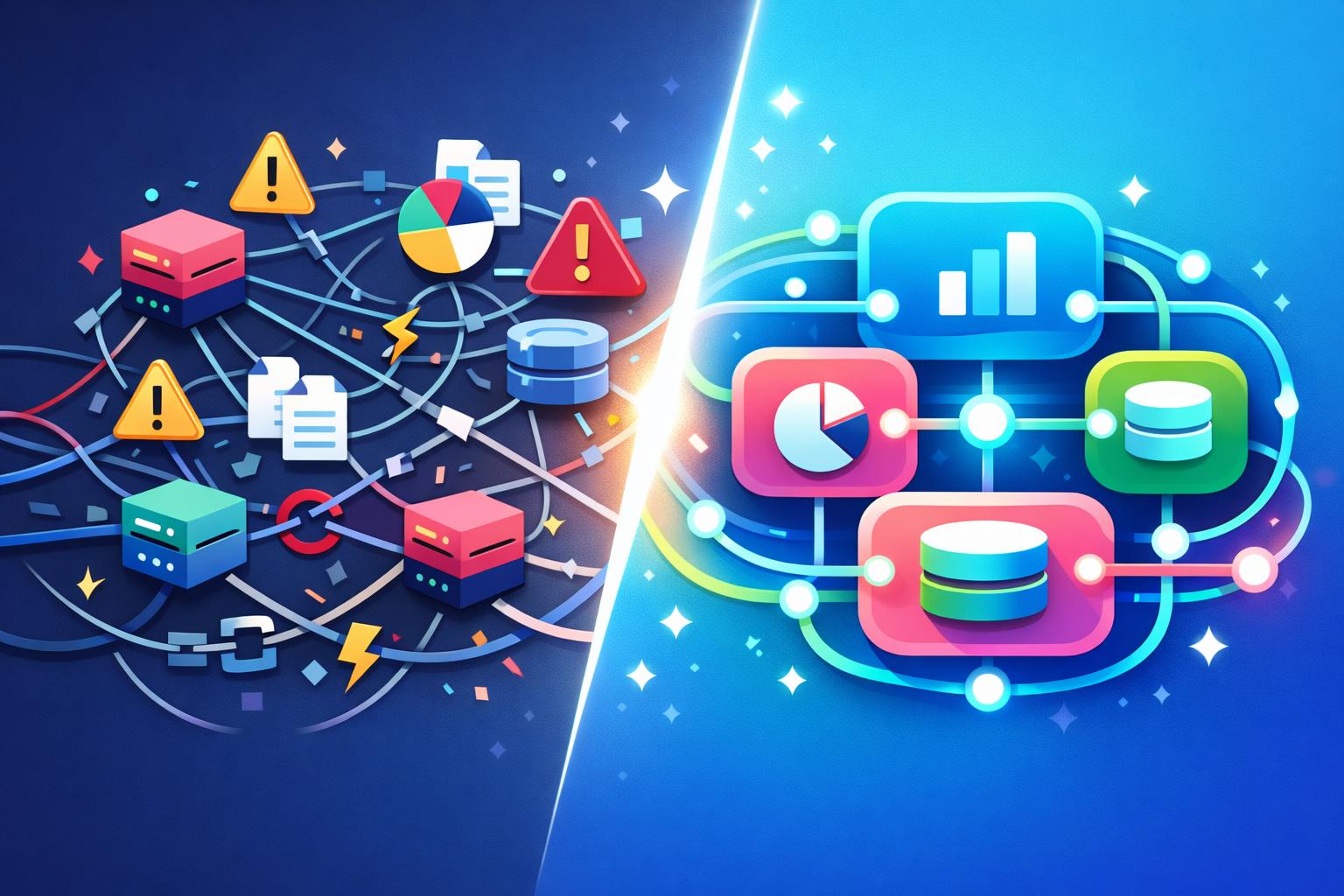
    For small SaaS companies, integrations often feel like a balancing act between efficiency and fragility. Each new connection promises smoother workflows yet quietly adds complexity and risk. This post explores the most pressing SaaS integration challenges and solutions affecting small teams, from data mismatches and broken sync jobs to Duplicate records and API rate limits. You’ll learn why these issues hit small companies hardest and how adopting unified platforms can reduce integration pain altogether. More importantly, we’ll look at how simplifying architecture helps your team focus on customer value instead of endless maintenance.

    Common Challenges in SaaS Integration

    Small SaaS teams often build integrations reactively—adding connectors as new tools come online. Over time, this piecemeal approach introduces compounding complexity. The most frequent issues include data format mismatches, API rate limits, broken sync jobs, and duplicate records.

    • Data format mismatches between systems lead to failed or partial syncs that quietly corrupt information.
    • API rate limits slow or halt high-volume operations during critical reporting windows.
    • Broken sync jobs—caused by field name changes or expired credentials—can go unnoticed for days.
    • Duplicate records appear when multiple systems create conflicting “sources of truth.”

    These challenges don’t just disrupt operations—they erode trust in metrics and introduce manual cleanup work that drains development time. For example, engineers often write long-term transformation logic to align mismatched schemas, which subtly pulls focus away from product innovation. Furthermore, when sync jobs fail silently, small teams lack the bandwidth to monitor and patch them quickly, compounding downstream errors.

    “Individually manageable, these integration failures collectively create a fragile ecosystem that small SaaS teams struggle to keep stable.”

    Reducing Integration Risk by Design

    The conventional fix for integration problems is layering more tools—middleware, monitoring scripts, or automation workflows. While these can help short term, they don’t eliminate fragility. The better solution is designing infrastructure that reduces the need for integrations altogether.

    Unified platforms address the root cause: fragmentation. When CRM, marketing, and finance data live in the same schema, mismatched formats vanish. Systems such as MainFoundry’s unified CRM and contact management provide consistent identifiers across departments—no field mapping required. Similarly, API rate limits become less punishing when fewer external calls are made; consolidated systems handle data internally, ensuring reliable performance.

    When integrations depend on third-party updates, stable operation becomes impossible. Platforms that control the entire data lifecycle—like MainFoundry’s centralized model—avoid broken syncs stemming from external changes. And because marketing, sales, and billing reference shared records, duplication largely disappears. A connected view combining marketing analytics and attribution with CRM data simplifies reporting across teams.

    Custom workspaces add further flexibility. Instead of connecting new specialized tools, teams can build internal workflows directly within their existing environments. MainFoundry’s custom workspaces and resource tables allow tracking projects, onboarding, and support processes without adding new integration points. Even AI tools benefit from this coherence—AI-powered workflow tools analyze unified data seamlessly instead of stitching fragmented sources together.

    Fewer integrations mean fewer credentials, failures, and compliance headaches—freeing small teams to focus on product growth rather than firefighting.

    Additionally, consistent data security and access controls simplify audits and protect sensitive data from cross-vendor exposure. For small teams, this architectural shift saves time, reduces complexity, and builds operational resilience from day one.

    Key Takeaways

    Integration complexity doesn’t have to define how small SaaS teams operate. The more fragmented your system, the more often your team fights mismatched data and broken syncs. Consolidating CRM, marketing, finance, and internal workflows into one cohesive environment removes entire categories of risk before they appear.

    • Start by identifying integrations that duplicate data or overlap in function.
    • Evaluate unified platforms like MainFoundry to see how consolidation can boost reliability.
    • If integration maintenance feels like a second product, revisit your architecture now rather than later.
    • Understanding integration risk is the first step toward sustainable SaaS operations.

    Related Reading

    Check out Unified CRM Implementation Strategies for more insights on streamlining data operations across teams.

  • SaaS Integration Challenges and Solutions for Small Teams

    If you run a small SaaS team, you’ve likely experienced how easy it is for integrations to spiral out of control. What begins as a clean tech stack of essential tools—CRM, marketing platforms, billing, and analytics—often becomes a maze of unreliable connectors and patchwork fixes. This post explores the most common SaaS integration challenges and solutions small teams face, highlights why these failures occur, and shows how modern all-in-one platforms like MainFoundry simplify operations by reducing integration needs entirely.

    Why SaaS Integrations Break Down

    In small SaaS operations, integration pain rarely comes from poor engineering—it’s often the result of tools not designed to work together at scale. Each product has its own way of storing and formatting data. A CRM may standardize company names differently than a billing system, while timestamp or currency formats often fail to align. These mismatches trigger sync errors or, worse, silent data corruption that undermines confidence in dashboards and reports.

    Beyond formatting, API limitations add another layer of friction. Rate limits tend to surface as workflows scale, turning previously successful syncs into timeouts or partial failures. APIs evolve quickly—new versions and authentication changes can break existing connectors overnight, forcing teams to scramble for patches. Over time, these hidden dependencies erode operational reliability and consume precious engineering hours.

    As data syncs fail silently, dashboards grow stale and duplicated records proliferate. When no shared definition of a “unique” customer exists, duplicate entries skew metrics and waste time on manual cleanup. As a result, information becomes siloed—marketing, sales, and finance each see fragments instead of a unified picture. For lean teams without dedicated data staff, this fragmentation can hinder growth and decision-making more than any missing feature ever could.

    “Every new tool added to your stack increases the surface area for failure—simpler architecture often wins over perfect integration.”

    How All-in-One Platforms Simplify SaaS Integration

    Instead of perfecting integrations, small teams can often eliminate them altogether. An all-in-one platform restructures how data flows through your organization by unifying CRM, marketing, billing, and analytics within a single system. This architectural approach removes the need for field mapping, translation scripts, and middleware—data stored once can serve every operational function consistently.

    For example, MainFoundry’s unified CRM links customer data directly to marketing and financial modules. When campaigns and invoices share the same object definitions, reporting accuracy increases and maintenance decreases. You no longer need to monitor fragile sync jobs—sales updates and marketing insights flow natively through connected components.

    This integration-free model also sidesteps API fragility. Internal services communicate over shared infrastructure rather than relying on external requests with throttled limits. As volume grows, performance scales naturally. Moreover, when automations operate within a centralized engine, like in MainFoundry’s marketing analytics and attribution features, conversion and revenue data remain consistently synced without third-party mediation.

    Unified identifiers further prevent duplicate records. By maintaining consistent validation rules across CRM, billing, and support modules, every update is instantly visible across teams. Even custom workflows can maintain this integrity through Workspaces that link bespoke data structures directly to master records.

    Pro Tip: Consolidating marketing, CRM, and billing inside one shared schema doesn’t just improve uptime—it transforms team alignment and speeds up business decisions dramatically.

    Finally, documentation consistency boosts usability. Rather than consulting multiple API references, teams use a single interface supported by tools like MainFoundry’s AI Assistant, which provides real-time guidance and reporting within the same environment. This reduces dependency on tribal knowledge and empowers non-technical teammates to engage confidently with data.

    Key Takeaways

    • Most SaaS integration challenges stem from data mismatches, fragile APIs, and unreliable sync jobs that degrade trust and efficiency.
    • Traditional approaches—format standardization, transformation layers, and governance—help temporarily but increase maintenance complexity for lean teams.
    • All-in-one platforms like MainFoundry solve the root problem by unifying data models across marketing, CRM, and finance.
    • Operating on a shared source of truth enables small teams to focus on growth and innovation instead of troubleshooting broken integrations.

    Related Reading

    Discover how unified architecture drives efficiency in CRM and Relationship Management across fast-scaling SaaS teams.

  • Sync Email With CRM Automatically Using Outlook

    Sync Email With CRM Automatically Using Outlook

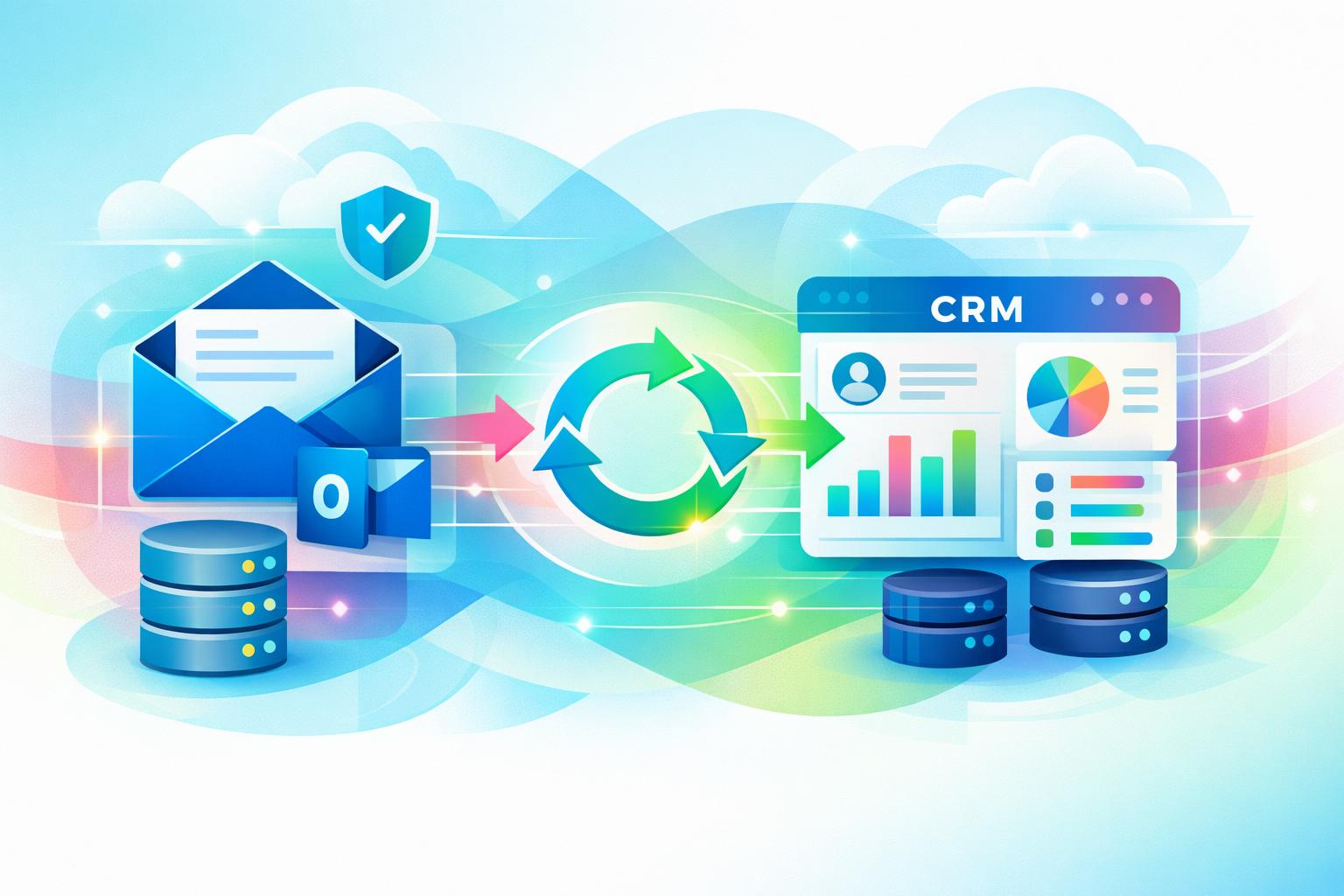
    If your team still forwards emails or manually logs conversations into the CRM, valuable insights may be lost before they ever reach customer records. Learning how to sync email with CRM automatically eliminates this friction. By syncing directly from Outlook, you can keep every message attached to the right contact, without changing how your team uses email. This guide unpacks the setup process, privacy considerations, and key advantages of automatic Outlook-to-CRM syncing—showing you how platforms like MainFoundry transform scattered inboxes into clean, contextual timelines.

    How to Sync Email With CRM Automatically Using Outlook

    True automation happens at the server level. This allows emails to sync in both directions—meaning messages sent or received via Outlook, a mobile app, or even inside the CRM all appear in the same conversation thread. Modern CRMs like MainFoundry offer seamless Outlook integration that captures every email in the contact or company’s activity timeline, alongside calls, meetings, and notes.

    To configure this setup, most CRMs follow a straightforward process. Within MainFoundry’s CRM platform, for instance, you’ll be prompted to connect an Outlook or Microsoft 365 account using secure OAuth authentication—no passwords required. You can then select which folders to sync, define how much historical data to include, and enable two‑way sync so every reply automatically threads to the right record.

    Pro Tip: Start with a limited sync window—such as the last 90 days—to avoid flooding your CRM with outdated conversations during initial setup.

    Once synced, the CRM automatically matches emails based on sender and recipient addresses. If a contact doesn’t exist, tools like MainFoundry suggest creating one immediately—saving you from tedious manual entry. The greatest advantage here is consistency: your CRM stays updated without requiring team members to take extra steps or break their normal Outlook routine.

    Sync Rules, Privacy Controls, and Data Accuracy

    Automation succeeds only when it’s guided by clear rules and strong privacy settings. Without those safeguards, teams either risk oversharing or abandon the feature altogether. Defining sync conditions—such as only capturing messages involving known contacts or excluding internal domains—strikes the right balance between visibility and confidentiality.

    MainFoundry extends flexibility by offering folder-based and rule-based syncing. You can designate a specific Outlook folder for CRM‑eligible emails or rely on automatic address matching. Furthermore, executives and financial teams can keep their personal inboxes private while allowing shared mailboxes like sales@ or support@ to sync globally. This ensures transparency without exposing sensitive exchanges.

    “Automatic email syncing only works when relevance is prioritized and privacy is protected.”

    Accuracy depends on how well your CRM manages contact data. When multiple people from one company email your team, MainFoundry’s unified companies and contacts structure ensures their messages link to both the individual and the organization record. If a sync issue occurs, most can be resolved by re‑authorizing the mailbox or verifying that two‑way sync remains active.

    Beyond just logging interactions, synced email enables deeper insights. With communication data flowing into connected marketing analytics dashboards and custom workspaces, teams can track response times, measure outreach patterns, and trigger automated workflows across the customer journey.

    Key Takeaways

    • Secure, two‑way Outlook integration keeps emails automatically attached to CRM records without manual logging.
    • Clear sync rules and domain exclusions prevent noise while preserving relevant context.
    • Privacy settings empower teams to manage visibility across personal and shared mailboxes.
    • Accurate contact mapping relies on clean data and a unified CRM data model.
    • MainFoundry extends these benefits by connecting synced email data to analytics and workflow automation.

    When email sync just works, your CRM shifts from being a static database into a living conversation timeline. Explore how MainFoundry unifies Outlook and CRM data at mainfoundry.com or start a tailored discussion with their team via their contact page.

  • Webhook Automation Workflows for SaaS Teams

    Webhook Automation Workflows for SaaS Teams

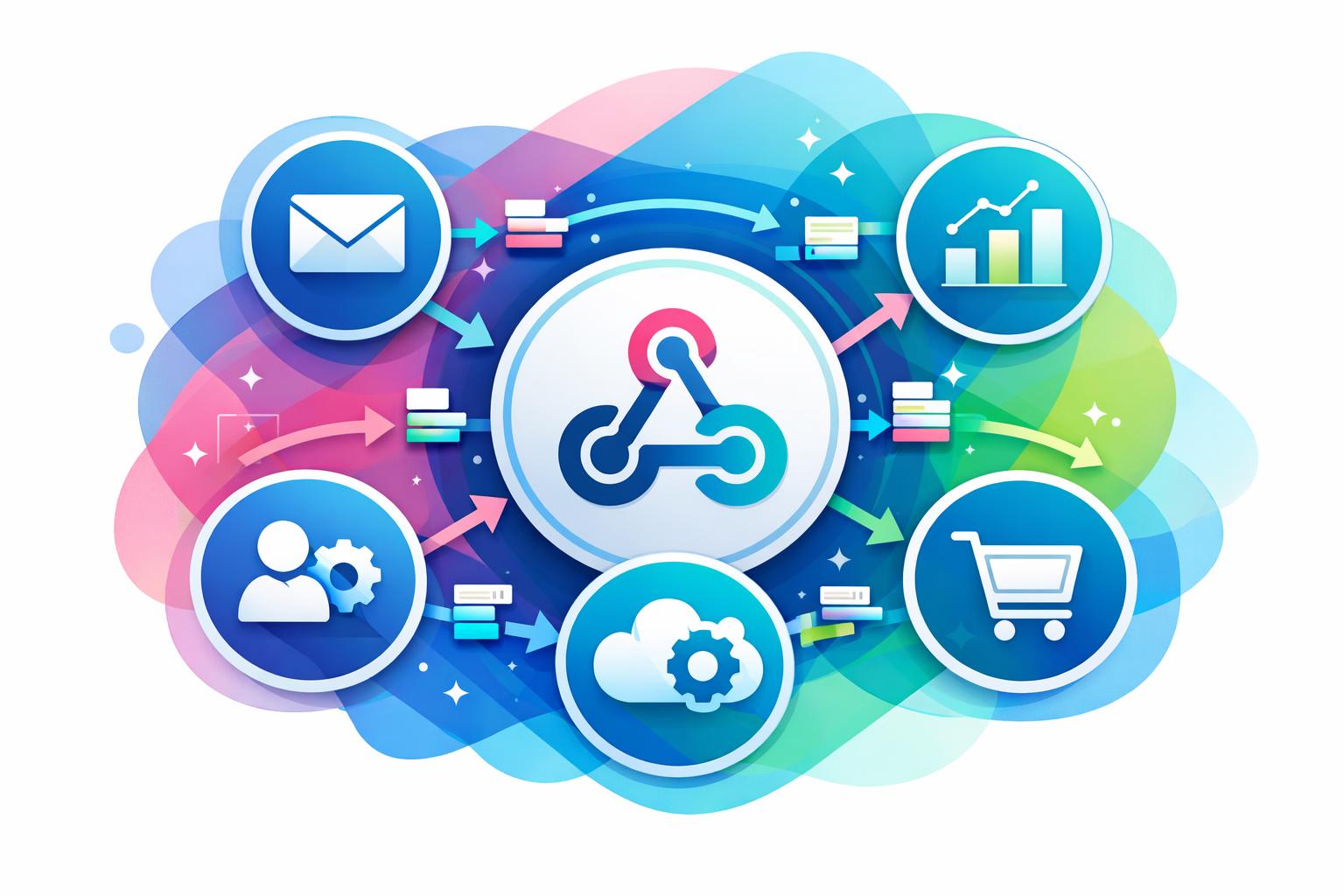
    Modern SaaS businesses thrive on connectivity, but not every tool integrates seamlessly with others. That’s where webhook automation steps in—providing instant, event-driven communication between systems and eliminating the delays of traditional polling. In this article, you’ll learn how webhook automation powers real-time workflows, the patterns SaaS teams rely on daily, and how platforms like MainFoundry make it possible to manage custom event-driven workflows without engineering overhead.

    Why Event‑Driven Automation Transforms SaaS Workflows

    Unlike legacy integrations that constantly query data sources for updates, webhook‑driven workflows let systems communicate immediately when an event occurs. A webhook sends a payload containing relevant data, triggering instant actions in downstream systems without delay or manual syncing. This shift to event‑driven architecture keeps operations responsive, especially in environments where timing matters—such as lead qualification, billing updates, or subscription renewals.

    Polling‑based integrations often suffer from latency and resource strain. Webhooks eliminate this by assigning notification responsibility to the source system, reducing API calls and maintaining near real-time processes. In practice, this allows a marketing platform to push qualified leads to a CRM instantly or a billing system to alert finance tools when a payment status changes. The result: faster automation and leaner infrastructure that scales gracefully with event volume.

    “Webhook automation turns disconnected SaaS tools into synchronized, event‑aware systems that act as soon as business events occur.”

    Core Patterns and Infrastructure for Reliable Webhook Automation

    Most webhook‑based SaaS workflows fall into repeatable patterns. Lifecycle synchronization, real‑time analytics capture, and cross‑team handoffs dominate how data moves across modern stacks. When a user upgrades their plan, a webhook can instantly update customer profiles in CRM, trigger new campaign eligibility within marketing analytics, and log the event for reporting—all within seconds.

    Yet, scaling webhook automation introduces complexity. Retries, payload validation, security signing, and data transformations require disciplined setup. Without clear retry logic, temporary network errors can lead to lost events. Proper validation of signed requests protects against spoofing and ensures only authentic payloads reach endpoints. Teams also benefit from observability—tracking delivery attempts and surfacing issues—so automation remains reliable.

    • Design webhook events around meaningful business milestones, not arbitrary updates.
    • Keep payloads contextual but lightweight to minimize processing overhead.
    • Implement thorough retry and logging mechanisms for consistent delivery.
    • Establish clear ownership over your source‑of‑truth data systems.

    Platforms like MainFoundry CRM simplify this by serving as both a source and destination for events. Webhooks from external systems can update contacts and companies directly, triggering tasks or downstream events automatically. When paired with custom workspaces, teams can define data structures that evolve alongside internal workflows—enabling flexible automation without engineering bottlenecks.

    Pro Tip: Build webhook observability dashboards early. They become invaluable for debugging, reliability audits, and building team confidence in automation decisions.

    Key Takeaways

    Webhook automation for SaaS tools isn’t about technical perfection—it’s about responsiveness. By adopting event‑driven design, you can turn disconnected tools into cohesive systems that react instantly when business events occur. Remember these guiding principles:

    • Event‑driven architecture delivers faster actions with less overhead than polling methods.
    • Recognizing repeatable patterns like lifecycle sync and analytics capture simplifies workflow design.
    • Reliable retry and security practices ensure data integrity and trust between systems.
    • Centralizing webhook workflows inside a unified platform such as MainFoundry provides scalability and reduces integration fragmentation.

    To explore how MainFoundry can become your automation hub, visit MainFoundry Contact and start designing webhook‑driven workflows that respond to your business in real time.

  • CRM e-conomic integration trin-for-trin guide

    CRM e-conomic integration trin-for-trin guide

    At forbinde dit CRM med e-conomic er en af de mest effektive måder at automatisere arbejdet mellem salg og økonomi. Når kundedata, fakturaer og betalinger synkroniseres automatisk, får du et klart, samlet overblik over hele forretningen. I denne guide viser vi, trin for trin, hvordan du bygger en robust integration med fokus på kontoplaner, fakturasync og afstemning af betalinger. Som eksempel ser vi på, hvordan MainFoundry realiserer en moderne CRM–økonomi-integration i praksis.

    Hvorfor forbinde dit CRM med e-conomic?

    Når CRM og økonomisystem arbejder isoleret, opstår der typisk dobbeltarbejde og usikkerhed. Salg opretter kunder ét sted, mens økonomi gør det i et andet, og data løber i hver sin retning. En integration med e-conomic samler al kundedata, gør fakturering langt hurtigere og sikrer, at betalingsstatus automatisk opdateres i CRM’et. Resultatet er bedre datakvalitet og ro i hverdagen hos både økonomi og salg.

    For mange handler det også om timing. Når en aftale lukkes i CRM’et, forventer kunden ofte fakturaen med det samme. En direkte integration gør det muligt at oprette, bogføre og sende fakturaen automatisk – uden manuel eksport eller skift mellem systemer. Dermed bliver både kunderejsen og den interne proces mere strømlinet.

    “Når CRM og økonomi deler data i realtid, forsvinder friktionen i salgs- og faktureringsprocessen.”

    Sådan forbinder du CRM med e-conomic – trin for trin

    Selvom detaljerne varierer, følger de fleste CRM–e-conomic-integrationer den samme struktur. Først skal du vælge integrationsmetode – enten en færdig app eller en samlet platform som MainFoundry, der håndterer CRM og økonomi centralt. Sidstnævnte giver færre integrationer og mere konsistente data på tværs af hele virksomheden.

    Sørg derefter for, at din e-conomic-konto har adgang til API-integration. Her oprettes sikre tokens, som gør det muligt for CRM’et at oprette kunder, fakturaer og opdatere betalingsstatus automatisk. Når forbindelsen er aktiv, handler det om datakvalitet og korrekt mapping mellem systemerne.

    Opsætning af kontoplaner og datamapping

    Kontoplanen er selve fundamentet. Hvis konti, produkter og momskoder ikke matcher, opstår fejl i faktureringen. Start med at gennemgå salgs- og indtægtskonti i e-conomic, og match produkter i CRM’et med de korrekte konti og momstyper. I MainFoundry håndteres dette centralt, så produktsortiment, priser og moms er ens fra start til slut i kunderejsen.

    Pass også på kundedata. CVR, adresser og vilkår skal være identiske i begge systemer. Mange integrationer bruger e-mail eller CVR til at opdage eksisterende kunder og undgå dubletter – en detalje, der er afgørende for dataintegriteten.

    Automatisk fakturasync fra salg til økonomi

    Når mapping og kontoplan er på plads, opsættes automatisk fakturering. Det sker typisk ved, at en handling i CRM’et – for eksempel når en deal flyttes til “Vundet” – trigger oprettelsen. Fakturaen bygges med de korrekte linjer og konti i e-conomic, hvor den enten gemmes som kladde eller bogføres automatisk. I MainFoundry kan hele denne proces styres som en integreret del af salgsflowet.

    Pro Tip: Lav en testkunde og simulér en fakturering, før du går live. Små fejl i opsætningen kan ellers gentage sig hundrede gange senere.

    Afstemning af betalinger og løbende opfølgning

    Den største gevinst opstår, når betalingsstatus automatisk opdateres i CRM’et. Når en faktura betales i e-conomic, bør kundens status i CRM’et ændres med det samme, så salg og kundeservice altid ser opdaterede data. I MainFoundry vises disse oplysninger løbende på kunden sammen med fakturahistorikken – et fuldt overblik over økonomisk adfærd og historik.

    Overvej også automatiske notifikationer. Når betalinger er forsinket, kan systemet oprette en opgave til den ansvarlige eller sende besked til teamet. Det skaber proaktive workflows, hvor tiden bruges på handling frem for kontrol.

    Vigtige overvejelser før du går live

    Inden integrationen rulles ud, er det afgørende at afklare roller, databehandling og forretningsregler. Jo tydeligere disse er defineret, desto mere stabil bliver driften. Overvej især dataejerskab, godkendelsesregler og hvordan kreditnotaer håndteres.

    • Hvem ejer dataene, og hvor skal fejl rettes?
    • Skal integrationen være énvejs eller tovejs?
    • Hvilke handlinger må automatisk trigge fakturering?
    • Hvordan håndteres ændringer og delvise betalinger?

    Key Takeaways

    At forbinde CRM med e-conomic handler ikke kun om teknik – det handler om at skabe et sammenhængende flow fra kontakt til betaling. Når kontoplaner og data er korrekt sat op, fakturaer oprettes automatisk, og betalinger synkroniseres uden manuelle trin, får du mere tid og færre fejl. Moderne platforme som MainFoundry viser, hvordan CRM og økonomi kan samles naturligt, uden ekstra integrationslag.

    En solid CRM–e-conomic-integration er nøglen til skalerbar vækst og datadrevet beslutningstagning.

    Related Reading

    Læs mere om CRM og kundestyring eller udforsk abonnements- og faktureringsstyring for at se, hvordan du kan samle dine processer i ét integreret system.

  • CRM integration med e-conomic der fjerner manuelt arbejde

    CRM integration med e-conomic der fjerner manuelt arbejde

    At forbinde dit CRM med e-conomic er en oplagt måde at fjerne manuelle processer mellem salg og økonomi. Når kundedata, fakturaer og betalinger flyder automatisk mellem systemerne, får dine teams et fælles, opdateret overblik. Denne artikel guider dig trin-for-trin til, hvordan du forbinder CRM med e-conomic, fra opsætning af kontoplaner til automatisk fakturasync og betalingsovervågning – med MainFoundry som konkret eksempel.

    Undervejs dækker vi praktiske beslutninger, almindelige faldgruber og bedste praksis, så din integration sparer tid og forbedrer samarbejdet mellem salg og økonomi i stedet for at skabe nye udfordringer.

    Sådan forbinder du CRM med e-conomic uden rod i økonomien

    Den største fejl mange virksomheder begår, er at se integration som en teknisk kobling frem for en forretningsbeslutning. For at få en stabil løsning skal data i CRM og e-conomic tale samme sprog, især når det gælder kunder, produkter, moms og kontoplaner. Før du aktiverer synkronisering, skal din grundstruktur være korrekt opsat.

    I e-conomic bør du starte med kontoplanen. Sørg for at omsætningskonti, momskoder og eventuelle rabatter er entydige, så CRM’et kan identificere, hvor fakturalinjer skal bogføres. I CRM’et handler det om datakvalitet – virksomhedsinformation som navn, adresse og CVR skal være konsistent for at undgå afvigelser. I MainFoundry oprettes kontakter og virksomheder struktureret fra starten, hvilket sikrer en mere stabil synkronisering.

    Når dine grunddata er på plads, skal du vælge integrationsniveau. En standardintegration opretter automatisk kunder og fakturaudkast, mens en API-baseret integration giver fuld kontrol over, hvornår fakturaer bogføres og betalinger returneres til CRM’et. Valget afhænger af virksomhedens salgs- og faktureringsflow.

    Selve forbindelsen kræver, at API-adgang er aktiveret i e-conomic. Det gøres ved at oprette app-adgang med tokens, så CRM’et kan oprette og læse data direkte i regnskabet uden manuel import. Start med et begrænset scope – synkronisér først kunder og testfakturaer, før du automatiserer hele flowet. Det gør det nemt at fange afvigelser i moms og afrunding uden at påvirke det reelle regnskab.

    Automatisk fakturasync og betalinger i praksis

    Den reelle værdi af integrationen viser sig først i hverdagen. Når en aftale i CRM’et når et bestemt stadie, kan der automatisk oprettes en faktura i e-conomic, så salgs- og økonomiteamet arbejder ud fra samme data. For at sikre korrekte fakturaer skal produkterne være identiske i begge systemer – med samme navn, pris og momstype.

    Når fakturaen oprettes som kladde i e-conomic, kan den bogføres automatisk eller godkendes manuelt. Mange vælger en hybridmodel, hvor standardfakturaer bogføres automatisk, mens større fakturaer tjekkes manuelt. Det skaber tillid og kontrol i flowet. Betalingsstatus kan returneres til CRM’et, så salgs- og kundeteams løbende ser, om fakturaer er betalt eller forfaldne – hvilket ændrer kundedialogen markant.

    I MainFoundry vises faktura- og betalingsstatus direkte på kundens tidslinje sammen med møder og mails. Det giver et mere komplet billede af relationen. Økonomiteamet kan samtidig bruge platformens abonnements- og faktureringsstyring til at følge MRR, fornyelser og churn – uden at trække rapporter fra flere systemer.

    “Den mest stabile CRM–e-conomic integration starter med kontoplan og datakvalitet – automationen kommer bagefter.”

    De fleste integrationer følger fem centrale trin, som sikrer en struktureret opsætning:

    • Klargør kontoplan, moms og produkter i e-conomic, så de matcher jeres salgsmodel.
    • Ryd op i kundedata i CRM’et for at undgå dubletter og uens CVR-numre.
    • Aktivér API-adgang i e-conomic og forbind CRM’et med tokens eller connector.
    • Definér hvornår fakturaer oprettes, bogføres og godkendes automatisk.
    • Test hele flowet internt før det aktiveres for rigtige kunder.

    Integrationen bør overvåges løbende – ikke dagligt, men med notifikationer ved afvigelser i moms eller afrunding. Mange kobler dette med automatiske advarsler i Teams eller Slack. Samtidig giver fælles rapportering mellem CRM og e-conomic mulighed for at analysere sammenhængen mellem salg og betalinger. I MainFoundry samles data i dashboards, der viser hvilke kunder der køber, betaler til tiden og vokser over tid.

    Det vigtigste at tage med videre

    Succesfuld CRM–e-conomic integration handler om mere end teknik. Det kræver en gennemtænkt opsætning, stabile datagrundlag og gradvis automatisering. Når alt hænger sammen, får du færre fejl, hurtigere processer og et mere effektivt samarbejde mellem salg og økonomi.

    • Sørg for at kontoplanen og kundedata matcher før du synkroniserer.
    • Start småt – test kundesynk og fakturaer internt først.
    • Automatisér kun processer, du allerede stoler på.
    • Brug rapportering til at forstå sammenhængen mellem salg og betaling.
    • Overvej hvordan MainFoundry kan samle CRM, fakturering og rapportering i én platform.

    Related Reading

    Læs også om økonomistyring og fakturering med MainFoundry for at forstå, hvordan fælles data skaber sammenhæng i hele forretningen.