Blog

  • Salgspipeline faser der giver fuld synlighed i B2B

    Salgspipeline faser der giver fuld synlighed i B2B

    En stærk salgspipeline giver mere end overblik – den skaber fælles retning i salgsarbejdet. Når dit team har indsigt i, hvor hvert lead befinder sig, bliver beslutninger datadrevne i stedet for intuitive. Denne artikel gennemgår, hvordan du forstår og strukturerer din salgspipeline, hvorfor synlighed er afgørende, og hvordan en moderne CRM-løsning gør det let at holde pipelinen ajour. Du får konkrete indsigter, praktiske fordele og anbefalinger til, hvordan du kan gøre din pipeline til et aktivt styringsværktøj for B2B- og SaaS-salg.

    Hvad er en salgspipeline – og hvorfor er den central i B2B-salg?

    En salgspipeline er en struktureret, ofte visuel repræsentation af dine potentielle salgsmuligheder organiseret efter fase i salgsprocessen. Den giver et fælles billede af, hvilke leads er aktive, hvad næste skridt er, og hvor tæt du er på at lukke nye aftaler. For B2B-sælgere er den forskellen mellem blot fornemmelser og reelle, dataunderstøttede beslutninger.

    Når teams begynder at arbejde systematisk med pipeline-data, ser de hurtigt klarere prioriteringer. Man opdager, hvor sager går i stå, hvilke aktiviteter skaber fremdrift, og om topvolumen matcher målsætningen. Pipelinens værdi ligger ikke blot i rapportering, men i dens rolle som et aktivt arbejdsredskab for hele salgsorganisationen.

    I SaaS-salg bliver pipelinen endnu vigtigere. Lange beslutningsforløb og mange interessenter gør det afgørende at have struktur og indsigt. Mindre forskydninger kan have stor effekt på MRR og vækst, derfor er en opdateret pipeline ikke blot nyttig, men en grundlæggende forudsætning for professionel styring af dit salg.

    “En opdateret og synlig salgspipeline skaber fælles retning og sikrer, at beslutninger træffes på data frem for mavefornemmelser.”

    Typiske faser i en B2B-salgspipeline

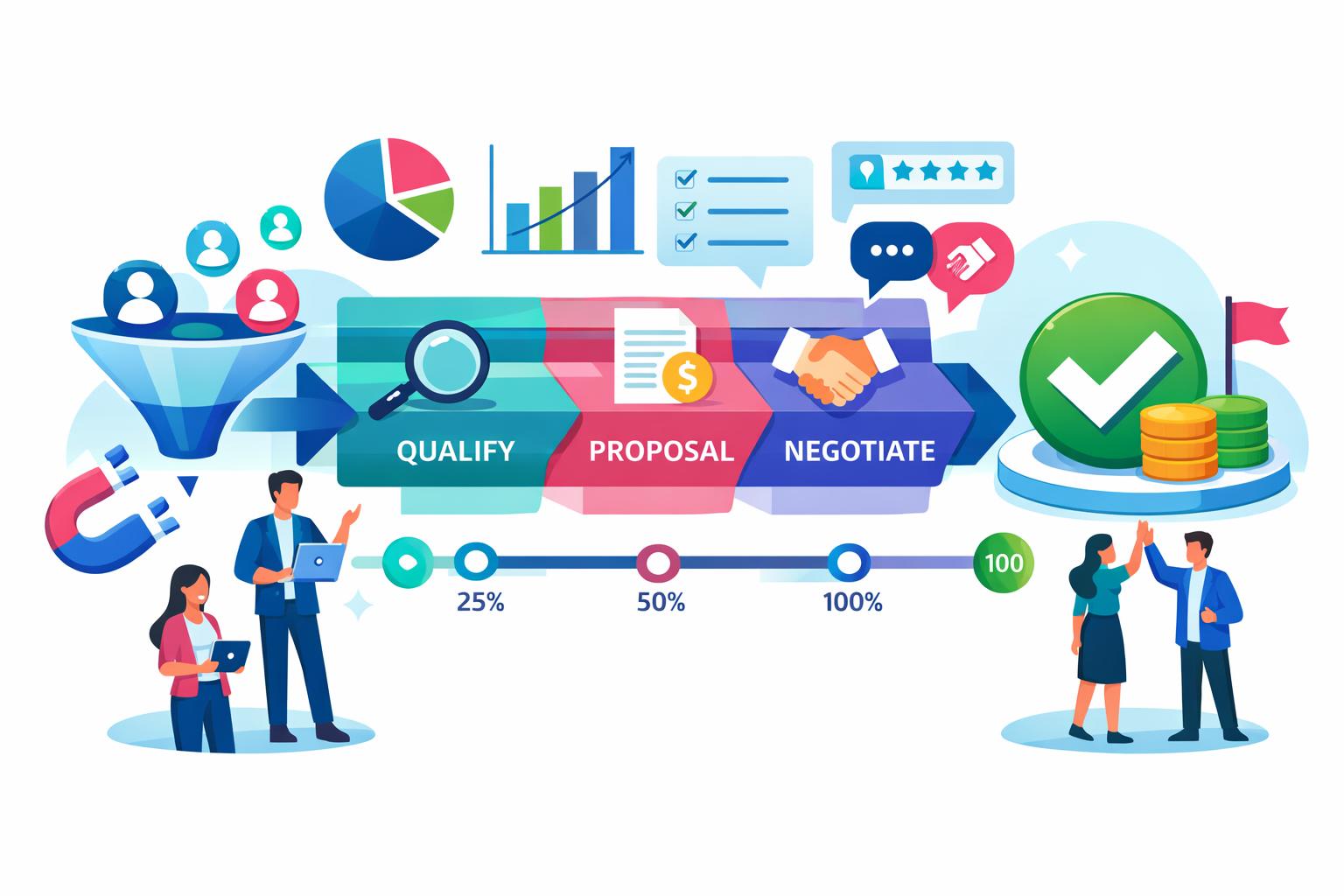
    Selvom ingen salgsproces er helt ens, følger de fleste pipelines et mønster af genkendelige faser, som afspejler kundens beslutningsrejse. Denne struktur giver et fælles sprog på tværs af salg, marketing og ledelse og gør det lettere at måle fremdrift og sandsynlighed for lukning.

    • Prospektering og leadgenerering via outbound, inbound eller netværk, hvor interesse opstår.
    • Indledende kontakt og kvalifikation, hvor der vurderes, om der er et reelt match.
    • Behovsafdækning og demonstration gennem dybdegående dialog og demoer.
    • Tilbud, forhandling og lukning, hvor pris og vilkår fastlægges og aftalen underskrives.

    Ved at tilføje forventet værdi, sandsynlighed og lukningsdato i hver fase får du mere præcise forecasts. Det gør det lettere at fordele ressourcer og vurdere realisme i forhold til mål. Samtidig bliver det tydeligt, hvor forbedringer skal prioriteres for at sikre konstant pipeline-flow.

    Hvorfor synlighed i salgspipelinen er afgørende for SaaS-virksomheder

    For SaaS-virksomheder er pipeline-synlighed tæt koblet til stabil vækst og kontrol over indtægter. Da omsætningen ofte er abonnementsbaseret, har kvaliteten af nye aftaler direkte effekt på både kortsigtet MRR og langsigtet ARR. Et uigennemsigtigt pipeline-flow kan føre til overvurderede forecasts og forsinkede reaktioner på faldende aktivitet.

    Synlighed gør det muligt at opdage problemer tidligt. Hvis mange deals stopper i samme fase, signalerer det et konkret issue – måske i kvalificering eller prissætning. Et løbende pipeline-overblik er dér, hvor indsigt skaber handling.

    Platforme som MainFoundry CRM kombinerer pipeline-styring, aktivitetshistorik og tydelige ejerskaber i ét samlet overblik. Her kan leads flyttes mellem stadier med få klik, og alle data holdes opdateret på tværs af teams. Det gør pipeline-synligheden praktisk og handleorienteret – et effektivt grundlag for bedre beslutninger og vækst.

    Pro Tip: Gør pipeline-synlighed til en daglig vane i dit team – ikke kun en månedlig rapportopgave. Det skaber bedre beslutninger og højere træfsikkerhed i forecasts.

    Key Takeaways

    • En struktureret salgspipeline giver datadrevet styring og bedre prioritering i salgsarbejdet.
    • Kend de centrale faser og tilføj værdi samt sandsynlighed for realistiske forecasts.
    • For SaaS-virksomheder er synlighed i pipeline en nøglefaktor for stabil vækst og bedre MRR.
    • Integrér CRM og pipelineværktøjer for at samle data, aktiviteter og indsigter ét sted.
    • Læs mere på mainfoundry.com eller tag kontakt via kontaktformularen for at optimere din nuværende pipeline.
  • Salgspipeline i CRM der giver forudsigelig B2B vækst

    Salgspipeline i CRM der giver forudsigelig B2B vækst

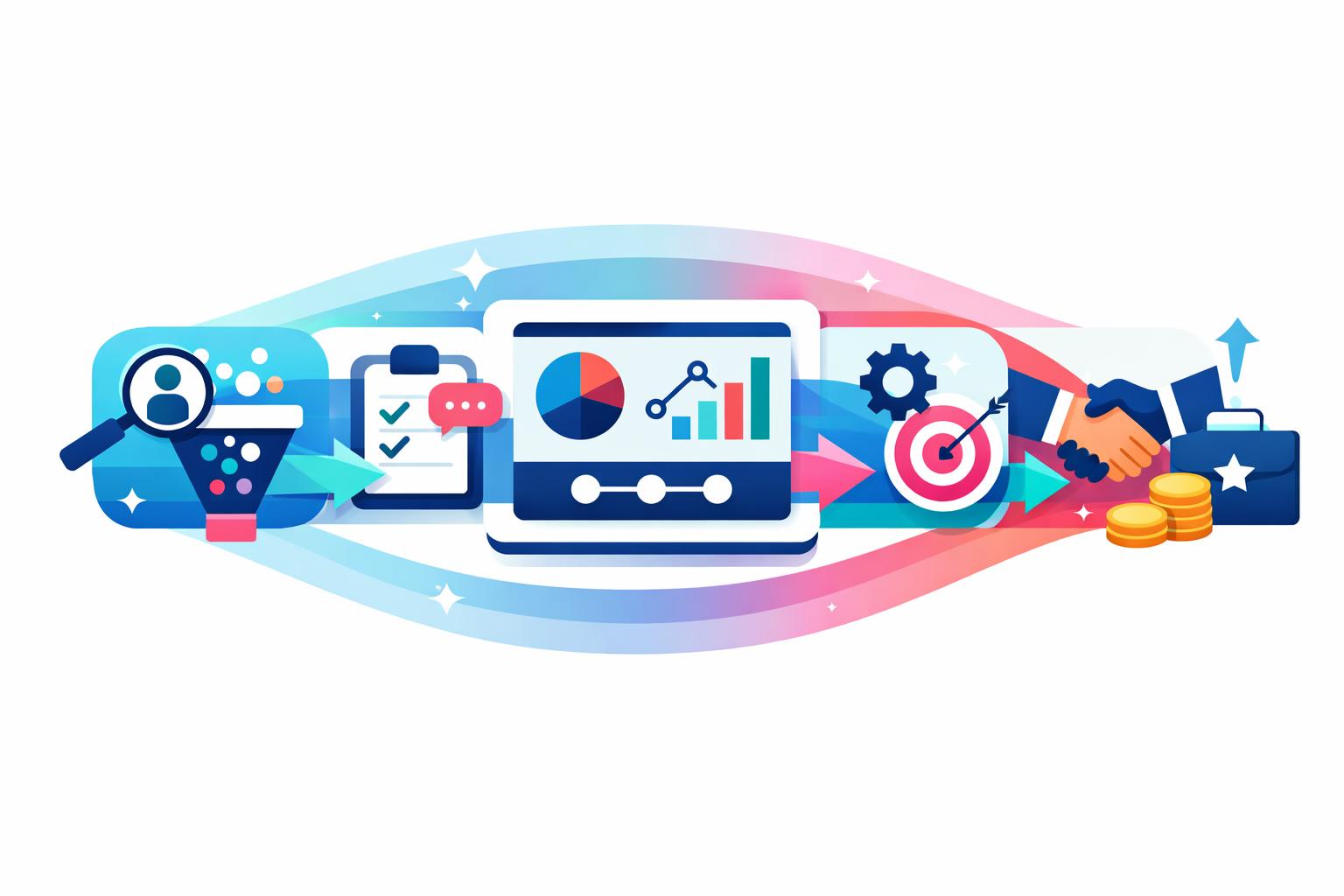
    En velfungerende salgspipeline er selve rygraden i enhver B2B SaaS-virksomhed. Uden en tydelig struktur risikerer du reaktivt salgsarbejde, upræcist forecasting og opfølgning, der afhænger af den enkelte sælgers systematik. Denne guide viser dig, hvordan du kan opbygge en pipeline, der skaber forudsigelig vækst gennem klare faser, systematisk opfølgning og datadrevet optimering. Du får også indblik i, hvordan MainFoundry bruger sin egen pipeline-struktur til at skabe sammenhæng mellem CRM, opgaver og måling af konverteringer.

    Definér pipeline-faser baseret på kundens beslutninger

    Et af de mest almindelige problemer i salgspipelines er faser, der beskriver interne aktiviteter frem for kundens reelle fremdrift. Betegnelser som “ringet” eller “mail sendt” fortæller ikke meget om kundens position i købsprocessen. Derfor bør dine pipeline-faser afspejle de beslutningspunkter, hvor kunden bevæger sig tættere mod et køb – ikke blot dine handlinger.

    I en B2B SaaS-kontekst navigerer kunden typisk fra første interesse til kontraktgennemførelse via en række genkendelige momenter: identificeret potentiale, kvalificering af behov, gennemført demo, vurdering af tilbud og endelig lukning. Hver overgang bør baseres på objektive kriterier, som hele teamet forstår og følger ensartet.

    • Identificeret lead med klart match til jeres ICP
    • Kvalificeret behov, hvor problem, timing og fit er bekræftet
    • Demo eller møde gennemført med dokumenteret værdi
    • Forslag accepteret til vurdering med pris og scope defineret
    • Closed won, når aftalen er indgået

    I MainFoundrys CRM opsættes faserne direkte i systemet, hvor deals flyttes visuelt gennem pipelinen. Når CRM, opgaver og aktivitetstidslinje er forbundet, bliver det tydeligt, hvorfor en deal befinder sig i en fase, og hvad der skal ske for at rykke den videre. Resultatet er en pipeline, der ikke blot rapporterer data – men aktivt styrer hele salgsprocessen.

    “En stærk pipeline begynder, når du flytter fokus fra interne processer til kundens beslutningspunkter.”

    Skab konsekvent opfølgning og målbare konverteringer

    En pipeline er først værdifuld, når den bruges aktivt. Hvert lead skal altid have en klar næste handling, så ingen deals går i stå. Konsistent opfølgning sikrer, at dine sælgere holder tempoet, og at ingen muligheder tabes af syne. Ved at koble pipeline-faser med opgaver og kommunikation bliver salgsarbejdet mere ensartet på tværs af teamet.

    Når alt logges i CRM og synliggøres i én samlet pipeline-visning, bliver det enkelt at se, hvad næste skridt er. Deals får momentum, og ledelsen kan nemt identificere, hvor processerne går i stå. Det er her et integreret CRM-system for alvor gør forskellen.

    Når strukturen fungerer, handler næste skridt om at måle. Kig ikke kun på mængden af deals, men på bevægelsen mellem faser. Konverteringsrater afslører, hvor processen halter, mens pipeline-dækning viser, om volumen matcher jeres mål. Velocity – tiden fra lead til lukket aftale – afslører hurtigt flaskehalse i salgsflowet.

    Pro Tip: Gennemgå løbende din pipeline og fokuser på spørgsmål som: Hvor falder flest leads fra? Hvilke faser tager længst tid? Og hvilke segmenter konverterer bedst?

    Med fleksible dashboards kan du tilpasse analysen til både salgsledelse og individuelle sælgere. Det skaber gennemsigtighed og motiverer teamet til at forbedre sig ud fra data i stedet for mavefornemmelser. Resultatet er en pipeline, der kontinuerligt optimeres – uden at du mister kontrollen over CRM’et.

    Det vigtigste at tage med videre

    En stærk B2B SaaS-pipeline kræver først og fremmest klarhed og disciplin. Faserne skal defineres ud fra kundens beslutninger, opfølgningen skal være konsekvent, og målingen skal fokusere på bevægelse frem for blot volumen. Når du arbejder ud fra disse principper, bliver pipelinen et strategisk aktiv, ikke bare et administrativt værktøj.

    • Definér faser ud fra kundens beslutningspunkter
    • Sørg for tydelig næste handling på alle leads
    • Mål på pipeline-bevægelse, ikke blot antal deals
    • Brug CRM aktivt som styringsværktøj, ikke kun som log

    Vil du samle pipeline, opgaver og måling i ét værktøj, kan MainFoundry være et oplagt sted at starte. Det giver dig den arbejdsgang, hvor struktur bliver til handling – og handling bliver til vækst.

  • Sales Velocity Formula Guide for SaaS CRM Teams

    Sales Velocity Formula Guide for SaaS CRM Teams

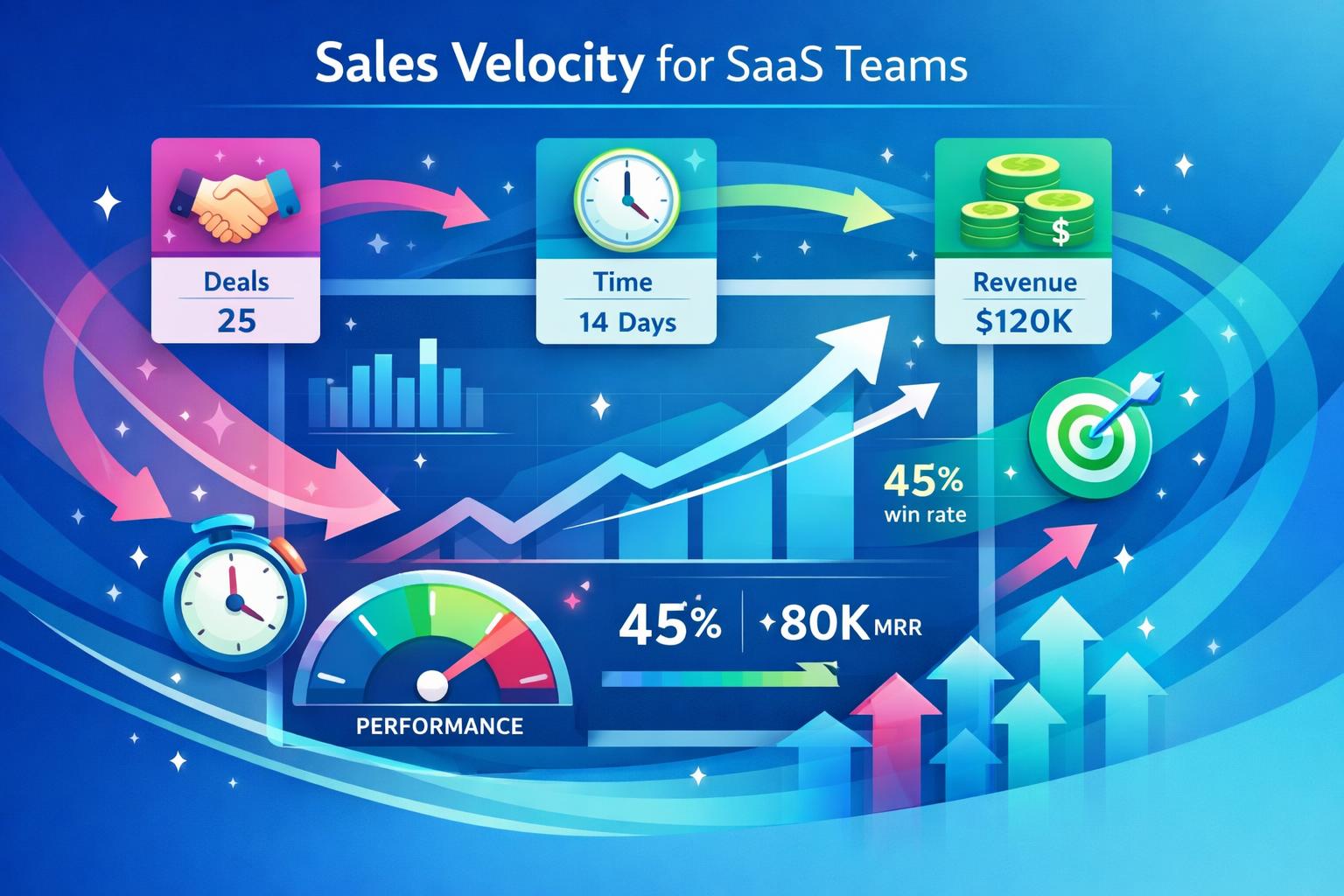
    Understanding how efficiently your sales team turns opportunities into actual revenue can make or break a SaaS company’s growth. The sales velocity formula does exactly that by combining deal quantity, size, win rate, and cycle time into a single metric that shows how fast revenue flows through your pipeline. In this post, we’ll break down what sales velocity really means for SaaS teams, how to calculate it using the right inputs, and how to use it to drive smarter forecasting and faster revenue growth.

    What Is the Sales Velocity Formula and Why It Matters

    The sales velocity formula reveals how much revenue your team generates over time, connecting the dots between opportunities, average deal size, win rate, and sales cycle length. Instead of tracking those metrics in isolation, sales velocity shows how each one impacts your overall revenue momentum.

    Simply put, sales velocity answers the question: *How quickly is our process converting pipeline into dollars?* For SaaS teams, where recurring revenue and predictable growth matter most, this metric provides clarity for forecasting and optimization. It highlights where deals slow down and helps prioritize which levers—like increasing win rates or shortening cycles—will yield the biggest payoff.

    Sales Velocity = (Number of Opportunities × Average Deal Size × Win Rate) ÷ Sales Cycle Length

    While the math is straightforward, getting value from this number requires accurate data. SaaS revenue models depend on recurring income and renewal trends, so using consistent metrics like ACV or MRR is critical. Applying the same measurement standards across your reporting ensures your velocity data remains useful for long-term decisions.

    “Sales velocity turns fragmented sales metrics into a unified measure of how efficiently your team generates revenue.”

    How to Calculate and Improve Sales Velocity in SaaS

    To calculate velocity effectively, start with qualified opportunities—deals that have genuine potential to close. Pulling this data from a structured CRM, such as the one within MainFoundry’s CRM reporting tools, ensures accuracy and consistency over time.

    Next, define average deal size using the metric that best reflects recurring value—ACV, MRR, or CLV. Consistency is more important than which metric you pick. Use the same measure across dashboards to create alignment between pipeline reviews and revenue forecasts. Your win rate should come from recent data, typically the last few dozen opportunities, to keep it relevant under changing market conditions.

    Finally, sales cycle length—the average number of days from qualification to close—is critical for velocity accuracy. Tracking this inside your CRM highlights where deals stall. For example, a SaaS company with 200 qualified opportunities at $10,000 each, a 30% win rate, and an 80-day cycle would see roughly $7,500 in daily revenue. The true insight comes from watching how that number changes over time.

  • Increase qualified opportunities by focusing reps on leads with genuine buying intent.
  • Raise average deal size through strategic upsells and refined packaging.
  • Improve win rate with better discovery calls and stronger follow‑ups.
  • Shorten the sales cycle by removing process friction and automating handoffs.

Pro Tip: Use custom workspaces and AI‑powered insights to break down sales velocity by segment, rep, or deal size to pinpoint exactly where optimization will have the fastest impact.

Key Takeaways

To see your team’s velocity in real time, unify your sales data under one platform. MainFoundry connects CRM, reporting, and automation so you can identify bottlenecks and accelerate growth. Explore more or get in touch at MainFoundry Contact.

  • Sales Activity Tracking CRM Best Practices to Cut Busywork

    Sales Activity Tracking CRM Best Practices to Cut Busywork

    Every sales leader knows tracking calls, emails, and meetings matters—but when it feels like busywork, participation plummets. The secret to effective sales activity tracking isn’t about forcing more CRM updates; it’s about capturing the right data automatically. This post explores how to build a system that tracks what matters without draining your team’s time, using real-world strategies and tools like MainFoundry’s CRM to make visibility automatic—and more valuable.

    How to Track Sales Activities Without Micromanagement

    At its core, sales activity tracking reveals effort and quality, not control. When done right, it connects conversations, follow-ups, and proposals to actual deal progress. The best systems highlight whether the right interactions are happening at the right pace and whether they result in measurable pipeline movement.

    Teams often fall into the trap of tracking everything manually. The result is inconsistent data entry—calls added days later, meetings forgotten, and vague notes that help nobody. Over time, dashboards look active while offering little insight into what’s really moving the pipeline. Instead, effective tracking relies on automation that captures activities as they occur, freeing reps to focus on selling and managers to rely on clean data.

    “Automated activity capture transforms CRMs from reporting tools into living histories of every customer interaction.”

    Modern CRMs like MainFoundry handle this through features such as automated activity timelines and two-way Outlook syncs. These automatically record calls, emails, meetings, and notes as they happen, producing a trustworthy, chronological view of every relationship. The more automation you add, the better your visibility—and the less time your team spends updating fields.

    Automating Activity Tracking With Timelines and Outlook sync

    Once you recognize manual data entry as the weak link, the next step is connecting the tools your team already uses—particularly email, calendar, and calls—to your CRM. With Outlook sync, every email or meeting attaches automatically to the right record, eliminating forgotten updates and incomplete histories. Attendees, time stamps, and threads appear without any effort from the rep.

    When that data flows into a single activity timeline, you can instantly visualize engagement for any account. Add call intelligence and the system can even generate highlights and action items directly from recorded meetings. At that point, tracking moves beyond compliance—it becomes insight for coaching and forecasting. MainFoundry’s integrated custom workspaces extend this principle across sales and operations, creating unified tracking that aligns every team.

    Effective tracking = activity capture + automation + behavioral insights.

    The biggest mistake is using this data for surveillance instead of support. Tracking should create coaching opportunities, not micromanagement. When reps see that automation reduces their workload and helps them close faster, you gain better adoption and richer data. The result is a CRM that manages itself—accurate, current, and finally worth trusting.

    Pro Tip: Review your team’s CRM usage patterns and identify where manual updates still occur. Those are prime targets for automation and efficiency gains.

    Key Takeaways

    • Track only the activities that genuinely move deals, pairing volume with outcomes like conversion and velocity.
    • Automate activity capture with CRMs that sync directly to email and calendar tools.
    • Use the data to inform coaching and prioritization—not micromanagement.
    • Choose unified platforms like MainFoundry that integrate marketing analytics, communication, and CRM data.

    To start improving how you track sales activities, audit your current data entry workflows and identify where automation can reduce friction. Then explore how MainFoundry’s unified CRM makes that automation effortless at mainfoundry.com or connect directly with their team via their contact page.

  • Company and Contact Management CRM Best Practices

    Company and Contact Management CRM Best Practices

    Managing company and contact information sounds simple—until teams start juggling multiple tools, scattered conversations, and mismatched customer records. As your business grows, relationship management evolves from storing names to maintaining context across departments. This post explores how MainFoundry’s company and contact management bridges these gaps by connecting people, companies, interactions, and revenue in one unified view. You’ll discover how centralized records, linked relationships, and full interaction histories streamline collaboration across marketing, sales, and billing.

    How Centralized Company and Contact Management Removes Data Blind Spots

    Every growing business needs a single source of truth. When customer data is spread across disconnected systems, inconsistencies slow everything down. A sales team might log details under one version of an account name, while marketing tracks engagement under another. MainFoundry’s CRM solves this by structuring Companies and Contacts as connected entities—each contact links to one or more companies, and each company aggregates associated people, activities, and transactions.

    Domain-based enrichment automatically populates firmographic details, and email sync ensures communication history is complete. When someone joins a call, replies to a campaign, or signs an agreement, the activity appears in a shared timeline tied to both company and contact records. This visibility removes guesswork and accelerates decisions from first touch to invoice.

    “Centralized company and contact data turns fragmented information into real-time collaboration across teams.”

    Instead of pushing partial data between tools, MainFoundry’s structured architecture ensures integrations remain clean. External systems connect to consistent company and contact objects, reducing duplication and maintenance. Review how this unified design supports broader workflows in MainFoundry’s CRM and marketing platform.

    Pro Tip: Role-based permissions and audit trails ensure centralized data doesn’t mean less control. Learn more about secure access in MainFoundry’s security approach.

    Building a True 360‑Degree View Across Marketing, Sales, and Billing

    A genuine 360‑degree customer view means connecting interactions from marketing through billing. In MainFoundry, campaign engagement, event participation, and website activity link directly to contacts and roll up into company profiles. This integration lets teams trace outcomes to real relationships rather than guessing which initiatives drove revenue. Discover how attribution aligns with CRM data in MainFoundry’s marketing suite.

    Sales teams no longer need to piece together fragmented histories. Calls, notes, and AI‑generated summaries appear in chronological timelines tied to each record. When billing enters the picture, existing company and contact records support the subscription lifecycle—finance teams see invoice details while customer‑facing teams maintain a single connected view. Explore how this extends into full subscription and billing management at MainFoundry Billing.

    Collaboration remains flexible—each team can filter data through their own lens. Tasks, custom fields, and workspaces adapt to different workflows while keeping every department aligned around shared customer context. Ultimately, MainFoundry’s connected approach replaces static databases with dynamic relationship maps that reflect how modern teams actually work.

    Key Takeaways

    • Centralizing companies and contacts eliminates duplication and data conflicts.
    • Linked relationships provide shared customer context for marketing, sales, and finance teams.
    • Unified interaction timelines reduce handoff friction and improve collaboration.
    • Integrated CRM, marketing, and billing systems enable a full 360‑degree customer view.
    • Secure, role‑based access ensures data protection without compromising visibility.

    If your current tools make it difficult to see the full customer picture, it may be time to modernize your approach. MainFoundry helps unify company and contact workflows across departments. Learn more or start a conversation at mainfoundry.com or contact the team directly at mainfoundry.com/contact.

  • Sales Pipeline Visualization for Clearer CRM Decisions

    Sales Pipeline Visualization for Clearer CRM Decisions

    When sales teams can’t clearly see where deals stand, forecasts lose precision and opportunities stall. Sales pipeline visualization solves this by turning abstract data into intuitive visuals that show movement, bottlenecks, and momentum at a glance. This post explores how effective pipeline visualization transforms decision-making, why drag-and-drop interaction boosts accuracy, and how platforms like MainFoundry unify every aspect of deal tracking — from customer activity to revenue forecasting — without the need to switch tools.

    Why Sales Pipeline Visualization Changes How Teams Sell

    Traditional pipeline reviews often relied on static reports compiled manually. In contrast, modern visual pipeline views make deal flow accessible to everyone in real time. When deals appear as cards within distinct stages, each team member can instantly interpret progress — whether a stage is overloaded, where aging opportunities linger, or which column shows growing momentum. This immediacy eliminates the need for meetings or spreadsheet exports just to understand what’s happening.

    The simplicity of drag-and-drop stages plays a crucial role. Reps update deal progress visually rather than through form edits, keeping data live and friction-free. In MainFoundry’s CRM, this functionality adapts to each team’s unique process, enabling them to reflect reality instead of wrestling with rigid models. That accuracy ensures forecasts remain trustworthy and drives faster action on active opportunities.

    Shared visibility also fosters collaboration. When everyone sees the same pipeline, discussions become focused and data-grounded. Managers can coach around real deal flow, and marketers can connect campaigns with later-stage opportunities using MainFoundry’s marketing analytics tools. Each opportunity also carries value and probability, providing a dynamic forecast linked to live revenue trends through billing and finance features.

    “With visual pipelines, teams stop asking where deals stand and start asking what to do next.”

    How MainFoundry Delivers Complete Visibility Without Tool Switching

    The complexity of sales pipeline visualization often comes from fragmentation. Many teams rely on separate tools for CRM, forecasting, communications, and analytics, causing context loss and redundant work. MainFoundry solves this by placing all deal activity within a unified workspace — connecting contacts, tasks, companies, marketing data, and financial metrics in a single location.

    Its kanban-style boards enable real-time updates that the entire team can see at once. Each card integrates an activity timeline showing calls, emails, meetings, and notes in chronological order. With that context, managers don’t have to chase updates, and reps understand exactly why a deal is progressing or stalling. Custom fields consolidate essential data such as expected close dates, contract details, or renewal potential, and can be extended through flexible workspace modules.

    Additionally, AI-driven insights enhance the visualization layer by detecting hidden patterns like inactivity or high drop-off points in specific stages. Early signals and suggestion prompts from the AI platform help teams act before deals slip away. This creates a single source of truth across departments, where marketing can see campaign influence, finance can align pipeline projections with revenue, and leadership gains holistic visibility.

    Unified pipeline visualization leads to faster updates, better forecasting, and fewer tool dependencies.

    Key Takeaways

    • Visual pipelines turn static sales reporting into real-time collaboration and decision-making.
    • Drag-and-drop functionality reduces friction and ensures data reflects current deal status.
    • Activity timelines connect communication history with deal progress for transparent reviews.
    • Unified platforms like MainFoundry enhance clarity by integrating CRM, marketing, and finance tools.
    • For teams seeking better visibility without complexity, exploring integrated pipeline visualization is an ideal next step.

    Related Reading

    Explore more about CRM alignment and sales effectiveness in how MainFoundry’s unified CRM improves team collaboration.

  • HubSpot vs Pipedrive CRM Choice for Startups

    HubSpot vs Pipedrive CRM Choice for Startups

    Choosing the right CRM early on can define how your startup grows, sells, and markets. The HubSpot vs Pipedrive for startups debate often boils down to speed versus scale — whether you need a tool that moves sales today or a platform built for marketing tomorrow. For early-stage SaaS teams balancing time, cost, and complexity, the decision has lasting impact.

    This post explores how HubSpot and Pipedrive compare in setup, usability, pricing, and scalability, while shedding light on where both fall short for startups aiming to consolidate tech stacks. It also introduces how unified platforms like MainFoundry are redefining CRM for growing teams that want one connected system from sales to finance.

    HubSpot vs Pipedrive: Where Each Platform Fits for Startups

    Pipedrive is purpose-built for speed. Its visual pipelines and drag-and-drop simplicity help sales teams hit the ground running in hours. For lean startups without dedicated operations or marketing roles, that frictionless setup removes barriers to progress at a critical stage. Reps can log deals, schedule follow-ups, and visualize forecasts almost immediately — no complex onboarding required.

    HubSpot takes the opposite approach, offering a broad foundation that unifies sales, marketing, and service. Even its free CRM connects multiple hubs under one umbrella. However, that power comes with complexity. Startups may find the initial setup and automation configuration more time-consuming, especially when leveraging lead scoring or multi-touch attribution. The tradeoff is depth — HubSpot excels in creating alignment between marketing and sales when teams can dedicate time to harness its full suite.

    In marketing terms, the divide grows clearer. Pipedrive’s built-in automation and email tools are functional but limited, often requiring third-party campaign tracking or analytics. In contrast, HubSpot’s inbound marketing integration allows teams to run campaigns, manage forms, launch ads, and report — all inside one ecosystem. This centralization can significantly improve marketing attribution, but costs tend to increase as startups expand functionality and subscriber lists.

    “Pipedrive drives fast execution — HubSpot powers integrated growth. The right choice depends on your startup’s immediate focus.”

    Pricing highlights those priorities. Pipedrive’s per-user plans stay accessible for early budgets focused solely on sales. HubSpot’s free tier is attractive but can escalate quickly with larger databases or advanced automation needs. In the long term, founders should evaluate not only CRM spend but the cost of additional tools — HubSpot bundles functions within one platform, while Pipedrive often requires integration with email or billing apps.

    Scalability depends on where your startup is headed. Pipedrive’s structure benefits teams that want focus and clarity around deal flow. But if inbound marketing and long-term customer journeys are your growth levers, HubSpot’s built-in automation and reporting may offer a stronger path. In both cases, startups eventually face fragmentation between CRM, finance, and project tools — a common pain point that’s pushing interest in modern all-in-one platforms.

    Why Some Startups Outgrow Both Tools

    As growth accelerates, the real question becomes less about which CRM to choose and more about how many tools are sustainable. Sales, marketing, billing, and analytics often live in separate platforms, leading to duplicated effort and inconsistent data visibility. That fragmentation can slow customer insights and hinder operational agility — issues that become painful once a team scales beyond a handful of reps.

    Unified solutions like MainFoundry offer an alternative by combining CRM and contact management with financial operations, marketing analytics, and internal workspaces. Instead of integrating half a dozen separate tools, startups can manage the full revenue cycle — from lead to retention — in one cohesive environment. Built-in subscription and billing management, plus flexible project spaces, simplify what otherwise requires multiple SaaS integrations.

    Pro Tip: If your startup spends more time connecting tools than using them, a unified platform could return valuable hours to sales and product work.

    AI is also redefining this landscape. Rather than buying separate analytics or automation tools, integrated assistants like MainFoundry’s AI Assistant help teams analyze CRM and marketing data on the spot, generate follow-ups, and suggest next actions. That embedded intelligence means startups without ops specialists can still capture enterprise-level insights without manual setup or external dashboards.

    Security and compliance also benefit from consolidation. Keeping customer, revenue, and communication data within one ecosystem reduces integration risks and ensures uniform access control. For founders balancing growth with data governance, unified systems simplify oversight while maintaining reliability — essential for investors and teams scaling fast.

    Key Takeaways

    • Pipedrive excels when speed, simplicity, and sales visibility matter most.
    • HubSpot fits startups aiming for sales and marketing integration early on.
    • Both tools can become complex or costly as additional systems layer in over time.
    • Unified platforms like MainFoundry can minimize tool sprawl by merging CRM, marketing, finance, and workflow capabilities.

    When evaluating HubSpot vs Pipedrive for startups, map out not just today’s needs — but where your stack should be one year from now. For many early-stage companies, simplicity and visibility are worth more than sprawling integrations. To explore a consolidated path forward, visit MainFoundry.com or start a conversation with the team at MainFoundry Contact.

  • CRM Best Practices for Small SaaS Teams That Work

    CRM Best Practices for Small SaaS Teams That Work

    Choosing a CRM for small SaaS teams shouldn’t feel like choosing a satellite system. For founders and lean sales teams juggling rapid growth and limited time, the challenge lies in finding a CRM that boosts clarity without adding friction. This post explores what small SaaS teams actually need from their CRM, why enterprise solutions often slow things down, and how a right-sized platform like MainFoundry enables speed, visibility, and scalable simplicity. By the end, you’ll see how choosing a CRM that fits today—and adapts for tomorrow—can shape a more effective growth journey.

    What Small SaaS Teams Actually Need from a CRM

    Early-stage SaaS companies operate in a fast-moving, overlapping environment where sales roles blur, and context matters more than automation. A simple CRM interface that feels intuitive from day one helps foster adoption and keeps everyone focused on customer conversations rather than complex configuration. Customization should exist, but it must be lightweight and flexible—small teams simply don’t have time for multi-week onboarding sessions.

    Equally important is pipeline visibility. In smaller SaaS setups, everyone should instantly grasp where deals stand without hunting through inboxes or spreadsheets. Visual pipelines showing stages and momentum turn confusion into coordinated action. When forecasts are realistic and progress visible, decisions happen faster, and energy stays high.

    For teams that rely heavily on email, seamless two-way email integration is non-negotiable. A CRM that automatically syncs messages connects the dots between leads, accounts, and conversations. That way, whether a founder or rep picks up a deal, they see every exchange, objection, and next step at a glance—no manual updates required.

    Lastly, consistent activity tracking ensures accountability without micromanaging. When calls, meetings, and notes are automatically logged by default, follow-ups don’t slip through the cracks. It’s easier to manage reviews honestly and understand where every account stands without endless status meetings.

    • Simple, intuitive CRM interface that drives adoption
    • Clear, visual pipeline for transparent sales tracking
    • Integrated email sync connecting every conversation
    • Automatic activity tracking that sustains momentum

    “Small SaaS teams don’t need enterprise complexity—they need visibility, accountability, and speed built into their daily tools.”

    Why Enterprise CRMs Slow SaaS Growth

    Enterprise CRMs are powerful but often bloated with assumptions suited for corporations—approval chains, admin roles, and complex data models. For small SaaS teams, this translates to frustration. Setup alone can take weeks as fields and automations are defined before a single deal gets logged, all while the sales motion is still evolving.

    Adoption then becomes the next hurdle. When a system is overloaded with unintuitive features, people naturally revert to their inboxes or Slack messages. Notes scatter, data reliability declines, and leadership loses trust in reports—the CRM ends up sidelined instead of serving as a single source of truth.

    Platforms like MainFoundry CRM demonstrate a better balance. Instead of forcing rigid enterprise templates, they deliver unified customer profiles with automatic enrichment and chronological activity timelines. Every email, meeting, and conversion sits in context, so small teams operate with clarity from one shared view.

    By linking CRM data to marketing analytics and attribution tools, SaaS teams can connect deals to actual campaigns. This provides invaluable insight into which channels drive revenue, especially when budgets are tight. Furthermore, custom workspaces let teams evolve beyond rigid CRM schemas, adding onboarding or renewal pipelines as operations mature.

    Pro Tip: When a CRM aligns with your daily habits and data workflows from the start, scaling doesn’t require system reinvention—it just builds on solid foundations.

    Key Takeaways

    The ideal CRM for small SaaS teams is one that supports growth through simplicity, not complexity. Focus on solutions that provide intuitive onboarding, real-time visibility, and seamless communication rather than excessive customization. MainFoundry exemplifies this by enabling small teams to operate confidently without getting lost in enterprise overhead.

    • Prioritize simplicity and adoption speed over deep configuration.
    • Make pipeline visibility and activity tracking non-negotiable.
    • Choose CRMs with integrated email syncing for full context.
    • Opt for platforms that scale naturally without enterprise overhead.

    Related Reading

    For a deeper look into lean CRM operations, visit CRM for Small SaaS Teams: Simple, Visible, Effective or explore how MainFoundry helps SaaS founders design scalable sales and operations workflows.

  • Pipedrive Alternatives for SaaS Teams with All-in-One CRM

    Pipedrive Alternatives for SaaS Teams with All-in-One CRM

    As SaaS teams scale, the search for Pipedrive alternatives often begins. While Pipedrive earns praise for its clean interface and intuitive deal tracking, growing product-led companies hit limits when marketing automation, subscription visibility, and deeper insights become essential. This post unpacks where popular CRMs excel and where they fall short, then explores how all‑in‑one platforms such as MainFoundry unify sales, marketing, and billing without endless integrations. You’ll learn what truly changes for SaaS teams at scale and how to choose smarter tools that grow alongside your business.

    How top Pipedrive alternatives fit SaaS workflows

    Most Pipedrive alternatives build on one area—like automation, analytics, or sales productivity—but few span the entire SaaS lifecycle. Tools such as Insightly or Zoho CRM allow deeper customization and access to adjacent apps, while HubSpot dominates inbound marketing for smaller teams. Platforms like Monday CRM, Nutshell, or Freshsales emphasize fast adoption and communication features but typically depend on integrations for advanced subscription or financial tracking.

    In practice, SaaS teams often find these tools solve one workflow slice extremely well but leave data scattered. Integrating marketing, billing, and analytics can create ongoing friction, especially as the customer base expands. Enterprise-grade solutions like Salesforce cover more ground but add setup time, cost, and admin overhead that many mid-sized companies can’t justify.

    “Each alternative improves one piece of the puzzle, but few unite sales, marketing, and revenue operations into a single system.”

    Why SaaS teams move beyond Pipedrive

    For SaaS companies, CRM data touches every revenue moment—from trials and renewals to marketing attribution and support. Relying on Pipedrive with separate marketing tools, billing apps, and analytics dashboards means juggling disconnected data and rising costs. As operations scale, the overhead from syncing, reconciling, and managing multiple systems grows disproportionately.

    This drives many teams toward all‑in‑one platforms built from the ground up for unified visibility. MainFoundry stands out here with its integrated CRM, marketing attribution, and billing modules. The CRM and contact management layer feeds directly into marketing analytics so teams instantly see which campaigns drive pipeline and revenue. On the finance side, subscription and billing management closes the loop between deals, invoices, and recurring revenue metrics—functionality most point solutions still outsource.

    Additionally, teams can customize flexible workspaces and pipelines to reflect onboarding, expansion, or success motions instead of generic sales stages. AI‑driven insights surface health trends, summarize calls, and trigger smart follow‑ups based on real activity data—reducing manual admin work while improving engagement accuracy.

    Pro Tip: If your CRM stack already includes two or more external tools for marketing or billing, it might be time to consolidate into a system that shares one data model rather than syncing many.

    Key Takeaways

    • Most CRMs address one aspect of SaaS operations but rely on integrations for the rest, creating hidden complexity.
    • Fragmented tools can increase costs and cause data drift as teams grow.
    • All‑in‑one platforms like MainFoundry combine CRM, marketing, and billing to remove silos and provide real‑time clarity.
    • Evaluate tools based on long‑term scalability and operational simplicity, not just immediate features.
    • Learn more or explore your SaaS workflow fit by visiting MainFoundry’s contact page.

    Related Reading

    Check out How CRM Integrations Impact SaaS Growth for more on aligning systems for scale.

  • How to Clean CRM Data With Simple Hygiene Rules

    How to Clean CRM Data With Simple Hygiene Rules

    If your CRM feels disorganized, your reports don’t match reality, or your sales team complains about bad leads, you’re facing a clear case of dirty data. Learning how to clean CRM data goes beyond a quick fix—it’s about creating consistent habits and systems that keep your information trustworthy. In this guide, we’ll walk through practical steps for cleaning CRM data methodically, from spotting duplicates to enriching and maintaining high-quality records, while keeping your team’s productivity intact.

    How to Clean CRM Data Step by Step

    A structured process for cleaning CRM data prevents confusion and ensures accuracy. The first step is removing duplicate records which often appear through form submissions, imports, or hurried manual entries. Duplicate contacts distort pipeline metrics and cause overlapping outreach. Automated tools can flag possible matches using email addresses, domains, or similar names, allowing you to merge secondary records into one primary version after review. This careful merge minimizes lost information and creates reliable data foundations.

    Once duplicates are resolved, focus shifts to standardizing fields. Inconsistent inputs—like “USA,” “United States,” and blanks—can disrupt reporting and segmentation. Establish field validation rules for critical contact information and restrict categorical fields, such as industry or account type, to predefined options. Platforms that support flexible structures, such as MainFoundry’s unified CRM and contact management, make it easy to balance customization with consistency.

    After standardization, tackle data enrichment. Even tidy records lose value if fields like job title, company size, or domain remain empty. Before enriching, assess which gaps matter most to your sales and marketing goals. Smart AI tools can automatically update contact details, complete missing fields, and highlight outdated information. MainFoundry’s AI Assistant enriches company and contact data in real time, reducing manual workload while improving accuracy.

    Next comes archiving stale records. Inactive leads or deals can inflate numbers and distract teams. Create a practice of reviewing records for inactivity and archiving those that no longer show engagement. Modern CRMs make this easy through filtering and timeline views, turning a daunting cleanup into a routine process. This step not only clarifies pipeline visibility but keeps your team focused on active opportunities.

    “Data hygiene isn’t just housekeeping—it’s a long-term enabler of accurate forecasting, faster sales cycles, and meaningful customer engagement.”

    Finally, implement data quality rules to prevent recurring issues. Restrict editing access for core fields, require key properties at certain workflow stages, and set automated checks to maintain accuracy. Tracking indicators like completion rates or bounce rates helps your team see how cleaner data improves actual performance. When outcomes are visible, adoption and consistency follow naturally.

    Turning CRM Data Hygiene Into a Continuous System

    Treating CRM cleaning as a one-time project sets teams up for failure. Data starts decaying immediately, so the key is creating a habit of ongoing maintenance. Assign someone accountable for data quality, establish review schedules, and conduct smaller cleanups regularly. This ongoing rhythm saves time compared to large, yearly overhauls that stall pipelines.

    Integrate automation to handle repetitive standards like field validation or required entry checks. With solutions such as MainFoundry’s AI-powered workflows and custom workspaces, teams can design clean data processes that work seamlessly in daily routines. Automation quietly maintains structure without slowing performance or creativity.

    The human element matters too. Train your team on why data hygiene benefits them—accurate contact info leads to better follow-ups and forecasts. Tools that visualize customer interactions, such as timelines and engagement history, connect data quality directly to real-world results, reinforcing motivation and shared ownership.

    Don’t overlook integration hygiene. Unchecked connections with other tools can push inconsistent or incomplete data into your CRM. Regularly review and map integrations, turning off unused syncs where possible. MainFoundry’s secure integrations framework ensures inbound and outbound data stays synchronized, making your CRM a true source of truth across systems.

    When CRM, marketing, and workflows operate in one unified system, data stays cleaner, faster, and more reliable for every team involved.

    Key Takeaways

    • Follow a clear sequence—deduplicate, standardize, enrich, archive, and enforce data quality rules.
    • Consistent field formats and validation allow for reliable segmentation and reporting.
    • AI-driven enrichment and automation sustain accuracy while reducing manual corrections.
    • Archiving stale data enhances focus without harming historical analytics.
    • Unified platforms like MainFoundry simplify ongoing data hygiene through connected CRM and marketing operations.

    Related Reading

    Explore How to Clean CRM Data: A Practical Data Hygiene Guide for more actionable insights on keeping your CRM data accurate and useful.