Blog

  • Enhance Business Security with Single Sign-On

    Enhance Business Security with Single Sign-On

    Managing multiple logins across business tools can drain time and create security gaps. From CRMs to billing systems, employees often juggle countless passwords—each a potential weak link. This post explores how Single Sign-On (SSO) authentication transforms access management by bringing simplicity, security, and scalability under one unified identity layer. You’ll learn how SSO improves productivity, strengthens organizational compliance, and supports a seamless employee experience through centralized authentication protocols such as SAML and OAuth.

    Simplifying Access Management through Single Sign-On (SSO)

    The challenge of managing multiple systems is one most teams know well. Continually entering credentials slows progress and encourages unsafe habits like password reuse or unsecured note-keeping. SSO authentication offers a powerful alternative by allowing employees to log in once and securely access all approved platforms—eliminating repetitive sign-ins and reducing human error.

    Through a centralized identity provider (IdP), users authenticate with one trusted source. Popular standards—such as SAML, OAuth, or OpenID Connect—ensure credential verification happens only once, after which tokens safely pass across authorized platforms. For instance, a user can seamlessly move between finance and analytics dashboards without re-entering details. Platforms like MainFoundry integrate SSO to provide this unified flow—allowing employees to transition between internal apps while maintaining rigorous compliance standards.

    “Single Sign-On consolidates authentication into a single secure checkpoint, reducing friction and amplifying trust across digital ecosystems.”

    How Single Sign-On Improves Security and Productivity

    Each additional login creates another breach point for attackers to exploit. By consolidating authentication, SSO significantly minimizes these entry points while making oversight more effective. IT admins gain visibility over all user interactions from one unified lens, enabling the detection of suspicious patterns and swift enforcement of access policies such as multifactor authentication (MFA).

    Organizations that rely on IdPs benefit from session persistence—once a user is verified, that secure session extends across every connected tool. This leads to fewer password resets, which studies show can account for nearly half of all IT support tickets. Not only does SSO cut down on operational costs, but it also returns hours of productivity each year that would otherwise be lost to password-related interruptions.

    Solutions such as MainFoundry enhance these benefits by pairing SSO with AI-driven insights. Administrators can track login anomalies, identify inactive accounts, and automate offboarding while ensuring job-based access control remains consistent. Whether managing customer data in CRM modules or handling transactions in Billing systems, the same secure framework applies consistently.

    Pro Tip: Implement SSO with real-time anomaly detection tools to gain holistic visibility into authentication events and ensure compliance with security policies.

    Building a Seamless, Secure Access Environment

    Deploying SSO isn’t simply an IT decision—it’s a strategic investment in unified identity governance. In fast-growing organizations where teams use multiple systems, centralizing authentication provides scalability and resilience. From customer data controls to project workspaces, SSO becomes the foundation for operational efficiency and sustained security maturity.

    Below are key ways effective SSO systems elevate business performance:

    • Faster Onboarding and Offboarding: Provision and remove access instantly, closing potential exposure windows.
    • Frictionless Employee Experience: Log in once and gain continuous access to all essential applications without interruptions.
    • Reduced Security Risks: With fewer prompts, users face fewer phishing attempts and password reuse scenarios.
    • Compliance Support: Centralized logs simplify audits, aiding GDPR and SOC 2 certifications.
    • Cross-System Compatibility: Functionality extends across hybrid setups, supporting remote teams and partner collaborations.

    Within MainFoundry, administrators can manage secure SSO configurations for every workspace user. Employees move freely between task management and call intelligence modules without re-authenticating—building an environment that promotes speed, collaboration, and consistent identity control. This framework ensures access lifecycles—from creation to deactivation—are fully traceable and aligned with role-based permissions.

    Key Takeaways

    • SSO simplifies access management by unifying credentials under a single, secure identity provider.
    • It strengthens organizational security with MFA enforcement and centralized tracking.
    • Businesses gain significant productivity and IT efficiency through streamlined authentication.
    • Solutions like MainFoundry embed SSO across tools to provide consistent access and audit readiness.
    • Adopting SSO is now a necessity for organizations balancing convenience, compliance, and scalability.

    Explore Further

    Learn more about unified access management at www.mainfoundry.com or reach out to our team through the contact page for personalized consultation.
  • Dataintegration der samler din forretning

    Dataintegration der samler din forretning

    I en verden hvor virksomheder arbejder på tværs af utallige systemer, databaser og cloud-platforme, er dataintegrationMainFoundry til kernen i moderne forretningsstyring.

    Hvorfor dataintegration skaber en samlet forretning

    Kernen i dataintegration

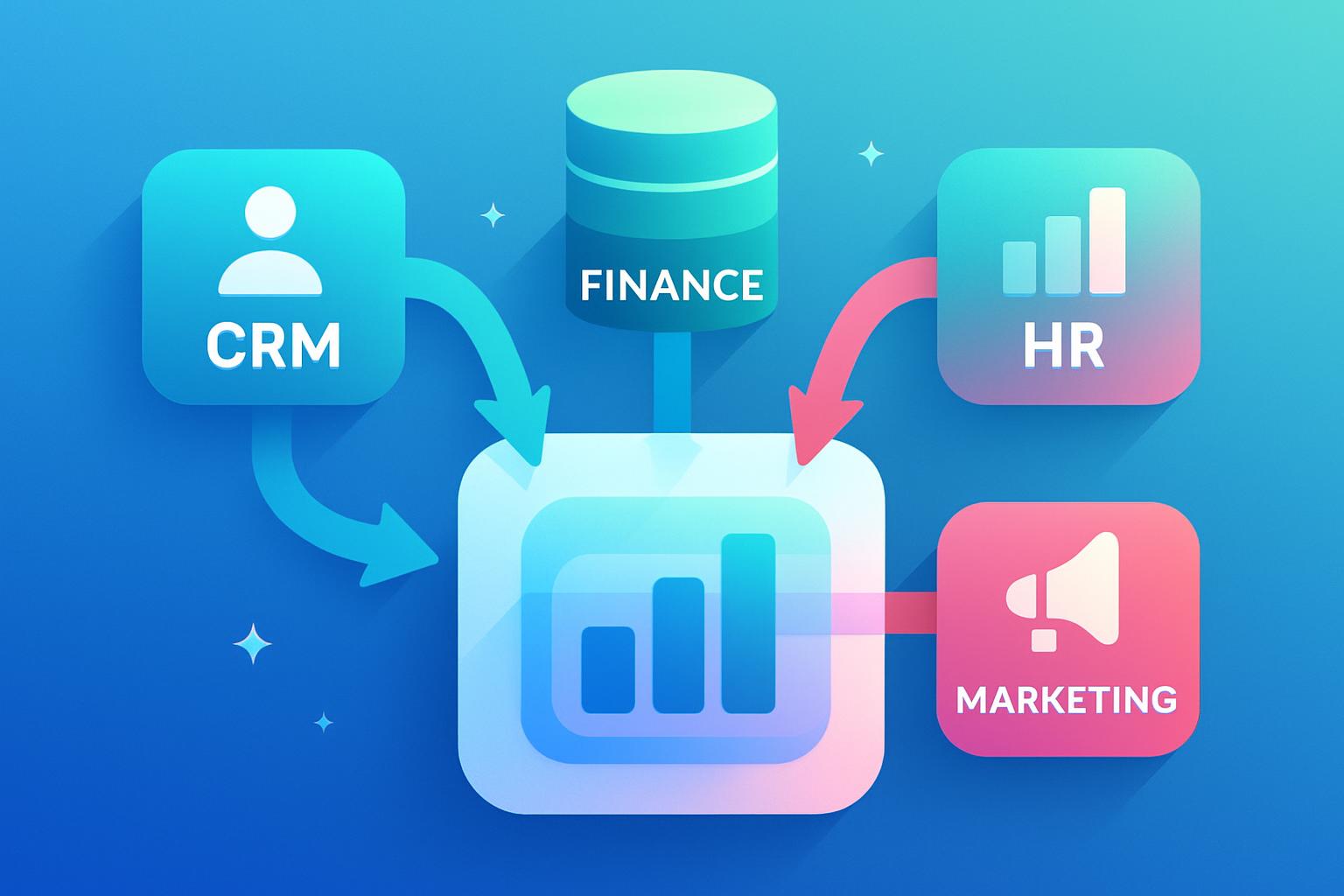
    Integration fremmer samarbejde og effektivitet. Når alle afdelinger arbejder ud fra den samme datakilde, minimeres misforståelser, og beslutninger bliver mere velinformerede. Platforme som MainFoundrys samlet CRM og marketing løsning viser hvordan teknologi forener systemer, så teams kan samarbejde på tværs med fælles indsigt og mål.

    “Når data flyder frit mellem systemer, opstår en fælles sandhed – et solidt fundament for beslutninger baseret på realtid.”

    Teknisk set består dataintegration af processer som at ekstrahere data fra kilder, transformere dem til et fælles format og indlæse dem i et centralt datalager eller workspace. Derefter synkroniseres data løbende, så opdateringer afspejles i alle systemer. Moderne ETL-værktøjer og API’er gør det muligt at automatisere denne proces, hvilket reducerer manuelle fejl og sikrer strømlinede arbejdsgange.

    Fra siloer til sammenhæng: reel forretningsværdi gennem integration

    Når dataintegration implementeres korrekt, ændres måden din virksomhed fungerer på. I stedet for at søge efter data i forskellige siloer får alle adgang til et samlet overblik. Real-time integration gør det muligt at reagere hurtigt – når en kunde foretager et køb, kan fakturering, lager og marketing straks tilpasse sig den nye information. Det skaber automatiske processer og en smidig forretning uden flaskehalse.

    Midtlagsintegration fungerer som et bindeled mellem applikationer, hvilket sikrer datakonsistens på tværs. Et praktisk eksempel kommer fra en global organisation, der konsoliderede sine indkøbsdata fra mere end et dusin systemer og opnåede ikke kun bedre indsigt i omkostninger, men også betydelige besparelser gennem målrettet optimering af beslutninger.

    Pro Tip: Et centralt datafundament skaber ikke blot bedre beslutningskraft – det tilfører din organisation en strategisk fordel gennem en fælles forståelse af virkeligheden.

    Forretningen får dermed en datakulturMainFoundry samler CRM, økonomi, marketing og skræddersyede workspaces i ét miljø, så din organisation kan bygge og vækste på et solidt datagrundlag.

    Centrale pointer og næste skridt

    • Dataintegration fjerner siloer og skaber en fælles sandhed på tværs af systemer.
    • Automatiserede processer sikrer nøjagtige, opdaterede data og frigør ressourcer.
    • Et integreret setup muliggør realtime beslutningstagning og strategisk kontrol.
    • MainFoundry gør det nemt at samle CRM, økonomi og marketing i ét datadrevet platformsmiljø.

    Relateret læsning

    Udforsk hvordan MainFoundry hjælper virksomheder med at centralisere data og skabe beslutninger drevet af indsigt.

  • Webhook Automation for Real-Time Business Efficiency

    Webhook Automation for Real-Time Business Efficiency

    In today’s always-connected business environment, staying synchronized across applications isn’t optional—it’s critical. Webhook automation delivers true real-time data sync by instantly pushing updates from one system to another whenever an event occurs. This means your CRM, billing, and marketing tools communicate automatically, ensuring every platform reflects the latest business insight. In this article, we’ll explore how webhooks enable instant data flow, why they outperform traditional polling methods, and how teams can use them to boost accuracy and efficiency.

    How Webhook Automation Enables Real-Time Sync

    At its core, webhook automation follows a simple principle—one system “listens” for notifications from another. By registering a callback URL (an HTTPS endpoint) to receive updates about specific events, such as lead conversions or payment completions, applications can share information instantly. When the event takes place, a small JSON payload containing the relevant data is automatically pushed to the designated system, which then reacts in real time.

    This approach eliminates the need for constant polling—where systems frequently check for changes even when nothing has been updated. With polling, businesses waste bandwidth and computing resources on redundant checks. In contrast, webhooks act only when an event occurs, making them more efficient, faster, and better suited for dynamic, high-traffic environments. Latency drops to seconds, and system resources are dedicated to real updates instead of repetitive queries.

    “Webhook automation transforms disconnected tools into a single, responsive ecosystem that evolves with every business event.”

    Modern platforms like MainFoundry have adopted webhook-based integration across their CRM, marketing analytics, and finance management modules, allowing customer, marketing, and financial data to stay perfectly in sync. When a sale closes, the finance system can auto-generate the invoice, while marketing metrics refresh immediately across dashboards. It’s a streamlined, event-driven process connecting every function of the business.

    Benefits and Business Applications of Webhook Automation

    Speed is the most obvious advantage of webhook automation, but the benefits extend beyond real-time performance. With webhooks, dashboards, forecasts, and data-driven decisions can all happen the moment the underlying information changes. A sales manager sees a new lead update the instant it’s created in the CRM, and the finance team records a completed payment immediately within its platform.

    Furthermore, webhook automation significantly improves efficiency by drastically cutting down on redundant server calls. Because webhooks only fire on event triggers, network usage and maintenance costs are reduced. They are also designed to scale seamlessly. Most platforms include mechanisms for retries, logging, and monitoring, providing robust reliability even under enterprise-scale workloads.

    Webhook-driven data sync can reduce latency to just a few seconds—empowering businesses to operate at real-time speed.

    Integration is also straightforward. Standardized payloads and security layers make webhook endpoints easy to configure, and even systems lacking built-in webhook support can rely on proxy services or integration hubs to bridge connections. This accessibility makes webhooks one of the most flexible tools for digital transformation.

    POST /webhooks/invoice-paid
    Content-Type: application/json
    {
      "invoice_id": "inv_2024_089",
      "customer_id": "cust_9981",
      "status": "paid"
    }

    In practical settings, industries are already leveraging these advantages. Within CRM and sales tools, lead updates or contact changes propagate across integrated systems instantly. In marketing automation, engagement metrics update in real time, enabling precise campaign optimization. Within finance operations, MainFoundry’s finance workspace and third-party tools like QuickBooks stay perfectly aligned without manual reconciliation.

    MainFoundry’s custom workspaces take this even further by subscribing to webhook events from external systems, uniting all customer, financial, and operational data into a single, always-fresh view. This transforms how teams visualize performance and make data-driven decisions, all without waiting for nightly syncs or manual refreshes.

    Pro Tip: Always use HTTPS for webhook delivery, validate incoming payloads, and process events asynchronously for maximum performance and reliability.

    Key Takeaways

    • Webhook automation enables instant, real-time synchronization across business systems without the inefficiencies of polling.
    • It reduces latency and network overhead, ensuring resources are only used when meaningful events occur.
    • Modern platforms like MainFoundry leverage webhooks across CRM, marketing, and finance to create unified, live data environments.
    • Configuring webhooks securely with validation, retries, and monitoring ensures scalable and trustworthy integrations.
    • Teams ready to accelerate operations can connect with MainFoundry to explore tailored webhook automation solutions.

    Related Reading

    Explore how seamless integrations boost marketing outcomes in our guide on data-driven marketing automation.

  • Webhook Automation Simplifies Real-Time CRM Data Sync

    Webhook Automation Simplifies Real-Time CRM Data Sync

    Waiting for systems to “catch up” can derail real-time decision-making. When teams rely on scheduled batch updates or constant polling, delays and redundant requests eat away at performance and accuracy. **Webhook automation** changes this dynamic by making data exchanges event-driven and instantaneous. This post explores how webhook automation enables **real-time synchronization**, why it outperforms traditional methods, and how platforms like MainFoundry use it to unify CRM, marketing, and financial operations into one seamless flow.

    How Webhook Automation Powers Real-Time Data Sync

    At its core, a webhook is a small but powerful mechanism: an automated message that one application sends to another when a specific event occurs. Instead of waiting for a system to “ask” if anything has changed, webhooks **push updates immediately** through an HTTP POST request. This shift replaces wasteful polling loops with targeted, real-time communication.

    For instance, when a prospect converts in your CRM or a customer completes payment, a webhook triggers updates in connected systems instantly. The CRM engine within MainFoundry uses this same principle to keep every record, invoice, and task perfectly synchronized without manual intervention. That means no more stale dashboards or missed updates between marketing and finance.

    Efficiency gains are dramatic. Instead of sending thousands of redundant API calls, webhook-based systems transmit only meaningful changes—reducing overhead by more than 90% in many configurations. This economy of motion not only saves bandwidth but also improves data reliability across real-time analytics and operational tools.

    “Webhook automation turns static integrations into dynamic, event-driven connections that evolve in real time.”

    The same advantage extends to marketing operations. Webhooks can trigger subscriber updates, move conversion data to marketing analytics, or notify finance when ad campaigns generate billable actions—all without waiting for nightly exports or manual synchronization.

    Building Reliable Webhook-Driven Systems

    Creating a dependable webhook infrastructure starts by registering a secure HTTPS endpoint that listens for specific event triggers—such as customer updates or invoice creation. Once triggered, the system sends a lightweight JSON payload that downstream services validate, log, and process. Advanced systems often place these payloads in message queues for asynchronous handling, ensuring no event is lost even if a receiving service temporarily goes down.

    MainFoundry’s integrated finance management tools and customizable workspaces operate on these principles. The platform reacts instantly when new transactions occur or when CRMs share updated lead details. From syncing QuickBooks invoices to posting attribution data, webhook pipelines help automate cross-system communication and reduce manual tasks.

    Pro Tip: Protect webhook transmissions using HTTPS, verify payload signatures, and maintain delivery logs. These safeguards ensure trust and traceability in every automated interaction.

    Beyond security, webhook automation promotes **operational clarity**. Sales teams instantly see when marketing updates a lead; finance receives real-time subscription changes; and task boards refresh without manual input. When paired with data-verification methods such as Change Data Capture (CDC), any rare missed events can be reconciled automatically, keeping every system aligned and accurate.

    Webhook-driven integrations can reduce redundant traffic by over 90% while delivering truly real-time updates across business systems.

    Key Takeaways

    • Webhook automation empowers event-driven, real-time synchronization across business platforms.
    • Reducing redundant API calls lowers costs and minimizes network overhead.
    • Reliable delivery through retries and idempotent processing ensures consistency at scale.
    • Security measures like HTTPS and signature verification safeguard data integrity.
    • Solutions like MainFoundry integrate webhook workflows that unify CRM, marketing, and financial ecosystems seamlessly.

    Related Reading

    Explore how MainFoundry’s AI-powered platform streamlines automation and synchronization, or get in touch to see webhook workflows in action.

  • Enhancing Business Efficiency with Webhook Automation

    Enhancing Business Efficiency with Webhook Automation

    In today’s fast-moving digital landscape, real-time data synchronization has become essential for business competitiveness. **Webhook automation** is emerging as a key technology powering these instant connections between systems, ensuring that every update, transaction, or interaction triggers immediate responses across platforms. This post explores how webhook automation enables faster workflows, reduces infrastructure load, and helps businesses like MainFoundry’s CRM and marketing analytics system maintain seamless data flow across critical operations.

    How Webhook Automation Delivers Real-Time Data Sync

    A webhook acts as a lightweight yet powerful connector between applications. When a system detects an event—such as a customer record update—it instantly sends a POST request to another platform’s HTTPS endpoint with a JSON payload describing the change. This **event-driven architecture** replaces periodic polling, drastically reducing redundant requests and network strain.

    By eliminating constant checking for updates, webhook-driven systems cut resource consumption by over 90%. Instead of thousands of clients querying every few seconds, notifications are sent only when needed. This efficiency not only ensures real-time awareness but also optimizes performance across integrated platforms—particularly for teams managing CRM, finance, and analytics data simultaneously.

    “Webhook automation transforms integrations from slow, scheduled syncs into instant, event-based data updates.”

    Robust webhook implementations follow clear stages of reliability. Systems register their event subscriptions, verify each payload’s authenticity, and process notifications asynchronously. Features such as idempotency keys prevent duplicate records, while retry mechanisms and audit logging ensure stable message delivery. Built correctly, these layers make webhook-driven automation both secure and scalable.

    Within this framework, tools like MainFoundry’s AI Assistant extend webhook-like automation further by triggering real-time suggestions or task generation the moment CRM or finance data changes. Rather than waiting for batch updates, the system reacts intelligently to live data flows—helping teams act faster with up-to-date insights.

    Use Cases and Advantages for Business Operations

    **Webhook automation** adds immense value wherever speed and accuracy are crucial. Finance teams can automate ledger updates the moment an invoice is issued, while marketing automation platforms can react instantly to campaign interactions or form submissions. In customer support, live product events can open or update tickets automatically, maintaining context-rich interactions from connected CRM profiles.

    In e-commerce, webhook events deliver real-time order confirmations and shipping updates to external platforms without depending on batch schedules. These responsive links between systems reduce friction, enabling every decision-maker to work from current, verified data instead of waiting for the next refresh cycle.

    Event-driven integrations can reduce infrastructure load by over 90%, improving both responsiveness and cost efficiency.

    Beyond performance, webhook automation simplifies scalability—retry queues handle thousands of concurrent events securely. When combined with intelligent systems such as AI workflow automation, webhook data can trigger predictive tasks or generate insights in real time. Pairing this with custom workspaces enables teams to visualize live CRM, finance, and analytics data in a single synchronized dashboard.

    Key Takeaways

    • Webhook automation replaces slow polling with instant event-based notifications, keeping systems synchronized in real time.
    • It dramatically reduces latency, request volume, and bandwidth costs across connected applications.
    • Reliability features such as retries and idempotency maintain data accuracy at scale.
    • When combined with platforms like MainFoundry, webhook sync powers responsive, always-current CRM and finance workflows.
    • To explore integration opportunities, connect with MainFoundry and bring real-time automation to your data ecosystem.

    Related Reading

    Discover how custom workspaces help synchronize data and streamline collaboration across channels.

  • Building Effective REST API Integrations for Business Growth

    Building Effective REST API Integrations for Business Growth

    In today’s digital landscape, every app and platform thrives on data exchange—and that’s where REST APIs come in. They serve as the connective tissue between software systems, enabling real-time, secure communication that powers everything from marketing analytics to financial workflows. In this guide, you’ll learn how to build custom integrations using REST APIs, explore the architecture behind them, and see how solutions like MainFoundry’s integrations streamline the process. Whether you’re a developer or business leader, you’ll gain practical insight into making APIs work for your organization.

    Understanding REST APIs and Custom Integrations

    A REST API (Representational State Transfer Application Programming Interface) defines a standardized way for applications to communicate via HTTP—the same protocol used by websites. Instead of complex networking layers, REST uses straightforward web requests that transmit data in formats like JSON. Each API call relies on key components, including HTTP methods, endpoints, headers, and parameters, ensuring predictable behavior across systems.

    Every request plays a clear role: GET retrieves data, POST creates new records, PUT or PATCH updates existing entries, and DELETE removes outdated information. Authentication tokens passed through headers guarantee secure access. For example, a CRM might use GET /contacts to list leads or POST /contacts when users submit new forms. Each interaction maintains data integrity while fostering automation.

    Platforms such as MainFoundry’s CRM module simplify integration work by exposing structured endpoints for contacts, companies, tasks, and deals—all ready to connect to existing workflows. With such frameworks, developers can quickly access and manipulate business data without starting from scratch.

    “REST APIs turn disconnected systems into a unified digital network—where information flows instantly between every team and tool.”

    Building REST API Integrations from Scratch

    Designing your own REST API begins with identifying what data must flow between systems and how it will be accessed. A lightweight setup—such as Node.js with Express—can handle essential operations using the primary HTTP methods. For instance, GET /employees retrieves data, POST /expenses adds new records, while PUT or PATCH modifies details in real time. Connecting these endpoints to databases like PostgreSQL or MongoDB ensures persistence and reliability for business data handling.

    When integrating external services, your workflow might look like sending a POST request to another platform—such as https://api.github.com/repos/{owner}/{repo}/issues—to automatically create bug reports from support tickets. This simple automation eliminates manual admin work and ensures issue tracking stays synchronized across teams.

    As your integrations expand, advanced controls become crucial. That includes robust error handling, proper rate limiting, and consistent security practices such as HTTPS enforcement and input validation. Adhering to standard response codes like 401 for unauthorized or 404 for not found helps maintain clarity and reliability. Platforms like MainFoundry’s AI-powered system further optimizes complex workflows by validating data, automating triggers, and streamlining processes between apps seamlessly.

    Pro Tip: Always document your endpoints and version your APIs carefully—it ensures developers can update integrations without breaking existing workflows.

    Making REST APIs Work for Your Business

    Modern automation across marketing, finance, and operations relies on REST APIs to connect data streams. They synchronize emails with CRM pipelines, link invoices to accounting tools, and keep dashboards updating in real time. The strongest integrations focus on clarity, security, and maintainability, ensuring each data interaction remains consistent and reliable across platforms.

    • They’re purpose-built—defining data needs upfront removes unnecessary complexity.
    • They’re secure—each request authenticates and protects sensitive data.
    • They’re maintainable—well-documented endpoints make updates easy.
    • They’re monitored—tracking usage ensures reliability.
    • They’re scalable—features like caching and pagination keep performance strong.

    Unified ecosystems such as MainFoundry’s marketing analytics tools and finance management modules follow these principles to provide seamless, secure synchronization between departments. With customizable workspaces, teams can design API-powered dashboards that merge real-time data streams with intuitive analytics—without rebuilding everything from scratch.

    Key Takeaways

    • REST APIs provide flexible, standardized communication between applications using simple HTTP requests.
    • Authentication, data endpoints, and defined methods form the backbone of reliable API operations.
    • Strong system design centers on clarity, security, and scalability—crucial for long-term success.
    • Platforms like MainFoundry offer pre-connected, customizable integrations for effortless data synchronization.
    • Explore how MainFoundry can streamline your API strategy and unify every part of your workflow.

    Related Reading

    Check out Best Practices for API-Based Automation for deeper insights into integrating data across business systems.

  • Sådan styrker kalenderintegration din CRM mødestyring

    Sådan styrker kalenderintegration din CRM mødestyring

    At håndtere kundemøder, opkald og interne samtaler på tværs af platforme kan hurtigt blive rodet uden en effektiv kalenderintegration. Når møder skal koordineres mellem Google Kalender, Outlook, Apple Kalender og CRM-systemer, kan man let miste overblikket. En intelligent integration samler alt ét sted og sikrer, at du altid har styr på tidsplanen – uden dobbeltbookinger og spildtid. I dette indlæg dykker vi ned i, hvordan kalenderintegration optimerer mødestyring, hvordan den skaber sammenhæng i din forretningsarkitektur, og hvordan du kan etablere effektive arbejdsvaner, der gør dagligdagen mere overskuelig.

    Hvordan kalenderintegration forbedrer mødestyring

    En moderne kalenderintegration kan mere end blot at synkronisere møder. Den kan automatisk oprette, opdatere og følge op på aftaler baseret på dine e-mails og arbejdsplaner. Når en kunde sender en invitation, registreres den med det samme i din kalender og kobles til den rigtige kontakt i CRM-systemet. Det betyder, at du slipper for manuel håndtering og opnår fuld konsistens mellem systemerne, selv når mødetider ændres.

    En vigtig fordel er, at kalenderen følger dig på tværs af værktøjer – fra Microsoft Teams i arbejdet til Google Meet derhjemme. Integrationen undgår dobbeltbookinger og foreslår alternative tidspunkter, så du altid udnytter tiden bedst muligt. Samtidig kan automatiske påmindelser udsendes via e-mail, SMS eller interne notifikationer, hvilket løfter mødedisciplinen både internt og med kunder.

    Hos MainFoundry er kalenderintegration indbygget direkte i CRM-platformen. Alle kundemøder registreres automatisk i aktivitetstidslinjen, så hver interaktion bliver en del af det samlede relationsforløb. Resultatet er en mere sammenhængende og dokumenteret arbejdsproces uden ekstra dataindtastning.

    “Når kalenderen og CRM’et arbejder sammen, bliver møder ikke bare planlagt – de bliver en del af virksomhedens vidensgrundlag.”

    Kalenderintegration som del af en større forretningsarkitektur

    Når kalenderen forbindes med systemer som projektstyring og CRM, opstår et effektivt økosystem for samarbejde. Forestil dig, at et kickoff-møde automatisk linkes til projektets milepæl i dit workspace — det sparer tid og synliggør sammenhængen mellem plan og leverancer. Noter og handlingspunkter fra mødet kan gemmes direkte som aktiviteter i CRM’et, hvilket giver salgsteamet en løbende opdatering af kundestatus uden dobbeltarbejde.

    Med stigende brug af AI-assistenter bliver kalenderstyring endnu smartere. Disse værktøjer aflæser ledige tider, foreslår mødeblokke og kan automatisk tilføje buffere mellem møder. Hvis du fx vil undgå morgener før kl. 10, kan systemet tilpasse sig dine præferencer. Mellemledere og projektledere får samtidig et klart billede af teamets kapacitet, hvilket reducerer behovet for konstante statusmøder.

    AI kan i dag forvandle din kalender til et aktivt beslutningsværktøj, der optimerer både planlægning og datakvalitet.

    MainFoundrys AI Assistent understøtter netop dette ved at foreslå mødetidspunkter baseret på mødemønstre, opsummere kundesamtaler og gemme handlingspunkter som CRM-opgaver. Det skaber en kontinuerlig feedbackcyklus, hvor kalenderen både organiserer og forbedrer samarbejdet.

    Effektive vaner med kalenderintegration

    Virksomheder, der aktivt udnytter kalenderintegration, oplever markante forbedringer i produktivitet og koordinering. Du får færre statusmøder, klarere teamflow og mindre risiko for dobbeltbookinger. For at udnytte potentialet fuldt ud handler det om at opsætte dine systemer korrekt fra starten.

    • Forbind dine kalendere med korrekte tilladelser for læsning og skrivning
    • Definér arbejdstider, mødelængder og bufferzoner
    • Angiv præferencer for mødeoprettelse og godkendelse
    • Vælg værktøjer, der understøtter både kalender- og CRM-synkronisering

    Når disse trin er implementeret, bliver kalenderen et centralt arbejdsredskab snarere end blot et planlægningsværktøj. Du får direkte indsigt i, hvordan møder påvirker både pipeline og projekter, hvilket gør din hverdag langt mere transparent og strategisk.

    Pro Tip: Brug kalenderintegration som en bro mellem planlægning og handling – når systemerne kommunikerer, arbejder teamet mere flydende, og kunderne mærker forskellen.

    Key Takeaways

    • Kalenderintegration samler alle møder ét sted og eliminerer dobbeltbookinger
    • Automatisering sikrer, at ændringer og inviterede altid holdes opdaterede
    • AI-assistenter optimerer mødeplanlægning og teamkapacitet
    • Integrationen mellem kalender og CRM forbedrer datakvalitet og samarbejde
    • MainFoundry tilbyder en samlet platform til intelligent mødekoordinering

    Related Reading

    Læs også hvordan MainFoundrys AI Assistent hjælper teams med at automatisere beslutninger og mødeforberedelser direkte i CRM-platformen.

  • Improve CRM Efficiency with Outlook Sync

    Improve CRM Efficiency with Outlook Sync

    Keeping your inbox synchronized across all devices is more than just convenient—it’s fundamental to efficient work. With two-way email synchronization in Microsoft Outlook, users can experience seamless consistency whether working from a laptop, smartphone, or integrated system like a CRM. This post explains how Outlook sync works, how it integrates with CRM platforms, and why MainFoundry uses it to unify customer communications.

    How Two-Way Email Synchronization Works in Outlook

    In Outlook, two-way synchronization means that every action—from deleting messages to marking them as read—is mirrored instantly across all connected devices. This ensures that your inbox remains identical whether you check it on your desktop, web-based Outlook, or mobile app.

    Exchange accounts rely on Cached Exchange Mode, which stores a local mailbox copy while constantly syncing with the server. For IMAP users, Outlook keeps all mail data on a remote server, making updates visible from any client. Setting up synchronization is simple from the Account Settings menu, after which Outlook maintains active folder, attachment, and message synchronization without the need for manual refreshes.

    However, modern synchronization extends beyond Outlook itself. Many organizations merge this sync functionality with their CRM systems so that every email conversation connects directly to customer and deal records. Within MainFoundry’s CRM, messages related to contacts or companies appear automatically, creating full activity timelines without manual imports or duplication.

    This end-to-end synchronization saves teams hours they’d otherwise spend forwarding or archiving emails. It’s not just about syncing messages—it’s about syncing context across connected systems.

    “Smart synchronization creates a unified customer communication experience that’s effortless, accurate, and accessible from anywhere.”

    Why Outlook Sync Strengthens Business Communication

    When Outlook integrates directly with your CRM, it becomes a single source of truth for email records. All sent, received, and forwarded messages are securely reflected across both systems, reducing misplaced threads and ensuring consistency across departments.

    Every message sent from Outlook appears automatically in the CRM with accurate timestamps, while incoming replies are matched to contact records via sender domains. For instance, MainFoundry’s AI Assistant enhances this integration by summarizing threads or generating responses based on recent CRM updates, turning email into actionable business intelligence.

    Teams benefit from a holistic view of client activity—emails, calls, insights, and meetings consolidated on a single screen. Managers can track communication frequency, sentiment, and responsiveness, promoting precision in customer interactions. To maintain stability, ensure Outlook isn’t in Offline Mode and that network connectivity remains steady. Occasional manual refreshes through the Send/Receive tab usually resolve temporary sync stalls.

    Pro Tip: Restart Outlook periodically and verify account credentials to maintain consistent synchronization cycles across devices and systems.

    Key Takeaways

    • Two-way Outlook synchronization keeps all changes unified across devices and integrated systems.
    • Integrated CRMs like MainFoundry automatically log emails tied to deals and contacts in real time.
    • Combining Outlook sync with MainFoundry’s Workspaces and AI Assistant enhances collaboration and insight-driven communication.
    • For reliability, check connectivity and disable offline mode to prevent synchronization delays.

    Related Reading

    Learn more about integrating email and CRM workflows by visiting MainFoundry’s Outlook integration guide.

  • Boost Productivity with Microsoft CRM Integration

    Boost Productivity with Microsoft CRM Integration

    Modern businesses run on interconnected tools, but productivity often gets lost when those systems don’t communicate effectively. Integrating your CRM with Microsoft 365 bridges that gap, turning scattered data into synchronized workflows. This post explores how connecting Microsoft apps like Outlook, Teams, and Excel with your CRM can transform daily tasks, support data-driven collaboration, and simplify decision-making across departments. You’ll discover practical integration benefits, key tools to enable seamless syncing, and why platforms like MainFoundry make unified work environments easier than ever.

    Integrating CRM with Microsoft 365 for Seamless Productivity

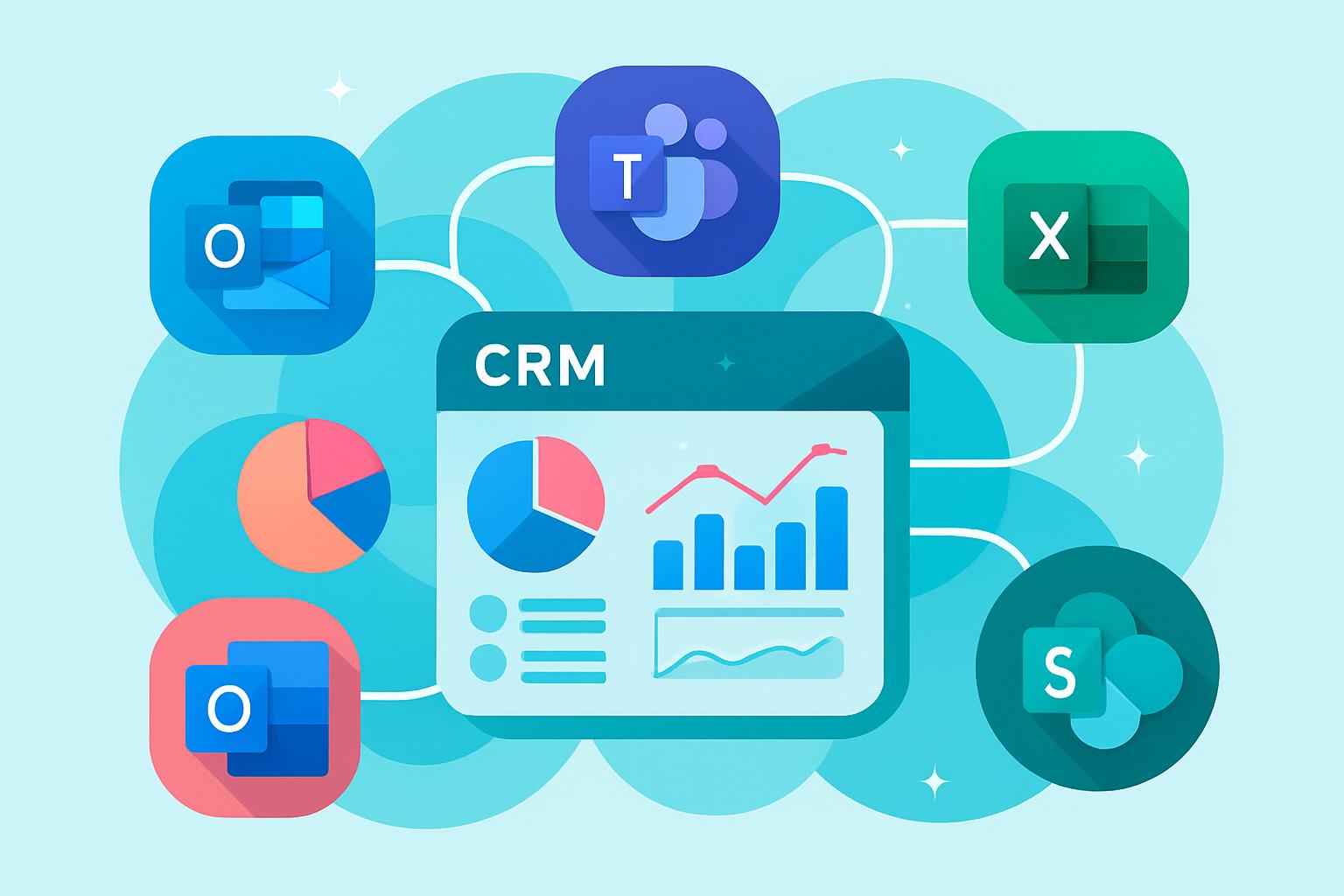
    When your CRM connects directly to Microsoft 365 tools, your team gains unified access to Outlook, Teams, SharePoint, and Excel. The integration eliminates redundant manual tasks and brings every communication, document, and meeting together into a single, data-rich environment. Beyond convenience, this connection builds an ecosystem where collaboration, analytics, and decisions happen faster and more intelligently.

    Platforms like MainFoundry make this process simple. By combining a unified CRM workspace with native Microsoft integration, your data automatically syncs between customer records, marketing campaigns, and financial dashboards. The result is consistent visibility across your organization and faster insight into business performance.

    “When every email, meeting, and spreadsheet is connected through your CRM, productivity scales naturally.”

    How Microsoft 365 Integration Improves CRM Efficiency

    With a CRM tightly integrated into Microsoft 365, your teams gain a single point of truth across sales, marketing, and finance. Instead of toggling between multiple apps, users can manage opportunities, campaigns, or invoices directly from Outlook or Teams. Microsoft’s single sign-on (SSO) ensures fast, secure access to connected tools without repeated logins, preserving both security and ease of use.

    • Automated contact and calendar synchronization reduces manual data entry.
    • Teams and Outlook integrations improve real-time sales collaboration.
    • Excel-based analytics enrich CRM forecasting and performance tracking.
    • Integrated authentication ensures compliance and streamlined access.

    Sales teams can track conversations and deals without leaving their inbox, while marketing leaders monitor campaign ROI from familiar Microsoft dashboards. Finance professionals can instantly export CRM data to Excel for real-time reporting. Integration tools such as Power Automate, Dataverse, and Azure Logic Apps add even deeper Microsoft-native automation. Extending this further, MainFoundry’s AI Assistant interprets synced CRM data, highlighting customer trends and suggesting next steps automatically.

    Pro Tip: Pair Microsoft Dataverse with Power Automate to enable real-time syncing across Dynamics 365, SharePoint, and your CRM for complete operational visibility.

    Creating a Unified Workflow Across Microsoft and CRM

    The strongest integrations enhance how your teams already work. A synced Outlook calendar can automatically populate CRM timelines with meetings and notes. SharePoint files link directly to proposals stored in your CRM workspace, while Excel reports pull live deal data for accurate forecasting. This natural flow of information eliminates duplicate data entry and accelerates collaboration.

    By linking these systems through MainFoundry, teams manage everything from marketing attribution to invoicing and recurring billing in one connected workspace. Microsoft’s Dataverse supports two-way synchronization, ensuring updates appear instantly across both platforms. This transparency enhances accountability while providing every team with accurate, actionable insight.

    Unified CRM and Microsoft 365 workflows reduce operational friction and accelerate decision-making across your organization.

    Key Takeaways

    Integrating your CRM with Microsoft 365 is more than a technology upgrade—it’s a productivity shift. You gain a connected system where communication, analysis, and workflow execution happen seamlessly. Key advantages include the elimination of data silos, enhanced visibility in Outlook and Teams, advanced analysis through Excel, and simple adoption through MainFoundry’s built-in Microsoft sync. Coupled with secure single sign-on, your teams can work confidently in one unified space.

    If you’re ready to unify data, communication, and analytics through Microsoft integration, explore how MainFoundry can help. Visit https://www.mainfoundry.com or reach out directly at https://www.mainfoundry.com/contact.

    Related Reading

    Discover more on optimizing workflows by reading How a Unified CRM Workspace Boosts Team Collaboration.

  • Brugerdefinerede felter gør CRM datarelevant

    Brugerdefinerede felter gør CRM datarelevant

    Et effektivt CRM-system handler ikke kun om at opbevare kundedata – det handler om at forstå relationer, processer og forretningsdynamikker ud fra netop de faktorer, der betyder noget for din virksomhed. Med brugerdefinerede felter kan du skabe et CRM-miljø, der afspejler dine faktiske behov, processer og datapunkter. Denne artikel udforsker, hvordan brugerdefinerede felter forbedrer din kundehåndtering, skaber struktur i dataflowet og åbner for intelligente automatiseringer drevet af AI og workflow-systemer. Du får indblik i, hvordan moderne platforme som MainFoundry gør tilpasning enkel og forretningsnær.

    Hvordan Brugerdefinerede Felter Forbedrer CRM-arbejdet

    Når CRM-data skræddersyes til din forretnings virkelighed, forbedres både filtrering, rapportering og automation markant. Med brugerdefinerede felter som “Medarbejderantal”, “Serviceaftale” eller “Kontrakten udløber” kan dine teams træffe hurtigere beslutninger og skabe overblik baseret på relevante kriterier. Dermed bliver kundehåndtering ikke blot administration – men strategisk indsigt.

    Brugerdefinerede felter skaber også struktur. Platforme som SuperOffice giver mulighed for central validering og styring, mens Lime CRM og Uniconta muliggør scripting og API-integration for avanceret logik. I MainFoundry CRM kan du gå endnu længere ved at oprette felter som tekst, tal, dato eller dropdown direkte i CRM-modulet og knytte dem til virksomhedsposter. Det gør det muligt at registrere attributter som “Sektor” og “Kundestatus” og anvende dem i både marketing og økonomirapportering.

    “Når CRM’et afspejler din forretning, bliver data ikke blot opbevaret – de bliver levende beslutningsværktøjer.”

    Pro Tip: Hold styr på feltantal og dataindeksering for at sikre performance i store installationer – ofte er tre til fem indexfelter pr. gruppe ideelt.

    Fra Tilpasning til Automatisk Indsigt

    Når brugerdefinerede felter forbindes med workflow-systemer og AI-assistenter, udvikles CRM’et fra manuel registrering til dynamisk analyse. Tænk på en AI Assistent, der automatisk genererer kundelister baseret på feltet “Kontraktstatus” eller prioriterer salgsmuligheder ud fra “Vedligeholdelsesaftale: Premium”. Disse automatiserede indsigter afhænger af, hvor præcist dit system modellerer forretningsdata.

    I Workspaces i MainFoundry kan afdelinger designe egne datamodeller med brugerdefinerede ressourcetabeller uden at ændre den centrale CRM-database. HR kan oprette onboarding-felter, mens supportafdelingen arbejder med prioriterede tickets – alt sammen via drag-and-drop og uden tung opsætning. Denne fleksibilitet betyder, at din virksomhed hurtigt kan reagere på forandringer og optimere arbejdsflows på tværs af teams.

    Jo mere præcist dine data er modelleret, desto skarpere bliver dine analyser og automationer.

    Nøglepointer & Næste Skridt

    • Brugerdefinerede felter gør CRM’et relevant for dine egne forretningsdata.
    • De skaber sammenhæng mellem filtrering, automation og beslutningsgrundlag.
    • Platforme som MainFoundry integrerer felter direkte med marketing, økonomi og AI-moduler.
    • Korrekt anvendt bliver de selve arkitekturen, der binder hele din organisation sammen.

    Klar til at tage skridtet mod fuldt tilpasset CRM? Udforsk hvordan MainFoundry kombinerer fleksible datafelter med automatisering og indsigt – begynd med CRM-modulet i dag på www.mainfoundry.com.