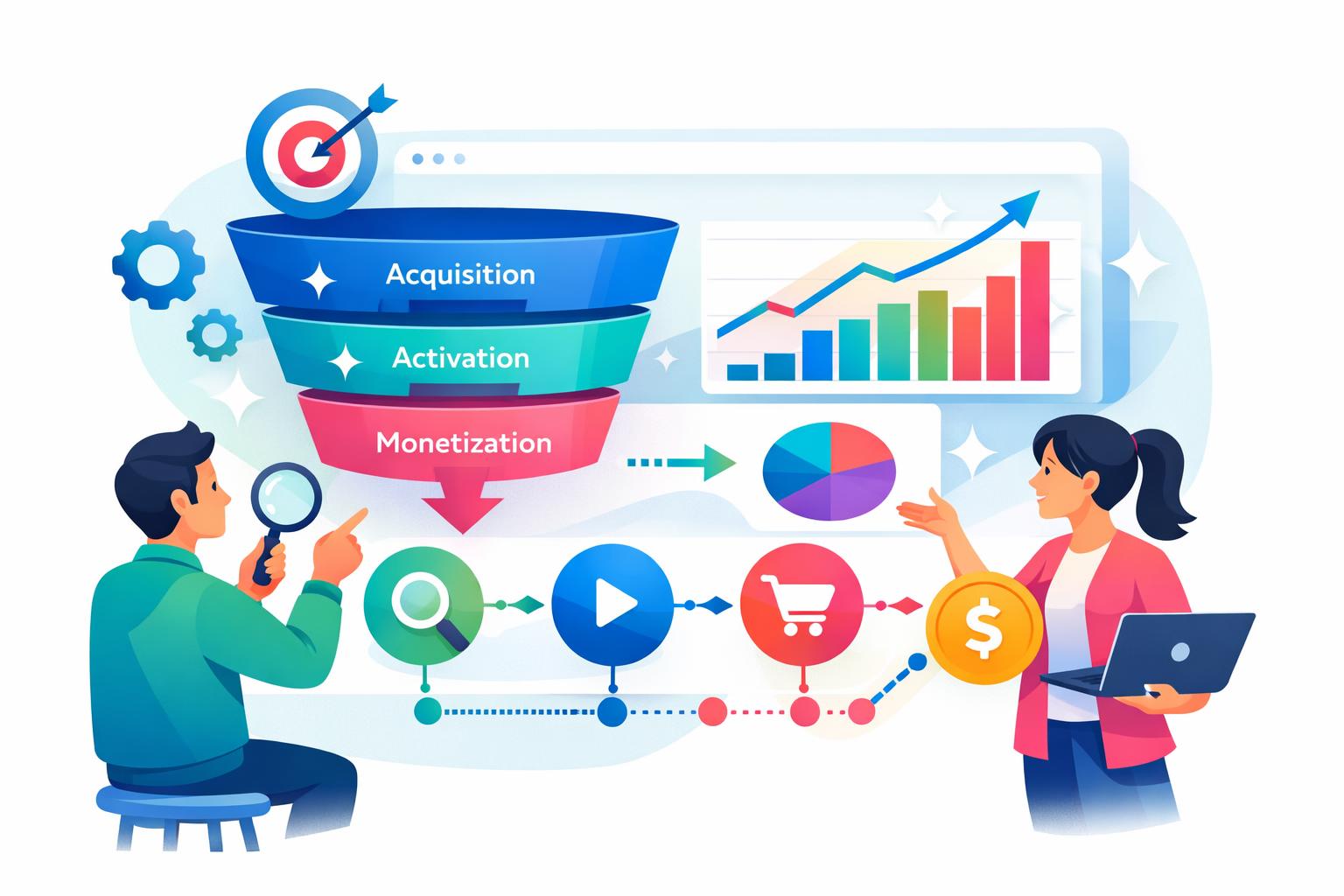
Category: How-to-guides

  • CRM og AI driver salgsstrategien 2026

    CRM og AI driver salgsstrategien 2026

    Fremtidens salgsstrategi i 2026 handler ikke kun om at sælge – men om at opbygge varige relationer gennem data, indsigt og personaliserede oplevelser. Den bedste strategi for salg kombinerer branding, omnichannel-tilstedeværelse og kunstig intelligens på måder, der gør interaktionen relevant på tværs af alle kontaktpunkter. I denne artikel ser vi nærmere på de centrale principper bag en moderne salgsstrategi og viser, hvordan platformen MainFoundry hjælper virksomheder med at implementere og optimere denne tilgang i praksis.

    Fra topfunnel-branding til AI-understøttet eksekvering

    En stærk salgsstrategi starter med klar positionering og et brand, der vækker tillid. Ved at kombinere storytelling, thought leadership og målrettede kampagner skaber virksomheder opmærksomhed længe før første salgsdialog. Sociale platforme som LinkedIn, Meta og YouTube er effektive kanaler til topfunnel-synlighed — men kræver konsekvent brug af data for at måle kendskab, engagement og effekt.

    Med værktøjer som MainFoundry Marketing kan teams analysere kampagnedata på tværs af kanaler, optimere indhold ud fra kunderejser og få klar indsigt i, hvad der driver konverteringer. Det giver en realistisk forståelse af, hvordan kunder interagerer med brandet – og hvor potentialet ligger for forbedring.

    “I 2026 handler salg om at forstå kunden bedre, hurtigere og mere personligt end nogensinde før.”

    Omnichannel er næste skridt – hvor salgsorganisationen forbinder webshops, kampagner, sociale medier og B2B-partnere for at skabe ét samlet flow. MainFoundry CRM samler kontaktdata, virksomhedsinformation og salgsaktiviteter i én platform, så alle teams arbejder på baggrund af det samme opdaterede datagrundlag. Det gør det lettere at følge kundens rejse – fra første klik til gensalg – uden tab af momentum.

    Derudover er AI blevet en vigtig del af salgsarbejdet. Med MainFoundrys AI Assistent kan salgsledere identificere mønstre i pipeline, forudsige sandsynligheden for lukning og få anbefalinger til næste handling. Det betyder, at medarbejdere kan fokusere på relationer – mens maskinen klarer det tunge analysearbejde.

    Implementering og data som drivkraft

    At udvikle en levedygtig strategi i dag kræver, at du bruger data som ledestjerne for beslutninger. Det handler ikke længere kun om et godt produkt – men om at forstå markedsdynamikker, prioritere leads rigtigt og forbinde marketingindsigt med salgsinitiativer. Når data fra CRM, kampagner og økonomi er spredt ud i forskellige systemer, mister du helheden. MainFoundry løser dette ved at samle alle dimensioner i ét integreret økosystem.

    Platformen giver mulighed for at følge MRR, pipelineindtægter og kundeadfærd i realtid. Det giver ledere et faktabaseret grundlag for beslutninger – og gør det nemt at identificere, hvor salgsindsatsen faktisk skaber værdi. Brugerdefinerede workspaces gør det desuden muligt at tilpasse processer efter virksomhedens behov – eksempelvis ved at opbygge egne leadscores eller automatiserede demo-bookinger direkte i systemet.

    Pro Tip: Start med én samlet datamodel, før du skalerer dine kampagner. Ét datasæt – én sandhed – skaber bedre beslutninger på tværs af teams.

    Opsummering og næste skridt

    • Byg et autentisk brand med stærk storytelling og data-drevet synlighed.
    • Forbind alle kanaler og skab én integreret kundeoplevelse via CRM og marketing automation.
    • Udnyt AI og realtidsdata til at forbedre beslutninger og personalisere salgsindsatsen.
    • Skalér strategien gennem datadrevne processer og fleksible workspaces i MainFoundry.

    Salgsstrategien i 2026 er ikke længere lineær, men dynamisk og datadrevet. Vil du se, hvordan en integreret platform kan transformere din salgs- og marketingindsats? Udforsk MainFoundry og oplev, hvordan du kan forene data, mennesker og strategi i én samlet løsning.

  • Effektiv opgavestyring der styrker teamets fokus

    Effektiv opgavestyring der styrker teamets fokus

    At administrere opgaver effektivt er nøglen til både produktivitet og ro i arbejdsdagen. Mange teams kæmper ikke med for mange opgaver, men med manglen på klar struktur og prioritering. Denne artikel guider dig gennem praktiske metoder som Kanban, MoSCoW og Eisenhower-matrixen – samt hvordan digitale værktøjer som MainFoundrys Opgavestyring kan automatisere og optimere din proces. Du lærer, hvordan prioritering skaber fokus, og hvordan implementering i praksis forvandler teori til eksekverbar handling.

    Hvordan prioriteringsteknikker skaber struktur og fokus

    Det er sjældent mængden af opgaver, der skaber kaos, men manglen på tydelig prioritet. Når alt føles vigtigt, mister teamet fokus. Her fungerer teknikker som Kanban-tavler, MoSCoW og Eisenhower-matrixen som navigationssystemer, der hjælper dig med at bevare overblik og fremdrift. Kanban gør arbejdet visuelt ved at flytte opgaver fra “At gøre” til “I gang” og “Færdig”, hvilket effektivt synliggør flaskehalse og begrænser overarbejde.

    Digitale løsninger som MainFoundrys Brugerdefinerede Workspaces gør det muligt at skabe sådan et visuelt flow, hvor opgaver kobles direkte til kontakter, projekter og fakturaer. Denne kobling minimerer informationssiloer og giver teams tværfunktionelt overblik. Samtidig sikrer det, at alle arbejder ud fra samme data og processer.

    Med MoSCoW-metoden får du et klart skel mellem hvad der skal, bør og kan ske. Det hjælper især ved sprintplanlægning, hvor du balancerer mellem nødvendige leverancer og ønskværdige forbedringer. Eisenhower-matrixen derimod fokuserer på tid: hvad er vigtigt og hvad er presserende? Når den kombineres med ABCDE-metoden – der prioriterer opgaver fra A til E – bliver daglig planlægning både enkel og resultatorienteret.

    “Klar prioritering er forskellen mellem konstant travlhed og målrettet fremdrift.”

    For teams med mange projekter kan GTD (Getting Things Done) eller den såkaldte 4D-tilgang – udfør, udskyd, uddeleger eller slet – være nyttige strukturer. De gør det lettere at tage hurtige beslutninger, så opgaver ikke hober sig op. Med MainFoundrys Opgavestyring kan du implementere disse principper digitalt og lade platformen automatisere tildeling, opfølgning og påmindelser.

    Som supplement fungerer timeboxing fremragende. Ved at reservere kortere blokke til dybt arbejde kan du håndtere komplekse opgaver med maksimal koncentration. Det bygger på Pareto-princippet – 20 procent af indsatsen skaber 80 procent af resultaterne – og minder dig om at fokusere på det, der virkelig skaber værdi.

    Fra teori til praksis: Sådan implementerer du struktureret opgavestyring i dit team

    Det er én ting at kende teorien – noget helt andet er at få den til at fungere hver dag. For at skabe varige resultater skal du samle alle opgaver ét sted. Det sikrer, at intet falder mellem stolene, uanset om det kommer fra e-mails, møder eller chattråde. Herefter skal der fastlægges tydeligt ejerskab: hvem gør hvad, hvornår, og hvorfor. Her kan du med fordel bruge MainFoundry som centralt workspace, hvor opgaver forbindes med projekter og kunder for fuld kontekst.

    Planlæg derefter faste tidsblokke i kalenderen. Når du “spiser frøen først”, altså tager den mest krævende opgave tidligt på dagen, opnår du momentum fra start. Det reducerer beslutningstræthed og gør resten af dagen lettere at styre. Kombinér det med ugentlig gennemgang af dine tavler i Kanban eller MoSCoW for at bevare kursen mod de overordnede mål.

    Pro Tip: Opsæt automatiske workflows i MainFoundry så nye opgaver oprettes, når bestemte handlinger sker i CRM – det minimerer manuelle trin og holder data synkroniseret.

    Med den rette struktur på plads kan automatisering tage din opgavestyring til næste niveau. MainFoundrys AI Assistent kan foreslå næste trin, generere møderesuméer via Call Intelligence og automatisere oprettelse af opgaver. Det skaber et flydende samarbejde, hvor mennesker og teknologi arbejder i samspil – effektivt, men stadig menneskeligt.

    Key Takeaways

    • Saml alle opgaver ét sted for fuldt overblik og klar ansvarfordeling
    • Prioritér ud fra effekt – ikke blot hastighed eller travlhed
    • Brug visuelle metoder som Kanban og MoSCoW til at skabe teamfokus
    • Planlæg faste fokusblokke og undgå multitasking for øget ro
    • Evaluer jævnligt prioriteringer og brug AI til at automatisere gentagne opgaver

    Relateret læsning

    Læs mere om, hvordan du kan bruge MainFoundrys Workspaces til at styrke teamets samarbejde og workflow.

  • Effective Team Task Management for Better Workflows

    Effective Team Task Management for Better Workflows

    Managing team tasks effectively is the backbone of productive collaboration. Without a clear structure, even the most capable teams can lose time to miscommunication and confusion. This guide explores proven strategies for organizing workflows, prioritizing tasks, and maintaining transparency across projects — all while reducing unnecessary administrative work. You’ll also learn how platforms like MainFoundry’s custom workspaces streamline management by centralizing every task, document, and update in one place.

    Simplifying Task Management for Teams

    The foundation of effective team task management lies in structure and visibility. Teams that apply systematic prioritization and tracking can reduce coordination overhead dramatically — from nearly 40% of their workweek to just 10%. The key is to turn big goals into smaller, actionable deliverables that clarify ownership and accountability.

    Each task should have a clear owner, measurable outcome, and realistic deadline. Approaches like the SMART framework (Specific, Measurable, Achievable, Relevant, and Time-bound) help define success, while the Pareto Principle ensures focus stays on the 20% of work that delivers 80% of impact. This structured approach transforms abstract objectives into tangible, trackable results.

    Visual organization plays a huge role. Many teams rely on Kanban boards to monitor progress and spot roadblocks quickly. Others use techniques such as time-blocking or the “Eat the Frog” method to focus on high-priority items first, maintaining momentum throughout the day. The goal is always clarity — everyone should know what’s moving, what’s stalled, and who’s responsible.

    “Effective teams build momentum through clarity — not endless meetings or constant status updates.”

    Delegation also plays a vital part in efficient workflows. Assign work based on each member’s skill set and availability to prevent overload. Each task should have one primary owner, as shared responsibility often leads to blurred accountability. When delegation is consistent, you create a workplace culture of trust and empowerment rather than micromanagement.

    Technology accelerates these methods. For instance, MainFoundry’s task management tools integrate Kanban boards, milestones, and communication threads into a single workspace. This means every comment, file, and update stays connected to the task at hand — eliminating scattered context across apps.

    Building Transparent and Adaptive Workflows

    Transparency keeps a team coordinated without over-communication. Shared boards and real-time updates make progress visible, so bottlenecks can be spotted before they slow momentum. If, for example, a task is only 60% complete with 90% of its time used, managers can reassign work or refine priorities instead of reacting too late.

    Modern collaboration platforms make communication frictionless. Features like comments, @mentions, and document attachments inside each task minimize disruptions and prevent information loss. Tools integrated within MainFoundry’s all-in-one CRM and workspace keep conversations tied to their context, saving hours spent switching between apps.

    Tip: Measure task velocity weekly to catch workflow inefficiencies early.

    Automation further supports adaptability. MainFoundry’s AI Assistant can create follow-up tasks automatically from meeting notes or project updates, turning discussions into structured action plans. Combined with recurring templates and smart rules, this enables teams to respond faster to shifting priorities while maintaining consistent delivery.

    “When workflows are transparent and adaptive, change becomes opportunity, not disruption.”

    Key Takeaways

    • Define clear, measurable outcomes for every task using frameworks like SMART.
    • Visualize work with Kanban boards or dashboards to make progress transparent.
    • Delegate based on skills and actual capacity to balance workloads effectively.
    • Track metrics in real time and adjust priorities before issues escalate.
    • Use connected platforms like MainFoundry to unify CRM, tasks, and team data for full workflow visibility.
  • Master Campaign Conversion Tracking for Better ROI

    Master Campaign Conversion Tracking for Better ROI

    Knowing how to track conversions is the backbone of data-driven marketing. Without it, you’re running campaigns in the dark—spending on ads, guessing what’s working, and hoping for results. With solid conversion tracking, you can see exactly which actions drive outcomes, from demo bookings to purchases, and optimize accordingly. This guide breaks down how to set up tracking that actually works, why it’s more meaningful than clicks or impressions, and how platforms like MainFoundry’s marketing analytics tools help unify marketing and revenue data for deeper insight.

    Why Conversion Tracking Matters for Real Marketing ROI

    Many marketers measure leads and impressions, but **conversions** reveal what truly impacts your bottom line. Whether it’s a form submission or a completed purchase, tracking conversions ties your ad spend directly to tangible business outcomes. With accurate tracking, you gain the power to spot your highest-performing campaigns, reduce wasted spend, and refine messaging based on actual user behavior.

    Enhanced tracking methods—like **Enhanced Conversions**—use first-party data to improve cross-device attribution while honoring privacy standards. This means you can still track accurately even as browsers and regulations tighten privacy rules. Platforms that integrate this approach with customer records, such as the MainFoundry CRM, provide a full picture from ad click to closed sale, enabling smarter allocation of marketing budgets.

    “You can’t optimize what you can’t measure—conversion tracking turns guesswork into a measurable growth strategy.”

    How to Set Up Conversion Tracking That Actually Works

    Most advertising platforms, such as Google Ads, use a two-step method: define a **conversion action**, then embed tracking code on your website. Start by identifying meaningful actions—like purchases or newsletter signups—and assign values to them to calculate ROI later. Use data-driven attribution models for the most accurate performance insights.

    Next, install your tracking tag. You can manually place the global site tag (gtag.js) on all pages and an event snippet on thank-you pages, or use Google Tag Manager (GTM) for simplified tag management. Add a Conversion Linker tag across your site, test it, and publish only once the setup confirms accurate tracking.

    Pro Tip: Consider switching to a **server-side setup** for stronger tracking accuracy and data compliance. It prevents ad blockers from cutting off crucial event data and ensures full control over privacy configurations.

    Inside MainFoundry’s marketing analytics workspace, much of this process is automated. The system logs demos, purchases, and other conversions via API or manual setup and maps them directly to your CRM contacts. It eliminates guesswork between dashboards—showing whether your spend results in verified revenue, not just engagement metrics.

    Validated conversion data reduces wasted ad spend and enables smarter, ROI-driven optimization across every channel.

    Troubleshooting and Long-Term Optimization

    Conversion tracking is not a one-time setup—it requires ongoing validation. If your reports show unusual drops, recheck your thank-you pages, triggers, and tag firing conditions. Tools such as Tag Assistant can help verify accurate tag activation. Once your data flows correctly, monitor your *conversion rate* to gauge campaign quality and refine bids, creative assets, or landing pages accordingly.

    To connect digital and offline results, import phone calls, consultations, or in-person sales into your CRM or ad platform. MainFoundry’s billing suite can then match these conversions to recurring revenue, giving you full visibility from click to cash flow. This unified view empowers continuous optimization grounded in revenue impact, not just surface-level engagement data.

    Key Takeaways

    • Set **conversion actions** that align with business goals instead of vanity metrics.
    • Leverage **GTM** or server-side tracking for flexible, reliable data collection.
    • Always validate your tags and test before making strategic decisions.
    • Integrate **first-party CRM data** for privacy-compliant, context-rich attribution.
    • Use unified platforms like MainFoundry to link marketing, sales, and revenue results effortlessly.

    When you understand how to track conversions effectively, marketing shifts from guesswork to strategic scalability. With integrated systems capturing every meaningful action, you’ll have a reliable foundation for smarter campaigns and measurable business growth. To see how a unified analytics suite can simplify your tracking process, get in touch with MainFoundry today.

  • Master Conversion Tracking for Smarter Marketing

    Master Conversion Tracking for Smarter Marketing

    Tracking conversions is the heartbeat of data-driven marketing. When you know which campaigns actually drive sign-ups, purchases, or demo requests, your entire marketing strategy transforms from guesswork into precision. This guide dives into how to track conversions effectively, set up tracking across popular platforms like Google Ads, and how centralized systems such as MainFoundry’s marketing analytics tools can make conversion data clear and actionable. You’ll learn why conversion tracking matters, how to configure it, and how to use those insights to improve ROI.

    Why Conversion Tracking Matters

    Conversion tracking measures when users complete critical actions after engaging with your marketing campaigns—such as purchasing a product, signing up for a trial, or requesting a demo. This data connects clicks to business value, allowing marketers to see beyond vanity metrics like impressions or clicks. Every conversion captured offers insights into audience behavior and campaign effectiveness.

    By tracking conversions accurately, you can quantify success through clear conversion rates, optimize advertising spend, uncover valuable audience insights, and demonstrate ROI to stakeholders. This process transforms abstract marketing activity into measurable growth.

    “When you understand how conversions connect each campaign to revenue, marketing decisions stop being guesswork and start driving measurable outcomes.”

    Marketers typically track website conversions like purchases or lead form submissions. However, modern campaigns often include calls, app installs, downloads, and even offline transactions across multiple channels. Tools like MainFoundry’s campaign management system consolidate these diverse signals into one unified dashboard, capturing conversions across all touchpoints. This eliminates reliance on scattered tags and spreadsheets while enabling clear visibility from initial click to final revenue.

    How to Set Up and Optimize Conversion Tracking

    Setting up conversion tracking typically involves creating a conversion action, installing tracking tags, testing accuracy, and using insights for optimization. Platforms like Google Ads provide ready-made frameworks that make this process straightforward and consistent.

    • Create Conversion Actions: Define the types of conversions you want to track—such as purchases or lead form submissions—and assign a value to each. Set counting rules to measure either all purchases or unique actions only.
    • Install Tracking Tags: Add your conversion snippet to a specific page or deploy it through Google Tag Manager for flexible control over triggers and placement. Enable enhanced conversions for more accurate data while maintaining user privacy.
    • Test and Validate: Always run a test conversion using tools like Tag Assistant to confirm data is registering correctly. Delays of up to 24 hours are typical, but consistent errors may indicate misconfigured tags or triggers.

    For enhanced optimization, integrations between Google Ads, Analytics, and CRM systems create a complete view of the customer journey. MainFoundry’s AI Assistant helps detect funnel inefficiencies—such as high checkout abandonment or weak calls-to-action—so teams can refine landing pages and creative messaging based on real data.

    Pro Tip: Once conversion tracking is reliable, leverage automation tools like Smart Bidding in Google Ads to optimize budgets dynamically based on conversion likelihood and customer value.

    MainFoundry makes ongoing optimization easier by pulling campaign, CRM, and ad performance into one workspace. Teams can experiment with creative variations, analyze budget impact, and manage tasks without switching contexts. This seamless workflow encourages iterative testing and continuous improvement in campaign strategy.

    Key Takeaways

    When you master how to track conversions, every marketing decision gains clarity and focus. Define conversion goals specific to your business, ensure tags are properly installed and tested, and use analytics-driven insights to guide ad spend and creative decisions. Integrating conversion tracking systems with platforms like MainFoundry’s all-in-one solution allows marketing and sales data to remain seamlessly connected, turning metrics into measurable growth opportunities.

    Conversion tracking isn’t just technical—it’s strategic clarity that powers growth through data-backed decisions.

    Related Reading

    Explore how to align marketing analytics further in streamlining multi-channel reporting with unified attribution tools.

  • Skab rapporter og dashboards der styrker beslutninger

    Skab rapporter og dashboards der styrker beslutninger

    At oprette meningsfulde rapporter og dashboards handler ikke kun om at visualisere tal – det handler om at omsætte data til beslutningskraft. Mange teams kæmper med statiske rapporter, der hurtigt mister relevans, eller dashboards, der ikke bliver brugt i praksis. Denne artikel viser, hvordan du gennem en struktureret tilgang kan definere, samle og visualisere data, så dit team rent faktisk får indsigt, der skaber handling. Du får en praktisk vejledning i at opbygge tilpassede rapporter, samle dem i et effektivt dashboard og forstå, hvordan platforme som MainFoundry gør det let at forbinde CRM, marketing og økonomi ét sted.

    Fra data til indsigt: grundprincipperne bag stærke rapporter

    Før du designer din første rapport, skal du vide, hvad du måler og hvorfor. En god rapport starter med et klart formål – for eksempel at forstå kunderejsen, kampagne-ROI eller omsætningsudviklingen. Det kræver en tydelig datakilde og et fokus på handling frem for blot visning. Når CRM-, marketing- og økonomidata kombineres, får du et billede af, hvordan forretningen faktisk performer i realtid.

    I CRM er det typisk værdifuldt at forbinde kontakt- og aktivitetsdata med salgspipelinen, mens marketingteams måler engagement og konverteringer, og økonomiafdelingen fokuserer på fakturering samt MRR og NRR. Moderne platforme som MainFoundry muliggør netop denne type integration, så du kan visualisere relationen mellem kampagner, omsætning og kundeadfærd direkte i et fælles cockpit uden manuelle eksportfiler.

    “De bedste rapporter skaber ikke bare overblik – de bygger bro mellem data og strategiske beslutninger.”

    Sådan samler du rapporter i et dashboard, der faktisk bliver brugt

    Et dashboard skal ikke blot være en samling grafer – det skal fungere som et beslutningsværktøj. Effektive dashboards struktureres efter temaer såsom kundelivscyklus, indtægtsudvikling eller kampagneeffektivitet. Start smalt med få nøgleindikatorer, som teamet jævnligt kigger på, og udvid, når behovet opstår. Det sikrer et dynamisk, relevant dashboard fremfor et tungt rapportarkiv.

    Med MainFoundrys dashboard-funktion kan du nemt kombinere CRM-pipeline, MRR og kampagneperformance side om side. Platformens AI Assistent giver dig endda mulighed for at spørge i naturligt sprog – for eksempel “Vis de seneste 90 dages kundevækst opdelt efter region” – og få et øjeblikkeligt diagram. På den måde kan du gå fra data til visuel indsigt uden teknisk opsætning.

    Pro Tip: Byg dashboards, der afspejler handling – ikke bare status. Gruppér dine rapporter efter formål, som fx “leadgenerering” eller “kundeopbevaring”, fremfor afdeling.

    Når du anvender en samlet platform, undgår du datasiloer og fejlkilder fra eksport/import. Alle teams arbejder ud fra den samme sandhed, hvor salgsleadet fra en kampagne med det samme afspejles i omsætningsfremskrivningen. Det skaber hurtigere beslutninger og stærkere samarbejde på tværs af organisationen.

    Nøglepointer og næste skridt

    Effektiv rapportering handler om handling, kontekst og fælles adgang. De stærkeste teams vægter kvalitet fremfor kvantitet, automatiserer opdateringer og sørger for, at alle kigger på samme nøgletal. Sådanne principper – kombineret med en platform som MainFoundry – sikrer, at din rapportering bliver et strategisk aktiv og ikke blot en visuel øvelse.

    • Skab rapporter med klare mål og datakilder, der afspejler beslutningspunkter.
    • Organisér dashboards efter temaer – ikke blot afdelinger.
    • Udnyt automatisering og AI til realtidsindsigt og hurtigere handling.
    • Brug én platform til helhedsoverblik i stedet for siloer.

    Klar til at oprette rapporter, der giver mening for dit team? Udforsk, hvordan MainFoundrys rapportering og dashboards kan samle alt – fra CRM og marketing til økonomi – og give dig indsigt, der driver handling og vækst.

    Relateret læsning

    Læs også hvordan du skaber et data-drevet team for endnu dybere indsigt i datainformerede beslutninger.

  • CRM Dashboard Tips That Drive Real Insights

    CRM Dashboard Tips That Drive Real Insights

    Creating reports and dashboards has evolved from static spreadsheets into a dynamic process where real-time data tells a story worth acting on. Whether you’re visualizing pipeline health, tracking marketing ROI, or monitoring cash flow, the key lies in how you design dashboards and how well they integrate with your everyday workflow. This guide explains how to create reports and custom dashboards that not only look polished but also empower better decision-making—covering objectives, structure, automation, and ways to connect insights across your CRM, marketing, and finance systems.

    The Framework for Building Custom Reports That Matter

    Every useful report begins with clarity—understanding what question you’re trying to answer. A sales dashboard should reveal deal velocity or win rates, while marketing dashboards might track campaign ROI. Financial dashboards focus on core metrics like MRR or expense trends. Beyond the metrics themselves, the way you design your dashboards determines how actionable they become.

    Start with a clear objective, such as “reduce customer churn by analyzing churned accounts by segment,” rather than “see all customer data.” Once you’ve defined your purpose, identify the data entities that matter—contacts, accounts, transactions—and determine your analysis period. Most platforms like HubSpot or Power BI follow a similar reporting flow: select entities, choose fields, filter or group data, and apply visualization types that communicate meaning at a glance.

    Modern business platforms take this evolution further by offering custom views and linked dashboards. In MainFoundry’s CRM module, you can monitor conversations, deal stages, and pipeline activities in real time, visualizing performance patterns across teams. Since sales, marketing, and financial data coexist in one system, every report remains synchronized and current.

    “Thoughtful dashboard design transforms data into decisions—helping teams focus on outcomes, not just metrics.”

    Layout plays a crucial role in clarity and usability. Scorecards summarize KPIs concisely, bar and funnel charts showcase progression, and trend lines highlight growth. Consistent color codes, brief titles, and logical ordering make dashboards intuitive—especially when cross-department collaboration is required.

    Connecting Dashboards Across Your Business Operations

    Static dashboards alone no longer suffice—modern organizations need interactive, automated insights that link multiple functional areas together. The most effective dashboards connect CRM performance, marketing attribution, and financial metrics to present a cohesive picture of organizational health and inform real-world decisions.

    With MainFoundry’s marketing analytics tools, campaign data—from spending to ROI—flows directly into your unified workspace. Pair those insights with the finance suite to view recurring revenue next to pipeline activity, forming a comprehensive, real-time snapshot of performance.

    While tools like Power BI or Zoho Creator allow flexible visual setups, unified platforms like MainFoundry streamline operations by removing integration challenges. Teams can customize dashboards through Workspaces, turning raw data into interactive canvases—tables, Kanban boards, or collaborative sheets that update live across departments.

    • Define 3–5 core metrics directly linked to your goals.
    • Map data sources across CRM, marketing, and finance systems.
    • Choose visuals that effectively communicate each insight.
    • Automate regular updates to maintain real-time accuracy.
    • Set role-based dashboard visibility for focused collaboration.

    After establishing structure and access, integrate AI-assisted insights to amplify value. Tools like MainFoundry’s AI Assistant can automatically detect trends or generate predictive analyses, helping leaders act faster and reduce manual interpretation time.

    Pro Tip: Incorporate AI summaries to highlight patterns and prioritize next actions, turning dashboards from reactive reports into proactive decision systems.

    Key Takeaways

    • Always start with a specific business question before building reports.
    • Customize entities, filters, and visual layouts to mirror how teams make decisions.
    • Use unified platforms like MainFoundry to keep data synced and eliminate silos.
    • Automate refreshes and leverage AI summaries to uncover trends faster.
    • Design dashboards visually and align them directly with measurable business objectives.

    A dashboard should do more than show what has happened—it should help predict what’s next. Explore how MainFoundry can unify CRM, marketing, and finance analytics into one intelligent platform. Get in touch with our team to start designing dashboards that drive insight and move your business forward.

  • Set Up a Custom Sales Pipeline for Growth

    Set Up a Custom Sales Pipeline for Growth

    Building a custom sales pipeline gives you control over your entire revenue process. It’s more than a visual representation of deals—it’s a diagnostic tool revealing how effectively your team converts prospects into customers. In this guide, you’ll learn how to create a pipeline that mirrors your unique sales journey, improves visibility, and scales with growth. By the end, you’ll understand how to design your stages, integrate your CRM, and use automation to keep deals moving forward.

    How to Set Up a Sales Pipeline That Matches Your Business

    Every business has its own method of moving leads from first contact to close. Your pipeline should reflect those steps, not follow a generic model. Start by identifying who your ideal customers are. Define your ideal customer profile (ICP) based on criteria like industry, company size, and budget. Categorize leads by their stage in the buying journey—awareness, consideration, or decision—to target high-conversion opportunities.

    Next, map out your real-world sales journey. Examine how opportunities flow across different channels. Do trade show leads require nurturing, while online signups convert faster? Are there additional contract steps in wholesale compared to consumer transactions? This mapping process lays the groundwork for your custom structure, making your system reflect how you actually sell.

    Once your journey is defined, design your stages. Most teams thrive with five to seven of them, such as Prospecting, Qualification, Needs Analysis, Proposal, Negotiation, and Close. Each stage should have clear entry and exit criteria—like a “Qualified” stage that requires verified budget and access to the decision-maker. Keep every stage action-oriented so that your team knows exactly what’s needed to move forward.

    Pro Tip: Document the criteria for each stage inside your CRM so everyone follows the same playbook when qualifying or advancing deals.

    Your CRM platform brings the pipeline to life. With tools like MainFoundry’s CRM, you can visualize deal progress through drag‑and‑drop layouts, create custom fields to match your business, and track activities across prospects. Every interaction—emails, calls, meetings—appears on a unified timeline, so your team always knows who followed up last. This integration ensures every opportunity is documented, measurable, and actionable.

    Once operational, your pipeline becomes a performance dashboard. Track metrics like stage conversion rates, deal velocity, and forecast accuracy to identify bottlenecks. If a stage underperforms, dig into why—maybe your qualification process is too loose, or proposals get delayed. Modern automation tools like MainFoundry’s AI Assistant can assign follow-ups automatically, flag inactive deals, or summarize calls instantly, keeping your team proactive and efficient.

    “A well-built sales pipeline doesn’t just track progress—it teaches your team how to sell smarter over time.”

    Using Custom Pipelines to Drive Growth and Forecasting

    A strong pipeline is more than a monitoring tool—it’s a roadmap for strategic growth. When configured correctly, it highlights where revenue originates and where potential leaks occur. Visualizing deals in real time helps sales leaders anticipate slowdowns and allocate resources before issues escalate, improving both team efficiency and revenue predictability.

    Over time, patterns naturally emerge. You might find that shorter negotiation cycles lead to higher close rates or that referrals from trade events yield greater deal value. By connecting these insights back to your CRM, you can forecast with confidence and refine your process based on evidence instead of intuition. For teams managing multiple divisions or markets, parallel pipelines create clarity. Platforms such as MainFoundry Workspaces let you oversee different pipelines at once while linking deals to financial records in the billing system for a complete revenue picture.

    Automated pipelines combine visibility, accountability, and speed—essential ingredients for predictable sales growth.

    Automation ensures scalability without adding extra admin work. As your headcount grows, automated reminders, lead scoring, and deal routing maintain consistency no matter how complex the structure becomes. Your sales data stays clean, your forecasts remain reliable, and every rep knows exactly where to focus next.

    Key Takeaways

    • A custom sales pipeline aligns your workflow with your buyer’s journey, ensuring every step matches real progress.
    • Define clear, measurable stages with consistent entry and exit criteria to keep deals moving forward.
    • Use integrated tools like MainFoundry’s CRM to connect data across teams and track performance end‑to‑end.
    • Continuously analyze metrics such as conversion rates and forecast accuracy to refine your pipeline over time.
    • Combine automation and AI tools through MainFoundry’s AI Platform to remove repetitive work and maintain sales momentum.

    When built strategically, your pipeline becomes the backbone of agile forecasting, data-driven decisions, and streamlined growth. Ready to unify your sales, marketing, and finance workflows? Schedule a demo with MainFoundry today and start turning your sales process into a smarter revenue engine.

  • Effektiv CRM kontaktimport der styrker salgsflowet

    Effektiv CRM kontaktimport der styrker salgsflowet

    At importere kontaktlister til dit CRM-system er mere end blot et teknisk trin. Det markerer begyndelsen på en datadrevet salgsproces, hvor korrekt struktur og feltkortlægning afgør, om dine leads bliver værdifulde relationer eller ubrugelige tabeller. I dette indlæg får du en praktisk gennemgang af, hvordan du sikrer en effektiv CRM-import – fra klargøring af data til korrekt mapping – og hvordan moderne løsninger som MainFoundry CRM automatiserer processen med domænebaseret kobling og databerigelse.

    Forberedelse før import – nøglen til korrekt dataintegration

    Den største fejl ved import af kontaktlister sker ofte *før* du overhovedet uploader filen. En uensartet kolonneopbygning eller manglende obligatoriske felter som efternavn og e-mail kan skabe rod i hele processen. Det er derfor afgørende at starte med et grundigt datatjek i Excel eller Sheets og sikre, at dine kolonner matcher CRM-strukturen. De fleste platforme accepterer CSV-filer med overskriftsrække, hvor feltnavne som “lastName” eller “efternavn” skal være korrekt udfyldt på alle poster.

    En velstruktureret importfil bør inkludere personlige kontaktfelter, firmadata samt relationelle felter som LinkedIn ID og tildelt medarbejder. For større datamængder anbefales det at importere firmaer først og derefter tilknytte kontakter – det sikrer, at CRM’et fastholder de korrekte organisationstilfald.

    “Et struktureret datasæt er fundamentet for præcise salgsprocesser og langtidsholdbare CRM-relationer.”

    Selve importprocessen – fra upload til validering

    Når filen er klar, finder du i CRM-systemets data- eller indstillingsmodul menuen “Importér Kontakter”. Moderne systemer som HubSpot, SuperOffice eller MainFoundry guider dig typisk trin for trin gennem upload, feltmapping og validering. Her oplyser du, hvilken filtype du importerer, og sikrer, at kolonnenavne stemmer overens med systemets felter.

    • Upload CSV– eller VCF-filen og markér, at den indeholder overskrifter.
    • Kortlæg felter manuelt eller automatisk baseret på kolonnenavne.
    • Tildel korrekt ejer med brugernavn eller e-mailreference.
    • Valider, importer og kontrollér eventuelle fejl direkte i systemets resultatoversigt.

    Efter importen kan du filtrere og opdatere dine kontakter i CRM-visningen. Dette er det perfekte tidspunkt til at fange dubletter eller manglende oplysninger. Systemer som MainFoundry gør dette ekstra effektivt med automatiseret virksomhedsmatch baseret på domænenavn, hvilket reducerer manuel datarensning betydeligt.

    Pro Tip: Brug hver import som en chance for datakvalitetstjek – korrigér stavefejl, manglende domæner og dubletter, før du begynder segmentering og kampagnearbejde.

    Vigtige Takeaways

    • Forbered dine data og verificér obligatoriske felter som efternavn og e-mail.
    • Importér firmaer før kontakter for at bevare relationerne korrekt.
    • Tjek feltmapping nøje under importen og valider resultatet efter upload.
    • Udnyt CRM-automatisering til berigelse og domænematch, så kontakter får korrekt kontekst.

    Relateret Læsning

    Se også hvordan MainFoundry CRM kan automatisere hele processen fra import til opfølgning med domænebaseret kobling og intelligent databerigelse.

  • CRM Best Practices for Bulk Contact Import

    CRM Best Practices for Bulk Contact Import

    Importing contact data efficiently can transform how your sales and marketing systems stay in sync. For teams juggling spreadsheets, CRMs, or email lists, knowing how to import contacts from CSV files in bulk can save hours of manual cleanup and ensure accurate, unified records. This guide breaks down essential steps for preparing files, mapping fields correctly, and unifying data across platforms like MainFoundry’s CRM. You’ll learn best practices for seamless importing, avoiding duplicates, and maintaining clean, actionable contact data.

    How to Import Contacts Efficiently Using CSV Files

    Most modern CRMs and business platforms accept CSV files for importing data. Yet successful importing depends on data quality and structure, not just the upload itself. The CSV (Comma-Separated Values) format standardizes contact information—such as first name, last name, email, and phone number—but each system interprets headers differently. Mismatched or missing fields are a frequent source of import failures.

    Contact import typically involves three stages: preparation, mapping, and validation. Start by preparing your CSV file using any sample templates provided by your tool, ensuring consistency between headers and expected system fields. Next, map your columns properly—link “Email” to “Work Email,” “Company” to “Organization,” and so forth—to prevent data appearing under incorrect categories. Finally, address duplicate records using match criteria such as unique email addresses or phone numbers.

    “Accurate field mapping is the foundation of reliable contact imports—and the fastest way to prevent messy duplicates or data loss.”

    Some tools, such as Google Contacts or Outlook, automatically validate imported data, while sophisticated platforms like OnePageCRM or Genesys Cloud also offer real-time duplicate resolution. Formatting issues often create hidden headaches: for instance, Zoom only allows a single phone or email per contact, while HighLevel CRM supports multiple variants. Selecting the right delimiter (comma, semicolon, or tab) ensures the file imports correctly across systems.

    Pro Tip: Always test an import with a small sample of records first. This helps catch mapping or formatting issues before uploading your entire CSV list.

    Unifying Bulk Contact Imports Across CRM and Marketing Systems

    In today’s connected environment, contacts rarely exist in just one place. They flow between marketing tools, billing systems, and project workspaces. That’s why many businesses turn to unified CRM platforms like MainFoundry to centralize data import and management. Instead of juggling separate CSV uploads for each tool, you can import contacts once and sync relevant information across all connected modules—from marketing analytics to billing.

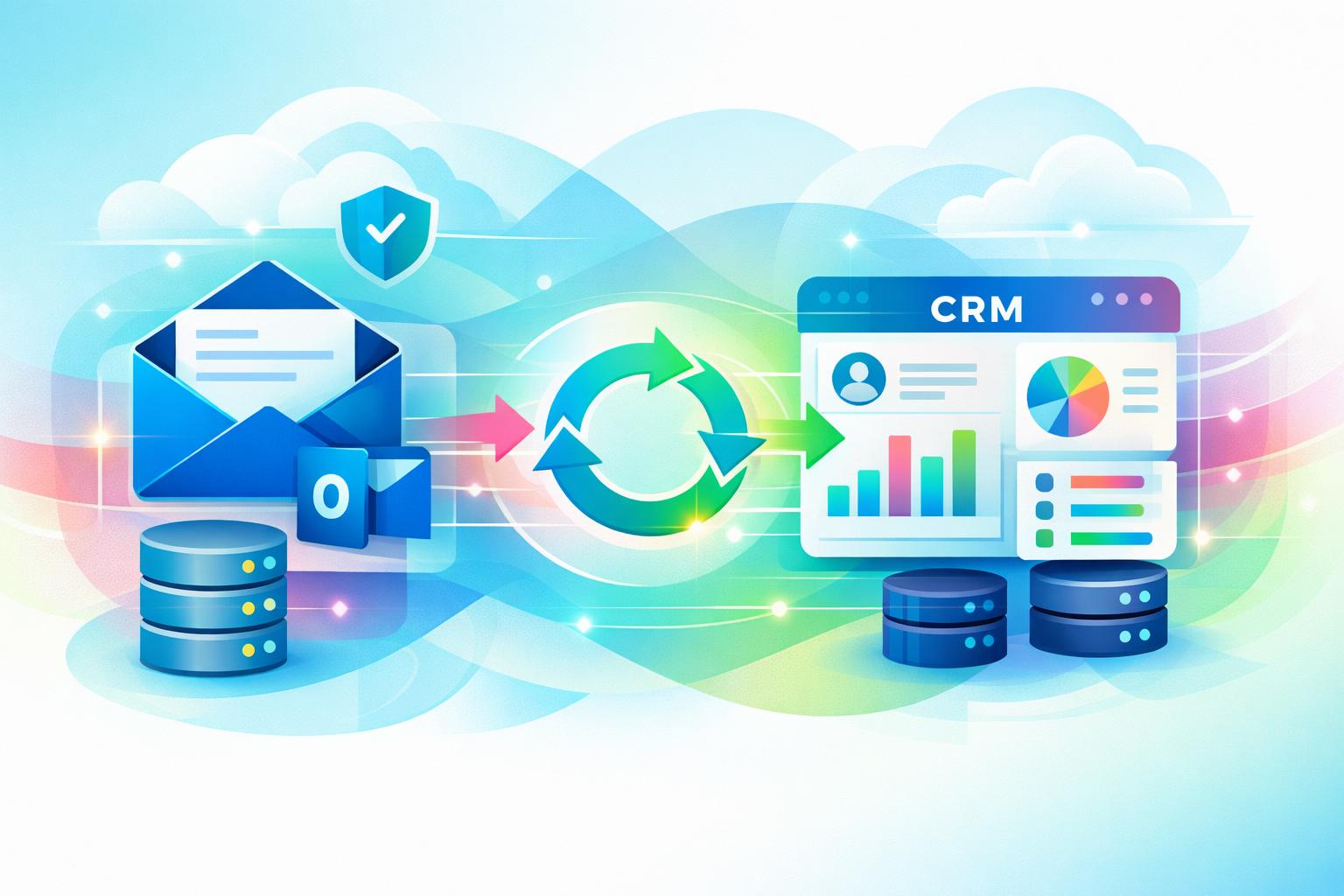
    MainFoundry’s intelligent import engine enriches contact data automatically, creating company records when domains or emails are detected. It also offers field mapping for standard and custom data points. Integrated Outlook syncing ensures historical emails attach seamlessly to each contact’s timeline, preserving full communication context.

    Email, First Name, Last Name, Company, Phone
    example@domain.com, John, Smith, Acme Inc, +1234567890

    Beyond convenience, the impact extends across teams. CRM imports can trigger updates in the marketing analytics dashboard to reveal campaign conversions, while finance modules automatically link invoices and subscriptions for imported clients. Within workspaces, imported contacts become actionable records that teams can collaborate on immediately.

    “Unified imports don’t just clean data—they connect it to every interaction across CRM, marketing, and billing workflows.”

    MainFoundry’s AI Assistant further enhances this process by identifying duplicates, suggesting merge options, and even recommending segmentation strategies. Once a template and mapping profile are configured, subsequent imports adhere automatically—saving time and ensuring data quality across the organization.

    Key Takeaways

    • Start with a verified CSV template that aligns with your system’s columns to prevent import errors.
    • Use precise field mapping and duplicate resolution rules for consistent, accurate imports.
    • Adopt unified platforms like MainFoundry to streamline data management across CRM and marketing.
    • Leverage AI-powered validation for automatic enrichment and quality control.
    • Refresh import templates periodically to adapt to field and integration changes.

    By mastering CSV imports, you build a foundation for cleaner data, more effective collaboration, and smarter decision-making. Ready to simplify your contact importing workflow? Get in touch with MainFoundry and see how our platform automates the process end to end.