Category: Integrations

  • Azure AD SSO Best Practices for Microsoft 365 Teams

    Azure AD SSO Best Practices for Microsoft 365 Teams

    If your organization relies on Microsoft 365, streamlining access across cloud platforms isn’t just convenient—it’s essential. Azure Active Directory SSO for SaaS transforms how teams authenticate, manage users, and secure business data in an increasingly app-driven world. This post unpacks how Microsoft Entra ID enables single sign-on, automatic provisioning, and role-based access control to simplify operations. You’ll also see how solutions like MainFoundry leverage Azure AD integration for unified, secure, and scalable teamwork.

    How Azure Active Directory SSO Simplifies SaaS Access

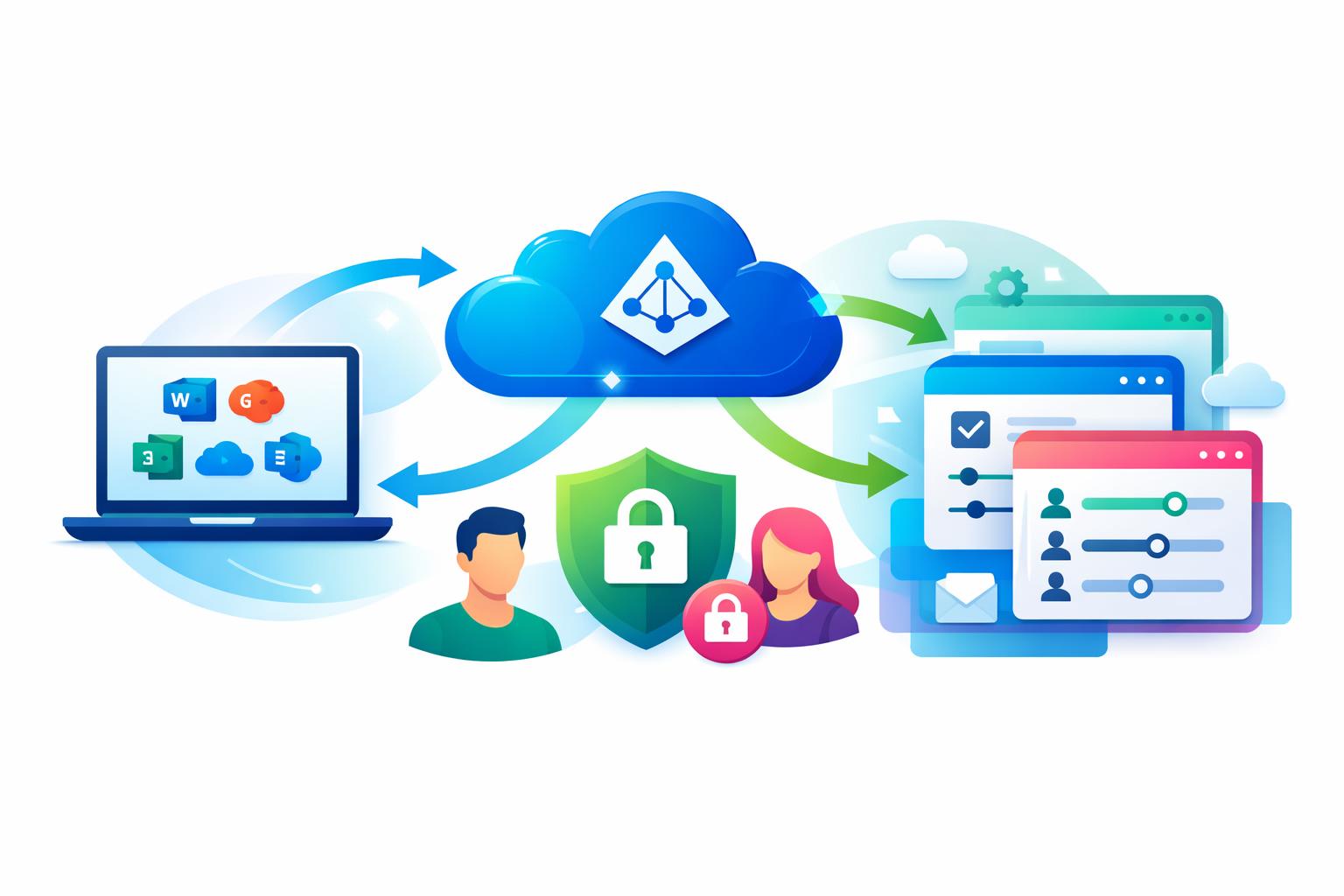
    At its core, Azure Active Directory SSO for SaaS eliminates repetitive logins by enabling users to sign in once with their Microsoft credentials. Behind the scenes, Azure AD—or Microsoft Entra ID—uses secure protocols such as SAML 2.0 and OpenID Connect to verify a user’s identity and share that validation with the corresponding SaaS platform. The app never needs to handle passwords directly, reducing the risk of breaches and password fatigue.

    From an administrative perspective, setting up SSO begins with registering the SaaS app as an enterprise application in Azure AD. Once configured, Azure AD acts as the identity provider while the application functions as the service provider. This centralized model lets IT teams manage access from one control point, aligning security policies across all business tools and drastically reducing configuration overhead.

    For Microsoft 365 teams, integration with everyday workflows is seamless. Employees can launch SaaS tools directly from the Microsoft 365 portal, through Teams or Outlook, or the My Apps dashboard—no extra credentials required. This not only strengthens security but also keeps productivity uninterrupted, especially for organizations balancing multiple cloud services and roles.

    Automatic Provisioning and Role-Based Control

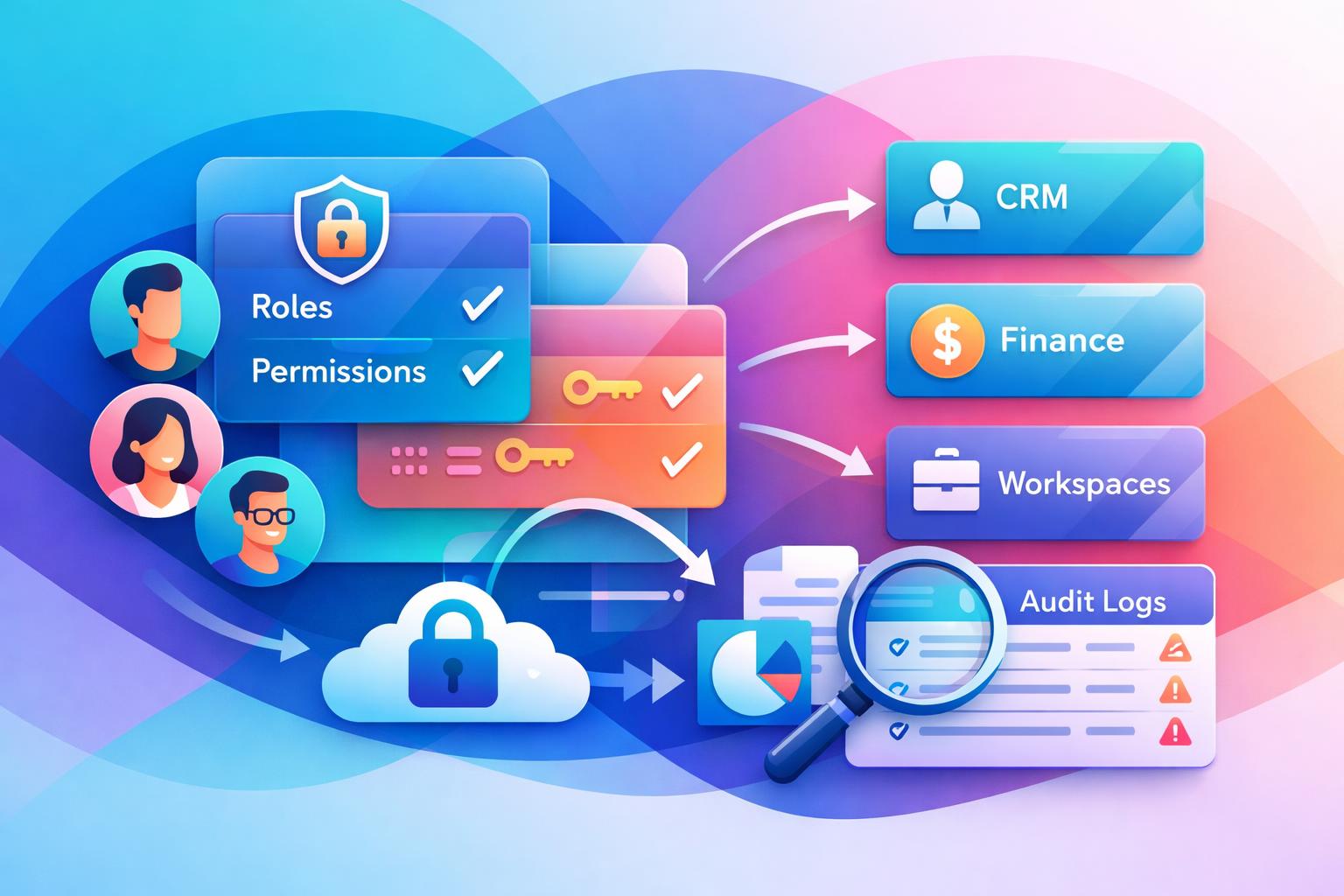
    While SSO handles sign-in, automatic user provisioning extends identity management across the employee lifecycle. Using APIs and standards like SCIM, Azure AD can automatically create, update, or deactivate user accounts in connected SaaS systems. When someone joins or changes roles, their access adjusts instantly—no manual updates required. When they leave, a single account deactivation in Azure AD can revoke access systemwide.

    This automation becomes critical when dealing with sensitive data in CRM, finance, or marketing systems. Platforms like MainFoundry benefit directly from this connection—allowing team members to access unified workspaces using their Microsoft 365 identity, while IT retains centralized oversight for security and compliance.

    “Centralized authentication isn’t just about convenience—it’s the foundation that keeps modern business systems secure, scalable, and compliant.”

    Beyond authentication, role-based access control (RBAC) ensures that each user only sees what they need. Azure AD can pass group memberships or roles directly to SaaS apps during login or provisioning, allowing administrators to define permissions once and apply them consistently. In a platform like MainFoundry, this means finance staff can manage billing while marketing focuses on campaign analytics—all within a single, secure environment.

    • Centralized authentication using Microsoft identities
    • Automatic provisioning that syncs with directory updates
    • Role-based access driven by Azure AD group assignments
    • Seamless access via Microsoft 365 and My Apps portal

    Pro Tip: For teams already managing user data in Microsoft 365, enabling automatic provisioning can immediately reduce IT workloads while strengthening deprovisioning controls for security audits.

    Key Takeaways and Next Steps

    For Microsoft 365 organizations, modern identity management through Azure Active Directory SSO is more than just a user convenience—it’s a cornerstone of security and operational efficiency. By consolidating login credentials, automating provisioning, and enforcing role-based access across applications, teams can work faster and safer.

    • Reduce password fatigue and IT support requests through unified credentials
    • Keep user access synchronized automatically from onboarding to offboarding
    • Define access rules once and apply them everywhere with Azure AD groups
    • Improve security posture while simplifying compliance management

    If your organization is evaluating new SaaS platforms, consider those aligned with Microsoft Entra ID standards. Explore how MainFoundry supports unified CRM, marketing, finance, and team collaboration under one secure, Azure AD-integrated platform. To discuss implementation or request a demo, visit MainFoundry Contact.

  • Outlook CRM Integration Best Practices for Clean Data

    Outlook CRM Integration Best Practices for Clean Data

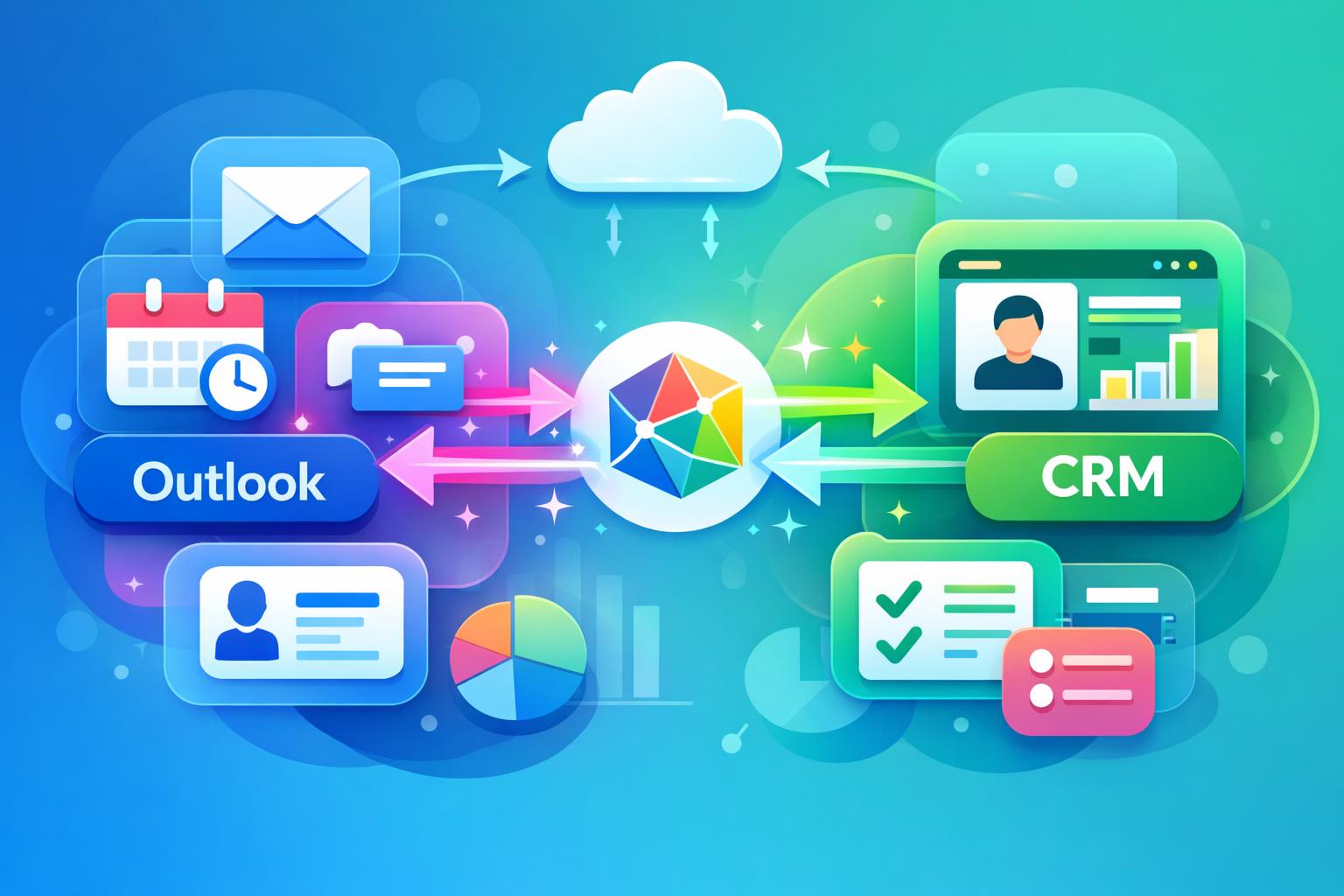
    When your team spends most of the day in Microsoft Outlook, your CRM should keep pace automatically. A well-built Outlook CRM integration does exactly that—keeping customer data updated in real time without relying on manual input. This article explains how connecting Outlook and your CRM through technologies like Microsoft Graph eliminates data entry tasks, preserves contact history across emails and meetings, and strengthens collaboration across sales and customer success teams. You’ll see how MainFoundry’s approach ensures accurate, synchronized customer information that your business can rely on effortlessly.

    How Outlook CRM Integration Keeps Customer Data Current

    Most business teams already rely on Outlook for their daily communication, which makes it the perfect foundation for automated CRM synchronization. The problem with traditional integrations is that they depend on manual email forwarding or plug-ins that eventually break down. With two-way Outlook CRM integration, all communication, meetings, and contacts update continuously in both systems, creating a single, truthfully synchronized record of interactions.

    Two-way synchronization ensures that when emails are sent or received in Outlook, the corresponding records automatically appear in the CRM. Likewise, any updates made in the CRM reflect in Outlook, maintaining complete context. For example, when a salesperson replies to a client, that email is linked to the correct contact and company record. Later, when a teammate reviews the account, the full message history appears chronologically, creating a trustworthy activity timeline without anyone needing to log interactions manually.

    MainFoundry’s CRM achieves this synchronization using Microsoft Graph, enabling continuous two-way data flow across Outlook and the CRM. This eliminates partial histories and missing communication while ensuring every team member works with the same updated information—an essential advantage for distributed organizations. Learn how this connects within a broader unified CRM system that ties together contacts and companies seamlessly.

    “When your CRM reflects what actually happens in Outlook, you eliminate guesswork and maintain continuous visibility into every customer relationship.”

    Beyond email, Outlook integration also manages calendar data. Meetings, demos, and follow-ups appear in the CRM automatically, attached to the right contacts, accounts, or opportunities. In MainFoundry, these events display alongside emails, notes, and call logs as part of one chronological activity timeline. Managers can instantly assess engagement levels across accounts, while sales and customer success teams prepare for client conversations fully informed by past meetings.

    Another critical advantage is automatic contact creation. When new people email your team, their details are automatically captured or enriched in the CRM. That means no more lost leads or neglected stakeholders. Over time, your CRM evolves into a complete communication record reflecting real customer relationships, not just manually added data points. MainFoundry automates this by detecting senders and domains directly through Outlook activity, saving countless hours of manual data cleanup.

    Real-time updates powered by Microsoft Graph = CRM accuracy without user effort.

    The integration’s reliability comes from Microsoft Graph delivering event-driven synchronization directly through Microsoft 365, not through delayed imports or fragile rules. This ensures that any change—an email sent, a meeting rescheduled, or a contact detail edited—is instantly reflected on both sides, freeing teams from manual upkeep and giving leaders an accurate real-time snapshot of customer activity.

    Why Outlook CRM Integration Matters for Growing Teams

    As organizations scale, keeping CRM data complete becomes increasingly difficult. Missed follow-ups, unclear account ownership, and duplicate outreach stem from inconsistent records. A solid Outlook CRM integration removes this friction entirely. With automatic synchronization, you don’t have to rely on reminders or policies—customer data stays updated organically as teams communicate.

    Automatic updates also improve adoption. When CRM activity logs happen without effort, sales and service teams trust the system more. They spend less time on administrative work and more time with customers. Because MainFoundry connects directly to Microsoft 365—without plugins or code—it’s an accessible option for teams that want depth without setup complexity.

    Pro Tip: Choose integrations built on native APIs like Microsoft Graph to avoid slow syncs and data inconsistencies common in manual or third-party tools.

    Because customer data supports multiple departments—from marketing to finance—activity syncing benefits the entire organization. Outlook CRM integration creates a unified record accessible across systems, including marketing analytics and attribution or subscription and billing management. Everyone operates from the same dependable customer data, aligning goals and strengthening communication between departments.

    Security also plays a major role. Using Microsoft 365’s native permissions ensures sensitive email and calendar data stay protected while still allowing shared access when necessary. MainFoundry’s architecture is designed with enterprise-grade security standards, which you can explore in detail at MainFoundry Security. Combining simplicity, compliance, and robust synchronization support makes the system scalable without added complexity.

    Key Takeaways

    • The best Outlook CRM integration eliminates manual logging and keeps records synchronized automatically.
    • Two-way email and calendar syncs maintain complete interaction histories and improve visibility.
    • Automatic contact creation prevents lost leads and enriches CRM data continuously.
    • Leveraging Microsoft Graph ensures real-time updates and eliminates integration fragility.
    • Platforms like MainFoundry prove that deep integration, automation, and security can coexist in one cohesive system.

    Related Reading

    For a complete look at how MainFoundry connects CRM with marketing, finance, and workflow automation, explore MainFoundry’s unified business platform or reach out at MainFoundry Contact.

  • e-conomic Integration for SaaS Accounting Automation

    e-conomic Integration for SaaS Accounting Automation

    Managing accounting in a growing SaaS business can quickly turn into a juggling act with invoices, payments, and expenses scattered across multiple systems. The result is often manual reconciliation, duplicate entries, and reporting headaches. This post explores how e-conomic integration for SaaS teams, powered by MainFoundry, simplifies bookkeeping. You’ll discover how automated invoice syncing, payment matching, and expense categorization reduce friction and give finance teams the accuracy and speed they need to scale with confidence.

    Why SaaS Teams Struggle with Disconnected billing and accounting

    Most SaaS businesses begin with simple tools for billing and accounting—great for small customer bases but increasingly fragile as the business grows. Once subscriptions and revenue streams expand, exporting invoices and importing CSV files becomes a daily pain point. Even basic tasks like verifying payments or checking overdue invoices start eating into valuable time that could be spent on strategic work.

    Disconnected systems cause delays in the order-to-cash cycle and produce inconsistent reports. Since SaaS metrics like revenue recognition and churn rely on precision, these gaps make informed decision-making harder. Integrating billing with accounting through an e-conomic integration for SaaS ensures that every financial action reflects real-time business activity—reducing errors and administrative drag.

    “When billing and accounting move in sync, finance teams stop chasing data and start managing growth.”

    How MainFoundry’s e-conomic Integration Automates Bookkeeping

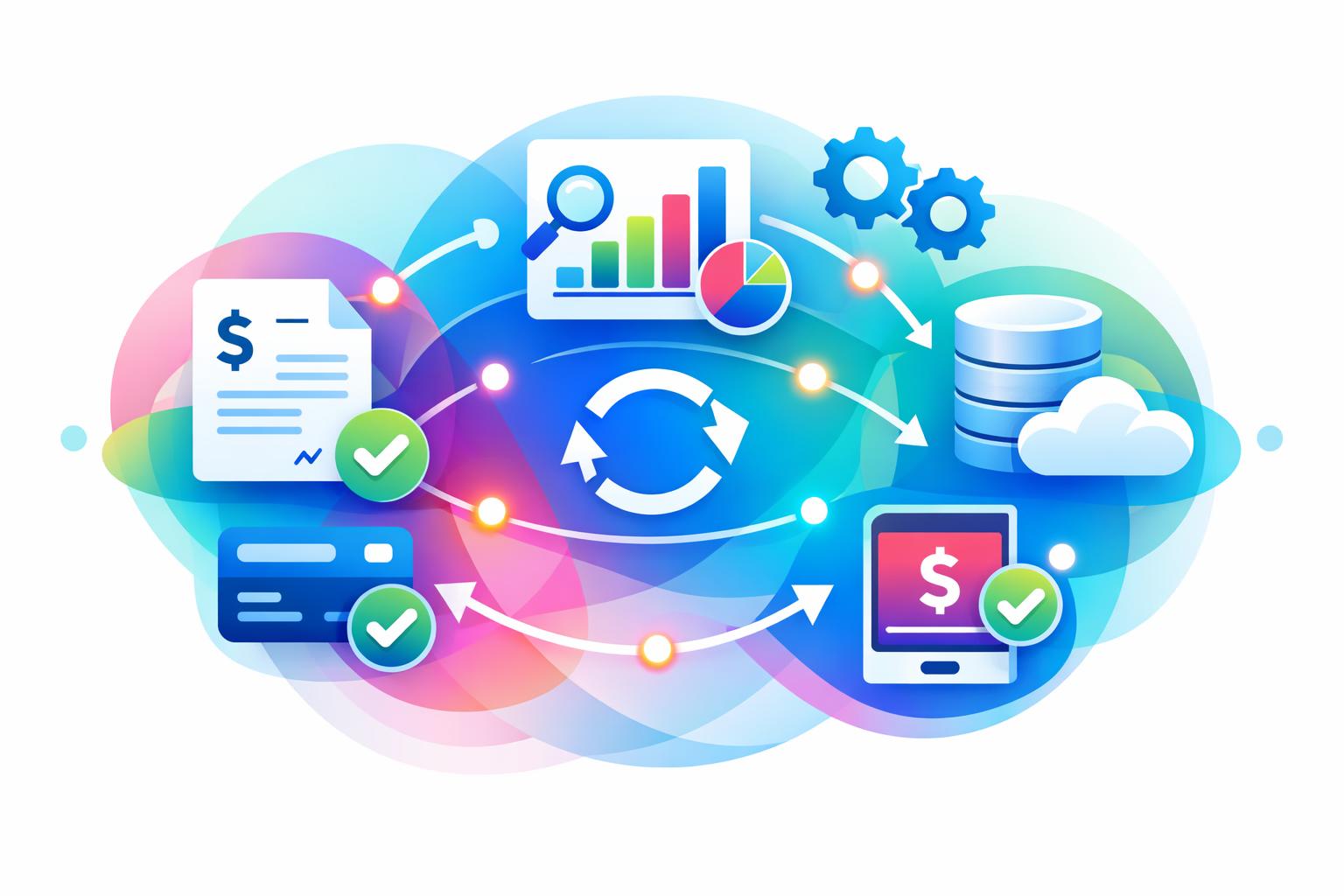
    MainFoundry connects CRM, billing, and finance functions in one platform—making its e-conomic integration particularly effective for SaaS teams. Once an order is confirmed or a subscription renews, the platform automatically generates an invoice and syncs it to e-conomic with the correct customer details, taxes, and totals. This eliminates the tedious step of re-creating invoices and ensures data consistency across systems.

    The automation continues as payments roll in. MainFoundry matches each payment—whether through card or bank transfer—to the corresponding invoice and updates the status in both systems. This automatic reconciliation keeps accounts current and avoids duplicate or missed transactions. Likewise, expenses logged in MainFoundry flow seamlessly into e-conomic under the right categories, keeping reporting consistent as your transaction volume grows.

    Automation in accounting isn’t just about saving time—it’s about ensuring every financial record mirrors real business performance.

    With all billing, CRM, and reporting data unified, SaaS teams can easily trace financial insights back to specific customers or subscriptions. The integration enhances oversight while maintaining e-conomic as the core accounting ledger. You can read more about connected workflows through MainFoundry’s finance management features, which demonstrate how unified systems improve operational clarity.

    • Faster invoice delivery without double entry
    • Automatic payment reconciliation that keeps ledgers current
    • Consistent expense categorization that scales effortlessly

    Pro Tip: Integrations produce the best results when part of a single, unified system—avoid isolated connectors that increase maintenance and data risk.

    Key Takeaways

    An effective e-conomic integration for SaaS isn’t only about data synchronization—it’s about trust and scalability. By aligning billing, payments, and accounting processes, teams eliminate repetitive bookkeeping and reduce human error. MainFoundry delivers this automation in a way that’s both secure and scalable, giving finance leaders confidence in every report.

    • Syncing billing with accounting ensures real-time financial visibility
    • Automation minimizes manual touchpoints and compliance risk
    • Integrated data improves forecasting and operational insight
    • Unified platforms support better governance and audit control

    Related Reading

    Explore more automation strategies in Optimizing Your SaaS Finance Workflow.

  • How Cloud Integration Streamlines Business Operations

    How Cloud Integration Streamlines Business Operations

    Running a business today often means managing a maze of disconnected systems—your CRM, marketing analytics, and billing tools may each tell a different story. That’s where cloud integration comes in. This article explores how unifying applications and data through integration empowers faster decisions, seamless workflows, and real-time visibility across your operations. You’ll discover how platforms like MainFoundry make this transformation practical, scalable, and impactful for growing companies.

    How Cloud Integration Unifies Data and Operations

    At its core, cloud integration connects your different business systems—such as CRMs, marketing automation tools, or finance platforms—so they can share and synchronize data automatically. It relies on APIs and middleware to ensure information flows securely between systems without manual effort. For example, your CRM data can automatically populate a marketing dashboard while invoices sync directly with your billing tools.

    Because most organizations use a combination of public and private cloud services along with on-premises solutions, hybrid integration has become the norm. Middleware acts as the translator between systems, mapping and transforming data formats to ensure each platform “speaks” the same language. This allows a sales team to instantly see updated payment statuses from finance or lets marketing automatically trigger campaigns when a prospect’s lifecycle stage changes.

    MainFoundry’s CRM, Marketing Analytics, and Billing modules all operate on this principle. Updates in one area ripple automatically through others, ensuring continuous synchronization. When a deal is marked “won” in the CRM, for instance, MainFoundry can trigger billing and onboarding workflows inside custom Workspaces—no manual handoffs required.

    “Cloud integration ensures that every department is working with the same, real-time version of the truth.”

    Effective integration operates across three main layers: data integration ensures everyone sees the same metrics; application integration allows different apps to function cohesively; and business process integration automates workflows spanning multiple departments. Together, these layers eliminate silos, reduce duplication, and create complete transparency across your organization.

    Why Cloud Integration Is a Business Imperative

    Speed and connectivity define business success in the digital age. Disconnected systems create blind spots, manual processes, and inconsistent data that stifle growth. Cloud integration transforms disparate tools into a single, agile ecosystem that drives efficiency and collaboration. The result is faster decision-making and smoother operations organization-wide.

    • Faster workflows and fewer bottlenecks driven by automated handoffs and direct data exchanges
    • Improved accuracy from synchronized data models that eliminate conflicting information across departments
    • Scalability and flexibility that adapt as new tools and markets are added, without IT disruption
    • Real-time insights offering unified dashboards across CRM, marketing, and finance
    • Enhanced collaboration as connected systems spark better teamwork between operational units

    Cloud integration can reduce operating costs by up to 40% while improving cycle times and responsiveness.

    With built-in integration features, MainFoundry helps you unify systems faster. Its AI Assistant surfaces insights from connected data, while Custom Workspaces enable seamless hybrid management across departments. Using its open API framework, you can integrate external apps—from accounting to customer support—for a fully unified ecosystem.

    Key Takeaways

    Implementing cloud integration begins by identifying your most essential systems—typically CRM, marketing automation, and billing. Once connected, these platforms eliminate redundant processes and enable near-instant data flow. The impact: smarter decisions, automated operations, and organization-wide alignment.

    • Connect all your apps and data sources into one unified system
    • APIs and middleware power secure, real-time data communication
    • Gain automation, visibility, and scalability without heavy IT investment
    • Unified architecture drives efficiency, accuracy, and cost reduction
    • Platforms like MainFoundry make cloud integration practical with connected CRM, marketing, billing, and AI features

    Explore how MainFoundry simplifies unified business operations at www.mainfoundry.com or connect with the team through www.mainfoundry.com/contact to start building your unified cloud ecosystem today.

  • Effektiv CRM dataimport fra eksterne kilder

    Effektiv CRM dataimport fra eksterne kilder

    Når din virksomhed står over for at flytte eksisterede kundedata til et nyt CRM eller økonomisystem, bliver dataimport hurtigt det afgørende skridt for en effektiv overgang. Denne artikel gennemgår, hvordan du sikrer korrekt overførsel af kontakter og virksomhedsoplysninger fra systemer som e‑conomic, HubSpot og Salesforce, uden at miste data eller skabe manuelle flaskehalse. Vi ser nærmere på strukturerede importformater, automatiseret berigelse og hvordan moderne CRM-løsninger, såsom MainFoundry, gør processen enklere og mere dynamisk.

    Effektiv dataimport fra eksterne kilder

    I systemer som e‑conomic foregår importen typisk via CSV-filer, hvor kontaktpersoner matches med eksisterede kunder gennem unikke nøgler som kundenumre. Denne metode sikrer entydig kobling og korrekt udfyldning af felter, men kræver forberedelse – især at alle kolonner er fuldt udfyldt og uden blanke felter. En korrekt struktur betyder, at hver kontakt automatisk tilknyttes den rigtige virksomhed ved overførsel.

    CRM-platforme som HubSpot og Salesforce går et skridt videre. De beriger data ved import, så felter som e‑mail, domæner og sociale profiler tilføjes automatisk. Det skaber et mere levende CRM-setup, der sparer dine medarbejdere for manuelt arbejde og reducerer risikoen for datatab. Samtidig sørger systemer som Pimcore for centraliseret styring af masterdata, hvilket gør konsolidering på tværs af applikationer betydeligt enklere.

    “Den rette struktur fra starten er nøglen til at bevare både kundedata og tillidsrelationer under en systemmigrering.”

    Import af personoplysninger kræver naturligvis GDPR-overholdelse. Det betyder, at alle overførsler skal ske med gyldige databehandleraftaler, og at eventuelle tredje-lands datamigreringer skal dokumenteres. Platforme som QuickImport og Easy Redmine tilbyder mekanismer til håndtering af samtykke og eksport, men det er stadig virksomhedens ansvar at sikre korrekt datapraksis.

    Sådan forenkler moderne CRM‑platforme processen

    Traditionelle systemer som e‑conomic kræver manuel oprettelse og kolonnematching ved import, men moderne løsninger som MainFoundry automatiserer hele processen. Du kan trække data direkte fra CSV– eller Excel-filer, samt via integrationer med Outlook og Google Sheets. Systemet genkender automatisk felttyper – fra e‑mail og telefonnummer til virksomhedsnavn og kundenummer – og importerede data placeres korrekt uden manuelle rettelser.

    MainFoundry tager dog dataimport endnu længere med domænebaseret virksomhedsberigelse. Her oprettes virksomheden automatisk ud fra kontaktens e‑mail‑adresse, og felter som branche, størrelse og webadresse udfyldes via tilknyttede datakilder. Det gør det muligt at migrere hele kontaktlister fra eksterne systemer uden at miste struktur eller dataintegritet. Derudover bevarer platformen al historik i en samlet aktivitetstidslinje, så korrespondance, møder og noter flyttes med – en funktion der fjerner sædvanlige problemer ved overgang mellem CRM-systemer.

    Pro Tip: Brug automatiseret berigelse til at maksimere dataværdi. Når domæner og relevante felter udfyldes automatisk, øges præcisionen dramatisk og du sparer tid på efterarbejde.

    Importen i MainFoundry kan også tilkobles marketing analytics‑modulet, der genbruger kampagnedata fra eksterne platforme. Resultatet er en komplet kæde, hvor lead, aktivitet og fakturering integreres i ét dataspor. Dette giver et helhedsblik, som styrker beslutningsgrundlaget for både salg og marketing.

    Vigtige takeaways

    • Succesfuld dataimport begynder med korrekt formaterede kildedata – ingen tomme felter og entydige nøgler.
    • Automatiseret berigelse, som i MainFoundry, kan øge dataværdien markant og sikre stabil opsætning ved skalerede kundebaser.
    • Samlet styring af kontakt- og virksomhedsdata gør overgangen mellem systemer gnidningsfri og fremtidssikker.
    • Fokusér på GDPR-compliance ved import for at undgå risici og bevare kundetillid.
    • For hurtig implementering og langvarig orden i virksomhedens datagrundlag bør du vælge en CRM‑løsning med fleksibel dataimport som MainFoundry.

    Related Reading

    Læs mere om samlet CRM og importmuligheder hos MainFoundry for at komme godt fra start med dine data.

  • CRM CSV Import Best Practices for Efficient Data Handling

    CRM CSV Import Best Practices for Efficient Data Handling

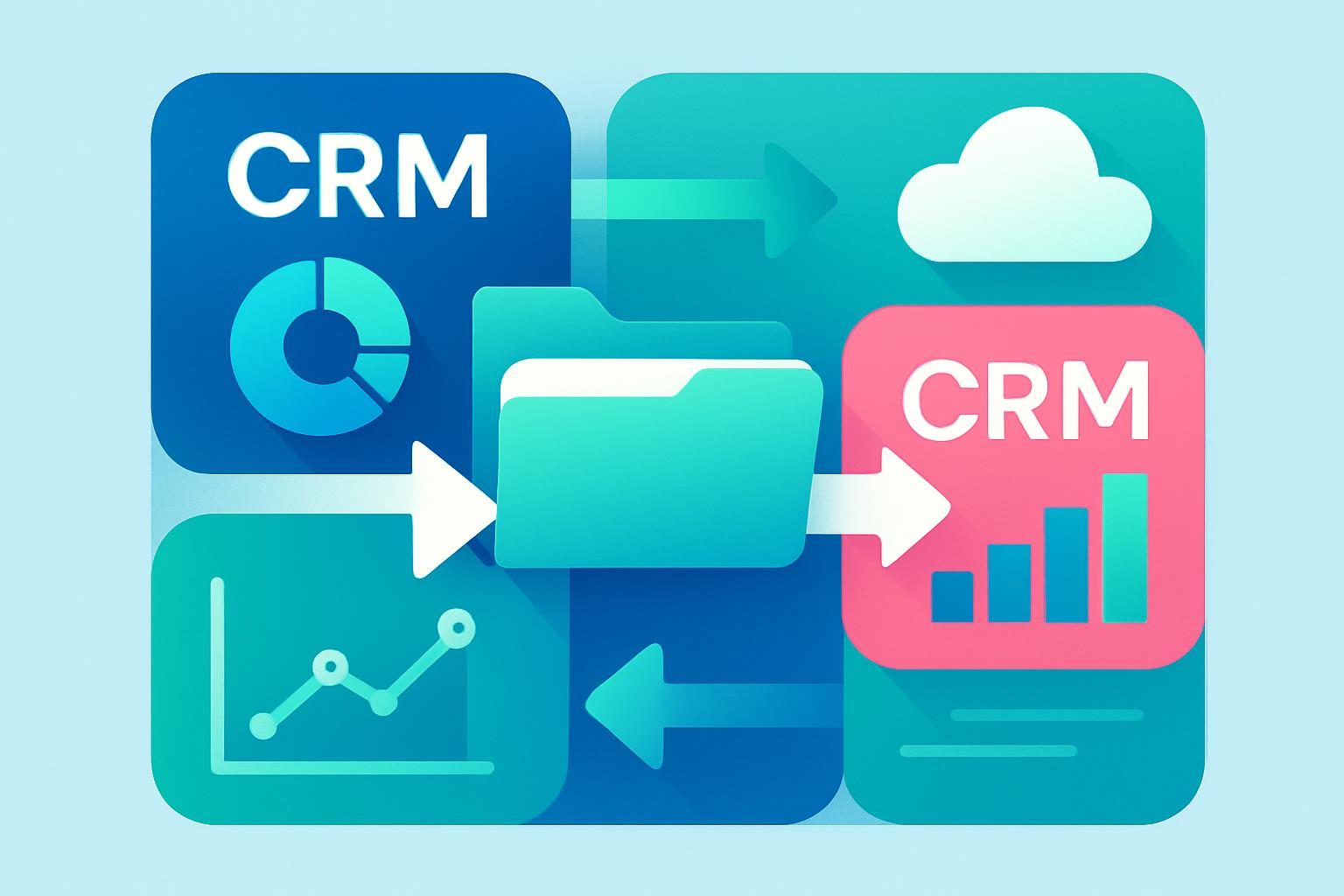
    Bulk data transfers can transform how businesses manage contacts and operational records. When done correctly, a simple CSV import can replace hours of manual data entry while improving consistency across your CRM and other systems. This guide walks you through how to prepare, validate, and execute efficient bulk CSV imports—from contact lists to finance and marketing data—and explains how modern platforms such as MainFoundry make the process seamless for teams managing large datasets.

    Preparing a Clean and Accurate CSV Import

    Getting your spreadsheet structure right is the cornerstone of a smooth bulk import. Start by building or exporting your data into a single worksheet, then save it as a CSV file format. Avoid formulas, merged cells, or multiple sheets—these elements often cause import errors since CSVs rely strictly on plain text fields. When possible, follow your tool’s import template to ensure header names match expected fields during mapping.

    For CRMs, include key columns such as *First Name*, *Last Name*, *Email*, and *Company Name*. Keeping these consistent ensures your contacts align with their associated businesses and workflows. Delete irrelevant columns to minimize mismatches and confirm that your CSV encoding uses UTF-8 to preserve special characters properly.

    When handling lists that extend into the thousands, begin with a small test batch—10 to 20 records—to confirm headers and data fields align correctly. This proactive validation saves hours of post-upload clean-up and prevents duplicate or misaligned entries. Once confirmed, scale to full import confidently knowing your structure passes basic integrity checks.

    Pro Tip: Use MainFoundry Custom Workspaces to store CSV-imported data under distinct projects, departments, or finance tables—creating a unified operational view across your organization.

    Avoiding Common CSV Import Mistakes

    Data imports often fail due to field mismatches, duplicate entries, or inconsistent formatting. Each issue can be prevented with simple preparation. Field mapping determines whether your columns populate correctly—make sure each header matches its destination. If your platform supports manual “drag-and-drop” mapping, take a moment to verify each alignment rather than relying solely on automation.

    Duplicates also pose frequent challenges. Some systems skip identical records entirely; others overwrite older data based on the most recent update. MainFoundry’s CRM import engine uses intelligent deduplication to merge identical contacts automatically, maintaining a unified customer record with updated details. This ensures your lists remain clean and consistent across campaigns and departments.

    Formatting consistency also matters. Use plain text, avoid special characters, and maintain standard UTF-8 encoding. Even one misplaced comma may corrupt rows during import. Beyond contact data, CSV imports in MainFoundry apply to wider operations such as invoice tracking and marketing analytics. For instance, files imported into Finance Management or marketing analytics automatically link transactions and campaigns to associated clients or teams—streamlining reporting and attribution.

    “A well-planned CSV import doesn’t just move data—it builds the foundation for a connected, accurate business database.”

    Key Takeaways

    • Prepare structured CSV files with clearly labeled headers that match your system’s field mapping.
    • Test small batches before executing full imports to confirm accuracy and prevent data errors.
    • Leverage tools like MainFoundry CRM for automatic field mapping and deduplication to streamline data hygiene.
    • Unify imported data across finance and marketing workflows for a single source of truth.
    • Centralize data management with MainFoundry’s all-in-one platform to reduce silos and enhance visibility.

    Related Reading

    Discover how to create automated reports by pairing imported data with integrated dashboards in MainFoundry Workspaces for smarter analytics.

    Ready to simplify data management? Visit MainFoundry.com or reach out through Contact Us to learn how unified imports can power your CRM, marketing, and finance operations under one platform.

  • CRM Migration Best Practices for Smooth System Upgrades

    CRM Migration Best Practices for Smooth System Upgrades

    Migrating from a legacy CRM system to a modern platform can feel like replacing an aircraft engine mid-flight — you can’t afford downtime or data loss, yet improvement is essential to keep advancing. A successful CRM migration depends on meticulous planning, precise data management, and seamless communication across teams. This guide breaks down how to plan, test, and launch a migration strategy that keeps your operations smooth and data accurate. You’ll learn how to prepare clean data, structure field mappings, and ensure effective post-migration optimization for ongoing business growth.

    How to Plan and Execute a Successful CRM Migration

    Before transferring any data, define a clear migration scope. Establish what information will move, who is responsible for each stage, and which departments depend most on the CRM. Avoid simply exporting everything; instead, evaluate which records have real business value. Setting a cut-off date for outdated leads reduces clutter in your new system and improves overall data quality.

    The planning phase should include time for testing, user training, and brief downtime periods if necessary. If you’re adopting a unified platform like MainFoundry’s CRM and marketing analytics system, align your rollout with introductions to automation and AI features. Coordinating feature training with implementation helps your team operate confidently from day one.

    Next, prepare your data thoroughly. Legacy CRMs often include duplicates, incomplete records, and inconsistent formatting. Standardizing names, phone formats, and company details ensures that migrated data stays usable. Using MainFoundry’s contact enrichment capabilities helps automatically fill gaps and cleans your database efficiently, saving valuable time during setup.

    Once cleansing is complete, map fields between legacy and modern systems. For example, “Client Segment” in your old CRM may align with “Customer Type” in the new one. Documenting these relationships prevents mismatched fields during transfer. Many organizations use ETL or iPaaS tools for this mapping, providing automation and minimizing manual errors throughout the migration process.

    “Clean, well-mapped data is the backbone of every successful CRM migration.”

    Testing, Go-Live, and Long-Term Optimization

    Testing uncovers issues before they disrupt live operations. Begin with a small pilot batch—typically 5–10% of your data—and load it into a sandbox environment. Confirm linked records, notes, and consent details display correctly. Early detection here prevents bigger headaches later and ensures full migration runs smoothly when executed.

    Backup all data before launch and schedule your cutover during low-activity times such as weekends. Running old and new systems in parallel for several weeks allows staff to adjust while maintaining continuity. Designate transition champions from each department to answer user questions and troubleshoot issues quickly as workflows adapt to the new platform.

    After migration, perform validation checks across data integrity, performance, and user adoption. Verify record totals match legacy CRM values and ensure integrations—for marketing, billing, and communications—function correctly. Solutions like MainFoundry’s CRM and Billing module integrate natively, simplifying post-migration reconciliation and reducing sync errors.

    Training and optimization are continuous. Gather user feedback regularly to refine dashboards and workflows. As adoption increases, explore advanced features such as AI-powered task automation and call transcription summaries to modernize how teams manage data and customer interactions. This stage turns migration from a maintenance project into a growth accelerator for your business.

    Approximately 60% of CRM migration challenges stem from poor data quality and insufficient testing—address these early to ensure success.

    Key Takeaways

    • Develop a clear migration plan defining objectives, ownership, and responsibilities across teams.
    • Implement early data cleansing and standardization to minimize operational risks after cutover.
    • Conduct testing in sandbox environments before full deployment to catch errors safely.
    • Establish continuous feedback and validation loops to sustain performance and trust in data.
    • Adopt an integrated solution like MainFoundry to unify CRM, marketing, and billing systems seamlessly.

    Related Reading

    Discover how MainFoundry’s CRM platform helps teams accelerate migration and maintain data integrity across every workflow.

  • ERP CRM Integration for Smarter Business Operations

    ERP CRM Integration for Smarter Business Operations

    Integrating your CRM and ERP systems isn’t just a technical exercise—it’s a strategic move that accelerates business growth. By linking customer interactions with core operational data, companies gain a unified picture of performance, reduce manual work, and make faster, more informed decisions. In this guide, you’ll learn how ERP-CRM integration transforms your operations, what challenges to anticipate, and how modern platforms like MainFoundry simplify integration through built-in CRM and finance tools.

    Why ERP Integration Matters for Growing Businesses

    When a sales representative closes a deal in your CRM, that data shouldn’t stop there—it should seamlessly flow into your ERP system to trigger billing, inventory updates, and forecasts automatically. This continuous data thread bridges customer relationships and back-office operations, building efficiency and clarity across departments.

    A key outcome is enhanced visibility and collaboration. Teams no longer toggle between multiple systems to check customer status, invoice history, or delivery schedules. They work from a shared, accurate data set that promotes faster decision-making and eliminates departmental confusion.

    “ERP integration connects sales to fulfillment in real time—letting your business operate smarter, not harder.”

    For example, when marketing analytics from MainFoundry’s CRM and marketing suite sync with financial insights in its billing and finance module, revenue reports update instantly. Executives can view live sales performance while front-line teams tailor customer strategies using reliable, synchronized data.

    Integration also fuels process automation. Actions like quote-to-order conversion or payment updates happen automatically through connected workflows. Using custom workspaces, teams can personalize views to bring CRM records, invoices, and project timelines into one streamlined dashboard.

    Furthermore, unified systems open the door to future-ready intelligence. Integrated data allows predictive analytics and AI models to forecast demand and resource use. MainFoundry’s AI platform builds on this by connecting CRM and financial signals to uncover performance patterns and actionable insights that siloed tools could never reveal.

    Common Barriers to ERP-CRM Integration—and How to Overcome Them

    While ERP integration yields powerful benefits, the process often faces obstacles like inconsistent data, legacy software, or unclear process ownership. Many organizations experience mismatched data formats and workflow overlaps that slow progress.

    Data compatibility is typically the first barrier. CRMs and ERPs handle customer data differently, so field mapping and governance are critical for automation. Platforms like MainFoundry eliminate these pain points with a unified data model connecting CRM, finance, and marketing tools seamlessly—no middleware required.

    Pro Tip: Conduct a thorough data audit before syncing systems to prevent duplication and ensure field consistency.

    Next, legacy software often lacks APIs or demands expensive custom coding. Opting for a cloud-based, unified platform greatly reduces maintenance costs. By working within a single environment, companies benefit from automatic updates, strong security protocols, and simplified integration—see MainFoundry’s security overview for example.

    Finally, employee adoption plays a significant role. Change management ensures integration success through transparent communication, training, and gradual implementation. When staff experience how unified workspaces enhance daily tasks, resistance turns into enthusiasm.

    A strategic launch follows a few key steps:

    • Align goals between customer service, operations, and finance teams.
    • Clean and map existing data prior to integration.
    • Automate core workflows such as lead-to-invoice.
    • Implement governance and employee training programs.
    • Evaluate unified systems like MainFoundry to minimize vendor complexity.

    These foundational steps help companies realize full integration value—achieving faster close rates, accurate forecasting, and improved customer satisfaction.

    Key Takeaways

    Unified CRM-ERP integration converts disconnected data into actionable intelligence that powers planning, collaboration, and performance tracking across departments. Companies embracing this approach gain measurable advantages in productivity and revenue growth—without juggling endless systems.

    • ERP integration bridges front-office and back-office functions for unified operations.
    • Real-time data visibility enhances forecasting and customer experience.
    • Unified platforms like MainFoundry reduce integration costs and security risks.
    • Cloud-based, AI-driven systems future-proof your business data.
    • Seamless ERP-CRM data flow leads to faster decisions and sustainable growth.

    Related Reading

    Discover how to unify CRM, marketing, and finance workflows in our detailed guide at MainFoundry.com.

  • CRM regnskabsintegration med automatisk synkronisering

    CRM regnskabsintegration med automatisk synkronisering

    At holde CRM og regnskabsdata opdateret på tværs af systemer kan hurtigt blive en administrativ udfordring — især når fakturaer, kundedata og transaktioner skal stemme hver eneste dag. Her bliver regnskabsintegration en gamechanger, som automatisk synkroniserer information mellem CRM og regnskabssystem, så kundeoprettelser, fakturaer og betalinger flyder gnidningsløst. Denne artikel forklarer, hvordan automatiseret synkronisering reducerer fejl, sparer tid og skaber et mere effektivt forretningsflow. Du får også indsigt i, hvordan moderne løsninger som MainFoundry forener CRM, økonomi og samarbejde i ét digitalt økosystem.

    Hvorfor regnskabsintegration forandrer forretningsdriften

    En automatisk synkronisering mellem CRM og regnskabssystem sikrer datakonsistens, fjerner manuelle overførsler og giver realtidsopdateringer på både salgs- og finanssiden. Når kundedata kun indtastes én gang, elimineres dobbeltindtastning og fejl, og en ændring i CRM opdateres straks i regnskabet. Fakturaer genereres altid ud fra de nyeste oplysninger — helt uden ekstra arbejde.

    Virksomheder med synkroniserede systemer får en samlet oversigt over hver kunde. Salg og økonomi kan følge kundehistorikken fra første kontakt til betaling i realtid, hvilket øger effektiviteten og beslutningskvaliteten. Mange rapporterer tidsbesparelser på op mod ti timer om ugen, fordi rapporter og fakturaer ikke længere skal sammenstilles manuelt.

    “Når CRM og regnskabssystemer taler sammen, bliver data en levende del af forretningen – ikke en statisk byrde.”

    Integrationen sker typisk via indbyggede forbindelser, tredjepartsintegrationer eller API-opkoblinger. Mange vælger i dag en automatiseret løsning, enten som *native integration* eller gennem platforme som Syncify og StackSync, der tilbyder realtidssynk og datamapping. Et konkret eksempel er MainFoundrys økonomimodul, som automatisk overfører faktura- og abonnementsdata fra CRM til regnskab, så økonomiteamet får fuld oversigt over fakturering og omsætning uden datasiloer.

    Sådan opsættes automatisk synkronisering effektivt

    Opsætningen af en regnskabsintegration kræver en struktureret tilgang: først vælges de systemer, der skal forbindes — typisk et CRM som HubSpot, Pipedrive eller MainFoundry og et regnskabssystem som Dinero, Fortnox eller Business Central. Derefter defineres, hvilke data der synkroniseres, herunder kundeoplysninger, fakturaer og betalingsstatus.

    Næste trin er datamapping – at matche felter mellem de to systemer, så information overføres korrekt. Fleksible værktøjer understøtter tilpassede felter og gør det muligt at overføre projektnavne, kampagne-ID’er eller tags, hvilket skaber større sporbarhed for marketing- og salgsfunktioner.

    Pro Tip: Test din integration med eksempler, før du går live. Det er den hurtigste måde at fange uforenelige datatyper og manglende felter på.

    Når systemet fungerer, kan synkroniseringen køre i realtid og håndtere både nye og historiske data. Fejlnotifikationer og overvågning bør aktiveres, så teamet informeres, hvis en faktura fejler under synkronisering. Dansk software som Dinero, Fortnox eller Keyforce viser vejen med CRM-koblinger, mens Siteshop og Likvido integrerer rykkerflows og automatiske betalinger i hele kreditor- og debitorprocessen.

    Det strategiske udbytte af automatiseret synkronisering

    Når dine systemer taler sammen, bliver forretningen mere sammenhængende og langt mindre risikabel. De væsentligste gevinster ved fuld integration kan opsummeres i følgende punkter.

    • Færre fejl og bedre datakvalitet gennem automatisk opdatering.
    • Mindre administration fordi alle afdelinger arbejder med den samme data.
    • Hurtigere beslutninger med realtidsindsigt i økonomiske og salgsdata.
    • Bedre kundeoplevelser gennem hurtigt og korrekt svar på forespørgsler.
    • Skalerbar drift uden proportional vækst i administration og manuelt arbejde.

    Platforme som MainFoundry demonstrerer, at fuld regnskabsintegration ikke kræver store ERP-investeringer. Her samles CRM, økonomistyring og opgavestyring i én løsning, hvor en AI-assistent kan analysere tværs af modulerne og foreslå næste handling eller advare om afvigelser i omsætningen.

    Virksomheder med automatiseret synkronisering rapporterer op til 60% hurtigere rapportering og op til 30% lavere driftsomkostninger.

    Key Takeaways

    Regnskabsintegration gør virksomheden mere effektiv, skalerbar og datadrevet. Ved at forbinde CRM og regnskabssystem i ét flow opnås færre fejl, hurtigere beslutninger og bedre kunderelationer. Vækstpressede virksomheder får en mere stabil tilgang til datahåndtering og økonomisk overblik — uden store kompleksitetsomkostninger.

    Related Reading

    Læs mere om MainFoundrys økonomi- og faktureringsstyring og oplev forskellen ved data, der endelig hænger sammen.

  • CRM Accounting Integration for Real-Time Financial Accuracy

    CRM Accounting Integration for Real-Time Financial Accuracy

    When your CRM and accounting software operate in separate worlds, your team spends countless hours reconciling numbers, re-entering invoices, and chasing discrepancies. Accounting integration changes that dynamic—bridging sales, finance, and operations into a seamless flow of real-time financial data. In this guide, you’ll discover how syncing CRM and accounting systems increases accuracy, reduces human error, and creates efficiency across every part of your business. We’ll explore best practices for implementation, the measurable benefits of automation, and how an all-in-one platform like MainFoundry simplifies the entire process from quote to payment.

    Why Accounting Integration Is Critical for Modern Businesses

    Disconnected tools cause data silos and reporting headaches. By ensuring two-way data syncing between CRM and accounting platforms, accounting integration keeps details like invoices, customer records, and payments automatically updated. Instead of duplicating information manually, every transaction syncs in real time or at scheduled intervals—giving your company a single source of truth.

    This streamlined workflow offers tangible benefits. For example, when a deal is marked “Closed Won” in your CRM, an invoice can be generated instantly by your accounting system. Automating that flow eliminates costly data-entry errors and accelerates cash collection. With integrated tools like MainFoundry’s billing and finance solutions, every sale and payment updates your financial dashboard automatically, providing leadership with accurate metrics without toggling across software.

    Beyond productivity, integration supports compliance and security. With standardized tax codes, address formats, and currencies built into your synced environment, teams avoid formatting inconsistencies that slow down operations. Proper encryption, access controls, and regional data management ensure that GDPR and CCPA regulations remain intact while keeping sensitive information protected.

    “Integrated accounting isn’t just about automation—it’s about empowering business clarity, faster decisions, and unified reporting you can trust.”

    How to Implement Smart Accounting Integration

    Accounting integration can take multiple forms depending on your existing setup and technical resources. Businesses with mainstream CRMs may use pre-built connectors to link tools instantly, while those with specialized workflows often rely on custom APIs or iPaaS systems for deeper configuration. Each option helps automate synchronization—reducing dependency on manual processes and avoiding mismatched entries.

    Solutions like MainFoundry CRM merge sales and finance within a unified data layer. There’s no need for middleware—your invoices, expenses, and revenue analytics move together in real time. This approach dramatically lowers maintenance overhead while ensuring every customer record reflects financial history accurately.

    To set your integration up for success, define measurable objectives before implementation begins. Whether your goal is reducing billing delays, improving forecasting, or cutting down on repetitive manual entries, clarity is key. Additionally, make sure your CRM and accounting data are clean and consistent. A strong foundation leads to fewer issues when syncing across platforms.

    Testing each synchronization path thoroughly ensures operational reliability. Confirm invoices post correctly, payments align accurately, and new contacts transfer as expected. Rolling out integrations gradually helps teams adapt smoothly while minimizing disruption. Tools like MainFoundry’s AI Assistant can even automate validation tasks, generating performance summaries after each sync to keep your system health visible and controlled.

    Pro Tip: Align key stakeholders early—finance, operations, and IT—so integration goals mirror business strategy and ensure data consistency from the start.

    Key Takeaways

    • Accounting integration eliminates data silos and creates a synchronized workflow between your CRM and financial systems.
    • Automated syncing increases reporting accuracy, speeds up billing, and provides real-time visibility into performance metrics.
    • Choosing platforms with native connectivity—like MainFoundry—removes complexity and ensures long-term data stability.
    • Clean, prepared data sets and clear integration goals make deployment smoother and results measurable.
    • Unified CRM-finance ecosystems drive smarter forecasts, faster payments, and stronger business decisions.

    By connecting sales and finance under one roof, your organization operates with precision and speed. Every invoice, transaction, and performance report stays aligned—so teams spend less time managing data and more time driving growth.

    Ready to unify your workflows?

    Discover how MainFoundry’s all-in-one platform simplifies financial data synchronization with secure, effortless integration across CRM and accounting tools.